Showing posts with label mobile technology. Show all posts

Wednesday, August 12, 2026

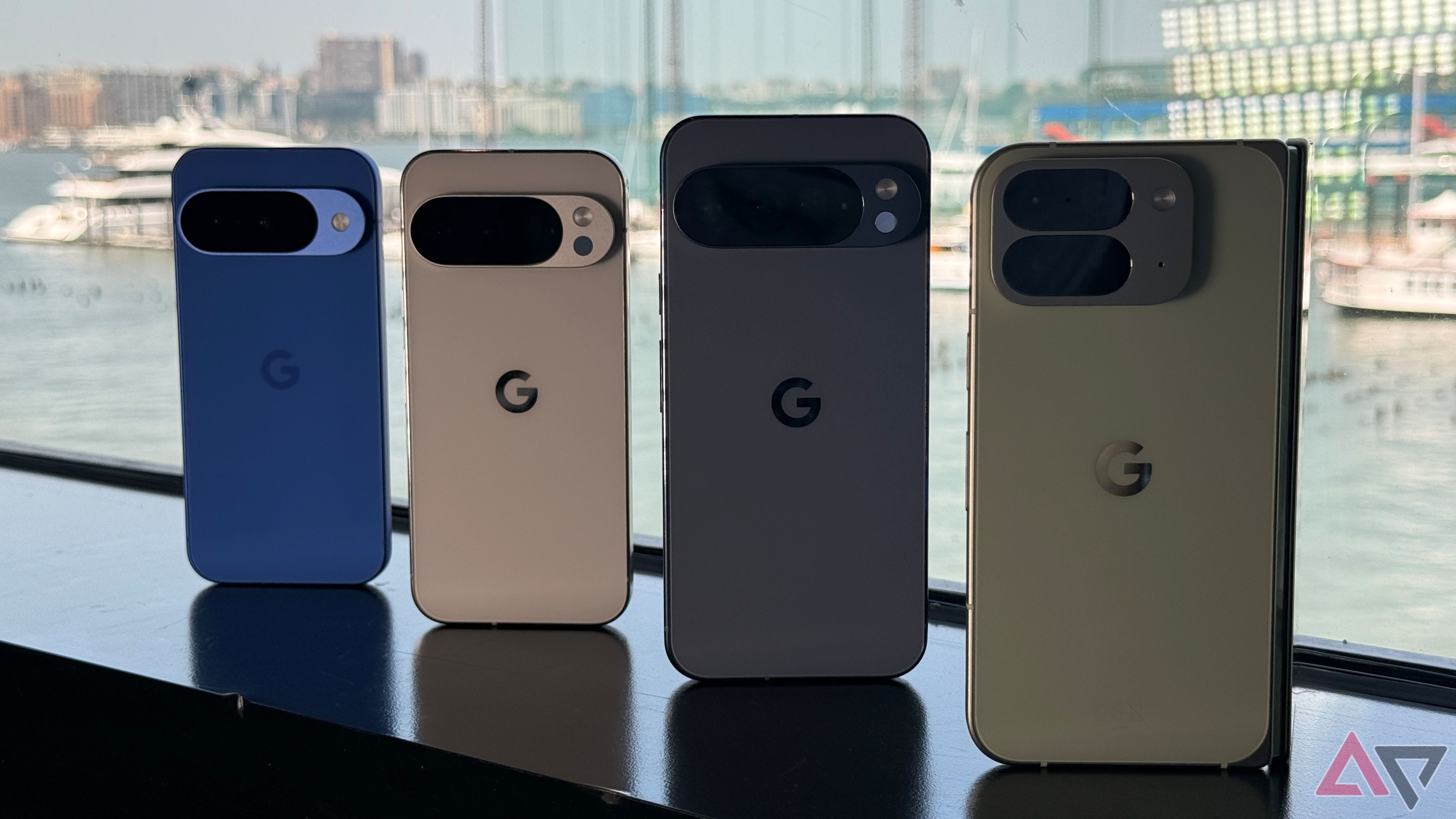
Pixel 10 Pre-Order Alert: Don't Miss Your Google One Benefits

Featured Image

Understanding the Google Pixel 10 Pre-Order Benefits

If you're excited about the latest releases from Google, including the Pixel 10, Pixel 10 Pro, Pixel 10 Pro XL, and Pixel 10 Pro Fold, you're not alone. These new devices come with a range of appealing features that have generated a lot of interest. Additionally, the pre-order deals are quite enticing, offering users some valuable perks. However, there's an important detail that potential buyers should be aware of to avoid any unexpected issues.

What You Get with a Pixel 10 Pre-Order

Those who choose to pre-order a Pixel 10 device can enjoy several benefits. One of the main incentives is a year-long subscription to Google AI Pro, which provides access to advanced AI features and tools. In addition, customers receive 2TB of Google One storage at no extra cost. For those who already have a paid plan for these services, there is also additional compensation available. This offer can be especially beneficial if you were planning to subscribe to these services anyway.

The Catch: Canceling Your Pre-Order

Despite the attractive offers, there is a cautionary note for those who are still on the fence about making a purchase. If you place a pre-order and later decide to cancel it, you may face some significant consequences. Specifically, canceling your order could result in the loss of key pre-order benefits, such as the Google One subscription.

Impact on Your Current Google One Subscription

One of the most important points to consider is that Google’s terms and conditions state that the free trial for these services begins the moment you place your order—not when you receive the phone. This means that if you cancel your pre-order, Google may also cancel your existing Google One and Google AI Pro subscriptions.

This situation has caught some users off guard, leaving them without access to their services and requiring them to go through the hassle of re-subscribing. It's a scenario that many would prefer to avoid, especially if they rely on these services for their daily activities.

The Importance of Reading the Fine Print

This situation highlights the importance of reading the fine print before making any commitments. While Google aims to make the pre-order process as smooth as possible, the system may not account for users who change their minds after placing an order. Moreover, if you cancel your initial pre-order and then decide to pre-order again later, you might not be eligible for the same perks. This is because the offers are typically limited to one per customer.

Making an Informed Decision

Before you proceed with a pre-order, it's essential to ensure that you are fully committed to purchasing the device. The pre-order deal is a great opportunity, but it's crucial to be certain about your decision before clicking the "buy" button. Taking the time to understand the terms and conditions can help you avoid unnecessary complications down the line.

In summary, while the Pixel 10 pre-order offers are tempting, they come with specific conditions that require careful consideration. By being informed and thoughtful about your purchase, you can enjoy the benefits without encountering any unexpected issues.

Tuesday, August 4, 2026

Top 2025 smartphone features to skip

Featured Image

The Illusion of Innovation in Smartphones

Another year, another keynote. The stage is familiar, the CEO's black turtleneck returns, and the promises are grand. As the presentation unfolds, the déjà vu hits. The camera adds megapixels, the screen refreshes a little faster, and the processor is slightly quicker. Welcome to the innovation treadmill, where the annual release cycle is predictable and boring.

In a mature market with few real hardware breakthroughs, manufacturers trap themselves. They launch a new Android flagship every 12 months to drive sales, even when nothing meaningful is ready. The result is a parade of features that look great on a spec sheet but add little to daily use. Many of these "innovations" are gimmicks.

Here are the smartphone features that I believe get more hype than they deserve.

High Megapixels Are Misleading

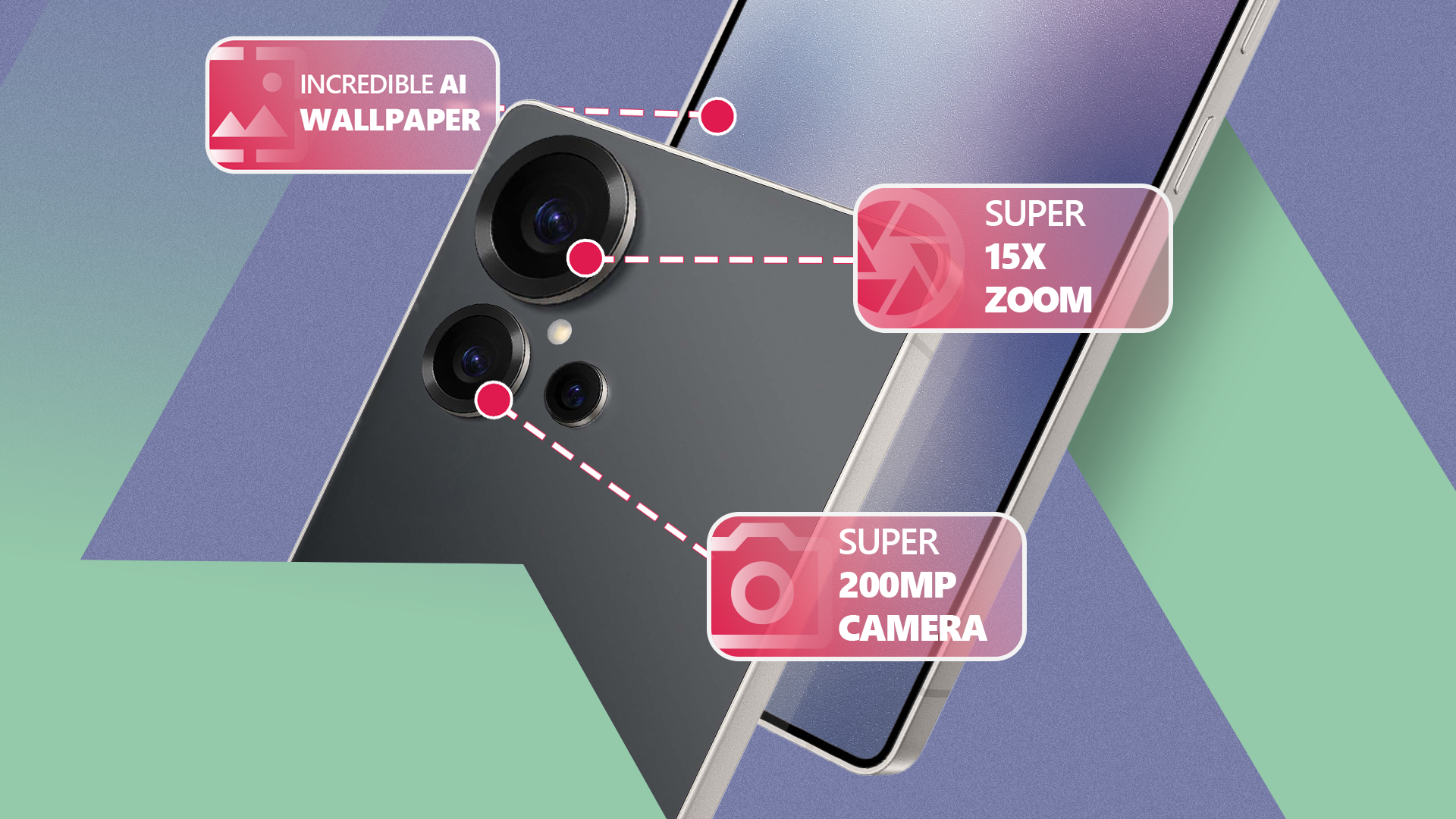
Megapixel obsession is the industry's most misleading tactic. Many camera phones now feature 200-megapixel (200MP) sensors, implying pro-level detail. Reality is more complicated and less impressive. Image quality depends mainly on sensor size and lens quality, not pixel count.

Think of pixels as tiny light buckets. Larger buckets collect more light, which produces cleaner, more detailed images, especially in dim conditions. To cram 200 million pixels onto a small smartphone sensor, manufacturers must make each pixel very small. Small pixels collect less light and produce noisier images.

Manufacturers work around this with pixel binning. In most lighting, the phone combines data from a grid of tiny pixels, often 16, into one larger superpixel. This turns that touted 200MP sensor into an effective 12.5MP one. It's a workaround for a self-imposed problem. It aims to offer the best of both worlds, while underscoring the physical limits of ultra-high-resolution sensors. Full-resolution 200MP mode brings immediate drawbacks.

First, processing that much data adds a delay between pressing the shutter and capture. It's unsuitable for moving subjects. Second, a single 200MP photo can be 30MB to 60MB, quickly filling storage. Plus, sharing it often requires heavy compression, which wipes out much of the extra detail.

10x Optical Zoom Is More Useful Than 100x

The marketing for 100x Space Zoom looks impressive, showing crisp shots of the moon and distant landmarks. However, the feature relies on computational photography, not optics. Beyond a phone's true optical zoom range (usually 5x or 10x), you're using digital zoom, a fancy name for cropping and enlarging part of the frame.

To make these extreme zoom shots plausible, phones lean on generative AI. The software analyzes the blurry 100x crop and uses models to recover details, effectively guessing what the subject should look like. In past tests, users showed some phones overlaying a pre-existing moon texture on blurry shots, producing detailed but synthetic images.

Newer AI models improve usability, but the output still falls short of a true photograph. Results often look soft and painterly and lack fine detail. Even slight hand movement blurs the frame at extreme magnifications, so you need a tripod. It's a fun party trick, but for practical use, a clean 10x optical zoom is far more valuable than a fabricated 100x shot.

QHD vs. 4K Displays

You can't see the difference between QHD and 4K on a phone. A 4K smartphone screen offers little practical benefit. The reason is human visual acuity. Display sharpness is measured in pixels per inch (PPI). At a typical viewing distance of 10 to 12 inches, the human eye cannot distinguish individual pixels beyond a density of about 300 to 400 PPI.

A modern flagship phone with a Quad HD (QHD or 1440p) display already packs a PPI of around 500, far exceeding the threshold of human perception. A 4K screen on that device would push the PPI to over 700. This astronomical number provides no visible improvement in the sharpness of text, icons, or images. You cannot see the difference. However, you will notice the battery life hit. A 4K panel drives millions more pixels than QHD. Modern processors are efficient, but powering the extra pixels, especially during gaming or streaming, adds a steady drain. It trades battery life for a spec sheet number your eyes can't use.

Refresh Rates: 144Hz vs. 165Hz

The jump from a standard 60Hz to a 120Hz display was a game-changer. It made scrolling, animations, and gaming feel twice as smooth and responsive, a meaningful upgrade to the user experience. But now, manufacturers, particularly in the gaming phone space, are pushing the refresh rate race to 144Hz, 165Hz, and beyond.

The returns are diminishing. For general use, 120Hz is the sweet spot, delivering smooth motion without the extra power draw of higher rates. A few elite competitive mobile gamers might notice a difference. Most users won't. A 144Hz or 165Hz panel drains the battery for a benefit you won't see.

Ultra-Fast Charging and Battery Life

Charging from 0 to 100% in under 10 minutes sounds great, but ultra-fast 200W+ charging accelerates battery wear. Heat is the main enemy of lithium-ion cells. Forcing a large current into a battery in a short time raises temperatures. That heat speeds up the chemical degradation of internal components and permanently reduces capacity.

The real question is, who actually needs this? Moderate 45W or 65W charging can fill most phones in under an hour without the same heat stress. Is saving 30 minutes of charging time once a day worth sacrificing 20% of your phone's lifespan? For most people, the answer is a resounding no.

On-Device AI and RAM

On-device AI still doesn't justify 24GB of RAM. We now have phones with 24GB of RAM. For context, that's more than many gaming laptops. This is, without a doubt, one of the most pointless specifications ever put on a smartphone.

Android is designed to use as much available RAM as possible for caching. Even 12GB of RAM is more than enough to keep over a dozen demanding games and applications open in memory simultaneously without needing to reload. The performance benefit of jumping from 12GB to 16GB, let alone 24GB, is zero for most users. You will not feel a difference in day-to-day use.

The only potential justification is for memory-intensive on-device AI models like the Gemini Nano. However, even that wouldn't need 24GB. When you see 24GB of RAM, treat it as marketing, not a meaningful performance upgrade.

Reverse Wireless Charging

Reverse wireless charging is too slow to be practical. Turning your phone into a wireless charging pad and rescuing a friend's dying device sounds futuristic and heroic. In practice, reverse wireless charging is too slow and inefficient to be of any real use. It delivers about 4.5W. A standard wall charger is 15W or more.

Charging wireless earbuds can take more than three hours, and charging another phone isn't practical. It's also inefficient. Inductive charging wastes energy, so power transfer isn't 1:1. A small power bank is a better solution in almost every situation.

The Best Phone Is the One That Gets the Basics Right

The smartphone industry sells the idea that the best phone has the longest feature list. It pushes megapixel counts, zoom factors, and RAM totals. As we've shown, these numbers often mislead and create an illusion of progress. When you shop for a new phone, ignore the noise. Look past the spec sheet and read reviews that reflect real-world use. Ask how each feature improves daily life. Choose the phone that nails the basics, not the one stacked with gimmicks.
Saturday, July 11, 2026

First Foldable iPhone to Feature 4 Cameras and Touch ID

Featured Image

Apple's First Foldable iPhone to Launch in 2026

For years, foldable phones have been a niche product in the smartphone market. While companies like Samsung and Huawei have experimented with flexible displays, Apple has remained on the sidelines, choosing to focus on traditional designs. However, that may soon change as Apple prepares to enter the foldable phone arena.

According to reports from industry analysts, Apple is planning to launch its first foldable device in 2026. This move marks a significant shift for the company, which has traditionally prioritized sleek, compact designs over more experimental forms. Suppliers have already begun working on the new device, and manufacturing is expected to ramp up early next year. If all goes smoothly, the foldable iPhone could be announced in the fall of 2025.

Design and Features of the Foldable iPhone

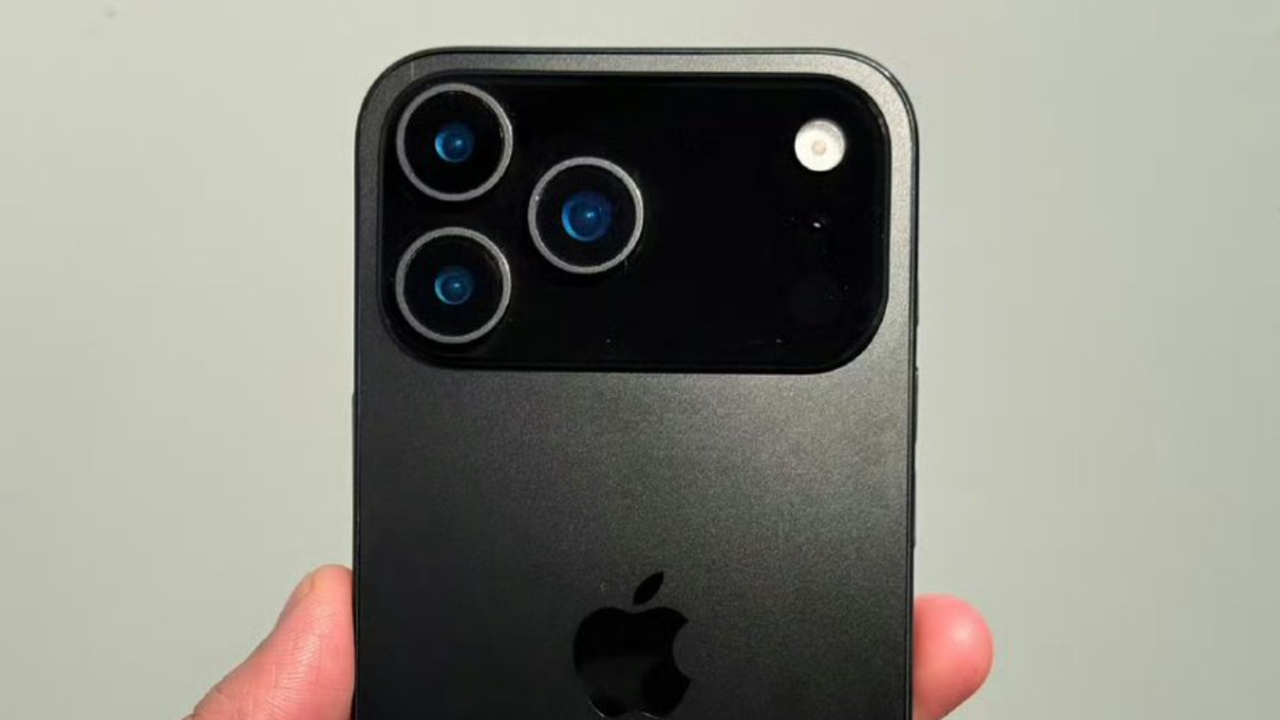
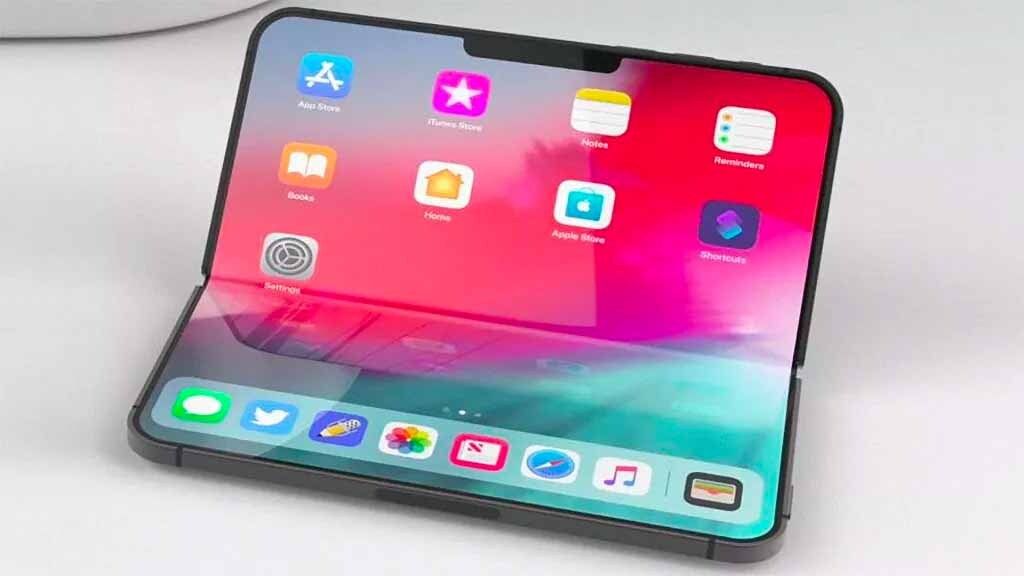
The foldable iPhone is expected to adopt a design similar to Samsung’s book-like clamshell style. When opened, it will transform into a tablet-like form, offering users a larger screen for multimedia consumption and productivity. The device is also rumored to feature four cameras—two on the front and two at the back. This configuration would allow for enhanced photography and video capabilities, especially when the device is unfolded.

One notable change is the absence of a physical SIM card slot. This isn’t entirely unexpected, as recent iPhone models, including the iPhone 14 and later, have been eSIM-only in the United States. However, another major departure from previous models is the removal of Face ID. Since the release of the iPhone X in 2017, Face ID has been a defining feature of Apple’s smartphones. The last iPhone to use a fingerprint sensor was the 2022 iPhone SE.

Instead of Face ID, Apple is reportedly bringing back Touch ID for the foldable model. Analyst Ming-Chi Kuo previously reported that the fingerprint sensor could be placed on the sides or top of the device, similar to how it works on the iPad. This return to biometric authentication could offer users a more familiar and secure way to unlock their devices.

Technological Upgrades

In addition to the design changes, the foldable iPhone is expected to include several technological upgrades. One of these is the C2 modem, an improvement over the current C1 modem used in the iPhone 16e. Apple introduced its own C1 modem last year, marking a shift away from relying solely on Intel and Qualcomm for cellular connectivity. The C2 modem is expected to provide better performance and efficiency, particularly for the foldable model.

Another key feature is the display. Apple is reportedly working on perfecting the screen technology to avoid common issues such as air gaps and visible creases. The company may use in-cell touch technology, which integrates the touch sensors directly into the display. This approach could result in a smoother and more seamless user experience.

Price and Market Position

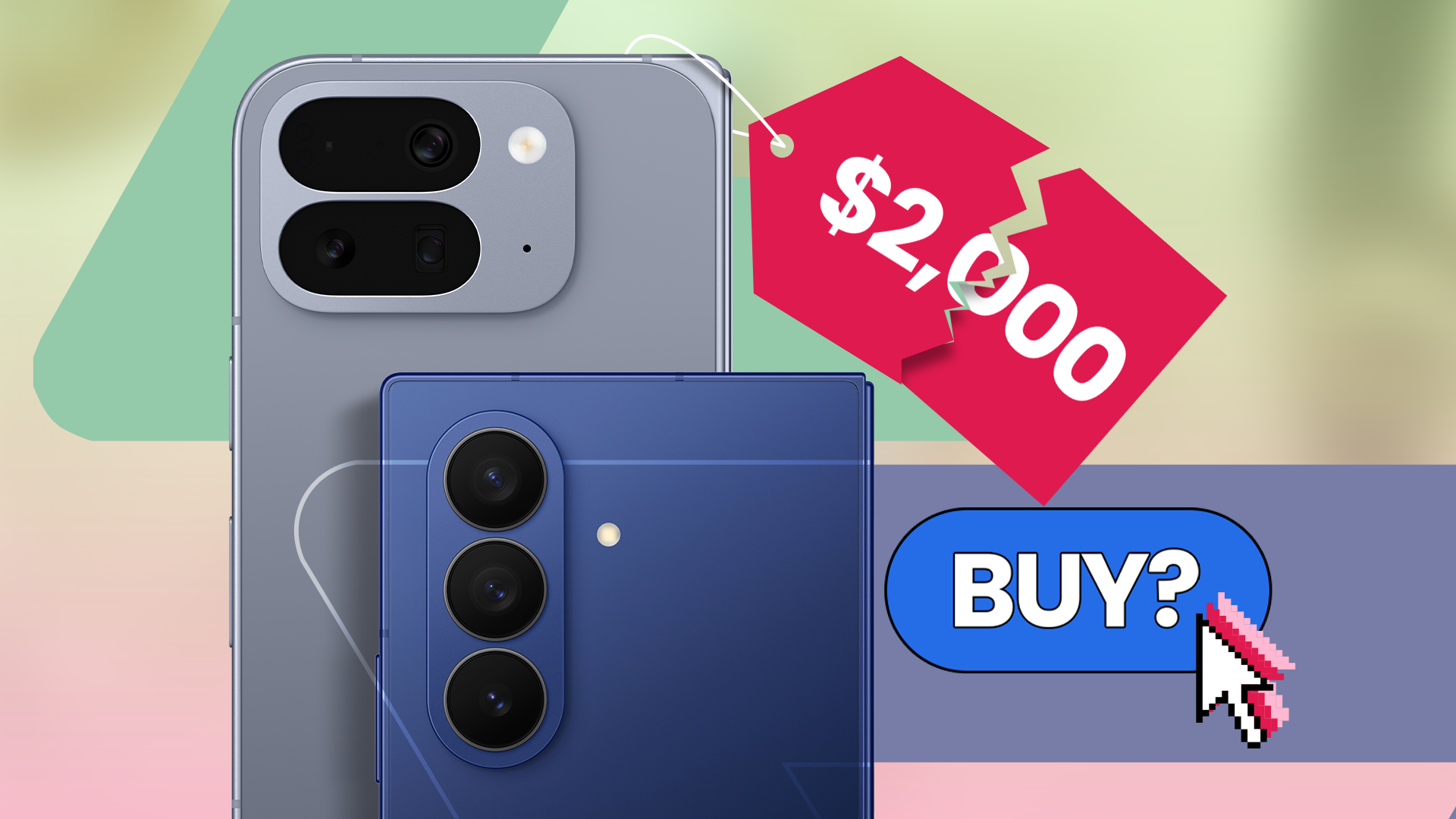
With all these advanced features, the first foldable iPhone is expected to come with a hefty price tag. Analyst Ming-Chi Kuo estimates that the device could start at $2,000, matching the price of Samsung’s flagship Galaxy Z Fold 7. This pricing strategy positions the foldable iPhone as a premium product, targeting consumers who are willing to pay for cutting-edge technology and innovation.

As Apple continues to develop its foldable device, the tech giant is poised to make a strong statement in the smartphone market. With its reputation for quality and innovation, the foldable iPhone could redefine what consumers expect from a mobile device. Whether it will succeed remains to be seen, but one thing is clear: Apple is finally stepping into the foldable era.

Saturday, June 20, 2026

Gen Alpha Faces Stricter Cellphone Rules in San Diego Schools

Gen Alpha Faces Stricter Cellphone Rules in San Diego Schools

The Shift in Attitudes Toward Cellphones in Schools

As Gen Alpha begins their school year, cellphones are no longer appearing on supply lists, signaling a significant shift in how schools approach technology. Administrators are implementing stricter phone bans to address learning loss that has been exacerbated by the pandemic. This change reflects a growing concern over distractions and the impact of technology on students' well-being.

Why It Matters

According to survey data from the Walton Family Foundation and Gallup, attitudes toward phones in schools have changed dramatically over just one generation. Educators are increasingly focused on minimizing distractions and ensuring that students can concentrate on their studies. These findings highlight a broader trend in education as schools adapt to new challenges brought on by the pandemic.

New Rules in San Diego Unified

San Diego Unified School District recently introduced new policies that require students to keep their phones off and out of sight during class. These rules took effect at the start of the current school year, demonstrating a commitment to creating an environment conducive to learning.

State of Play

Today’s middle and high school students are facing stricter phone limits during school hours than their Gen Z predecessors did at the same age. While most schools still allow phones for emergencies, the overall trend is toward more restrictive policies. This shift is not isolated to one region; it is part of a nationwide movement.

Phone Bans Gain Momentum

In recent years, phone bans have gained traction across state legislatures. Nearly half of the country now has some form of restriction on cellphone use in classrooms. This legislative push reflects a growing consensus among educators and policymakers about the need to limit distractions in the learning environment.

By the Numbers

The data reveals a clear generational divide in phone usage during school hours. According to the survey, 79% of Gen Z adults reported being allowed to use their phones between classes when they were students. In contrast, only 41% of current middle schoolers and 61% of high schoolers are permitted to use their phones during similar times.

Additionally, 40% of current middle school students said they can use their phones during free time in class, which is a 25 percentage point decrease compared to when Gen Z adults were in school. This decline underscores the increasing restrictions placed on younger students.

Teaching Challenges

Rainer Kulenkampff, a high school history teacher in Maryland's Montgomery County Public Schools, shared his perspective on the impact of cellphone use in the classroom. He noted that teaching became more challenging when schools transitioned from remote to in-person learning. "Cellphone use was a major distraction," he said. "It disrupted student learning and impacted their well-being."

Once phones were banned, Kulenkampff observed a positive change in student behavior, indicating that these restrictions can have a measurable impact on the classroom environment.

Parental Support

About three-fourths of parents support restrictions on phone use in schools but prefer that students be allowed to keep their phones with them. This suggests a balance between the need for discipline and the practicality of having access to devices for emergencies or communication.

The Broader Implications

The trend of banning cellphones in schools is not just about managing distractions; it also reflects a broader conversation about technology's role in education. As schools continue to navigate the challenges of the post-pandemic era, the focus remains on fostering environments where students can thrive academically and emotionally.

With Gen Alpha entering the educational system under these new guidelines, the long-term effects of these policies remain to be seen. However, the current data and trends suggest that the approach to technology in schools is evolving, with a clear emphasis on minimizing disruptions and promoting student well-being.

Saturday, June 13, 2026

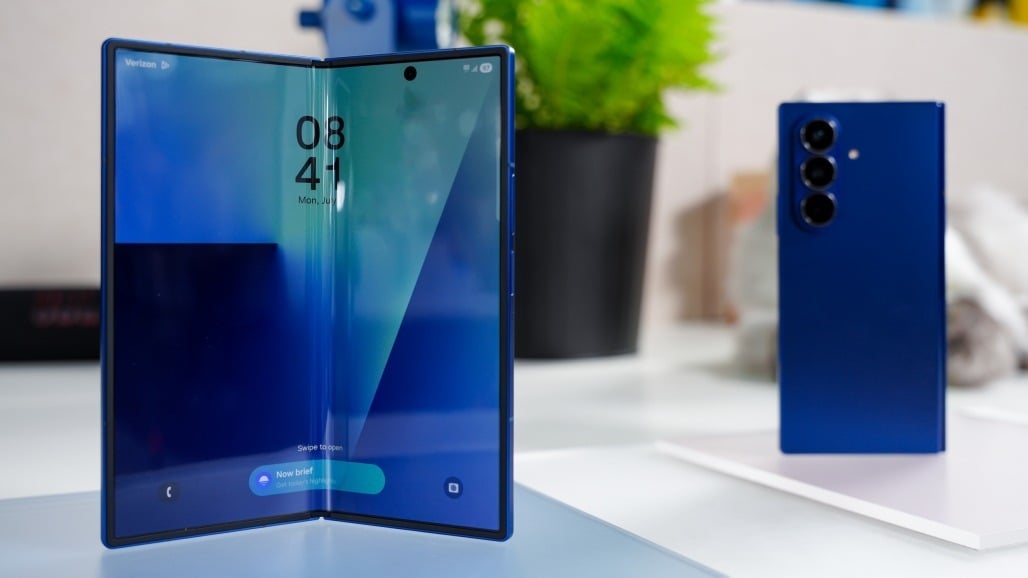
Why the $2,000 Google Pixel 10 Pro Fold is a pointless luxury item

Featured Image

The Pixel 10 Pro Fold: A Luxury Item with Little Practical Value

Google’s latest offering, the Pixel 10 Pro Fold, has finally arrived, and while it brings a few notable features, its high price point raises serious questions about its value. Starting at $1,800, this foldable smartphone is not for the average consumer. For those looking to upgrade to a model with 1TB of storage, the cost jumps to an eye-watering $2,149. Even with trade-in deals or carrier discounts, the final price remains steep. For instance, my current Pixel 8 would only fetch around $350 through Google’s trade-in program, making the investment even less appealing.

While it’s common for smartphones to become more expensive over time, the Pixel 10 Pro Fold stands out as an example of a product that doesn’t seem necessary. The rest of the Pixel 10 lineup offers more reasonable pricing, with the standard Pixel 10 coming in at $449 after trade-in. Unless you have significant disposable income, the Pro Fold feels like a luxury item rather than a practical choice.

What’s Inside? Not Much More Than a Regular Phone

Removing the hinge from the Pixel 10 Pro Fold reveals that it’s essentially a Pixel 10 with slightly more RAM. The main selling point of foldable phones—its dual-screen design and hinge mechanism—comes at a premium. However, once the novelty wears off, the folding feature becomes more of a gimmick than a useful tool.

The software support for foldables is still limited, which means users might only use the device for watching videos or multitasking between apps. This raises the question: Is it worth paying an extra $1,000 for a feature that doesn’t perform well?

The internal hardware of the Pixel 10 Pro Fold isn’t significantly different from the regular Pixel 10. It offers 4GB more RAM and the option for expanded storage, but these upgrades don’t justify the massive price increase. Instead, the device gives you a mini-tablet screen that you don’t really need to carry separately.

Samsung and Other Competitors Are No Better

It’s worth noting that Samsung isn’t far behind when it comes to pricing. The Galaxy Z Fold 7 ranges from $2,000 to $2,419.99, while the Galaxy Tab S10 Ultra, which provides a better tablet experience, costs up to $1,319.99. This comparison highlights how foldable phones are often just expensive tech demos, used by companies to show they can keep up with industry trends.

For those seeking a top-tier tablet and phone experience, buying a Pixel 10 and a Galaxy Tab S10+ could be a smarter move. This combo will cost roughly the same as the Pixel 10 Pro Fold (before discounts), but you’ll get a more stable phone and a more powerful tablet.

Innovation Isn’t Always Worth the Price

I’m a big believer in mobile devices that offer something beyond the standard experience. My phone usage hasn’t changed much since I got the Pixel 2 XL in 2017, and I’m always on the lookout for something fresh. The Nothing Phone 3, for example, may not offer flagship hardware, but its unique design and software make it an attractive alternative to the latest Google or Samsung models.

However, there’s a limit to how much value I’m willing to sacrifice for innovation. A phone shouldn’t cost $2,000 unless it truly offers something special. The Samsung Galaxy S25 Ultra with 1TB of storage costs $1,660, but even that doesn’t feel worth the price. My Pixel 8, which costs just $700, already delivers excellent performance and display quality. At this point, spending $2,000 feels like throwing money away.

Don’t Be Tempted by Flashy Features

Phone manufacturers often try to entice consumers with flashy features and impressive specs. But in reality, many of these features don’t add much value. The Pixel 10 Pro Fold is an impressive piece of hardware, but it’s also a luxury item that lacks real-world utility for most users.

Unless manufacturers introduce radical advancements in the next few years, I believe that mid-range phones will continue to offer the best value. The gap between mid-range and flagship devices is shrinking, and for many users, a $700 phone will perform just as well as a $2,000 one.

In the end, the Pixel 10 Pro Fold is a great example of how expensive technology can sometimes be more about marketing than necessity. For now, I’ll stick to my budget-friendly phone and wait for the next big innovation that actually makes sense.

Saturday, June 6, 2026

Realme Unveils "Chill Fan Phone" with Built-In AC Cooling

Featured Image

Realme Unveils Exciting New Smartphone Teasers Ahead of 828 Fan Festival

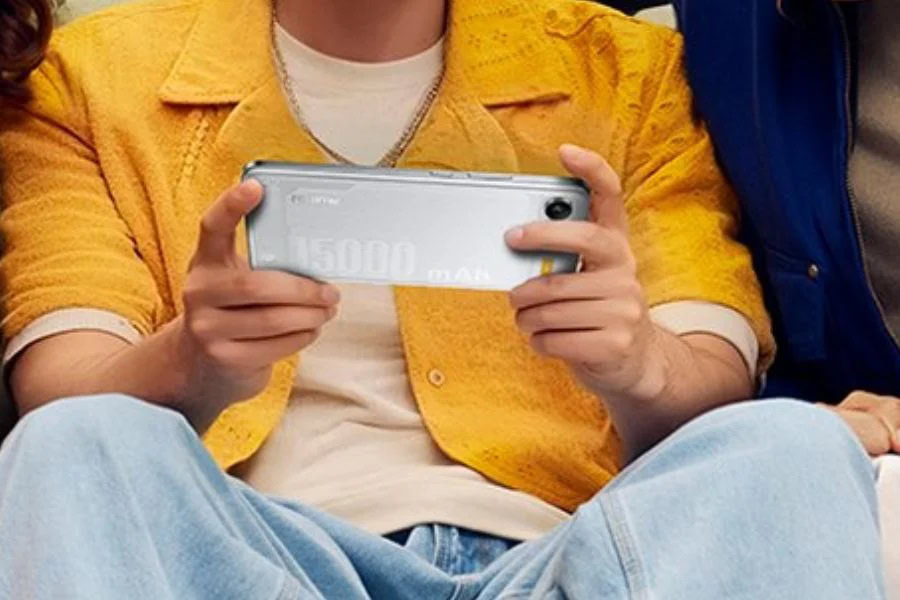
As the highly anticipated Realme 828 Fan Festival approaches, the brand has released a series of intriguing teasers for upcoming smartphones. These devices are expected to bring cutting-edge technology and unique features to the market. Among the most talked-about models is a smartphone equipped with an impressive 15,000mAh battery, promising up to 50 hours of video playback on a single charge. Alongside this model, Realme has also teased a new device called the Chill Fan Phone, which boasts an innovative cooling system.

A Revolutionary Cooling System

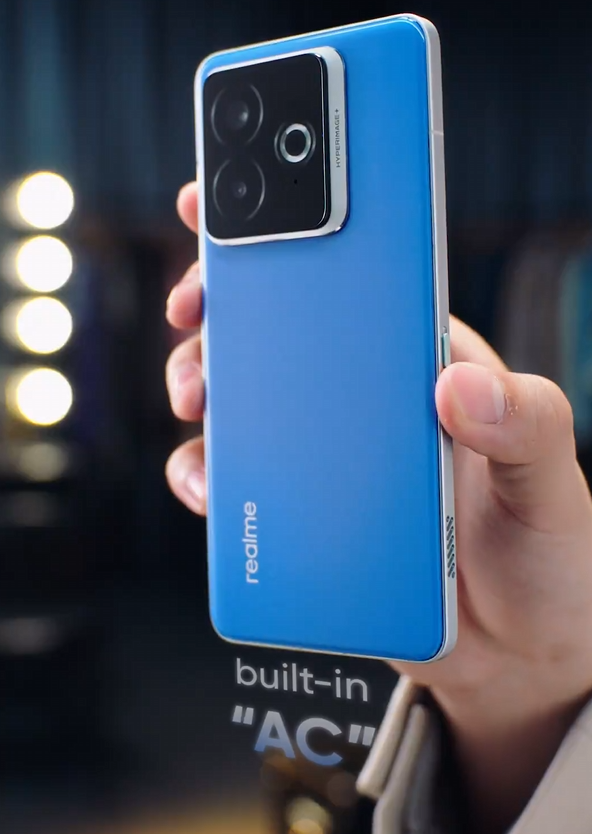
The Realme Chill Fan Phone introduces a built-in AC active cooling system, marking a significant advancement in smartphone cooling technology. While gaming smartphones have previously incorporated physical fans for cooling, the Chill Fan Phone stands out due to its "AC" cooling feature. This system is designed to reduce core temperatures by up to 6°C, offering a more efficient and effective way to manage heat during intense usage.

The official teaser video highlights the phone’s design, which remains familiar but includes a small vent on the side frame. The video showcases the vent's power, demonstrating its ability to blow out a candle and push a rubber ducky forward in a container of water. This visual demonstration emphasizes the effectiveness of the cooling system.

What Makes It Unique?

One of the standout features of the Chill Fan Phone is its ability to toggle the AC cooling system on and off. This flexibility allows users to customize their experience based on their needs, whether they are gaming, streaming, or simply browsing. The integration of such advanced cooling technology into a smartphone is a bold move by Realme, signaling their commitment to innovation and user comfort.

Upcoming Event Details

The Realme 828 Fan Festival is set to take place on August 27, 2025, at 11 AM China Standard Time. This event is expected to be a major highlight for tech enthusiasts and fans of the brand. While the details of the Chill Fan Phone are still emerging, it remains to be seen whether this device will offer genuine innovation or if it will be perceived as just another gimmick.

Staying Updated

For those eager to stay informed about the latest developments, there are several ways to keep up with the news. Regular updates can be found in the News Section, where new articles and insights are posted daily. Tech enthusiasts can also follow the brand’s Telegram channel and subscribe to their free newsletter for the latest updates and exclusive content.

Conclusion

Realme continues to push the boundaries of what is possible with smartphone technology. With the introduction of the Chill Fan Phone and the massive battery smartphone, the brand is setting the stage for an exciting lineup of devices. As the 828 Fan Festival approaches, all eyes will be on Realme to see how these innovations will shape the future of mobile technology. Whether it's through enhanced cooling systems or groundbreaking battery life, Realme is proving that they are at the forefront of the industry.

Monday, June 1, 2026

Google's AI-powered troubleshooting app could be useful

Featured Image

A New Approach to Smartphone Troubleshooting

Smartphones have become an essential part of daily life, but they are not immune to problems. From slow performance to battery drain and software glitches, issues can arise at any time. While these challenges are common, they don’t always mean the device is beyond repair. In fact, Google appears to be taking steps to make it easier for users to identify and resolve these issues.

According to a recent discovery by Android Authority, Google is working on integrating all Pixel diagnostic tools into a single, centralized menu. This update aims to streamline the troubleshooting process and provide users with a more efficient way to address their device’s problems. Additionally, the company is exploring the use of artificial intelligence (AI) to enhance this process.

Streamlining Diagnostic Tools

Currently, Pixel smartphones come with a variety of built-in diagnostic and troubleshooting tools. However, these tools are often scattered across different sections of the device, making it difficult for users to find the right solution when something goes wrong. For example, if a user is experiencing battery issues, they might check the Battery settings. But if the problem isn't clear, it can be challenging to know where to start.

Google is addressing this issue with a major redesign of its Pixel Troubleshooting app. The new version, spotted in Pixel Troubleshooting version 1.0.792370112, consolidates all the tools into one section. This change makes the app more user-friendly and accessible for anyone looking to fix a specific problem.

The redesigned troubleshooting area is located under the "Device health & support" menu in the Settings app. It includes several key sections such as:

  • Battery health
  • Device temperature
  • Storage
  • Software update status

Further down, users will find options for starting Charging diagnostics and Touch diagnostics. These features will boot up and use an AI model to scan the device and identify potential solutions.

The Role of AI in Troubleshooting

While the integration of AI into every aspect of technology has become commonplace, there are areas where it can genuinely improve the user experience. Troubleshooting smartphone issues often involves searching through numerous online forums and threads, which can be time-consuming and frustrating. AI has the potential to simplify this process by quickly identifying common problems and offering tailored solutions.

However, it's worth noting that Android Authority was unable to test the AI model on a Pixel 9, suggesting that it may only be available on newer models like the Pixel 10 or is still in the early stages of implementation.

Additional Support Features

Beyond the diagnostic tools, the new troubleshooting section also offers additional support features. At the bottom of the screen, users can check their warranty status and access options to contact a repair center or support team directly. This feature adds another layer of convenience for users who need immediate assistance.

Comparing with Competitors

Samsung has long offered similar diagnostic and support tools, but Google’s approach takes things a step further by incorporating AI to help diagnose issues. This move could give Pixel users a competitive edge in terms of ease of use and accessibility.

While no official release date has been announced, the changes seen so far suggest that this update could be rolling out soon. As smartphone technology continues to evolve, innovations like these are essential in ensuring that users can maintain their devices efficiently and effectively.

Saturday, May 16, 2026

iPhone 17 Pro May Finally Get Much-Awaited Charging Feature — What's Known

Featured Image

Exciting Features Expected in the Upcoming iPhone 17 Series

As we get closer to the September Apple event, excitement is building around the next generation of iPhones. The iPhone 17, iPhone 17 Air, and iPhone 17 Pro are all expected to bring significant updates and improvements. Recently, there have been several leaks about the upcoming devices, with one particularly notable leak revealing details about a long-awaited charging feature for the Pro models.

A recent leak has provided insight into the potential inclusion of reverse wireless charging in the iPhone 17 Pro and Pro Max. This feature, which has been available on many top Android smartphones for some time, could be a game-changer for Apple users. According to a well-known leaker named Fixed Focus Digital, who has had some success with previous predictions, the Pro versions of the iPhone 17 will support this functionality.

However, the leak didn't provide many specifics regarding how the reverse charging will work. It remains unclear whether it will be a wired or wireless solution. Considering Apple's focus on wireless technology, especially with its MagSafe feature, it seems logical that the implementation would be wireless. Previous rumors from February also did not specify whether the feature would be wired or wireless, leaving much to the imagination.

In addition to reverse charging, the iPhone 17 models are also rumored to include faster wireless charging capabilities. This is a welcome development for users who prefer the convenience of wireless charging. With each new release, Apple continues to refine and enhance its charging technologies, making it easier for users to keep their devices powered up without the hassle of cables.

Reverse wireless charging is not a new concept for the iPhone. It has been a recurring topic in discussions about Apple's future devices, dating back to the iPhone 11 Pro. During a teardown of that model, evidence of reverse charging was discovered, but it was never activated or officially supported by Apple. This has led to ongoing speculation and anticipation for when the feature might finally make its way to an iPhone.

For users like myself, who own an AirPods Pro, the idea of being able to charge them from my phone when I have extra power is very appealing. While the AirPods have impressive battery life, there are times when I forget to charge the case. Having access to additional power, whether through a wired or wireless connection, sounds incredibly useful. It’s exciting to think about the possibilities that reverse charging could bring to the Apple ecosystem.

As the release date approaches, it will be interesting to see if Apple actually implements this feature or if it turns out to be just another round of rumors. Regardless of the outcome, the continued discussion around reverse charging highlights the growing demand for more versatile and convenient charging solutions.

Other recent developments in the tech world include the anticipated release of iOS 26, which is expected to integrate GPT-5 into Apple Intelligence. Additionally, the Apple Watch has finally received the Notes app, offering users a more comprehensive experience. For those interested in fitness tracking, there have been comparisons between the Apple Watch 10 and the Garmin Forerunner 570, showcasing the strengths of each device.

Stay tuned for more updates as the September Apple event draws near, and keep an eye out for the latest news and insights on the upcoming iPhone 17 series.

Saturday, April 25, 2026

iPhone Fold Revealed: Display, Cameras, Touch ID, and 3-Year Reinvention

Featured Image

Apple's Future Plans: From iPhone Air to Foldable Innovations

Apple has always been known for its innovation and ability to redefine the smartphone market. While much of the attention is currently on the upcoming iPhone 17 event, there are several exciting developments in the pipeline that could reshape the future of the iPhone lineup. According to reports from Bloomberg’s Mark Gurman, Apple has a three-year roadmap that includes significant changes to its flagship devices.

The iPhone Air: A New Entry into the Market

The first major update in this roadmap is the iPhone Air, which is set to debut as a super-thin model designed to compete with high-end smartphones like the Samsung Galaxy S25 Edge. This new device will replace the Plus-sized version of Apple’s flagship and feature the company’s first in-house modem chip, the C1 modem. This chip was introduced with the iPhone 16e and is expected to improve connectivity and performance.

The iPhone Air is not just about design; it also marks a shift in Apple’s approach to hardware. It will be the first iPhone to ditch the traditional SIM card slot, relying instead on Apple’s in-house modem for connectivity. This move is likely aimed at making the device thinner and more streamlined, aligning with the company’s ongoing focus on sleek design.

The Foldable iPhone: A Game-Changer in 2026

Perhaps the most anticipated development is Apple’s potential entry into the foldable phone market in 2026. Rumors suggest that the device could be called the iPhone Flip or iPhone Fold, and it is expected to open like a book to reveal a larger inner display. This design is similar to existing foldable phones such as the Samsung Galaxy Z Flip 7 and Google Pixel 9 Pro Fold.

According to Gurman, the foldable iPhone will feature a four-camera setup, including one on the front screen, one on the inside, and two on the back. The rear cameras are expected to offer higher-resolution photos than the front-facing camera, while the second lens could serve either an ultra-wide or telephoto function. This configuration suggests that the device will function similarly to a standard iPhone, whether it is opened or closed.

Another notable change is the removal of Face ID in favor of Touch ID. This decision is likely due to the need to keep the foldable device slim when closed. Analyst Ming-Chi Kuo has estimated that the iPhone Flip (or Fold) will be between 9mm and 9.5mm thick when folded, and around 4.5mm to 4.8mm when open. These dimensions make it difficult to fit the TrueDepth camera system required for Face ID, making Touch ID a more practical choice.

Pricing and Market Positioning

While the foldable iPhone is expected to generate significant interest, its success will largely depend on pricing. Most Android foldables already come with a hefty price tag, starting at $1,099 for the Galaxy Z Flip 7 and reaching up to $2,000 for premium models. Given Apple’s history of maintaining high prices, the iPhone Fold is unlikely to be any cheaper.

Gurman reports that the initial model will only be available in black or white, and suppliers are preparing for mass production to start early next year, with a planned launch in the fall of 2026. This indicates that Apple is serious about entering the foldable market and is investing heavily in its development.

Design Overhaul in 2027

In 2027, Apple plans to celebrate the iPhone’s 20th anniversary with a major design overhaul. According to Gurman, the company is moving away from the squared-off corners seen on iPhones since 2020 in favor of curved glass edges. This redesign is expected to complement the upcoming Liquid Glass interface, a key feature of iOS 26. This interface adds rounded edges to on-screen elements, creating a translucent, layered look that mimics the appearance of glass.

Looking Ahead

As Gurman notes, 2025 may not be a revolutionary year for the iPhone, but it will lay the foundation for major shifts in 2026 and 2027. With the introduction of the iPhone Air, the potential foldable iPhone, and a design overhaul in 2027, Apple is setting the stage for a period of significant innovation. For fans of the brand, these developments promise an exciting future filled with groundbreaking technology and design advancements.

Friday, April 24, 2026

Google Pixel 10 Mirrors iPhone, Intentionally

Featured Image

A Shift in Design and Strategy

When I first reviewed the Google Pixel 9, I was disappointed to see that Google had moved away from the unique designs that defined the previous three years of Pixel phones. Instead, they opted for a more generic look that resembled an iPhone clone. Now, looking at the Pixel 10, the situation seems even more concerning. The phone lacks a physical SIM tray, and there's a new revelation that Google will be throttling battery life and charging performance even more aggressively than Apple does with its iPhones. This raises questions about where the brand is heading.

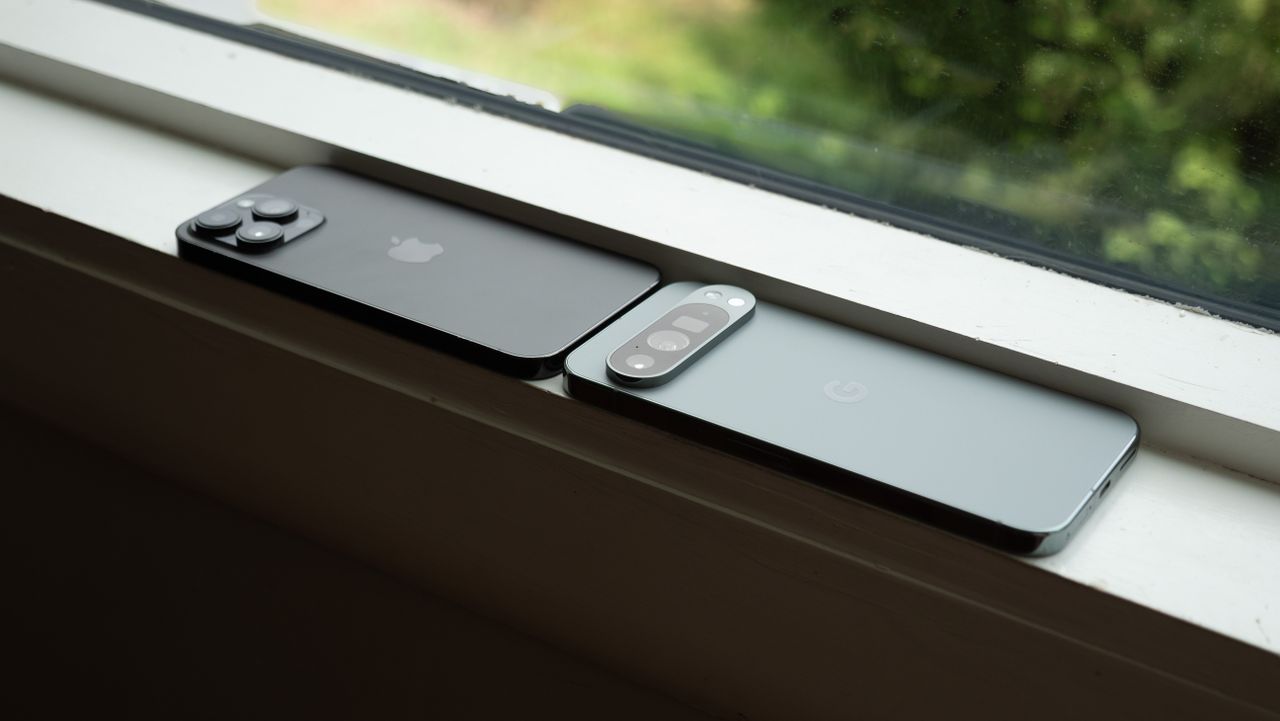
This shift is especially notable in a year when Apple is rumored to be changing its iPhone design to include a camera bar on the back, similar to what we've seen on Pixels. If this happens, it could become increasingly difficult to distinguish between the two brands. This brings up an interesting point: if you were given the choice between a brand name and a knockoff for the same price, wouldn't you go for the brand name? This concept has been something I've struggled with as Android phones continue to look more like iPhones, both in hardware and software, but it seems Google is fully embracing this trend with the release of the Pixel 10 family.

Embracing Familiarity

My colleagues believe that the truth is the opposite of my thinking. Attracting customers to switch from an iPhone to a Pixel requires a phone that looks and feels familiar enough to keep them comfortable while also introducing them to something new. It's a strategy I don't fully understand, but maybe I don't need to. After all, the beauty of Android lies in its ability to offer variety while still providing a shared experience.

People buy products for various reasons, but a significant number choose something because it's what everyone else uses. Numbers can't be wrong, right? This is part of what makes iPhones a status symbol, especially in the U.S., where competition in the smartphone industry is limited. Coupled with Apple's strong grip on messaging and the general reluctance of people to change, it's easy to see why so many have stuck with Apple for so long.

However, Google directly addressed these issues during the Pixel 10 unveiling. The company clearly wants to tackle these challenges head-on. Not only that, but Google showcased how much better its phones are than iPhones in several areas. From call translation to Gemini-powered text messaging, Pixels outperform anything Siri or Apple Intelligence is offering.

Innovation and Marketing Strategies

Google is leveraging Gemini in unique ways with features like Camera Coach, which helps users take better photos by providing AI guidance. Additionally, the Jonas Brothers recorded a music video using the Pixel 10, a move that sets it apart from Apple or Samsung, who often bring in film directors to claim their phones can produce Hollywood-quality videos. However, achieving such results still requires expensive equipment, especially with smartphone camera sensors.

It frustrates me that Google would resort to celebrity endorsements to convince people to buy their products, but they aren't the first to do so. People should make informed decisions, but history shows that isn't always the case. It's human nature to follow the crowd, and Google is taking advantage of that.

Pixel vs. iPhone

At the very least, Google is targeting iPhone users. They aren't trying to appeal to power users; instead, they want to be the glamorous phone seen on the latest seasons of popular shows. While Samsung or Motorola try hard, they'll never be the iPhone of Android. That means it's up to Google to fill that role, especially since they're the ones building the operating system.

Some people prefer the simplicity of buying an iPhone, as all they need to do is walk into a store and say "iPhone," and the clerk hands them a working smartphone. Google is aiming for that simplicity, and it seems to be working based on the massive growth they've seen in the last year alone.

If Google's star-studded presentation for the Pixel 10 tells me anything, it's that courting the pop culture crowd influenced by celebrity opinions is a winning formula. Google wants Pixel to be a status symbol, not just another Android brand, and to achieve that, some unusual decisions must be made. Those who enjoy the customizable power of a Samsung phone may not appreciate a Pixel, but again, since it's Android, that's not a problem. We can have our cake and eat it too.

Pixel 10 Pro/XL for the Pros

The Pixel 10 Pro represents the pinnacle of what Google has to offer. It features advanced camera capabilities powered by the Tensor G5, new AI features, and a unique Pixelsnap magnetic charging system. These enhancements position the Pixel 10 Pro as a top-tier device for those seeking the best in technology and innovation.

Saturday, March 21, 2026

Uncover This Secret iPhone Feature to Boost Call Clarity

Featured Image

Understanding Voice Isolation on iPhone

Apple recently released the fourth public beta of iOS 26, which introduced several new features and improvements for developers and beta testers. Among these updates is call screening, a feature that enhances user experience during phone calls. However, one hidden gem that can benefit all iPhone users is Voice Isolation. This feature, designed to make calls clearer for the person on the other end, doesn't require you to be a developer or beta tester to use.

Voice Isolation was first introduced by Apple in 2023 with the release of iOS 16.4. The feature was initially added alongside Wide Spectrum for FaceTime calls in iOS 15 back in 2021. However, at this time, only Voice Isolation is available for regular phone calls.

When enabled, Voice Isolation works by muffling distracting background noises that might interrupt your conversation. Whether you're having a business call or catching up with friends, this feature ensures that external sounds like a barking dog or construction work nearby don’t interfere with your communication.

To activate Voice Isolation, you must be on an active phone call since the feature isn’t found in the Settings app. Once activated, it will remain enabled for all future calls unless you manually turn it off.

How to Enable and Disable Voice Isolation

Here’s a step-by-step guide to activating and deactivating Voice Isolation:

  1. Open the Phone app.
  2. While on a call, swipe down from the top-right corner of your screen to access the Control Center.
  3. Tap on Phone Controls near the top of your screen.
  4. Select Voice Isolation to enable it.

To disable Voice Isolation, follow the same steps and tap on Standard in Phone Controls. This action will revert your microphone to its default setting.

Exploring Other Mic Modes: Wide Spectrum and Automatic

In addition to Voice Isolation, you’ll find two other mic modes in Phone Controls: Wide Spectrum and Automatic.

Wide Spectrum is different from Voice Isolation as it amplifies background sounds without affecting your voice. This mode is particularly useful for calls involving multiple people, ensuring that everyone is heard clearly. Currently, Wide Spectrum is only available for FaceTime calls. However, its presence in Phone Controls suggests it might become available for regular phone calls in the future.

Automatic mode allows the system to choose the best mic setting for your call. For instance, it uses Voice Isolation to block ambient noise during calls using the receiver and switches to Standard mic mode when using speakerphone.

For those interested in exploring more about iOS 26, there are several resources available. These include insights into the beta version, how to enable call screening, and a comprehensive list of new features Apple plans to introduce later this year. Additionally, an iOS 26 cheat sheet provides an early look at upcoming iPhone features.

Thursday, March 5, 2026

Leaked Details Reveal Foldable iPhone's Subtle Crease

Featured Image

The Future of Apple: Folding iPhone Details Emerge

Apple has long been rumored to be working on a foldable smartphone, and recent leaks suggest that the company is closer than ever to bringing this device to market. According to reports from a reliable insider, the folding iPhone could make its debut in September 2026, marking a significant shift in the company’s product lineup.

One of the most notable features of the upcoming foldable device is the inclusion of Touch ID instead of Face ID. While all current iPhones rely on facial recognition technology, Apple is reportedly choosing to use fingerprint scanning for the foldable model. This decision is likely due to the added thickness that Face ID sensors would require, which could compromise the sleek design of the foldable phone. In addition, the device will not have a traditional SIM card slot, as it will only support eSIM technology.

Design and Specifications

The folding iPhone is expected to be remarkably thin when unfolded, with some reports suggesting a thickness of just 4.8 mm. This is slightly thicker than the 4.2 mm of the recently launched Samsung Galaxy Z Fold 7, but Apple’s focus on minimizing bulk appears to be a key priority. The design will also feature an in-cell touchscreen, which integrates the display and digitizer layers into a single component. This technology is similar to what is currently used in standard iPhones, and it is expected to result in a less visible crease and improved touch accuracy.

In terms of color options, the folding iPhone will reportedly come in black or white, offering users a choice of two classic and modern shades. Another important detail is the inclusion of Apple's own C2 modem chip, which is expected to debut in the iPhone 17. This chip is anticipated to improve efficiency and battery life, making the foldable iPhone more powerful and longer-lasting.

Camera Features and Additional Details

The camera setup on the folding iPhone is also generating interest. According to previous leaks, the device will have four cameras: one on the outer screen, one on the inner screen, and two on the back. The rear cameras are said to be 48MP each, which could offer high-quality photography and video capabilities. There are also rumors that Apple may tweak the camera system to better suit the unique form factor of the foldable device.

Another aspect that has been highlighted in recent reports is the effort Apple is making to ensure the screen crease is as invisible as possible. The company has reportedly spent years refining its foldable display technology, and it seems they are now satisfied with their progress. This focus on a seamless user experience is a strong indicator of Apple’s commitment to delivering a premium foldable device.

A Game-Changer for Apple?

Mark Gurman, a well-known Apple insider at Bloomberg, has described the folding iPhone as a “game changer” for the company. He believes that once users switch to the foldable model, they won’t want to go back to traditional smartphones. This sentiment reflects the potential impact that the device could have on the smartphone market, especially if it delivers on both innovation and usability.

Before the folding iPhone makes its debut, Apple will continue to roll out new models. The iPhone 17 is expected to launch next month, and it will likely feature improvements in performance, design, and camera technology.

As the tech world waits for the release of the folding iPhone, there is growing excitement about what Apple might bring to the table. With its focus on design, performance, and user experience, the foldable iPhone could set a new standard for what a smartphone can be.

Wednesday, March 4, 2026

Realme Unveils Phone with 15,000mAh Powerhouse Battery

Featured Image

Realme Unveils a New Smartphone with an Extraordinary 15,000mAh Battery

In recent days, Realme has made waves in the smartphone market by launching the Realme P4 Pro, which features a powerful 7,000mAh battery. Now, the brand is set to take things even further by introducing a new device that promises an even more impressive battery capacity. The company recently teased the upcoming phone, hinting at a power cell larger than 10,000mAh. Now, Realme has officially confirmed that the new handset will be equipped with a massive 15,000mAh battery, along with a design that looks promising.

A Battery That Can Last for Days

According to the latest teaser from Realme Global on X (formerly Twitter), the new phone is expected to have a battery capacity of 15,000mAh. Although the initial post mentioned the battery as “1x000mAh,” a closer look at the image reveals the actual figure of 15,000mAh. This is a significant leap in terms of battery size and could potentially change how users think about smartphone longevity.

Realme claims that this massive battery can support up to 50 hours of continuous video streaming. While this number might seem high, it’s not entirely unrealistic given the sheer size of the battery. In addition, the company also stated that the phone could offer up to 18.75 hours of nonstop video recording on a single charge, making it ideal for content creators and heavy users.

A Powerful Battery in a Slim Design

One of the most intriguing aspects of this new device is its design. Unlike many rugged phones that come with oversized batteries and bulky frames, Realme’s new smartphone appears to maintain a slim profile. Based on the leaked images, the phone seems to have a similar thickness to the Realme GT 10,000mAh concept model, which was introduced earlier this year with an 8.5mm frame.

This suggests that Realme is focusing on balancing performance with portability. The company may also be using advanced battery technology, such as an ultra-high silicon-content anode, to ensure that the 15,000mAh battery doesn’t add unnecessary weight or thickness to the device.

What to Expect Next

While the details are still emerging, there are indications that this new smartphone could be another concept model, much like the Realme GT 10,000mAh. However, the company has hinted that more information will be revealed during the Realme Fan Festival event on August 27. This event is expected to provide a clearer picture of what to expect from the new device, including its features, performance, and overall user experience.

As consumers continue to demand longer battery life without compromising on design, Realme’s latest announcement could signal a shift in the smartphone industry. With a 15,000mAh battery, the company is pushing the boundaries of what’s possible, and it will be interesting to see how this device performs in real-world conditions.

Tuesday, February 17, 2026

5 Surprising Uses for Old Android Tablets

Featured Image

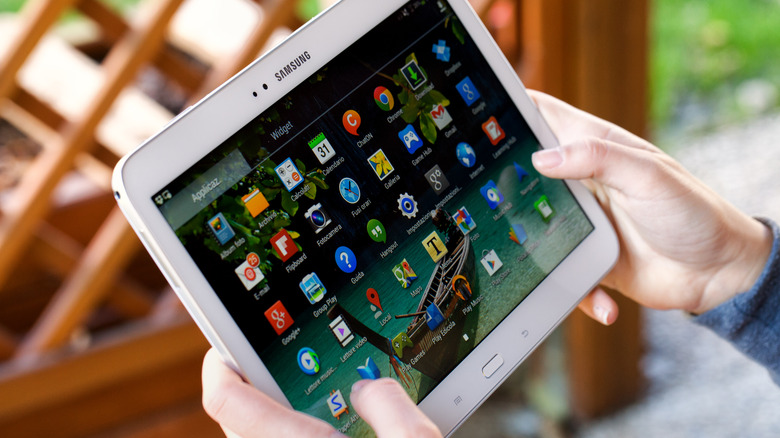
Exploring New Uses for Your Old Android Tablet

Android tablets offer a variety of options, from budget-friendly models perfect for media consumption to high-end devices ideal for gaming and productivity. However, one of the main drawbacks is that most Android tablets don't receive long-term software support. After two or three years, they often stop getting OS updates, which can make newer apps incompatible. Additionally, many people already own smartphones or laptops that can perform similar tasks, leading to Android tablets becoming less popular over time.

Despite this, your old Android tablet isn’t necessarily useless just because it’s outdated. There are numerous ways to repurpose it for different activities beyond watching YouTube or scrolling through social media. If you’ve been keeping your tablet in a drawer, now might be the perfect time to bring it back into use. And if cleaning out that drawer uncovered other old electronics, consider exploring creative upcycling ideas.

Use It As A Portable Xbox Gaming Console

Xbox has embraced the idea that everything can be an Xbox, and your Android tablet is no exception. You don’t need the latest model to play Xbox games on your tablet. Any tablet with Bluetooth 4.0 and Android 12.0 or later should work. To stream games, you’ll need Wi-Fi speeds of at least 7 Mbps on a 5 GHz network.

While the Xbox Game Pass app once allowed cloud gaming on Android, that feature has been discontinued. Instead, you can access Xbox games via a browser by visiting Xbox.com/play. To stream games, you'll need an active Xbox Game Pass Ultimate subscription, which costs $19.99. However, there's talk of a free ad-supported tier being introduced soon.

Not all games come with touch controls, so using an Xbox Wireless controller is recommended. Other Bluetooth controllers, like Sony’s DualShock 4, will also work well with your tablet.

Turn Your Tablet Into An Emulation Device For Retro Gaming

If you're a fan of classic games, your Android tablet can serve as a retro gaming device. Rather than streaming, you can download RetroArch, one of the best retro game emulators available. This app supports dozens of consoles, from the Atari 2600 to the PlayStation 2.

The performance of RetroArch depends on your tablet’s specifications, but most models can handle less graphically intensive games like SNES, Genesis, and Game Boy Advance titles. While there is a learning curve, there’s a strong community online to help with any questions. When using RetroArch, adjusting settings can improve stability, and you can switch between cores to emulate different systems.

It's important to note that emulating games is not illegal, but downloading pirated ROMs is. The ethical approach is to create ROM files from games you already own.

Transform It Into A Manga Library For Hours Of Reading

Manga has never been more popular, and if you’re looking to catch up, your Android tablet can be a great tool. The Shonen Jump app offers hundreds of manga series for $3.99, including titles like "Sakamoto Days," which was adapted into an anime that appeals to fans of "John Wick."

The free version allows you to read the latest chapters, while the paid version unlocks over 20,000 chapters and lets you download them for offline reading. If subscriptions aren’t your thing, apps like CDisplayEX Comic Reader Lite let you read digital manga files. The free version includes features like page flipping, while the paid version removes ads and adds dark mode.

Make Your Old Android Tablet Into A Teleprompter Screen

For content creators, a teleprompter can be a game-changer. If you only have a tablet, apps like Teleprompter.com offer voice-activated scrolling to help you deliver lines smoothly. You’ll need a tripod or mount to secure the tablet near your camera.

For better results, consider purchasing a dedicated teleprompter like the Neewer C12 model. It features a reflective display and camera hood, allowing you to view your script while looking directly into the lens. The Neewer app also includes a mirror mode and remote control for manual scrolling and adjustments.

Repurpose It As A Video Editing Workstation

Video editing doesn’t always require a powerful computer. Apps like CapCut, InShot, and LumaFusion allow you to create quality content on your Android tablet. These affordable apps are great for TikTok and YouTube videos.

CapCut and InShot offer free versions with features suitable for short-form content, while LumaFusion provides a more professional editing experience. At $29.99, it includes multi-track timelines, transitions, and effects, making it a solid choice for mobile video editing.

By finding new uses for your old Android tablet, you can extend its lifespan and enjoy a range of activities without needing to buy a new device.

5 Surprising Uses for Old Android Tablets

Featured Image

Exploring New Uses for Your Old Android Tablet

Android tablets offer a variety of options, from budget-friendly models perfect for media consumption to high-end devices ideal for gaming and productivity. However, one of the main drawbacks is that most Android tablets don't receive long-term software support. After two or three years, they often stop getting OS updates, which can make newer apps incompatible. Additionally, many people already own smartphones or laptops that can perform similar tasks, leading to Android tablets becoming less popular over time.

Despite this, your old Android tablet isn’t necessarily useless just because it’s outdated. There are numerous ways to repurpose it for different activities beyond watching YouTube or scrolling through social media. If you’ve been keeping your tablet in a drawer, now might be the perfect time to bring it back into use. And if cleaning out that drawer uncovered other old electronics, consider exploring creative upcycling ideas.

Use It As A Portable Xbox Gaming Console

Xbox has embraced the idea that everything can be an Xbox, and your Android tablet is no exception. You don’t need the latest model to play Xbox games on your tablet. Any tablet with Bluetooth 4.0 and Android 12.0 or later should work. To stream games, you’ll need Wi-Fi speeds of at least 7 Mbps on a 5 GHz network.

While the Xbox Game Pass app once allowed cloud gaming on Android, that feature has been discontinued. Instead, you can access Xbox games via a browser by visiting Xbox.com/play. To stream games, you'll need an active Xbox Game Pass Ultimate subscription, which costs $19.99. However, there's talk of a free ad-supported tier being introduced soon.

Not all games come with touch controls, so using an Xbox Wireless controller is recommended. Other Bluetooth controllers, like Sony’s DualShock 4, will also work well with your tablet.

Turn Your Tablet Into An Emulation Device For Retro Gaming

If you're a fan of classic games, your Android tablet can serve as a retro gaming device. Rather than streaming, you can download RetroArch, one of the best retro game emulators available. This app supports dozens of consoles, from the Atari 2600 to the PlayStation 2.

The performance of RetroArch depends on your tablet’s specifications, but most models can handle less graphically intensive games like SNES, Genesis, and Game Boy Advance titles. While there is a learning curve, there’s a strong community online to help with any questions. When using RetroArch, adjusting settings can improve stability, and you can switch between cores to emulate different systems.

It's important to note that emulating games is not illegal, but downloading pirated ROMs is. The ethical approach is to create ROM files from games you already own.

Transform It Into A Manga Library For Hours Of Reading

Manga has never been more popular, and if you’re looking to catch up, your Android tablet can be a great tool. The Shonen Jump app offers hundreds of manga series for $3.99, including titles like "Sakamoto Days," which was adapted into an anime that appeals to fans of "John Wick."

The free version allows you to read the latest chapters, while the paid version unlocks over 20,000 chapters and lets you download them for offline reading. If subscriptions aren’t your thing, apps like CDisplayEX Comic Reader Lite let you read digital manga files. The free version includes features like page flipping, while the paid version removes ads and adds dark mode.

Make Your Old Android Tablet Into A Teleprompter Screen

For content creators, a teleprompter can be a game-changer. If you only have a tablet, apps like Teleprompter.com offer voice-activated scrolling to help you deliver lines smoothly. You’ll need a tripod or mount to secure the tablet near your camera.

For better results, consider purchasing a dedicated teleprompter like the Neewer C12 model. It features a reflective display and camera hood, allowing you to view your script while looking directly into the lens. The Neewer app also includes a mirror mode and remote control for manual scrolling and adjustments.

Repurpose It As A Video Editing Workstation

Video editing doesn’t always require a powerful computer. Apps like CapCut, InShot, and LumaFusion allow you to create quality content on your Android tablet. These affordable apps are great for TikTok and YouTube videos.

CapCut and InShot offer free versions with features suitable for short-form content, while LumaFusion provides a more professional editing experience. At $29.99, it includes multi-track timelines, transitions, and effects, making it a solid choice for mobile video editing.

By finding new uses for your old Android tablet, you can extend its lifespan and enjoy a range of activities without needing to buy a new device.

Monday, January 26, 2026

Secret setting boosts phone speed by double

Featured Image

Understanding Your Phone’s Performance

When it comes to your phone’s speed, several key factors play a significant role. The amount of RAM, processor speed, and the frequency of software updates can greatly influence how efficiently your device operates. For instance, a phone with 8GB of RAM and an octa-core processor will likely run applications more smoothly compared to a device with 2GB of RAM and a dual-core processor. Additionally, keeping your software up to date ensures that your phone benefits from the latest security patches and performance enhancements, which can be crucial for maintaining optimal speed.

Another aspect to consider is the impact of background apps and processes. Many users are unaware that apps running in the background can consume valuable system resources, slowing down the overall performance of their phones. For example, social media apps like Facebook and Instagram tend to update frequently in the background, using up both data and processing power. By managing these background processes, you can free up resources, allowing your phone to run more efficiently.

There are also several misconceptions about phone performance that deserve clarification. Battery-saving apps, for example, are often believed to enhance speed by killing background tasks. However, these apps can sometimes do more harm than good, as they may close essential system processes, leading to instability and slower performance. Similarly, many users think that having ample storage space automatically equates to better performance. While it’s true that a phone with more free storage can run better, the relationship between storage space and performance is more complex. It’s not just about how much space is available but also about how efficiently that space is managed.

Finding the Hidden Setting

To unlock your phone’s potential, you first need to access the developer options. This setting is not immediately visible, as it is intended for advanced users. On Android devices, you can enable developer options by going to Settings, selecting About Phone, and tapping the Build Number seven times. For iOS devices, the process is slightly different and may require you to install a profile from Apple’s developer website. It’s crucial to proceed with caution, as making the wrong changes in developer options can negatively impact your device’s functionality.

Once you’ve accessed developer options, there are specific settings you can adjust to enhance your phone’s speed. One of the most effective changes is reducing the animation scales. By default, Android and iOS use animations to transition between apps and screens, which can be visually pleasing but also slow down performance. Lowering the animation scale or turning it off can make your phone feel snappier. Additionally, limiting the number of background processes can free up resources, allowing your device to allocate more power to active tasks. However, it’s important to test these settings to ensure they don’t interfere with the functionality of your apps.

Maximizing Speed Without Sacrificing Functionality

While boosting your phone’s speed is appealing, it’s essential to balance this with battery life. Faster performance often requires more power, which can lead to faster battery drain. To counter this, you can employ strategies such as reducing screen brightness, using battery-saving modes, and managing location services. These small adjustments can help maintain battery health while still enjoying a speedier phone.

Ensuring app compatibility is another critical aspect of optimizing phone performance. Some apps may not function correctly if certain developer settings are changed. For instance, reducing background processes might cause apps that rely on real-time data, like Google Maps, to perform poorly. To avoid this, it’s advisable to test your device after making changes. You can start by adjusting one setting at a time and observing any differences in app behavior. If an app starts malfunctioning, you can easily revert the changes to restore its functionality.

Additional Tips for Maintaining Optimal Performance

In addition to adjusting developer settings, regular maintenance practices can significantly impact your phone’s performance. Keeping your software updated is crucial, as updates often include bug fixes and performance improvements. Moreover, clearing your cache regularly can prevent apps from becoming sluggish and unresponsive. Uninstalling unused apps and files is another effective way to free up resources and improve speed. For instance, deleting old photos and videos or removing apps like Spotify that you no longer use can provide a noticeable boost to your phone’s performance.

As technology continues to evolve, embracing new advancements can further enhance your phone’s capabilities. Emerging technologies such as 5G networks and AI-driven optimizations are designed to offer substantial improvements in speed and efficiency. The potential of 5G to provide faster internet speeds can transform how we use our devices, especially for data-intensive tasks like streaming and gaming. Similarly, AI features that learn your usage patterns can help optimize performance by allocating resources where they’re needed most.

Real-World Benefits of a Faster Phone

Having a faster phone can lead to improved productivity in various aspects of daily life. A device that responds quickly allows you to streamline tasks, whether you’re managing emails, conducting video calls, or multitasking between apps. For instance, if you’re a digital nomad working on the go, a speedier phone can make the difference between completing tasks efficiently and facing frustrating delays. Gaming enthusiasts can also benefit from increased speed, as it ensures smoother gameplay and reduced lag, enhancing the overall gaming experience.

The user experience is greatly enhanced when your phone operates at optimal speed. A device that performs well ensures user satisfaction and enjoyment, making interactions more seamless and intuitive. Consider testimonials from users who have experienced significant improvements after optimizing their phone settings. One user noted that after reducing animation scales and limiting background processes, their phone felt “like a new device,” allowing them to multitask with ease and enjoy a more responsive interface.

Ultimately, by understanding and making the most of the hidden settings available on your phone, you can unlock a level of performance that enhances both productivity and user satisfaction. Whether it’s for personal use or professional tasks, a faster phone can be a game-changer in today’s fast-paced digital world.

Secret setting boosts phone speed by double

Featured Image

Understanding Your Phone’s Performance

When it comes to your phone’s speed, several key factors play a significant role. The amount of RAM, processor speed, and the frequency of software updates can greatly influence how efficiently your device operates. For instance, a phone with 8GB of RAM and an octa-core processor will likely run applications more smoothly compared to a device with 2GB of RAM and a dual-core processor. Additionally, keeping your software up to date ensures that your phone benefits from the latest security patches and performance enhancements, which can be crucial for maintaining optimal speed.

Another aspect to consider is the impact of background apps and processes. Many users are unaware that apps running in the background can consume valuable system resources, slowing down the overall performance of their phones. For example, social media apps like Facebook and Instagram tend to update frequently in the background, using up both data and processing power. By managing these background processes, you can free up resources, allowing your phone to run more efficiently.

There are also several misconceptions about phone performance that deserve clarification. Battery-saving apps, for example, are often believed to enhance speed by killing background tasks. However, these apps can sometimes do more harm than good, as they may close essential system processes, leading to instability and slower performance. Similarly, many users think that having ample storage space automatically equates to better performance. While it’s true that a phone with more free storage can run better, the relationship between storage space and performance is more complex. It’s not just about how much space is available but also about how efficiently that space is managed.

Finding the Hidden Setting

To unlock your phone’s potential, you first need to access the developer options. This setting is not immediately visible, as it is intended for advanced users. On Android devices, you can enable developer options by going to Settings, selecting About Phone, and tapping the Build Number seven times. For iOS devices, the process is slightly different and may require you to install a profile from Apple’s developer website. It’s crucial to proceed with caution, as making the wrong changes in developer options can negatively impact your device’s functionality.

Once you’ve accessed developer options, there are specific settings you can adjust to enhance your phone’s speed. One of the most effective changes is reducing the animation scales. By default, Android and iOS use animations to transition between apps and screens, which can be visually pleasing but also slow down performance. Lowering the animation scale or turning it off can make your phone feel snappier. Additionally, limiting the number of background processes can free up resources, allowing your device to allocate more power to active tasks. However, it’s important to test these settings to ensure they don’t interfere with the functionality of your apps.

Maximizing Speed Without Sacrificing Functionality

While boosting your phone’s speed is appealing, it’s essential to balance this with battery life. Faster performance often requires more power, which can lead to faster battery drain. To counter this, you can employ strategies such as reducing screen brightness, using battery-saving modes, and managing location services. These small adjustments can help maintain battery health while still enjoying a speedier phone.

Ensuring app compatibility is another critical aspect of optimizing phone performance. Some apps may not function correctly if certain developer settings are changed. For instance, reducing background processes might cause apps that rely on real-time data, like Google Maps, to perform poorly. To avoid this, it’s advisable to test your device after making changes. You can start by adjusting one setting at a time and observing any differences in app behavior. If an app starts malfunctioning, you can easily revert the changes to restore its functionality.

Additional Tips for Maintaining Optimal Performance

In addition to adjusting developer settings, regular maintenance practices can significantly impact your phone’s performance. Keeping your software updated is crucial, as updates often include bug fixes and performance improvements. Moreover, clearing your cache regularly can prevent apps from becoming sluggish and unresponsive. Uninstalling unused apps and files is another effective way to free up resources and improve speed. For instance, deleting old photos and videos or removing apps like Spotify that you no longer use can provide a noticeable boost to your phone’s performance.

As technology continues to evolve, embracing new advancements can further enhance your phone’s capabilities. Emerging technologies such as 5G networks and AI-driven optimizations are designed to offer substantial improvements in speed and efficiency. The potential of 5G to provide faster internet speeds can transform how we use our devices, especially for data-intensive tasks like streaming and gaming. Similarly, AI features that learn your usage patterns can help optimize performance by allocating resources where they’re needed most.

Real-World Benefits of a Faster Phone

Having a faster phone can lead to improved productivity in various aspects of daily life. A device that responds quickly allows you to streamline tasks, whether you’re managing emails, conducting video calls, or multitasking between apps. For instance, if you’re a digital nomad working on the go, a speedier phone can make the difference between completing tasks efficiently and facing frustrating delays. Gaming enthusiasts can also benefit from increased speed, as it ensures smoother gameplay and reduced lag, enhancing the overall gaming experience.

The user experience is greatly enhanced when your phone operates at optimal speed. A device that performs well ensures user satisfaction and enjoyment, making interactions more seamless and intuitive. Consider testimonials from users who have experienced significant improvements after optimizing their phone settings. One user noted that after reducing animation scales and limiting background processes, their phone felt “like a new device,” allowing them to multitask with ease and enjoy a more responsive interface.

Ultimately, by understanding and making the most of the hidden settings available on your phone, you can unlock a level of performance that enhances both productivity and user satisfaction. Whether it’s for personal use or professional tasks, a faster phone can be a game-changer in today’s fast-paced digital world.

Monday, November 10, 2025

Google Pixel 10 Loses Key Tech Lifesaver Feature

Featured Image

The Evolution of Wireless Charging and the Discontinuation of Battery Share

With the release of the Pixel 10 series, Google made a significant shift in its approach to wireless charging. The company adopted the newer and faster Qi2 wireless charging system, which introduced a range of new features, including the PixelSnap line of charging and protective accessories. These accessories utilize magnets for better alignment and stability during charging. However, this transition also came with some trade-offs, particularly in terms of functionality.

One notable feature that has been affected is the Battery Share function, which was available on previous Pixel models. This feature allowed users to wirelessly charge other devices, such as earbuds or smartwatches, by placing them on the back of their Pixel phone. It was a convenient solution when a user’s accessory ran low on power, especially in situations where access to a traditional charger was limited.

What Changed with the Pixel 10 Series?

The Battery Share feature first appeared with the Pixel 5 and became a staple of the Pixel lineup. It worked seamlessly with any Qi-certified device, making it a useful tool for users who often found themselves needing to charge multiple devices at once. However, this feature is no longer available on the Pixel 10 series. According to Google's support page, Battery Share is only supported on mainline Pixel smartphones from the Pixel 5 onward, excluding the Pixel 10 series, foldables, and the budget-focused Pixel A phones.

This change is directly linked to the implementation of the Qi2 wireless charging standard. Unlike previous versions of Qi, Qi2 includes built-in magnets that help align the phone with the charging pad. While this improves the efficiency and reliability of wireless charging, it also introduces limitations when it comes to reverse charging.

Why Is Power Sharing No Longer Available?

The primary reason behind the absence of Battery Share on the Pixel 10 series is the presence of these magnets. They are positioned under the rear shell of the phone and are designed to create a strong connection with Qi2-compatible chargers. However, this same magnetic setup may interfere with the ability to transfer power from one device to another.

In a statement shared with Droidreader, Google explained that the array of magnets creates a strong connection with the charger but presents a physical limitation for reverse wireless charging. While Battery Share is not currently available on the Pixel 10, the company emphasized that it is always exploring future innovations to enhance the Pixel experience.

The Broader Implications

As more Android smartphones adopt the Qi2 wireless charging standard, the use of magnets in the charging area is likely to become more widespread. This raises an important question: Will this trend lead to the end of reverse wireless power sharing? For now, it seems that the convenience of Battery Share may be sacrificed for the benefits of a more stable and efficient charging experience.

Other manufacturers, such as Samsung, continue to offer reverse wireless charging on their devices, including the latest Galaxy Z Fold 7. This suggests that there is still demand for the feature, and it remains to be seen whether future iterations of Qi2 will address the limitations that have caused Battery Share to disappear from the Pixel 10 series.

The Future of Wireless Charging

The evolution of wireless charging technology is ongoing, and it's clear that companies like Google are making strategic decisions based on performance and user experience. While the loss of Battery Share may be disappointing for some users, it highlights the trade-offs that come with adopting new standards. As the ecosystem continues to develop, it will be interesting to see how manufacturers balance innovation with the features that users value most.

Google Pixel 10 Loses Key Tech Lifesaver Feature

Featured Image

The Evolution of Wireless Charging and the Discontinuation of Battery Share

With the release of the Pixel 10 series, Google made a significant shift in its approach to wireless charging. The company adopted the newer and faster Qi2 wireless charging system, which introduced a range of new features, including the PixelSnap line of charging and protective accessories. These accessories utilize magnets for better alignment and stability during charging. However, this transition also came with some trade-offs, particularly in terms of functionality.

One notable feature that has been affected is the Battery Share function, which was available on previous Pixel models. This feature allowed users to wirelessly charge other devices, such as earbuds or smartwatches, by placing them on the back of their Pixel phone. It was a convenient solution when a user’s accessory ran low on power, especially in situations where access to a traditional charger was limited.

What Changed with the Pixel 10 Series?

The Battery Share feature first appeared with the Pixel 5 and became a staple of the Pixel lineup. It worked seamlessly with any Qi-certified device, making it a useful tool for users who often found themselves needing to charge multiple devices at once. However, this feature is no longer available on the Pixel 10 series. According to Google's support page, Battery Share is only supported on mainline Pixel smartphones from the Pixel 5 onward, excluding the Pixel 10 series, foldables, and the budget-focused Pixel A phones.

This change is directly linked to the implementation of the Qi2 wireless charging standard. Unlike previous versions of Qi, Qi2 includes built-in magnets that help align the phone with the charging pad. While this improves the efficiency and reliability of wireless charging, it also introduces limitations when it comes to reverse charging.

Why Is Power Sharing No Longer Available?

The primary reason behind the absence of Battery Share on the Pixel 10 series is the presence of these magnets. They are positioned under the rear shell of the phone and are designed to create a strong connection with Qi2-compatible chargers. However, this same magnetic setup may interfere with the ability to transfer power from one device to another.

In a statement shared with Droidreader, Google explained that the array of magnets creates a strong connection with the charger but presents a physical limitation for reverse wireless charging. While Battery Share is not currently available on the Pixel 10, the company emphasized that it is always exploring future innovations to enhance the Pixel experience.

The Broader Implications

As more Android smartphones adopt the Qi2 wireless charging standard, the use of magnets in the charging area is likely to become more widespread. This raises an important question: Will this trend lead to the end of reverse wireless power sharing? For now, it seems that the convenience of Battery Share may be sacrificed for the benefits of a more stable and efficient charging experience.

Other manufacturers, such as Samsung, continue to offer reverse wireless charging on their devices, including the latest Galaxy Z Fold 7. This suggests that there is still demand for the feature, and it remains to be seen whether future iterations of Qi2 will address the limitations that have caused Battery Share to disappear from the Pixel 10 series.

The Future of Wireless Charging

The evolution of wireless charging technology is ongoing, and it's clear that companies like Google are making strategic decisions based on performance and user experience. While the loss of Battery Share may be disappointing for some users, it highlights the trade-offs that come with adopting new standards. As the ecosystem continues to develop, it will be interesting to see how manufacturers balance innovation with the features that users value most.

Sunday, October 26, 2025

Why I Use a Dumb Phone With My Smartphone

Featured Image

The Unexpected Benefits of Carrying a Dumb Phone

While many people rely solely on smartphones for their daily needs, I have found that carrying a dumb phone—also known as a feature phone—offers unique advantages that modern devices often lack. Despite the iPhone’s versatility, I still keep a basic phone with me at all times. It might seem outdated or unnecessary, but for me, it has become an essential part of my everyday routine.

A Break from Digital Distractions

One of the most significant benefits of using a dumb phone is the ability to disconnect from the constant stream of digital noise. With my iPhone, I’m constantly bombarded by emails, social media updates, news alerts, and app notifications. Even when I try to limit my screen time or use focus modes, it’s hard to escape the pull of these distractions.

A dumb phone offers a refreshing alternative. Without access to social media apps or the temptation to scroll endlessly, I can enjoy days free from the pressure of staying connected. If someone needs to reach me, they can call or send an SMS, which is still effective. Plus, I always have my iPhone nearby if I need to do anything more complex, like ordering food or booking a ride.

Built to Last

Modern smartphones are powerful, but they’re also fragile. Despite claims of improved durability, a single drop can result in cracked screens, damaged cameras, or broken glass backs. This often leads to costly repairs. That’s why I always use a case and screen protector for my iPhone.

In contrast, dumb phones are designed to be rugged. Many feature sturdy plastic shells, physical buttons, and smaller screens that can withstand drops and rough handling. I’ve dropped mine on tiled floors multiple times, and it barely shows any signs of wear. Best of all, it doesn’t even require a case or screen protector.

Exceptional Battery Life

Battery life is another area where dumb phones outperform modern smartphones. While most smartphones need a charge at least once a day, my dumb phone can last several days—sometimes even a week—on a single charge. This reliability is rare in today’s smartphone world, where even a few hours of use can drain the battery quickly.

The reason for this impressive battery life is simple: dumb phones don’t run power-hungry apps, large screens, or constant internet connections. Their minimal design allows them to consume far less energy, making them ideal for situations where charging isn’t an option.

A Reliable Backup in Emergencies

Another practical reason I carry a dumb phone is the peace of mind it provides in emergencies. Smartphones, while convenient, aren’t foolproof. They can run out of battery, crash, or get damaged at the worst possible moment. There’s also the risk of theft, as smartphones are often targeted for their value.

With a dumb phone, I know I always have a backup. Its simplicity ensures it functions reliably without needing constant updates or maintenance. In critical situations, this makes it a dependable tool when more advanced devices might fail.

Affordable and Easy to Replace

Dumb phones are also incredibly affordable. For just a few dollars, you can purchase a basic model that serves as a reliable backup. High-end rugged models are still much cheaper than modern smartphones. I bought mine for around $10, making it an inexpensive addition to my tech setup.

This affordability means I don’t worry about losing or damaging it. If it gets lost, dropped, or accidentally broken, replacing it is quick and inexpensive. This gives me confidence to carry it in situations where I wouldn’t risk using my iPhone.

Conclusion

Carrying a dumb phone alongside my smartphone may not seem necessary, but it has proven to be incredibly valuable. It helps me disconnect from digital distractions, lasts longer on a charge, survives rough use, and serves as a reliable backup in emergencies—all at a low cost. In a world dominated by smartphones, the dumb phone remains my simple, dependable safety net.