Showing posts with label tablet devices. Show all posts

Tuesday, February 17, 2026

5 Surprising Uses for Old Android Tablets

Featured Image

Exploring New Uses for Your Old Android Tablet

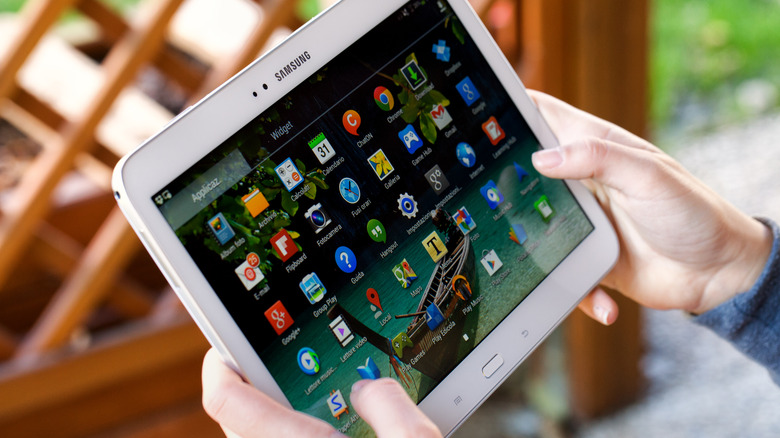
Android tablets offer a variety of options, from budget-friendly models perfect for media consumption to high-end devices ideal for gaming and productivity. However, one of the main drawbacks is that most Android tablets don't receive long-term software support. After two or three years, they often stop getting OS updates, which can make newer apps incompatible. Additionally, many people already own smartphones or laptops that can perform similar tasks, leading to Android tablets becoming less popular over time.

Despite this, your old Android tablet isn’t necessarily useless just because it’s outdated. There are numerous ways to repurpose it for different activities beyond watching YouTube or scrolling through social media. If you’ve been keeping your tablet in a drawer, now might be the perfect time to bring it back into use. And if cleaning out that drawer uncovered other old electronics, consider exploring creative upcycling ideas.

Use It As A Portable Xbox Gaming Console

Xbox has embraced the idea that everything can be an Xbox, and your Android tablet is no exception. You don’t need the latest model to play Xbox games on your tablet. Any tablet with Bluetooth 4.0 and Android 12.0 or later should work. To stream games, you’ll need Wi-Fi speeds of at least 7 Mbps on a 5 GHz network.

While the Xbox Game Pass app once allowed cloud gaming on Android, that feature has been discontinued. Instead, you can access Xbox games via a browser by visiting Xbox.com/play. To stream games, you'll need an active Xbox Game Pass Ultimate subscription, which costs $19.99. However, there's talk of a free ad-supported tier being introduced soon.

Not all games come with touch controls, so using an Xbox Wireless controller is recommended. Other Bluetooth controllers, like Sony’s DualShock 4, will also work well with your tablet.

Turn Your Tablet Into An Emulation Device For Retro Gaming

If you're a fan of classic games, your Android tablet can serve as a retro gaming device. Rather than streaming, you can download RetroArch, one of the best retro game emulators available. This app supports dozens of consoles, from the Atari 2600 to the PlayStation 2.

The performance of RetroArch depends on your tablet’s specifications, but most models can handle less graphically intensive games like SNES, Genesis, and Game Boy Advance titles. While there is a learning curve, there’s a strong community online to help with any questions. When using RetroArch, adjusting settings can improve stability, and you can switch between cores to emulate different systems.

It's important to note that emulating games is not illegal, but downloading pirated ROMs is. The ethical approach is to create ROM files from games you already own.

Transform It Into A Manga Library For Hours Of Reading

Manga has never been more popular, and if you’re looking to catch up, your Android tablet can be a great tool. The Shonen Jump app offers hundreds of manga series for $3.99, including titles like "Sakamoto Days," which was adapted into an anime that appeals to fans of "John Wick."

The free version allows you to read the latest chapters, while the paid version unlocks over 20,000 chapters and lets you download them for offline reading. If subscriptions aren’t your thing, apps like CDisplayEX Comic Reader Lite let you read digital manga files. The free version includes features like page flipping, while the paid version removes ads and adds dark mode.

Make Your Old Android Tablet Into A Teleprompter Screen

For content creators, a teleprompter can be a game-changer. If you only have a tablet, apps like Teleprompter.com offer voice-activated scrolling to help you deliver lines smoothly. You’ll need a tripod or mount to secure the tablet near your camera.

For better results, consider purchasing a dedicated teleprompter like the Neewer C12 model. It features a reflective display and camera hood, allowing you to view your script while looking directly into the lens. The Neewer app also includes a mirror mode and remote control for manual scrolling and adjustments.

Repurpose It As A Video Editing Workstation

Video editing doesn’t always require a powerful computer. Apps like CapCut, InShot, and LumaFusion allow you to create quality content on your Android tablet. These affordable apps are great for TikTok and YouTube videos.

CapCut and InShot offer free versions with features suitable for short-form content, while LumaFusion provides a more professional editing experience. At $29.99, it includes multi-track timelines, transitions, and effects, making it a solid choice for mobile video editing.

By finding new uses for your old Android tablet, you can extend its lifespan and enjoy a range of activities without needing to buy a new device.

5 Surprising Uses for Old Android Tablets

Featured Image

Exploring New Uses for Your Old Android Tablet

Android tablets offer a variety of options, from budget-friendly models perfect for media consumption to high-end devices ideal for gaming and productivity. However, one of the main drawbacks is that most Android tablets don't receive long-term software support. After two or three years, they often stop getting OS updates, which can make newer apps incompatible. Additionally, many people already own smartphones or laptops that can perform similar tasks, leading to Android tablets becoming less popular over time.

Despite this, your old Android tablet isn’t necessarily useless just because it’s outdated. There are numerous ways to repurpose it for different activities beyond watching YouTube or scrolling through social media. If you’ve been keeping your tablet in a drawer, now might be the perfect time to bring it back into use. And if cleaning out that drawer uncovered other old electronics, consider exploring creative upcycling ideas.

Use It As A Portable Xbox Gaming Console

Xbox has embraced the idea that everything can be an Xbox, and your Android tablet is no exception. You don’t need the latest model to play Xbox games on your tablet. Any tablet with Bluetooth 4.0 and Android 12.0 or later should work. To stream games, you’ll need Wi-Fi speeds of at least 7 Mbps on a 5 GHz network.

While the Xbox Game Pass app once allowed cloud gaming on Android, that feature has been discontinued. Instead, you can access Xbox games via a browser by visiting Xbox.com/play. To stream games, you'll need an active Xbox Game Pass Ultimate subscription, which costs $19.99. However, there's talk of a free ad-supported tier being introduced soon.

Not all games come with touch controls, so using an Xbox Wireless controller is recommended. Other Bluetooth controllers, like Sony’s DualShock 4, will also work well with your tablet.

Turn Your Tablet Into An Emulation Device For Retro Gaming

If you're a fan of classic games, your Android tablet can serve as a retro gaming device. Rather than streaming, you can download RetroArch, one of the best retro game emulators available. This app supports dozens of consoles, from the Atari 2600 to the PlayStation 2.

The performance of RetroArch depends on your tablet’s specifications, but most models can handle less graphically intensive games like SNES, Genesis, and Game Boy Advance titles. While there is a learning curve, there’s a strong community online to help with any questions. When using RetroArch, adjusting settings can improve stability, and you can switch between cores to emulate different systems.

It's important to note that emulating games is not illegal, but downloading pirated ROMs is. The ethical approach is to create ROM files from games you already own.

Transform It Into A Manga Library For Hours Of Reading

Manga has never been more popular, and if you’re looking to catch up, your Android tablet can be a great tool. The Shonen Jump app offers hundreds of manga series for $3.99, including titles like "Sakamoto Days," which was adapted into an anime that appeals to fans of "John Wick."

The free version allows you to read the latest chapters, while the paid version unlocks over 20,000 chapters and lets you download them for offline reading. If subscriptions aren’t your thing, apps like CDisplayEX Comic Reader Lite let you read digital manga files. The free version includes features like page flipping, while the paid version removes ads and adds dark mode.

Make Your Old Android Tablet Into A Teleprompter Screen

For content creators, a teleprompter can be a game-changer. If you only have a tablet, apps like Teleprompter.com offer voice-activated scrolling to help you deliver lines smoothly. You’ll need a tripod or mount to secure the tablet near your camera.

For better results, consider purchasing a dedicated teleprompter like the Neewer C12 model. It features a reflective display and camera hood, allowing you to view your script while looking directly into the lens. The Neewer app also includes a mirror mode and remote control for manual scrolling and adjustments.

Repurpose It As A Video Editing Workstation

Video editing doesn’t always require a powerful computer. Apps like CapCut, InShot, and LumaFusion allow you to create quality content on your Android tablet. These affordable apps are great for TikTok and YouTube videos.

CapCut and InShot offer free versions with features suitable for short-form content, while LumaFusion provides a more professional editing experience. At $29.99, it includes multi-track timelines, transitions, and effects, making it a solid choice for mobile video editing.

By finding new uses for your old Android tablet, you can extend its lifespan and enjoy a range of activities without needing to buy a new device.
Wednesday, October 29, 2025

Pixel Tablet drops to $249 with steep discount

Featured Image

Google's Tablet Plans Are on Hold, But the Pixel Tablet Remains a Strong Option

Google has recently decided to pause its future tablet development plans, which means the Pixel Tablet might be the only device from the brand for the foreseeable future. While there are numerous Android tablets available in the market, the Pixel Tablet stands out as the go-to choice for those seeking a seamless Pixel experience.

At its launch, the Pixel Tablet didn't gain much traction, largely due to its initial price point. However, the device is now available at a significant discount, making it more appealing than ever. The current price of $249 is a reduction of $150 from its original retail price of $399, marking the lowest price the device has ever seen. This limited-time offer is available through major retailers like Best Buy and Amazon, so it’s worth considering if you're in the market for a new tablet.

A Unique Offering with a Distinctive Design

Google had an ambitious vision for the Pixel Tablet, which included a speaker dock as part of the package. The idea was to transform the tablet into a smart display when docked and charging. While this concept was intriguing, it didn’t quite catch on with consumers. Despite that, the tablet itself remains a solid device, representing Google’s first major effort to revitalize its tablet lineup.

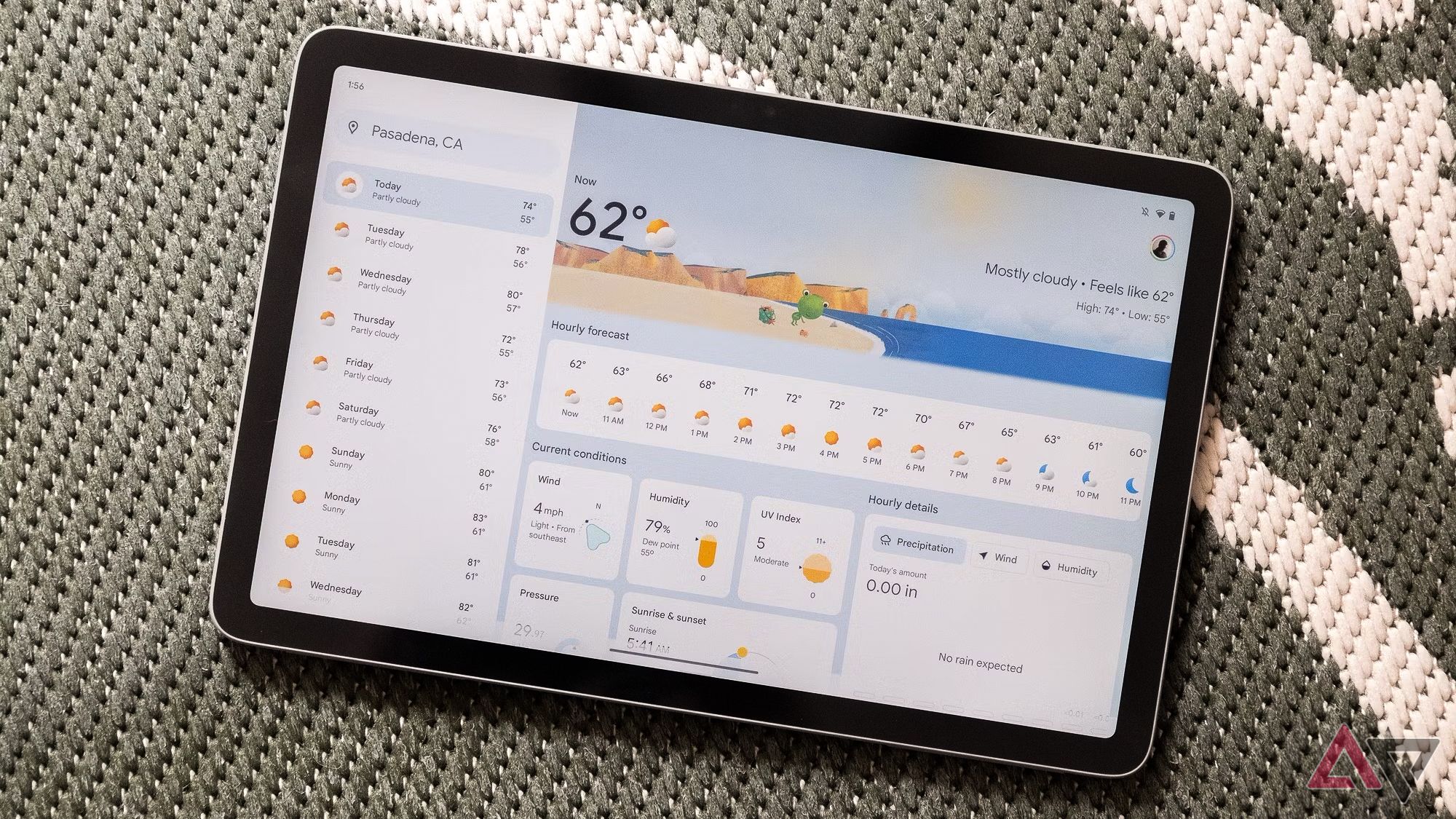
The Pixel Tablet features an 11-inch LCD screen that delivers excellent visual quality. It is powered by the Google Tensor G2 processor, paired with 8GB of RAM and 128GB of storage. This combination ensures that the device can handle a wide range of tasks, from web browsing and streaming to gaming and productivity work.

The Pixel Experience: A Key Differentiator

One of the main reasons people choose the Pixel Tablet over other Android tablets is the exclusive Pixel experience. This includes access to timely software updates, ensuring that the device stays up-to-date with the latest features and security improvements. Even today, the Pixel Tablet supports the most recent Android software updates, providing a smooth and reliable user experience.

For many users, the Pixel experience is a major selling point. It offers a clean, intuitive interface that integrates seamlessly with other Google services. As Google continues to support the device, the user experience is expected to improve further.

Is the Pixel Tablet Right for You?

While the Pixel Tablet may not appeal to everyone, its current price of $249 makes it a compelling option for those looking to upgrade their tablet. It offers strong performance, a unique design, and access to the Pixel ecosystem, all at an attractive price.

Additionally, there's another accessory worth mentioning—the Google Pixel Tablet Pen. Although it was never officially released, it is somehow available online. If you’re interested in a stylus for creative or note-taking purposes, this could be a worthwhile addition.

With the Pixel Tablet currently available at a discounted rate, now is a great time to consider purchasing one. Whether you're a long-time Google user or just looking for a reliable tablet, the Pixel Tablet offers a distinctive experience that sets it apart from the competition. Don’t miss out on this opportunity to get a high-quality device at a great price.

Pixel Tablet drops to $249 with steep discount

Featured Image

Google's Tablet Plans Are on Hold, But the Pixel Tablet Remains a Strong Option

Google has recently decided to pause its future tablet development plans, which means the Pixel Tablet might be the only device from the brand for the foreseeable future. While there are numerous Android tablets available in the market, the Pixel Tablet stands out as the go-to choice for those seeking a seamless Pixel experience.

At its launch, the Pixel Tablet didn't gain much traction, largely due to its initial price point. However, the device is now available at a significant discount, making it more appealing than ever. The current price of $249 is a reduction of $150 from its original retail price of $399, marking the lowest price the device has ever seen. This limited-time offer is available through major retailers like Best Buy and Amazon, so it’s worth considering if you're in the market for a new tablet.

A Unique Offering with a Distinctive Design

Google had an ambitious vision for the Pixel Tablet, which included a speaker dock as part of the package. The idea was to transform the tablet into a smart display when docked and charging. While this concept was intriguing, it didn’t quite catch on with consumers. Despite that, the tablet itself remains a solid device, representing Google’s first major effort to revitalize its tablet lineup.

The Pixel Tablet features an 11-inch LCD screen that delivers excellent visual quality. It is powered by the Google Tensor G2 processor, paired with 8GB of RAM and 128GB of storage. This combination ensures that the device can handle a wide range of tasks, from web browsing and streaming to gaming and productivity work.

The Pixel Experience: A Key Differentiator

One of the main reasons people choose the Pixel Tablet over other Android tablets is the exclusive Pixel experience. This includes access to timely software updates, ensuring that the device stays up-to-date with the latest features and security improvements. Even today, the Pixel Tablet supports the most recent Android software updates, providing a smooth and reliable user experience.

For many users, the Pixel experience is a major selling point. It offers a clean, intuitive interface that integrates seamlessly with other Google services. As Google continues to support the device, the user experience is expected to improve further.

Is the Pixel Tablet Right for You?

While the Pixel Tablet may not appeal to everyone, its current price of $249 makes it a compelling option for those looking to upgrade their tablet. It offers strong performance, a unique design, and access to the Pixel ecosystem, all at an attractive price.

Additionally, there's another accessory worth mentioning—the Google Pixel Tablet Pen. Although it was never officially released, it is somehow available online. If you’re interested in a stylus for creative or note-taking purposes, this could be a worthwhile addition.

With the Pixel Tablet currently available at a discounted rate, now is a great time to consider purchasing one. Whether you're a long-time Google user or just looking for a reliable tablet, the Pixel Tablet offers a distinctive experience that sets it apart from the competition. Don’t miss out on this opportunity to get a high-quality device at a great price.

Saturday, August 23, 2025

This kid-friendly tablet is on sale for less than $100!

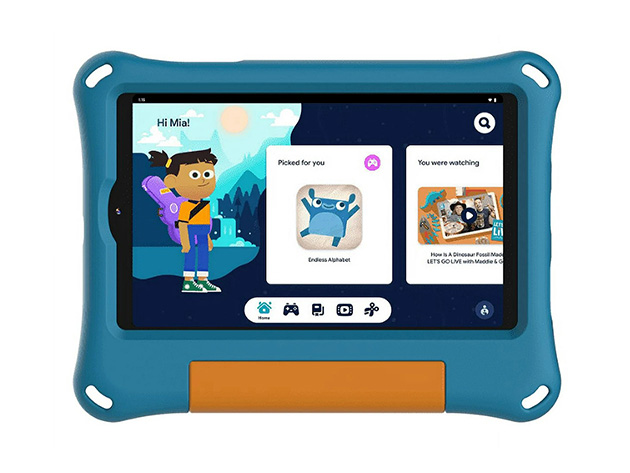
If you spend enough time around kids, you know it's only a matter of time before your phone becomes theirs. By the time you get it back, the battery is drained, and it has a questionable stickiness to it. What if you didn't need to sacrifice your phone for a few hours of distraction? What if there were an affordable, kid-friendly alternative? That's whereOnn's 8" Kids Tabletcan save the day for only $69.99 (reg. $118).

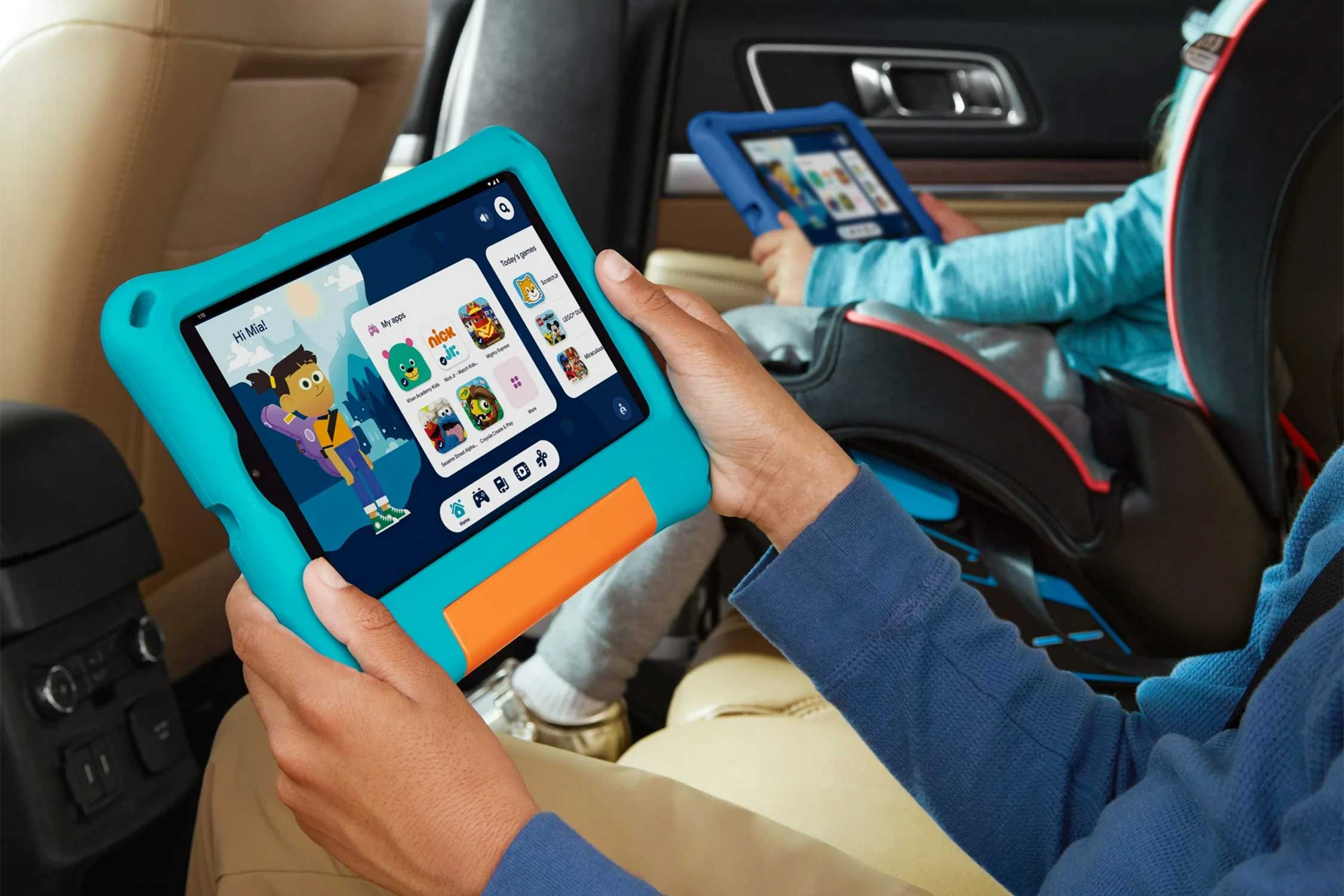
The next time you're babysitting or need a break from your younger siblings, the8" Kids TabletIs a safe and fun digital companion. Unlike your phone and other tablets or iPads, this device is built with kids in mind, so it can withstand the chaos of children. Designed with a kid-friendly bumper case, it also has a kickstand and handle for easy grip and extra protection.

On top of a sturdy design, this tablet is packed with kid-friendly features, including:

  • All-day battery life:Got a work from home day? Enjoy 10 hours of battery life on a single charge so you don't have to worry about an open outlet.
  • 8" IPS LCD Touchscreen Display:Specifications may not matter to kids, but as a parent, guardian, or babysitter, you can rest easy knowing that this large screen display is gentle on their developing eyes.
  • Google Kids Space Integration:As a platform designed with kids in mind, Google Kids Space allows for safe, educational content and entertainment for streaming shows or playing games.
  • Android 14 Operating System:Built with a familiar, user-friendly operating system, kids have plenty of room to tap, swipe, and multitask thanks to an octa-core 2.0 GHz processor.
  • Dual Cameras:Kids can take pictures and video chat with friends or family while you're busy.
  • 32GB of Internal Storage:There's plenty of room for additional apps, class assignments, videos, and so much more. You can even add additional storage via a memory card.

As an open box model, you can enjoy extra savings while reaping the benefits of a modern 2024 device. Open box items are usually excess inventory and may have assorted stickers on the packaging. Other than that, they've been tested and verified by tech experts, and it comes with a 1-year warranty for extra peace of mind.

So, do yourself and your phone a favor and grab this8" Kids Tablet (2024)for only $69.99 (reg. $118) while supplies last.

StackSocialPrices subject to change.

onn 8" Kids Tablet (2024) Android 14 3GB RAM 32GB eMMC (Open Box)

See Deal

See other items in the shop.

The postThis kid-friendly tablet is on sale for less than $100!appeared first onBoing Boing.

Friday, August 22, 2025

This 11-inch Samsung tablet is on sale for about $200 in a limited-time deal.

There areTablet dealsThat feature offers discounts for flagship devices, but there are also deals that will allow you to enjoy even lower prices on some of the more affordable devices. Here's one from Amazon — the Samsung Galaxy Tab A9 Plus with 128GB of storage at 23% off, reducing its price from $270 to just $209. We're not sure how much time is left on the $61 savings, as it will only be available for a limited time. You need to hurry with your purchase if you don't want to miss out!

Buy Now

Why you should buy the Samsung Galaxy Tab A9 Plus

The Samsung Galaxy Tab A9 Plus is one of the brand's more affordable tablets, and while you shouldn't expect it to match the performance of the top-tier models among thebest tablets, it's still a pretty solid device. Powered by the Qualcomm Snapdragon 695 processor and 8GB of RAM, it will be more than enough for daily activities such as browsing social media, watchingstreaming shows, and playing mobile games. The 128GB of storage already provides plenty of space for apps, but if you need more, you can expand it by up to 1TB through a microSD card.

The 11-inch touchscreen of the Samsung Galaxy Tab A9 Plus keeps the device portable, while its 1920 x 1200 resolution promises sharp details and bright colors. TheSamsung tabletalso features quad speakers withDolby Atmossupport for amazing sound, and a long-lasting battery that will keep it running all day before you need to recharge it.

Samsung tablet dealsCover all budget ranges, and for the lower prices, you should consider taking advantage of Amazon's offer for the Samsung Galaxy Tab A9 Plus. The 128GB version, originally sold for $270, is currently on sale for $209, saving $61. You'll have to act quickly if you're interested, as this is a limited-time deal that may disappear at any moment. Complete your transaction for the Samsung Galaxy Tab A9 Plus right now if you want to make sure you get the tablet with a 23% discount!

Buy Now
The Latest Tech News, Delivered to Your Inbox