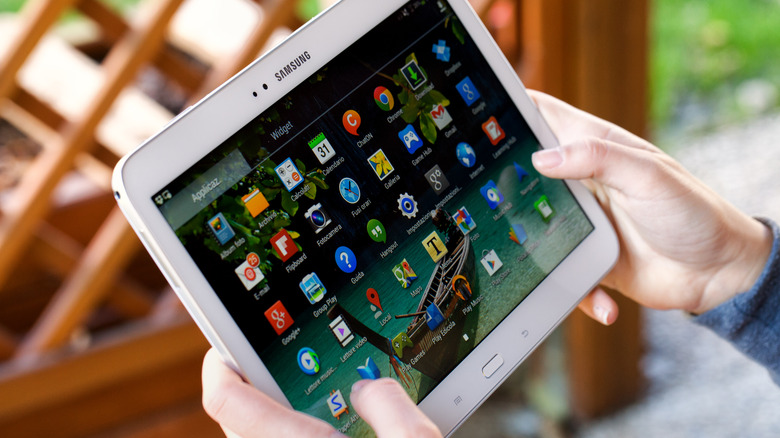
Exploring New Uses for Your Old Android Tablet
Android tablets offer a variety of options, from budget-friendly models perfect for media consumption to high-end devices ideal for gaming and productivity. However, one of the main drawbacks is that most Android tablets don't receive long-term software support. After two or three years, they often stop getting OS updates, which can make newer apps incompatible. Additionally, many people already own smartphones or laptops that can perform similar tasks, leading to Android tablets becoming less popular over time.
Despite this, your old Android tablet isn’t necessarily useless just because it’s outdated. There are numerous ways to repurpose it for different activities beyond watching YouTube or scrolling through social media. If you’ve been keeping your tablet in a drawer, now might be the perfect time to bring it back into use. And if cleaning out that drawer uncovered other old electronics, consider exploring creative upcycling ideas.
Use It As A Portable Xbox Gaming Console
Xbox has embraced the idea that everything can be an Xbox, and your Android tablet is no exception. You don’t need the latest model to play Xbox games on your tablet. Any tablet with Bluetooth 4.0 and Android 12.0 or later should work. To stream games, you’ll need Wi-Fi speeds of at least 7 Mbps on a 5 GHz network.
While the Xbox Game Pass app once allowed cloud gaming on Android, that feature has been discontinued. Instead, you can access Xbox games via a browser by visiting Xbox.com/play. To stream games, you'll need an active Xbox Game Pass Ultimate subscription, which costs $19.99. However, there's talk of a free ad-supported tier being introduced soon.
Not all games come with touch controls, so using an Xbox Wireless controller is recommended. Other Bluetooth controllers, like Sony’s DualShock 4, will also work well with your tablet.
Turn Your Tablet Into An Emulation Device For Retro Gaming
If you're a fan of classic games, your Android tablet can serve as a retro gaming device. Rather than streaming, you can download RetroArch, one of the best retro game emulators available. This app supports dozens of consoles, from the Atari 2600 to the PlayStation 2.
The performance of RetroArch depends on your tablet’s specifications, but most models can handle less graphically intensive games like SNES, Genesis, and Game Boy Advance titles. While there is a learning curve, there’s a strong community online to help with any questions. When using RetroArch, adjusting settings can improve stability, and you can switch between cores to emulate different systems.
It's important to note that emulating games is not illegal, but downloading pirated ROMs is. The ethical approach is to create ROM files from games you already own.
Transform It Into A Manga Library For Hours Of Reading
Manga has never been more popular, and if you’re looking to catch up, your Android tablet can be a great tool. The Shonen Jump app offers hundreds of manga series for $3.99, including titles like "Sakamoto Days," which was adapted into an anime that appeals to fans of "John Wick."
The free version allows you to read the latest chapters, while the paid version unlocks over 20,000 chapters and lets you download them for offline reading. If subscriptions aren’t your thing, apps like CDisplayEX Comic Reader Lite let you read digital manga files. The free version includes features like page flipping, while the paid version removes ads and adds dark mode.
Make Your Old Android Tablet Into A Teleprompter Screen
For content creators, a teleprompter can be a game-changer. If you only have a tablet, apps like Teleprompter.com offer voice-activated scrolling to help you deliver lines smoothly. You’ll need a tripod or mount to secure the tablet near your camera.
For better results, consider purchasing a dedicated teleprompter like the Neewer C12 model. It features a reflective display and camera hood, allowing you to view your script while looking directly into the lens. The Neewer app also includes a mirror mode and remote control for manual scrolling and adjustments.
Repurpose It As A Video Editing Workstation
Video editing doesn’t always require a powerful computer. Apps like CapCut, InShot, and LumaFusion allow you to create quality content on your Android tablet. These affordable apps are great for TikTok and YouTube videos.
CapCut and InShot offer free versions with features suitable for short-form content, while LumaFusion provides a more professional editing experience. At $29.99, it includes multi-track timelines, transitions, and effects, making it a solid choice for mobile video editing.
By finding new uses for your old Android tablet, you can extend its lifespan and enjoy a range of activities without needing to buy a new device.

0 comments:
Ikutan Komentar