Showing posts with label samsung galaxy phones. Show all posts

Friday, March 13, 2026

Samsung Could Redesign Galaxy S26 Ultra for Easier One-Handed Use

Featured Image

New Rumors Suggest Galaxy S26 Ultra Will Have a More Comfortable Design

Recent speculation suggests that the upcoming Samsung Galaxy S26 Ultra may be designed with improved ergonomics in mind. This information comes from a well-known industry insider, Ice Universe, who is often credited with accurate leaks about upcoming devices.

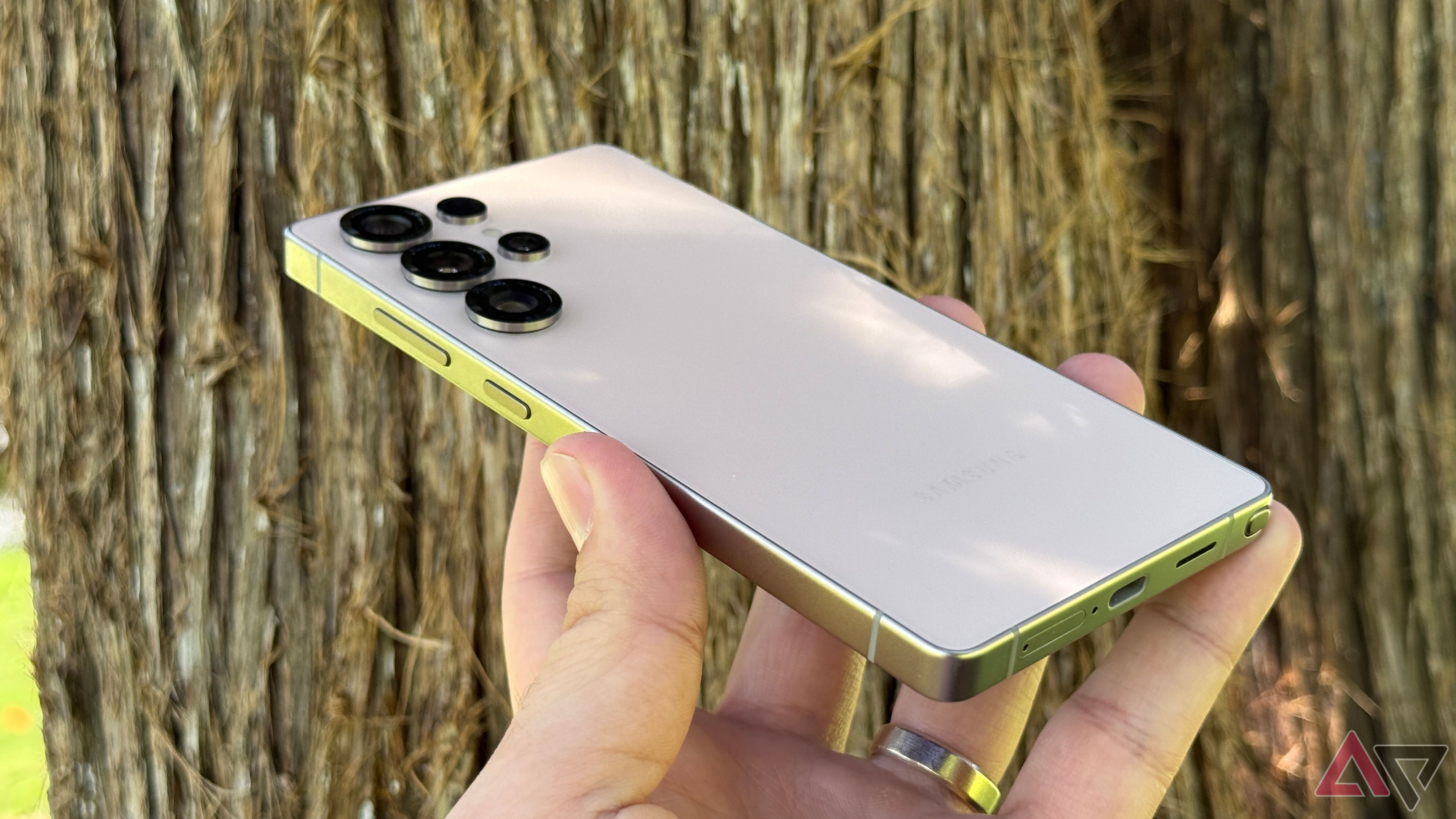
According to the rumor, the Galaxy S26 Ultra could feature more rounded corners, making it easier to hold and use. While the tipster hasn’t explicitly confirmed this detail, many believe this is the intended meaning behind his comments. The shift toward rounded edges would mark a departure from the sharp, angular design of previous models, such as the Galaxy S25 Ultra.

Smartphones with sharp corners can feel bulkier in the hand, and they may even cause discomfort during extended use. Rounded corners, on the other hand, are generally considered more comfortable, especially for users who frequently hold their phones for long periods. However, opinions on this design change are divided, with some users preferring the sleek look of sharp edges.

Despite the potential changes to the corners, there are indications that Samsung may keep the front, back, and sides of the device flat. This approach would align with current trends in the smartphone industry, where most flagship models use flat frames combined with slightly rounded corners. This design choice not only enhances aesthetics but also improves usability.

It’s worth noting that while the corners might become more rounded, the overall structure of the phone is unlikely to change drastically. Samsung typically introduces incremental improvements rather than complete overhauls. Maintaining a flat front and back would ensure compatibility with existing accessories, such as cases and screen protectors.

The Galaxy S26 Ultra is expected to launch in January of next year, alongside other models like the Galaxy S26 Pro and Galaxy S26 Edge. These devices are likely to follow similar design principles, with a focus on user comfort and modern aesthetics.

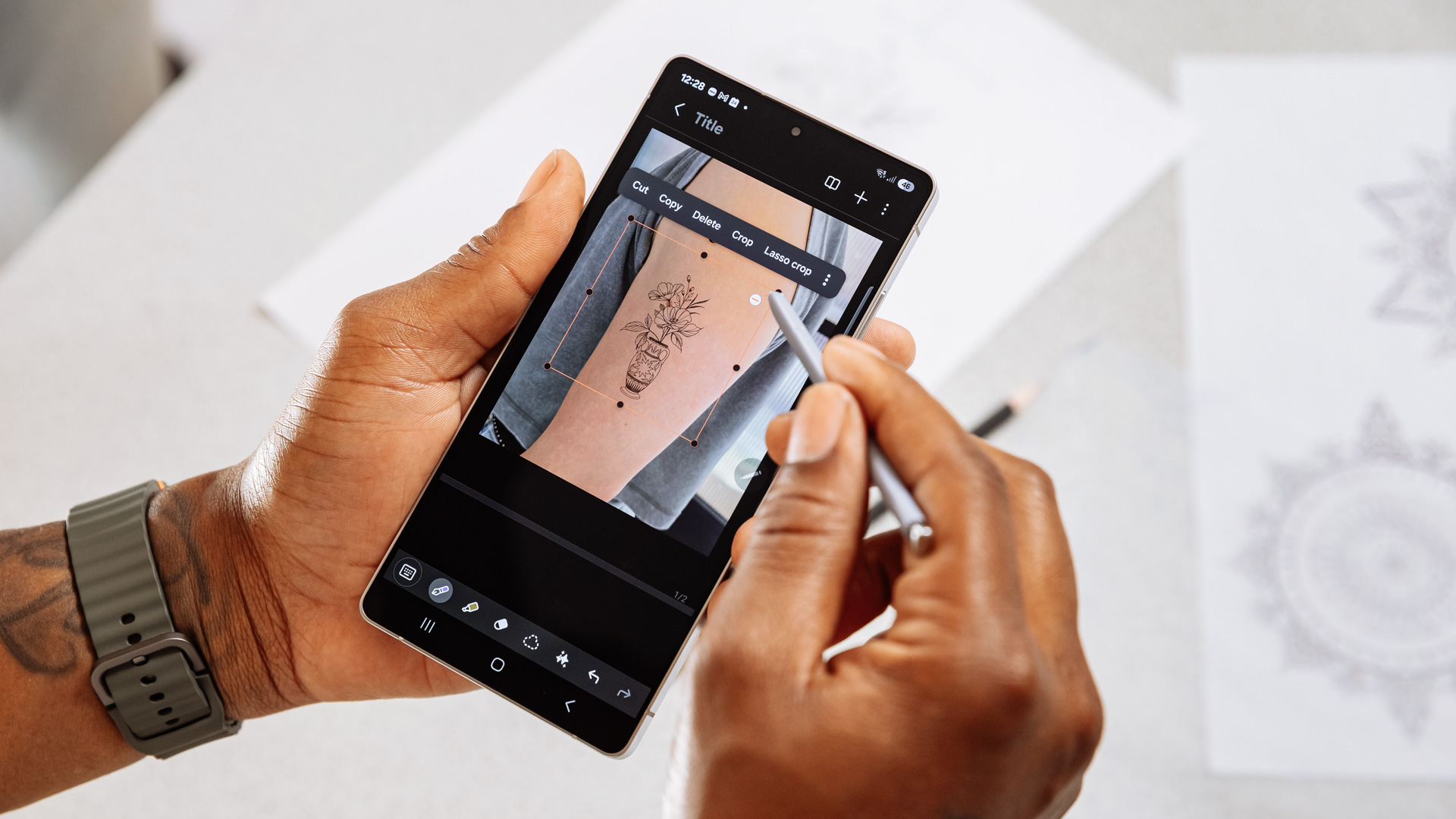
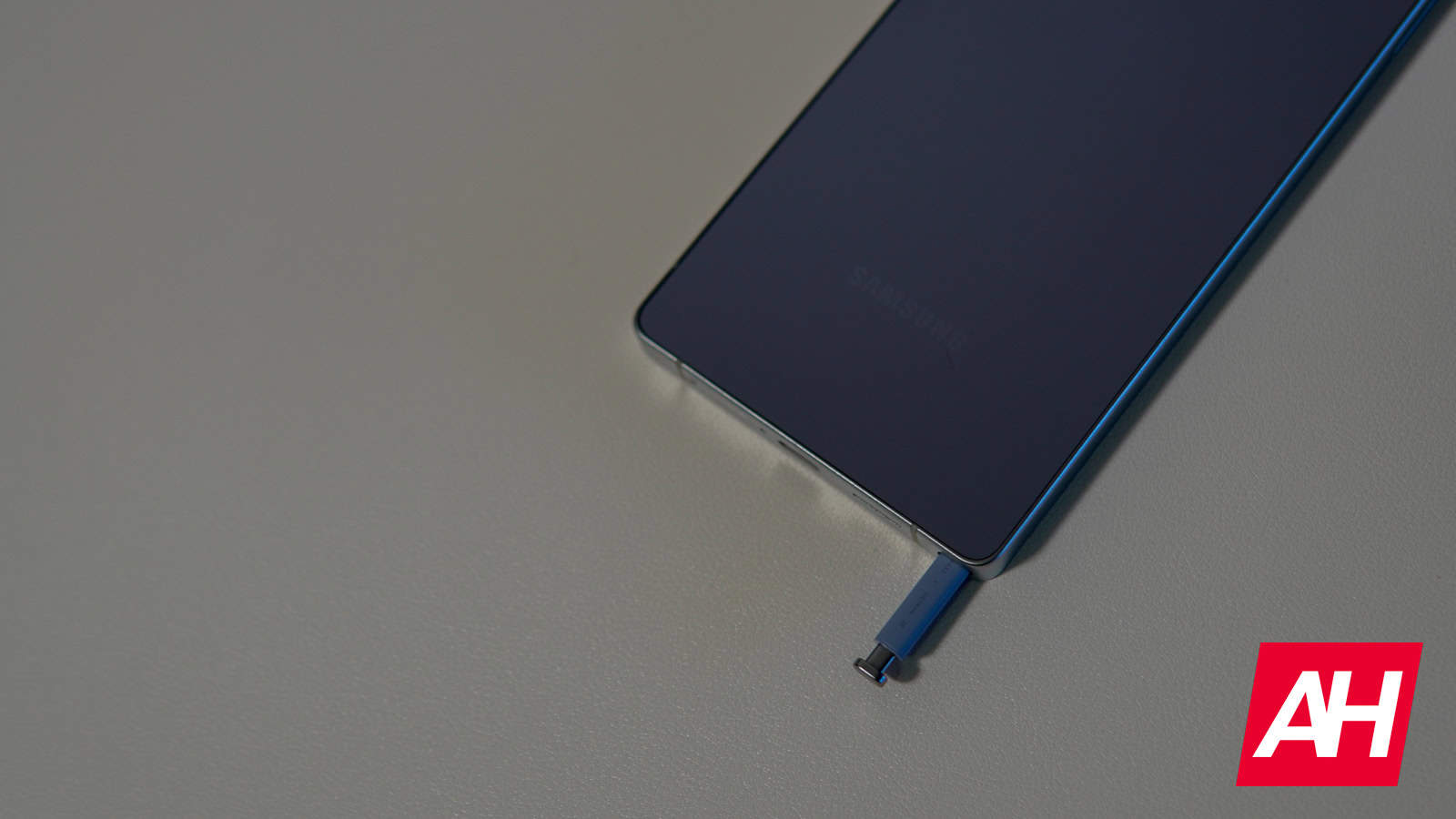
In addition to the potential design changes, there are also rumors suggesting that the Galaxy S26 Ultra could come with an upgraded S Pen stylus. Some reports even claim that this might be the last Samsung smartphone to include the stylus, though these details remain unconfirmed.

While these rumors are intriguing, it’s important to approach them with caution. Until official announcements are made, much of what is being discussed remains speculative. However, if true, the Galaxy S26 Ultra could represent a significant step forward in terms of user experience and design.

Overall, the potential redesign of the Galaxy S26 Ultra highlights Samsung’s ongoing efforts to balance form and function. Whether the company will go ahead with these changes remains to be seen, but the possibility of a more palm-friendly design is certainly something to watch for in the coming months.

Tuesday, November 18, 2025

Samsung Galaxy S26 Ultra Leak Reveals Rounded Corners

Featured Image

Design Evolution: Samsung's Galaxy S26 Ultra Takes a Step Further in Ergonomics

Samsung has made a noticeable shift in the design of its flagship Galaxy S25 Ultra, moving away from the sharp, square edges that characterized previous models. Instead, the company introduced rounded corners, which significantly enhance the phone’s comfort when held in the hand. This change, though subtle, marks a major improvement in user experience, especially for those who prefer one-handed use or frequently carry their phones in pockets.

The issue with sharp edges has been a recurring point of criticism among users of Samsung’s Ultra series, including the S22 Ultra and S23 Ultra. These models, while powerful, often felt uncomfortable due to their angular design. The sharp corners could press into the palm, making them harder to grip, particularly for extended periods. Additionally, the rigid edges made it challenging to fit the phone into tight spaces like jeans pockets.

In contrast, most other leading Android flagships have long embraced rounded edges, which contribute to a more natural and comfortable grip. Samsung’s decision to adopt this design for the S25 Ultra was a positive step forward. Now, it seems the company is taking things even further with the upcoming Galaxy S26 Ultra, which is rumored to feature even more curved corners. This evolution is expected to improve ergonomics even further, offering a smoother and more pleasant user experience.

Alongside the enhanced design, the Galaxy S26 Ultra is also expected to bring a thinner profile, giving the device a sleeker and more modern appearance. This combination of a more curved design and a slimmer build could make the S26 Ultra stand out as a more refined and user-friendly option compared to its predecessors.

Minor Changes That Could Make a Big Difference

While the Galaxy S26 lineup is still several months away from release, recent leaks have already provided insight into some of its key features. One notable aspect is the battery, which is expected to remain at 5,000mAh, maintaining the same capacity as previous Ultra models. However, the phone may compensate with faster wired charging speeds, potentially reaching 60W. This could significantly reduce charging times, offering users a more efficient power-up experience.

Another area of interest is the camera system. The main camera sensor, a 200MP HP2 unit, will likely stay the same for another year. However, there are rumors that Samsung might pair it with a brighter f/1.4 aperture. Compared to the S25 Ultra’s f/1.7 lens, this upgrade could allow for more light intake, resulting in better low-light performance. Additionally, the 3x telephoto camera might see a resolution bump from 10MP to 50MP, delivering sharper and more detailed images.

One of the more intriguing rumors involves a new "Flex Magic Pixel" OLED panel for the Galaxy S26 Ultra. This display technology is said to leverage AI to enhance privacy by adjusting screen visibility based on the user's environment. While details are still scarce, this feature could offer an innovative way to protect sensitive information on the go.

These changes, though seemingly minor, could collectively elevate the Galaxy S26 Ultra into a more compelling choice for consumers looking for both style and functionality. As the launch date approaches, more details about the device are expected to emerge, providing further clarity on what users can expect from Samsung’s latest flagship.

Samsung Galaxy S26 Ultra Leak Reveals Rounded Corners

Featured Image

Design Evolution: Samsung's Galaxy S26 Ultra Takes a Step Further in Ergonomics

Samsung has made a noticeable shift in the design of its flagship Galaxy S25 Ultra, moving away from the sharp, square edges that characterized previous models. Instead, the company introduced rounded corners, which significantly enhance the phone’s comfort when held in the hand. This change, though subtle, marks a major improvement in user experience, especially for those who prefer one-handed use or frequently carry their phones in pockets.

The issue with sharp edges has been a recurring point of criticism among users of Samsung’s Ultra series, including the S22 Ultra and S23 Ultra. These models, while powerful, often felt uncomfortable due to their angular design. The sharp corners could press into the palm, making them harder to grip, particularly for extended periods. Additionally, the rigid edges made it challenging to fit the phone into tight spaces like jeans pockets.

In contrast, most other leading Android flagships have long embraced rounded edges, which contribute to a more natural and comfortable grip. Samsung’s decision to adopt this design for the S25 Ultra was a positive step forward. Now, it seems the company is taking things even further with the upcoming Galaxy S26 Ultra, which is rumored to feature even more curved corners. This evolution is expected to improve ergonomics even further, offering a smoother and more pleasant user experience.

Alongside the enhanced design, the Galaxy S26 Ultra is also expected to bring a thinner profile, giving the device a sleeker and more modern appearance. This combination of a more curved design and a slimmer build could make the S26 Ultra stand out as a more refined and user-friendly option compared to its predecessors.

Minor Changes That Could Make a Big Difference

While the Galaxy S26 lineup is still several months away from release, recent leaks have already provided insight into some of its key features. One notable aspect is the battery, which is expected to remain at 5,000mAh, maintaining the same capacity as previous Ultra models. However, the phone may compensate with faster wired charging speeds, potentially reaching 60W. This could significantly reduce charging times, offering users a more efficient power-up experience.

Another area of interest is the camera system. The main camera sensor, a 200MP HP2 unit, will likely stay the same for another year. However, there are rumors that Samsung might pair it with a brighter f/1.4 aperture. Compared to the S25 Ultra’s f/1.7 lens, this upgrade could allow for more light intake, resulting in better low-light performance. Additionally, the 3x telephoto camera might see a resolution bump from 10MP to 50MP, delivering sharper and more detailed images.

One of the more intriguing rumors involves a new "Flex Magic Pixel" OLED panel for the Galaxy S26 Ultra. This display technology is said to leverage AI to enhance privacy by adjusting screen visibility based on the user's environment. While details are still scarce, this feature could offer an innovative way to protect sensitive information on the go.

These changes, though seemingly minor, could collectively elevate the Galaxy S26 Ultra into a more compelling choice for consumers looking for both style and functionality. As the launch date approaches, more details about the device are expected to emerge, providing further clarity on what users can expect from Samsung’s latest flagship.

Saturday, August 23, 2025

8 essential Samsung Good Lock modules to customize your Galaxy phone

I love mySamsung Galaxy S24 Ultra. It's solidly built with glass and titanium, has a capable camera system, and an excellent display. However, I had to fight small friction points every day.

Reaching the top of the screen for notifications required an awkward hand shuffle. The status bar remained cluttered with icons I didn't need to see all day.

I could accidentally swipe away a crucial notification and lose it. I adapted my habits to the phone's design and assumed that was the price. I was wrong.

The fix was already on my phone in the Galaxy Store. Good Lock is an official Samsung suite that lets you change how the phone looks, feels, and behaves.

This is my tour of the eight modules I now consider essential on any Galaxy phone.

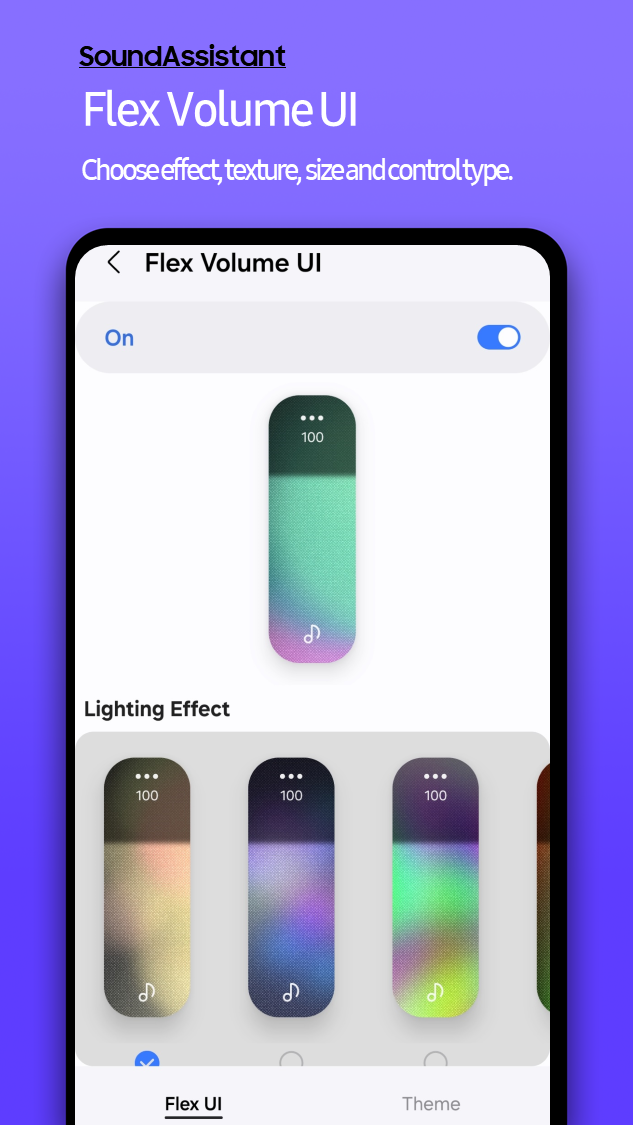
Fine-tuning audio with SoundAssistant

The standardOne UIVolume control is blunt. You want to lower game audio without touching your podcast, but you can't, and one press jumps from too quiet to slightly too loud.

SoundAssistant, a Good Lock module, fixes this with granular, desktop-like control.

It adds per-app sliders so you can set levels for each app that is playing sound, lets you shrink the step size to as many as 150 levels for fine adjustments, and routes audio by app, so Spotify goes to a Bluetooth device while Maps stays on the phone speaker.

Making a large Galaxy screen easier to use with One Hand Operation+

Galaxy phone screens are large. They are great for content consumption, but poor for ergonomics.

Reaching the top to pull down the Quick Panel or tapping back in the upper-left corner becomes a daily thumb stretch.

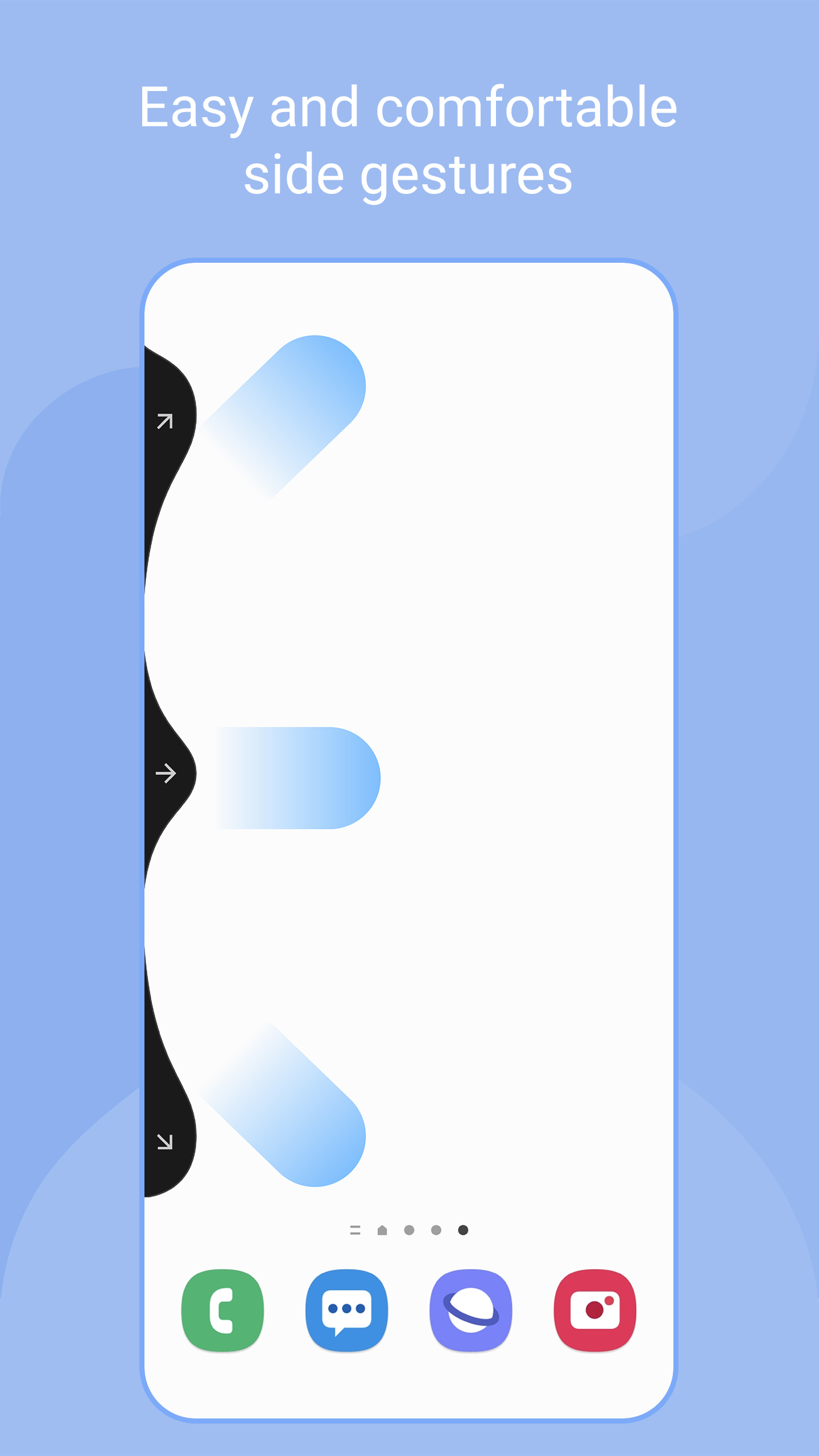
One Hand Operation+solves this problem by adding gesture handles on both edges that you swipe to trigger actions.

From each side, you can set short and long swipes in three directions — straight, diagonal up, and diagonal down — giving you 12 shortcuts.

You can map Back, Home, Recents, Screenshot, Flashlight, open the notification panel, turn the screen off, launch any app, and more.

You control handle size, position, and transparency so they fit your grip and stay out of the way. I no longer use the standard navigation bar or thedefault gestures.

A short straight swipe from the right edge acts as Back, a diagonal down from the same spot opens the full Quick Panel.

I can finally navigate my phone with one hand, which makes this large device feel agile and comfortable.

Customizing your Galaxy launcher with Home Up

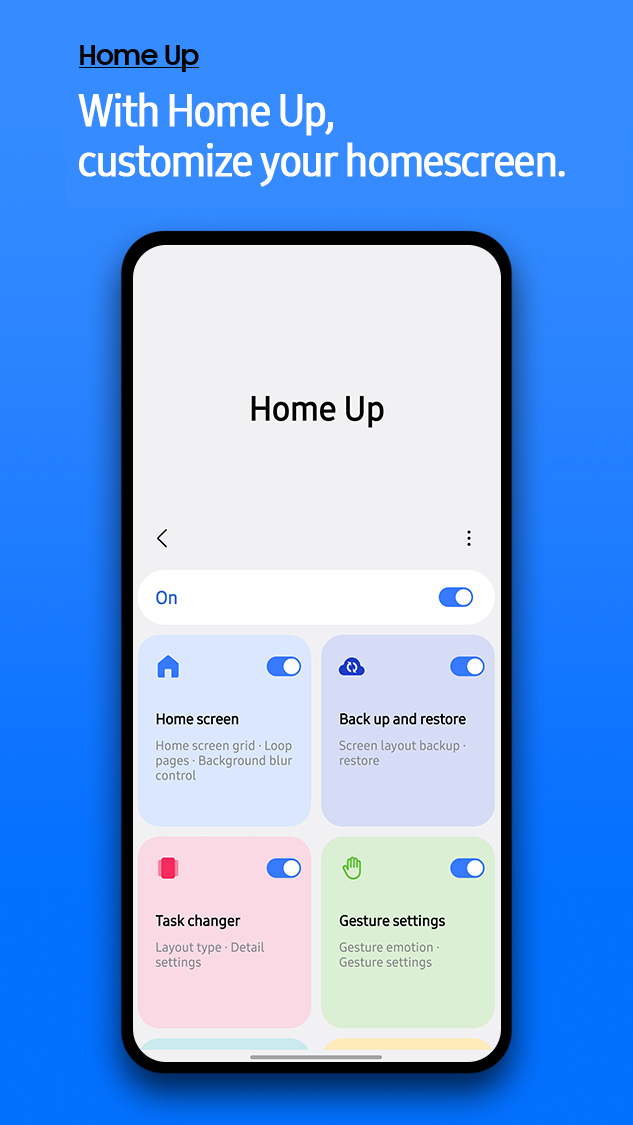
Samsung's One UI launcher is clean but limited. The Recents screen is a horizontal carousel, and opening a folder covers the entire screen.Home Upremoves those constraints.

You can modify the launcher. Task Changer, the feature I use most, replaces the default Recents with a vertical list, grid, or stack that shows more apps at a glance.

You can also push past the standard grid and build denser App screen layouts up to 7×7.

Beyond that, Home Up allows you to open folders in a pop-up window, customize their internal grids, and style them with background blur or color.

Advanced users can fine-tune gesture animations, edge panel behavior, and customize app launch transitions.

All of this turns the stock launcher into something far more personal.

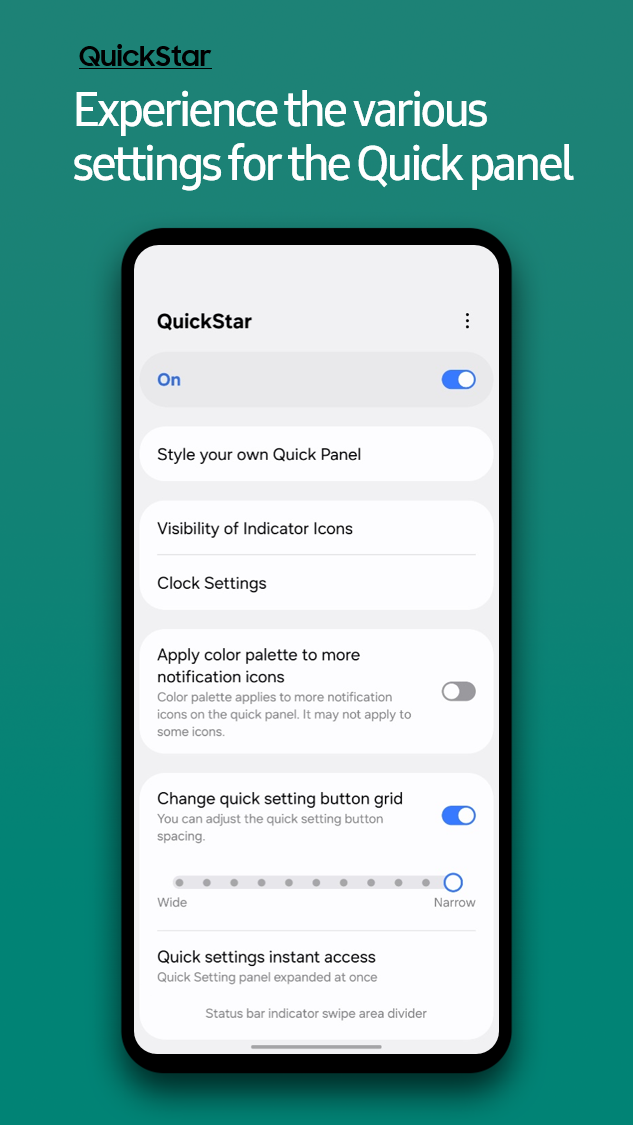
Customizing the Quick Panel for better control with QuickStar

My status bar used to distract me. It displayed a constant parade of icons, such as NFC, Bluetooth, Alarm, and VPN, that I didn’t need to see all the time.

QuickStarlets you clean up the status bar and Quick Panel. You can hide status bar icons by toggling off what you don't need, theme the Quick Panel with your colors for the background, toggles, and text.

Adding back tap shortcuts on Galaxy phones RegiStar

I envied the back tap gesture on other phones, a quick double tap that triggers a handy shortcut, and Samsung does not offer it by default.

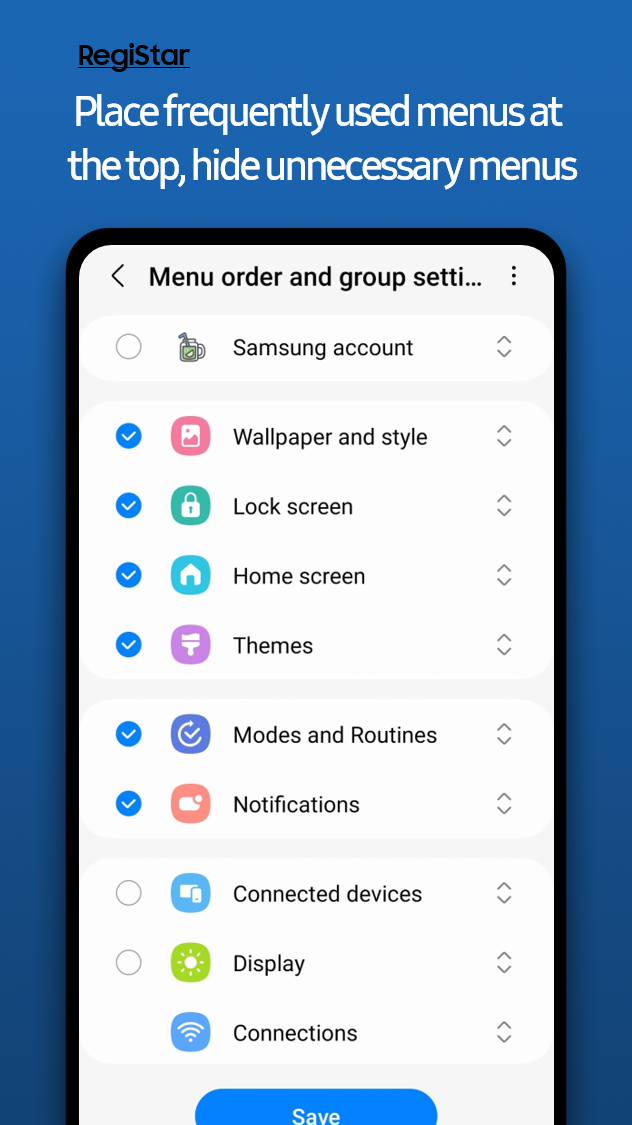
Moreover, the main Settings menu is long, and my most-used options are buried. RegiStar fixes both by adding physical shortcuts and better controls.

Back tap lets you assign actions such as taking a screenshot, opening an app, or showing notifications to a double or triple tap.

You can reorder the Settings menu to put Battery, Display, and Wi-Fi at the top and hide items you never use.

You can also remap the power button long-press if you do not useBixby.

Back tapping is now second nature to me. I set double-tap to take a screenshot. It is faster than the power and volume down combination.

Going beyond default Android palettes with Theme Park

Android's wallpaper-based theming is fairly limited, and the system palettes only go so far.

You need more control if you want a custom look that reflects your style. You can either use a customAndroid launcheror Good Lock.

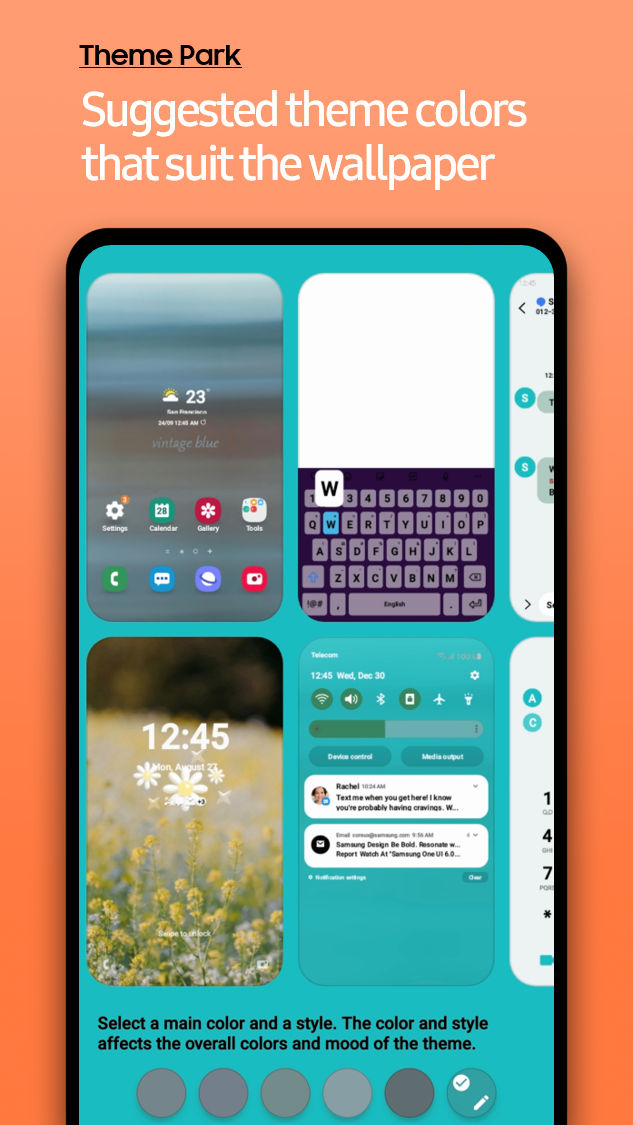
Theme Park, Good Lock's creative engine, and the second most popular module. It gives you a designer's toolkit.

Start with your wallpaper, then edit colors for notifications and system apps. You can customize icons by changing shapes and colors or applying third-party icon packs.

Keep notifications for as long as you want with NotiStar

You swipe away a notification and realize a second later that it mattered.Android's Notification Historyhelps, but it is buried in settings and only keeps 24 hours of alerts.

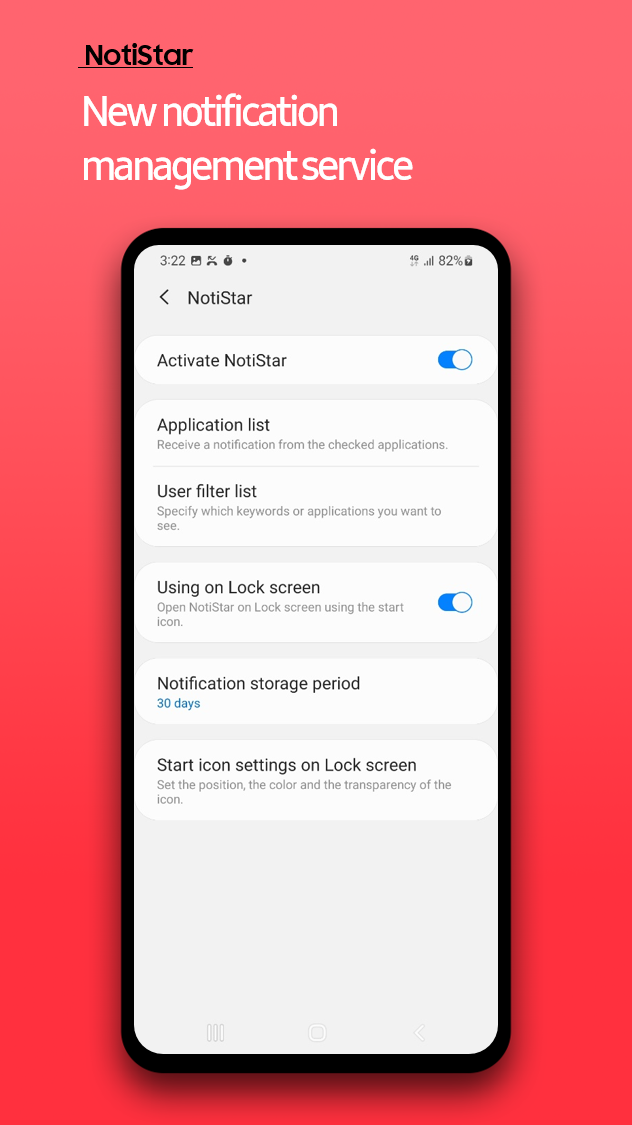
NotiStarProvides a reliable safety net by logging every notification into a searchable archive.

You choose how long to keep them — 7 days, 30 days, a year, or forever — then find what you need fast by filtering by app or keyword. It is also easy to reach from the home or lock screens.

Last week, I accidentally dismissed a shipping update because I could not remember whether it came from Amazon, FedEx, or the seller.

I opened NotiStar and searched forshipping. The notification with the tracking number appeared, turning a tense moment into a 10-second fix.

Adding pro features to the default camera app with Camera Assistant

Samsung's camera app is powerful and hasmany neat tricks, but it is highly automated.

It can switch lenses based on lighting, which limits creative control, and a small delay between pressing the shutter and capturing action shots can cost the shot.

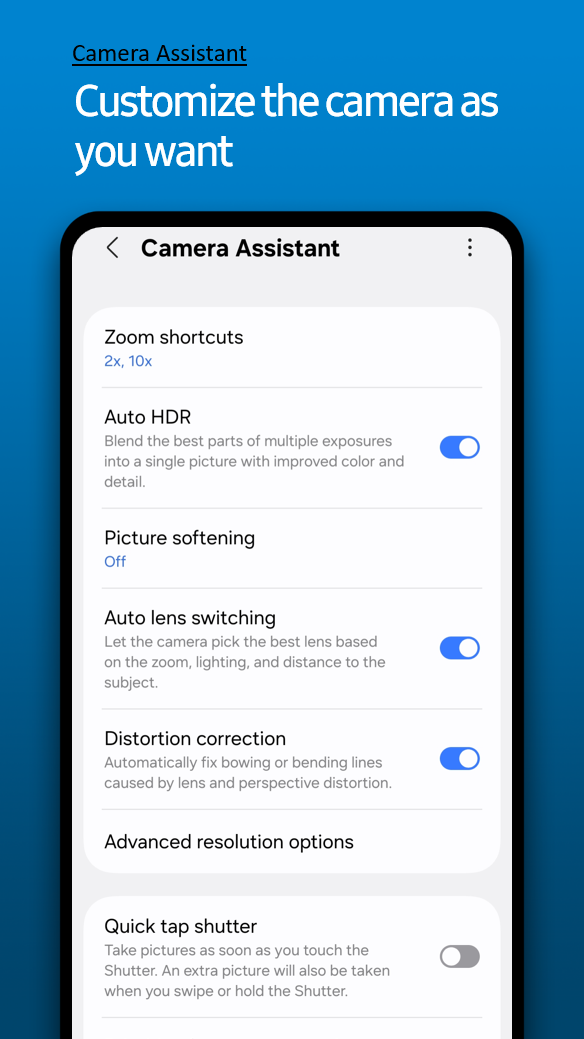
Camera Assistant, an essential Good Lock module, fixes this by adding advanced toggles in the stock settings.

Quick Tap Shutter is the key feature because it captures the photo the moment you press the button, which reduces shutter lag.

Turning off Auto Lens Switching keeps the lens you choose, and Capture Speed Priority lets the camera favor speed over processing for sports and other fast subjects.

Why Good Lock is worth exploring on Galaxy phones

If you own a Galaxy phone, you owe it to yourself to explore it. Open the Galaxy Store, downloadGood Lock, and start with one module that solves your biggest daily frustration.

You'll be amazed at how quickly these tools go from something you never knew you needed to something you can't live without.
Friday, August 22, 2025

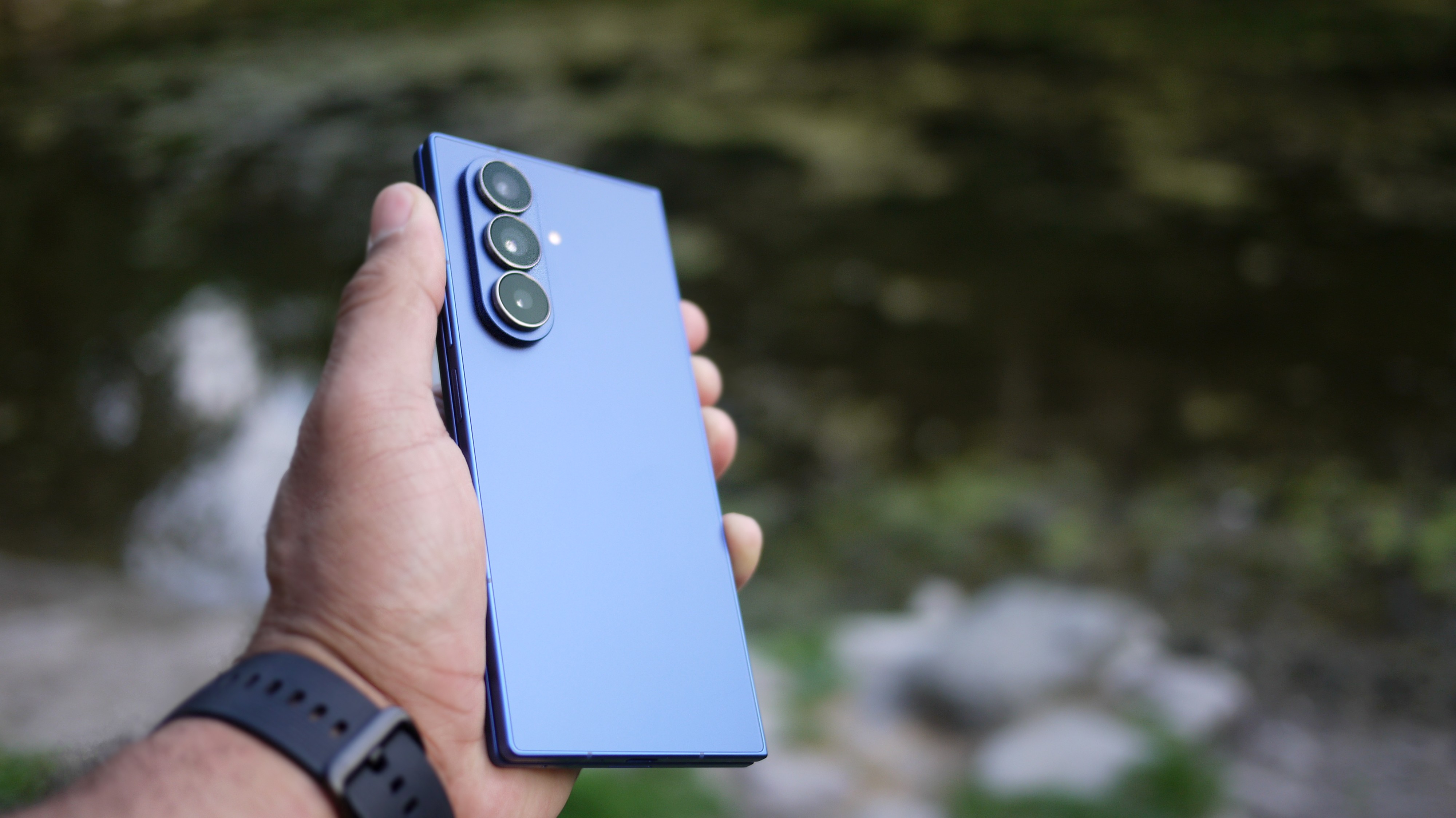
I thought the Galaxy Z Fold 6 was fantastic, but Samsung's Z Fold 7 makes me forget it ever existed.

I've been testing theSamsung Galaxy Z Fold 7for almost a month, and I'm convinced it might just be the best phone on the planet.

Before this, I relied on the Z Fold 7's older sibling - Samsung's Z Fold 6 - andI fell in love with that phone almost instantlythanks to its unique design that morphs between a phone and tablet whenever I need.

However, even after 12 months of knowing how great the phone is, whenever I talked or wrote about the Z Fold 6, I always explained that I didn't think it's the right phone for most people - and if Samsung hadn't sent us this phone for testing, I'd probably be using something like aGalaxy S25orGoogle Pixel 9because they offer better value for money.

That's not so much the case with the new Galaxy Z Fold 7.

Yes, it's still a pricey beast. However, Samsung's new foldable does a much better job of justifying its high price.

VS. Z Fold 6

Samsung took my biggest Z Fold 6 frustrations and eliminated them with the Z Fold 7.

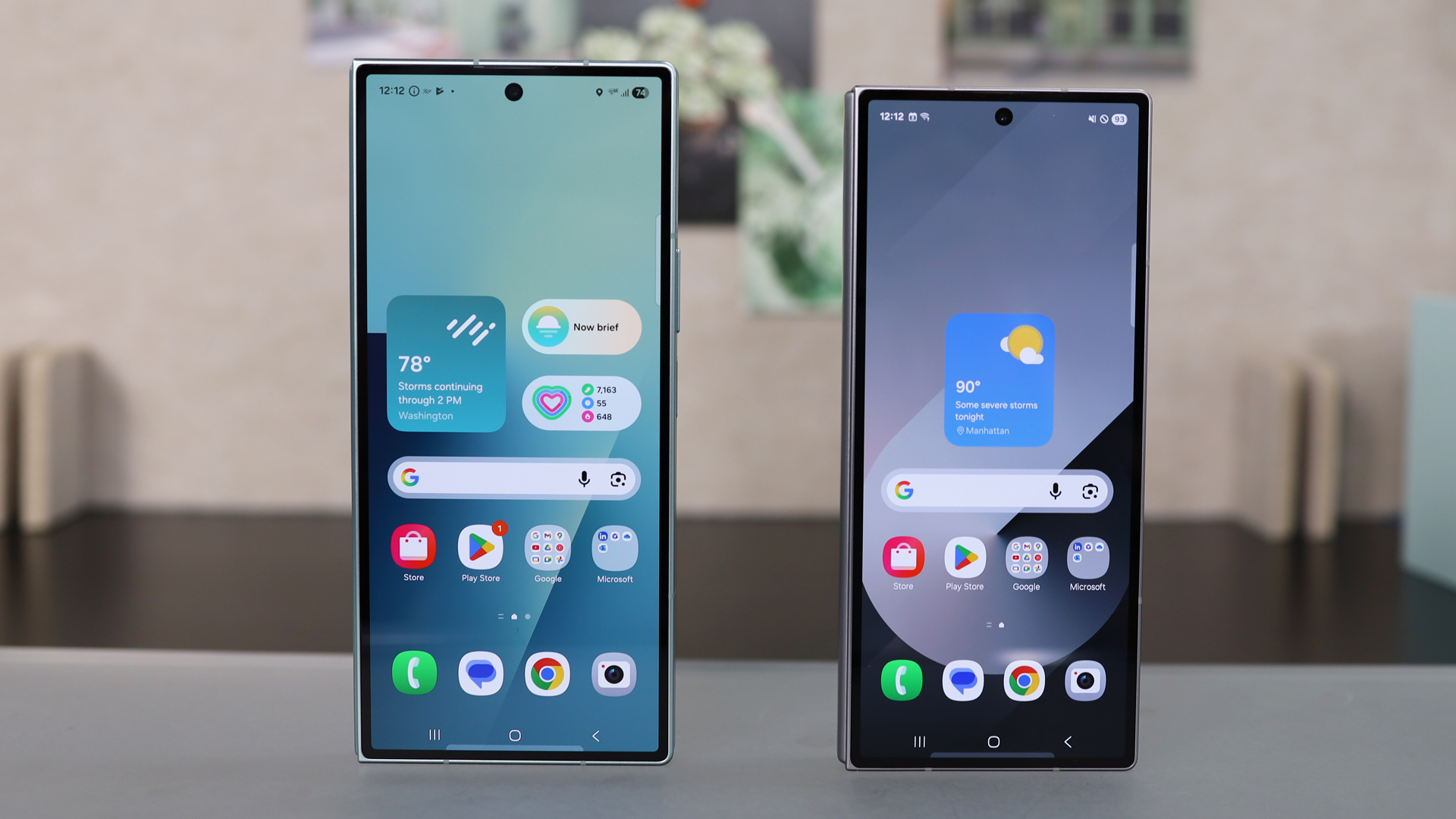
The outer screen is now a 6.5-inch display instead of 6.3, but more importantly, the squashed aspect ratio of the Z Fold 6 has been changed to a standard 21 by 9. This means you no longer have to deal with compressed or poorly optimized apps that are cut off at the edges, since, when closed, the phone is practically indistinguishable from a standard flagship model.

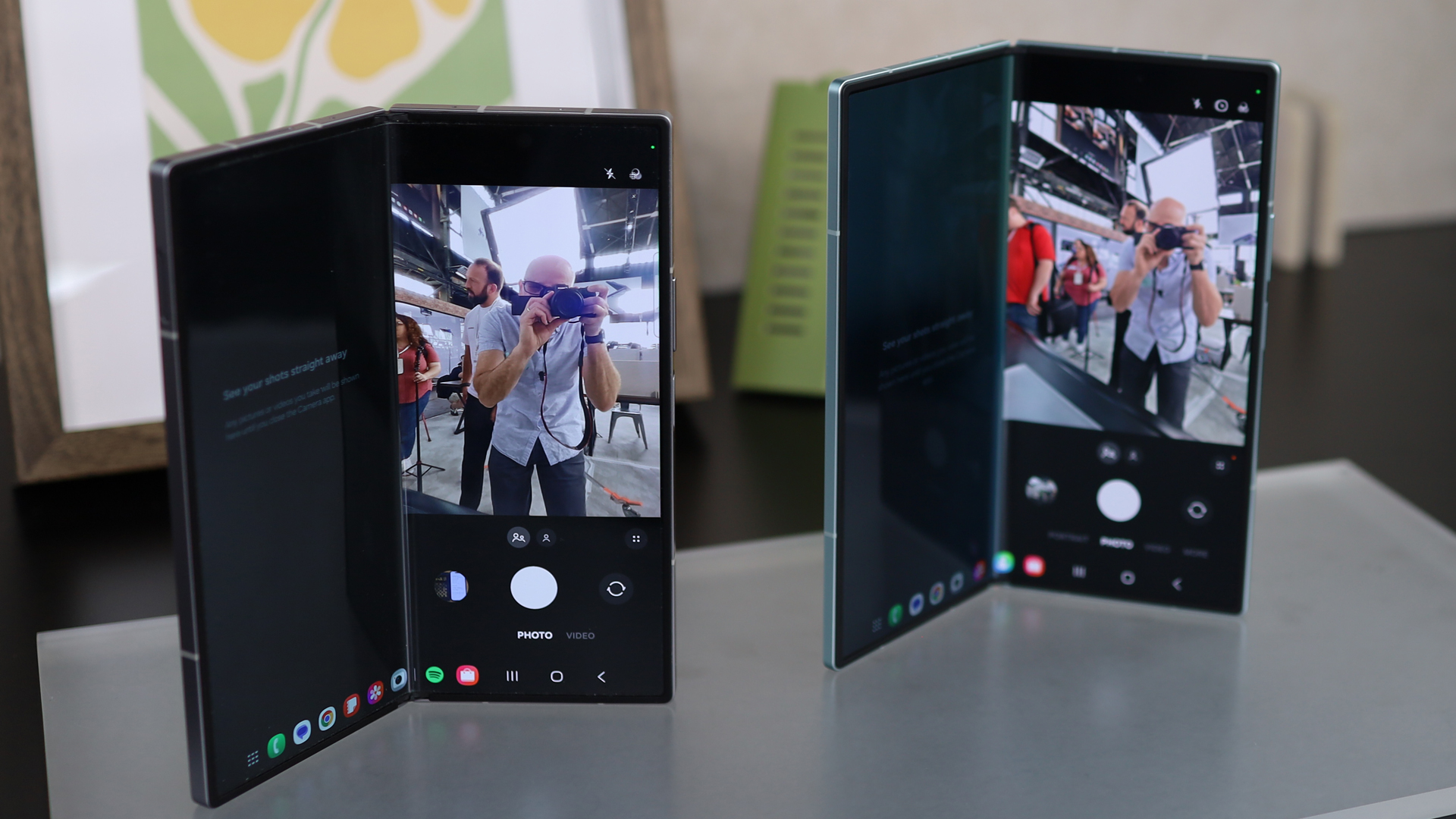
When opened, you'll unlock a larger inner screen as well. I thought the screen on the 6 was great, but that extra space on the 7 is certainly convenient for gaming, watching videos, or being productive.

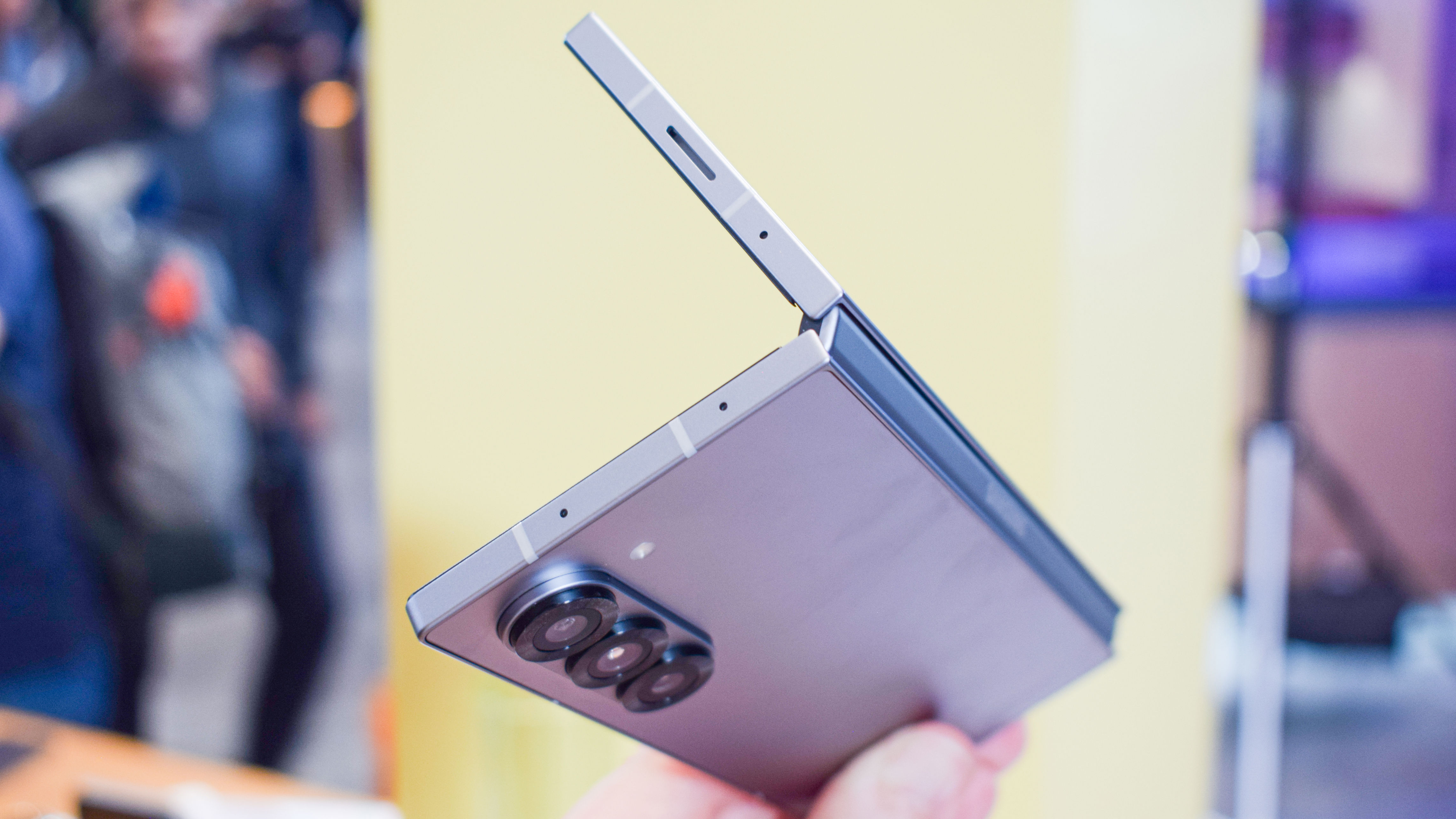
This phone is also impressively slim.

At 8.9mm thick - when folded - the phone is just 0.7mm thicker than a Samsung Galaxy S25 Ultra. Despite my fiancée being used to seeing me open up my phone, she audibly gasped when I did it with the Z Fold 7 for the first time, as until that moment, she thought I was testing a standard single-screen phone.

It might only be 3.2mm thinner than the Z Fold 6, and 24g lighter too, but these seemingly small savings make a world of difference in how easy the phone is to handle day in and day out.

The real world of change comes from the cameras.

While on paper its 12MP ultra wide and 10MP 3X optical zoom lenses don't look to be any better than what the Galaxy Fold 6 gave us, Samsung says some other hardware tweaks have been made to improve their image quality, which does look to be the case.

But where there's no doubt that the Z Fold 7 is better with its 200MP main sensor, the same megapixel count you'll get from Samsung's S25 Ultra.

I'll get back to this Ultra comparison in a minute, but know that the camera array on the Z Fold 7 is close to perfection for casual photographers like me.

Selecting this 200MP option allows the phone to produce high-resolution photos that you can crop as needed, or by using the 50 or 12MP options, I can take a photo that uses pixel binning and other software tricks to enhance the clarity, contrast, and colors of my snaps.

The selfie cameras have also been improved, with the biggest change being that the inner selfie camera is now 10MP - replacing a 4MP under-display camera, and I can't tell you how much of an upgrade this is.

And while it is now a hole punch, it's never all that distracting.

However, not every aspect has received a major update this time.

The battery size of the Z Fold 7 is the same as the Z Fold 6, although some efficiency improvements mean that Samsung says the 7 can squeeze out an extra hour in its tests - bringing it up to 24 hours of use.

This is still less than the Galaxy S25 Ultra's 31-hour battery life under the same Samsung testing conditions, and I've found from my real-world testing that the Fold 7 usually needs a top off towards the late afternoon or evening.

It also still only has the same IP48 rating as the Z Fold 6.

This isn't ideal, though I have to admit that for my day-to-day use, the IP48 rating is plenty.

I've visited three sandy beaches and spent a week in the desert this past year with my foldable as my daily driver, and while I was careful not to drop it in the sand, I didn't go overboard with a ziplock bag or anything, and my phone came away completely unscathed.

VS. S25 Ultra

Okay, I said I'd get back to the S25 Ultra, and here we are.

The Galaxy Z Fold 7 was marketed as an Ultra-level phone, and in many ways, that's true.

If you get into the nitty gritty, the Ultra still has some advantages – mainly its battery, camera array, and display resolution (and that it supports the S Pen, though I've never used a stylus with the Z Fold 6 and frankly don't care if the Z Fold 7 supports one or not) – but the gap between the Fold 7 and the S25 Ultra in these areas has narrowed from where it was with the Galaxy Z Fold 6.

And with its massive tablet-like display, the foldable finally has enough of an edge over Samsung's other phones for me.

I know cost will play the biggest part in deciding your next phone, but I would wholeheartedly recommend giving the Z Fold 7 some attention if your budget can comfortably stretch that far through deals or an affordable monthly contract.

Unlike the Z Fold 6, this feels like a phone you won't regret buying. I know I would go out and buy a Z Fold 7 - something I wasn't able to say about the foldables that came before.

You might also like

  • I've tried both the Google Pixel 10 Pro Fold and Samsung Galaxy Z Fold 7 – here's why one is still the foldable leader
  • The Pixel 10 may look the same as before, but what's inside will change Android forever
  • I've fallen in love with the cover screen of the Samsung Galaxy Z Flip 7 - and it might just become my main way to use a phone.

Like this article? For more stories like this, follow us on MSN by clicking the +Follow button at the top of this page.

Google Pixel 10 vs. Samsung Galaxy S25: Which smartphone is right for you?

The wait is over. We now know everything we need to know about theGoogle Pixel 10, which means it's time to do some comparing.

Googlebared all during itsMade by Googleevent, giving us a look at specs and features for its latest batch of flagship smartphones. Of course, this comes several months afterSamsung did the same thingwith the Galaxy S25 line. I bet you know what's coming next.

That's right — we're putting these base models head to head. Keep in mind we've just begun testing thenew Pixel 10 series, so we'll have more insights to share soon.

How do these two Android giants compare to each other?

Pixel 10 vs. Galaxy S25: Price

Our first category is probably going to be the shortest and easiest one to litigate. Both of these phones start at $799.

See? That was easy. Let's move on.

Design

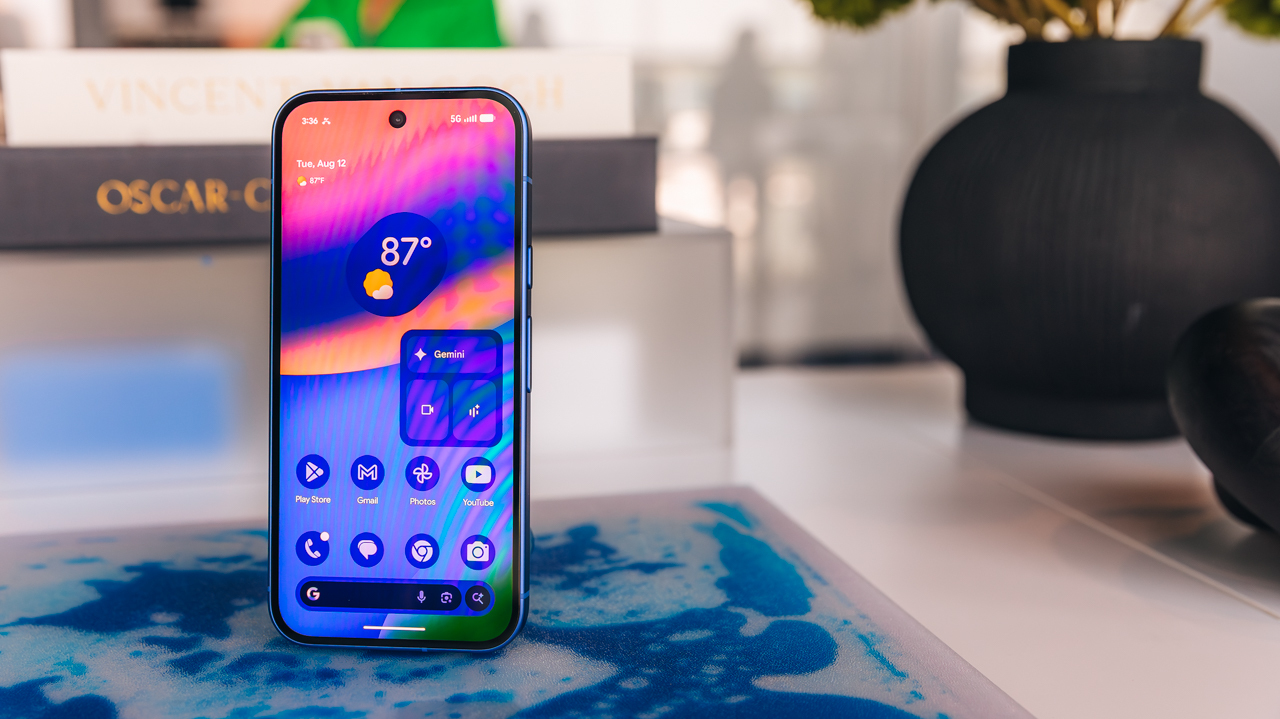
As far as design is concerned, both of these phones...basically just look like smartphones. However, Google and Samsung do have somewhat distinct visual languages for their phones, and both the Pixel 10 and Galaxy S25 carry forward what each brand had been doing in years prior.

In other words, their rear camera arrays look different. Samsung's is vertically oriented, with all three lenses stacked on top of one another, free from any kind of boxed in camera bump. Google's is the total opposite; three lenses housed in a horizontally oriented camera bar that prevents the phone from sitting flush on a flat surface. This is ultimately a matter of personal preference, though admittedly the Google camera bar looks more futuristic, if that's your thing.

As for colors, Samsung has more options than Google. The Galaxy S25 comes in seven colors: Navy, Mint, Icy Blue, Silver Shadow, Blueblack, Coralred, and Pinkgold. It should be noted that the latter three options are online exclusives. As for Pixel 10, you just get four choices: Indigo, Frost, Lemongrass, and Obsidian.

Specifications

Here are the basic specs for the Google Pixel 10:

  • 6.3-inch display with 1080x2424 resolution and adaptive 60-120Hz refresh rate
  • Google Tensor G5 chip
  • 4,970mAh battery promising 30+ hours of life
  • 12GB RAM
  • 128GB/256GB storage

And here are the equivalent specs on Galaxy S25:

  • 6.2-inch display with 1080x2340 resolution and 120Hz refresh rate
  • Snapdragon 8 Elite chip
  • 4,000mAh battery
  • 12GB RAM
  • 128GB/256GB/512GB storage

To put that in layman's terms, both phones come with very similar displays and the same amount of RAM. However, things diverge from there. The two phones use entirely different processors, but until the Pixel 10 is actually out there in public (we've just begun our internal testing process), it's hard to say which one is better right now, both in terms of everyday performance and benchmark scores. In the past, Snapdragon chips have had better benchmarks than Tensor, but the actual day-to-day usability has been similar enough to more or less negate that.

Samsung's phone also has a 512GB storage option if you're willing to spend more money. Google does not offer that much storage on Pixel 10, though Google has its own cloud storage service. Battery life is also going to be something to watch as the Pixel 10 rolls out publicly, as Google's phone has a significantly larger battery inside of it than Samsung's handset. Whether or not that translates into substantially better battery life is unclear at this point, but it's definitely worth keeping an eye on.

AI features

It would take forever to outline every single little AI feature that both of these phones have, but put simply, Google's newest handset did a lot to catch up to Samsung.

For starters, Samsung already hadlive language translationduring phone calls, as well as a personalized daily hub featuring your schedule, any tasks you need to complete during that day, the weather forecast, and news you can use. Pixel 10 introduced very similar (or basically exactly the same) features, but with different names. Both phones are also compatible with Gemini Live, if you like talking to your phone as if it's a person. We should note thatGoogle's live translation featuresamples your voice, something other mobile translation tools cannot yet do.

There are also suites of photo editing and image generation software to play around with on both devices. For what it's worth, Google's seem a bit more comprehensive. Both phones have the ability to generatively edit photos by highlighting objects and moving them around to the user's liking, or even adding things that didn't exist to the photos. You can also mute unwanted audio in videos on both devices.

Pixel 10 introduces text-based photo editing, in case your ability to describe what you want is better than your ability to actually make the edits yourself. Pixel 10's Camera Coach also uses AI to help users compose better photographs, though it remains to be seen how well this works. As far as I can tell, Samsung's phone doesn't have equivalent features to these just yet.

On balance, Google gets the edge in terms of AI, which shouldn't be a surprise, as Google has its own AI models. If you choose the Pixel 10 Pro, Pro XL, or Pro Fold, you will also get afree year of Google's AI Pro plan, which isnotavailable with the base Pixel 10. So, if youreallycare about AI, you may be happier with thePixel 10 Proanyway.

Cameras

As for cameras, this is an area where Samsung would have had a big advantage, had Google not made one major change to the base Pixel 10 this year. Here are the Pixel 10's camera specifications:

  • Rear cameras: 48MP wide, 13MP ultrawide, 10.8MP telephoto with 5x optical zoom and Super Res Zoom up to 20x
  • Front camera: 10.5MP

And here's how the Galaxy S25 compares:

  • Rear cameras: 50MP wide, 10MP ultrawide, 12MP telephoto with 3x optical zoom and up to 30x digital zoom
  • Front camera: 12MP

While there are minor differences to consider in terms of megapixel counts, these are two pretty similar camera arrays on the surface. The big advantage Samsung would have had prior to this year is the presence of a third telephoto lens on the back. Unfortunately for Samsung, Google added one this year and its optical zoom is better on paper. In the past, I've had much better luck with zoom lenses on Pixel phones than Samsung phones, for whatever that's worth.

Pixel phones in general tend to be excellent for photography, in my experience. Or, at least the kind of photography that people like me who aren't good at taking photos like to do, such as snapping pics of random cats I meet on the street.

If you enjoyed this story, be sure to followThe Shiro Copron MSN.