Showing posts with label battery charging. Show all posts

Saturday, August 15, 2026

Pixel 10 Battery Degrades After 200 Cycles, Unavoidable Feature Impact

Featured Image

Understanding the Battery Health Assistance Feature in Pixel 10

Google has introduced a new feature called Battery Health Assistance in its latest Pixel 10 lineup, and it is enabled by default. This means that users cannot disable the feature, which could be a point of concern for some. The feature is designed to slow down battery wear by adjusting charging speed and voltage, aiming to maintain consistent performance as the battery ages.

How It Works

Battery Health Assistance starts to take effect after 200 charge cycles. At this point, the device begins to lower the battery voltage in stages, continuing until it reaches 1,000 cycles. This gradual adjustment is intended to help the battery age more evenly and maintain stable performance over time. However, this process can lead to slower charging and a reduction in usable battery capacity as the device accumulates more charge cycles.

Impact on User Experience

The lowering of voltage affects the battery's usable capacity, resulting in shorter battery life and longer charging times. Google has not provided specific details on how much capacity is lost after 200 charge cycles. While the company claims that Pixel batteries should maintain 80% of their original capacity after 1,000 charge cycles, the always-on Battery Health Assistance feature adds an additional layer of capacity loss. This means that every Pixel 10 will experience a gradual decrease in usable battery beyond normal aging.

Comparison with Other Brands

In comparison to other smartphone manufacturers, Google's approach seems more restrictive. For instance, Samsung’s flagship phones are rated to keep 80% battery capacity after around 2,000 charge cycles, which is significantly higher than Google's 1,000 cycles. This difference in cycle ratings highlights the varying approaches taken by different companies to manage battery health.

Possible Reasons Behind the Decision

Google's decision to make Battery Health Assistance mandatory may be a precautionary measure, especially considering past issues such as the overheating problems experienced with the Pixel 6a. By setting the feature to kick in at 200 cycles, Google aims to avoid similar issues and protect the brand's reputation. However, this approach may feel restrictive to users who prefer having more control over their device's settings.

User Control and Preferences

Unlike Google, many other phone manufacturers allow users to manage battery settings themselves. This flexibility enables users to choose between optimal performance and extended battery life based on their preferences. The lack of user control in the Pixel 10 lineup could be a drawback for those who value customization and personalization.

Conclusion

While Battery Health Assistance is designed to prolong the lifespan of the Pixel 10's battery, it comes with trade-offs that affect user experience. The feature's mandatory nature and the impact on charging speed and battery capacity are significant considerations for potential buyers. As the smartphone market continues to evolve, it remains to be seen how Google's approach will be received by consumers and whether it will influence future design choices in the industry.

Wednesday, June 10, 2026

Fast Charging Myths Exposed: Hidden Battery Dangers Revealed

Featured Image

The Truth About Fast Charging and Battery Health

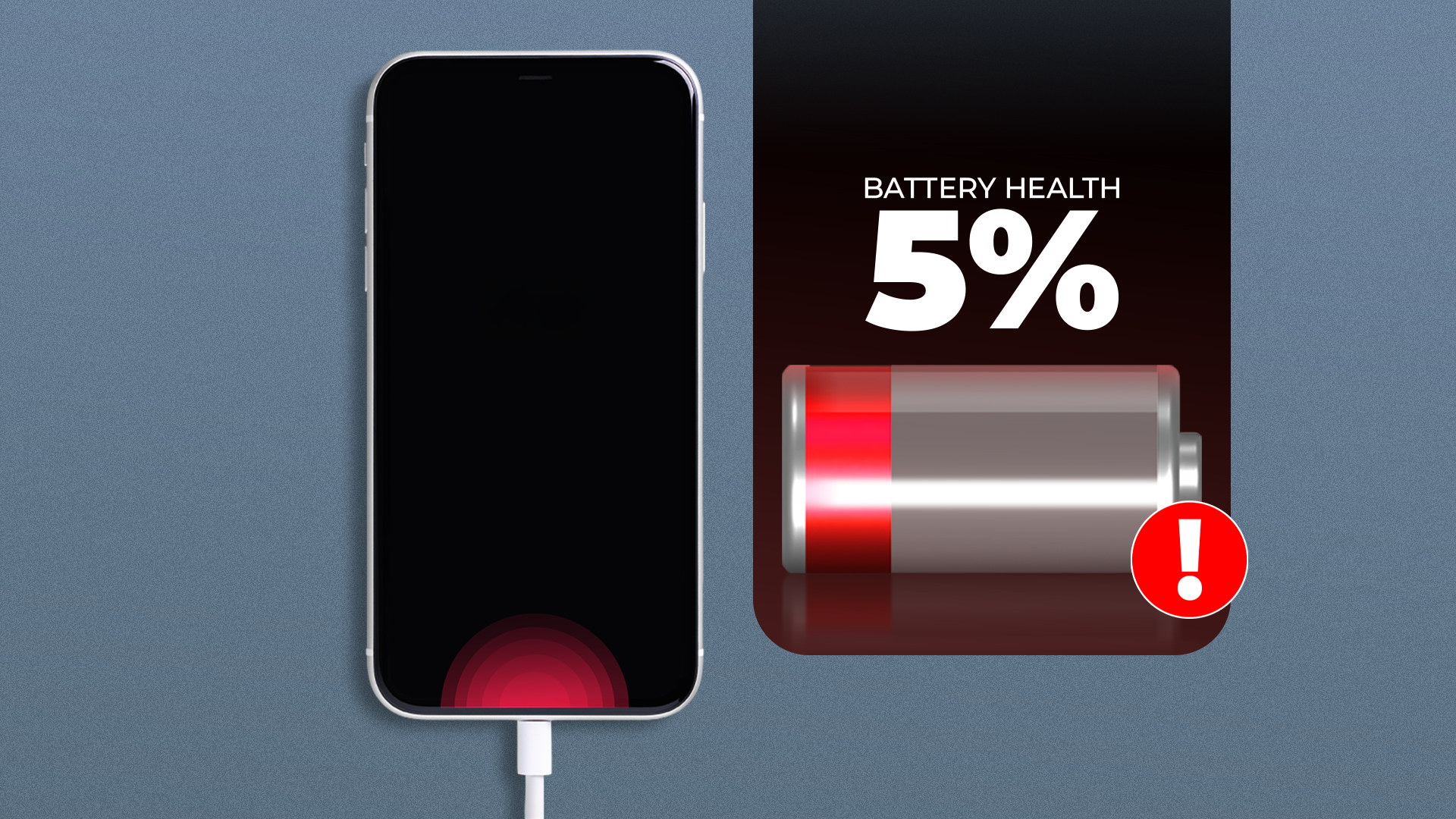
Fast charging has long been associated with battery degradation, but the reality is more nuanced. While it's true that fast chargers can generate more heat and stress on a phone's battery, they don't necessarily cause significant damage if used properly. The real threat to battery health comes from poor charging habits rather than the speed at which you charge your device.

How Fast Charging Works

Fast chargers work by delivering a higher current (e.g., 5A instead of 1–2A) to the battery, allowing it to reach a full charge in a fraction of the time. However, this process isn’t as simple as just pouring in more energy. Instead, fast chargers gradually increase the charging speed and slow down as the battery fills up. This ensures that the battery doesn’t overheat or suffer mechanical stress.

Modern phones use advanced technologies like silicon-carbon anodes, which allow for higher density and faster charging without compromising battery life. Some devices, such as the OnePlus 13, can achieve 80W fast charging, while others like the Realme GT3 and Realme GT Neo 5 240W support even faster charging speeds.

The Real Culprits Behind Battery Degradation

While fast charging may contribute to some wear, it’s not the main cause of battery degradation. The real issues stem from poor charging habits, such as leaving your phone plugged in overnight or letting it drain completely before recharging. These practices can significantly reduce battery life over time.

Studies on electric vehicle batteries have shown that frequent deep discharges and overcharging accelerate degradation. A similar principle applies to smartphones. Keeping your battery below 20% or above 80% can cause irreversible damage. To protect your battery, it’s best to charge it before it drops below 20% and unplug it around 70–80%.

Temperature and Battery Health

Temperature also plays a crucial role in battery longevity. Lithium-ion batteries perform best within a specific temperature range—typically between 50°F and 110°F. Extreme temperatures, whether too hot or too cold, can damage the battery and reduce its lifespan. Avoid leaving your phone in direct sunlight, near heaters, or in a hot car glovebox.

Other Factors That Affect Battery Life

In addition to charging habits, how you use your phone can impact battery health. Two major factors are the display and the SoC (system-on-chip). OLED screens, which are common in modern smartphones, consume less power when displaying dark content, making dark mode a useful tool for preserving battery life. Reducing screen brightness and using automatic brightness settings can also help.

The SoC, responsible for processing tasks, can drain the battery quickly during demanding activities like gaming, 4K video editing, or conference calls. While these tasks are necessary for many users, it’s important to be aware of their impact on battery life.

Built-In Features to Protect Your Battery

Smartphone manufacturers have implemented various features to help protect battery health. One example is the battery percentage indicator, which is designed to be slightly inaccurate to prevent deep discharge or overcharging. Many phones also include adaptive charging, which learns your charging patterns and adjusts accordingly. For instance, if you usually charge your phone before bed, the phone will keep it at around 80% until it's nearly time to wake up.

Some devices also use aggressive background power management to conserve energy. This means that Wi-Fi or app updates might pause automatically when the phone detects that you’re not actively using it.

Conclusion

Fast charging won’t ruin your battery, especially when compared to the damage caused by regular charging cycles or poor habits. While it’s true that fast charging can generate more heat, modern smartphones are equipped with safety mechanisms to prevent overheating and damage. The convenience of fast charging is often worth the trade-off, as it eliminates battery anxiety and allows for more flexible usage. With proper care and awareness, you can enjoy the benefits of fast charging without worrying about long-term battery degradation.

Wednesday, May 27, 2026

Power Up Anytime: Milwaukee M18 HotShot Jump Starter

Featured Image

Milwaukee M18 HotShot Jump Starter: A Powerful Solution for Reviving Dead Batteries

Jump starters are essential tools for professionals and everyday users alike. Over the years, numerous models have been tested to determine their effectiveness in real-world situations. Many of these devices rely on a small self-contained battery, which is suitable for slightly undercharged batteries. However, the Milwaukee M18 HotShot Jump Starter takes a different approach, offering a unique combination of power, durability, and versatility.

The Milwaukee M18 HotShot Jump Starter stands out with its impressive specifications. It delivers up to 2000 peak amps, making it capable of jump-starting vehicles with engines as large as 8.1L for gas and 3.0L for diesel. This level of power ensures that even the most stubborn dead batteries can be revived with ease. The unit works with the full line of M18 batteries, allowing users to choose the battery size that best suits their needs.

Performance and Capabilities

One of the key features of the HotShot Jump Starter is its ability to operate in extreme temperatures, ranging from -4°F to 122°F. This makes it ideal for use in both cold winter mornings and hot summer days. The capacitors within the unit are rated for up to 500,000 cycles, ensuring long-term reliability and durability.

The HotShot’s power output is not dependent on the size of the battery used. Instead, the battery serves to pre-charge the capacitors, which then deliver the necessary power to the vehicle's battery. This means that even smaller M18 batteries can be used effectively, although larger batteries like the kitted 8.0Ah Forge battery will provide more jump start cycles.

Control Panel and User Interface

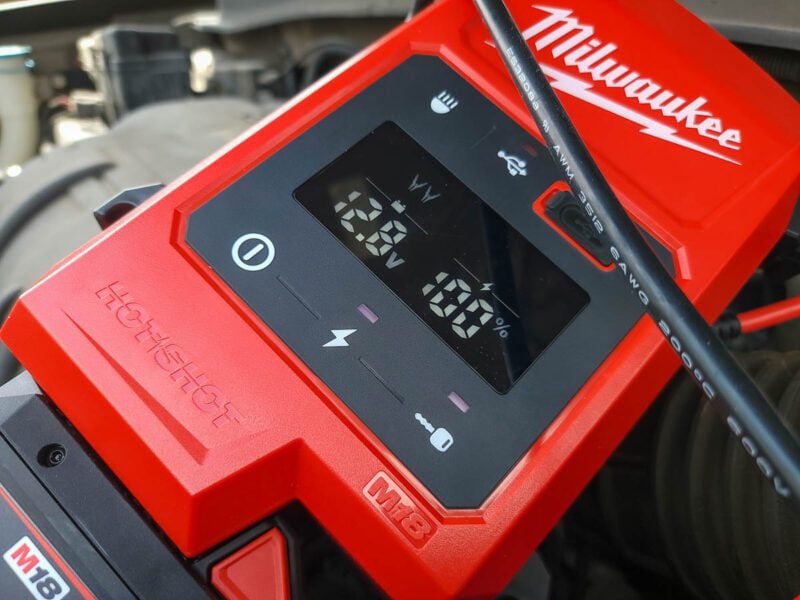
The control panel on the HotShot Jump Starter is designed to be user-friendly and informative. It displays the current charge level on the capacitors and provides a voltage reading for the vehicle battery. This feature is particularly useful, as it allows users to assess the condition of the battery before attempting a jump start.

Using the HotShot is straightforward. Start by pairing it with a fresh M18 battery and press the power button to activate the unit. Then, press the charge capacitor button, indicated by a lightning bolt symbol, and connect the clamps. Finally, press the jump start button, marked with a key, and start the car within 30 seconds.

It is important to follow the correct polarity when connecting the clamps: red to red and black to black. In case of accidental reverse polarity, the unit has built-in protection that alerts the user before any damage occurs.

Override Mode for Low Voltage

If the battery voltage reads below 1.2V, the user must manually engage the override mode. This involves following the same steps as outlined above and pressing and holding the “start engine” button until the override icon illuminates. A countdown timer will appear, giving the user a set amount of time to attempt the jump start.

Design and Build Quality

The Milwaukee 3841 model is designed with practicality in mind. It weighs 6.9 pounds as a bare tool and 9.3 pounds when paired with the 8.0Ah Forge battery. This makes it significantly lighter than many traditional lead-acid battery-powered jump starters, making it easier to handle and transport.

The cable management system is well-designed, with 22.5-inch cables that neatly stow away on either side of the unit. The clamps are equipped with high-strength springs and an aggressive tooth design, ensuring a secure connection with the battery terminals. Their narrow design also provides better access in tight engine bays and battery compartments.

Additional Features

Beyond its primary function, the HotShot Jump Starter offers several additional features. It includes a USB-C port for charging personal electronics, a retracting top handle for easy carrying, and impact-resistant construction. The unit is also IP65 rated, providing protection against dust and water. Additionally, it features a 500-lumen task light, which is useful for working in low-light conditions.

Price and Warranty

The Milwaukee M18 HotShot Jump Starter is available as a bare tool for $299 or as a kit that includes an 8.0Ah Forge battery and charger for $578. The product comes with a 3-year limited warranty, offering peace of mind to users.

Final Thoughts

Overall, the Milwaukee M18 HotShot Jump Starter is a powerful, durable, and user-friendly solution for reviving dead vehicle batteries in various environments. Its impressive power output, rugged construction, and smart design features make it a standout choice for both professionals and DIY enthusiasts. The ability to deliver peak power output using any M18 battery is a significant advantage over traditional jump packs, making it a compelling option for roadside crews and mechanics.

Thursday, November 6, 2025

Sleek and Affordable IKEA Charging Station Hack

Featured Image

The Benefits of a Charging Station at Home

A charging station is an excellent addition to any home, offering numerous advantages that can simplify daily life. It eliminates the frustration of searching for a phone that's on 3% battery and prevents the chaos of tangled charging cables. These stations not only keep devices organized but also add a neat and tidy look to any space. Building one can be both easy and affordable, especially with creative DIY solutions.

One such solution comes from an Instagram creator named @dreamyabode.us, who has shared a clever IKEA hack. This method uses two MOSSLANDA Picture Ledges to create a sleek and functional charging station that costs around $20. The design is both practical and aesthetically pleasing, making it a great fit for any room.

How the Charging Station Works

The station is constructed by placing one MOSSLANDA Picture Ledge upright and another upside down on top of it. When closed, it appears as a slim wooden rectangle attached to the wall. To use it, simply flip the top ledge down, creating a shelf where devices can be charged. This setup helps manage charging cables more efficiently, keeping them organized and out of sight.

The design is particularly suited for shorter cables, which are often challenging to manage. By flipping the lid, users can quickly access their devices while maintaining a clean and clutter-free space.

Choosing the Right Location

When deciding where to install the charging station, consider the layout of the room. In a living room, position it in line with a sofa's armrest for a flowing aesthetic. This location also makes it convenient for answering calls. Aligning it with other fixtures like bookshelves or TV tables can help maintain a clean visual line.

Building Your Own Charging Station

To build this charging station, you'll need two MOSSLANDA Picture Ledges and two small hinges. Connect the ledges by joining the taller side of one to the short side of the other using the hinges. This creates a rectangular tube that can be closed. Before attaching the hinges, you can chisel out a hinge-sized gap in the wood so the hinge sits flush with the surface and closes the gap between the two pieces.

Next, measure and drill holes in the wall, ensuring the ledges will be level. Screw the hinge-free, tall side of one of the ledges into the wall, ideally into studs. Once mounted, the two ledges should form a "step" with the moving ledge at a lower height than the one attached to the wall. Check that they close easily and fit together well.

Place a power strip in the top section with a cable long enough to reach a power outlet. Plug your charging cables into the power strip, and your station is ready to use. While the cables live in the top section, the bottom ledge is a comfortable width for most phones. Phones being charged sit securely in the bottom ledge. For safety, remember to unplug the extension cord when you're not using it. Also, move the wires out of the way carefully when you close the bottom ledge. Regularly check the cable for any signs that indicate you should replace your phone charger immediately.

Customizing Your Charging Station

The MOSSLANDA Picture Ledge comes in a wooden oak finish, as well as white and black options, allowing you to choose a style that matches your room's decor. You can also prime and paint the ledges or add stenciled designs, vinyl elements, or other embellishments to personalize the look.

For households with many devices, consider using the MOSSLANDA 45 ¼-Inch Picture Ledge to create a larger charging station. If you go for the longer ledge, use more hinges to support the extra weight and add a couple more attachment points to the wall to ensure it's firmly attached.

Additional Tips for Installation

If you have an outlet higher up on the wall, mount your charging station over it to eliminate the dangling extension cable that can be an eyesore when the station is in use. Measure the dimensions of the plug point and cut out a slightly larger piece on the section of the shelf that gets attached to the wall. Check the fit and adjust if needed before attaching the ledge to the wall.

If you have to trail a cable, you can always hide unsightly cords around the house with a simple and stylish DIY solution. For an even more organized look, consider eliminating the charging cords. While you may want a top-rated wireless charger to give your nightstand that perfectly sleek look, smaller and more streamlined versions of these ports also work beautifully inside a charging station. Keep the wireless charger inside the enclosed station, and open it to place your phone on the charger without the need to plug it in.

Sleek and Affordable IKEA Charging Station Hack

Featured Image

The Benefits of a Charging Station at Home

A charging station is an excellent addition to any home, offering numerous advantages that can simplify daily life. It eliminates the frustration of searching for a phone that's on 3% battery and prevents the chaos of tangled charging cables. These stations not only keep devices organized but also add a neat and tidy look to any space. Building one can be both easy and affordable, especially with creative DIY solutions.

One such solution comes from an Instagram creator named @dreamyabode.us, who has shared a clever IKEA hack. This method uses two MOSSLANDA Picture Ledges to create a sleek and functional charging station that costs around $20. The design is both practical and aesthetically pleasing, making it a great fit for any room.

How the Charging Station Works

The station is constructed by placing one MOSSLANDA Picture Ledge upright and another upside down on top of it. When closed, it appears as a slim wooden rectangle attached to the wall. To use it, simply flip the top ledge down, creating a shelf where devices can be charged. This setup helps manage charging cables more efficiently, keeping them organized and out of sight.

The design is particularly suited for shorter cables, which are often challenging to manage. By flipping the lid, users can quickly access their devices while maintaining a clean and clutter-free space.

Choosing the Right Location

When deciding where to install the charging station, consider the layout of the room. In a living room, position it in line with a sofa's armrest for a flowing aesthetic. This location also makes it convenient for answering calls. Aligning it with other fixtures like bookshelves or TV tables can help maintain a clean visual line.

Building Your Own Charging Station

To build this charging station, you'll need two MOSSLANDA Picture Ledges and two small hinges. Connect the ledges by joining the taller side of one to the short side of the other using the hinges. This creates a rectangular tube that can be closed. Before attaching the hinges, you can chisel out a hinge-sized gap in the wood so the hinge sits flush with the surface and closes the gap between the two pieces.

Next, measure and drill holes in the wall, ensuring the ledges will be level. Screw the hinge-free, tall side of one of the ledges into the wall, ideally into studs. Once mounted, the two ledges should form a "step" with the moving ledge at a lower height than the one attached to the wall. Check that they close easily and fit together well.

Place a power strip in the top section with a cable long enough to reach a power outlet. Plug your charging cables into the power strip, and your station is ready to use. While the cables live in the top section, the bottom ledge is a comfortable width for most phones. Phones being charged sit securely in the bottom ledge. For safety, remember to unplug the extension cord when you're not using it. Also, move the wires out of the way carefully when you close the bottom ledge. Regularly check the cable for any signs that indicate you should replace your phone charger immediately.

Customizing Your Charging Station

The MOSSLANDA Picture Ledge comes in a wooden oak finish, as well as white and black options, allowing you to choose a style that matches your room's decor. You can also prime and paint the ledges or add stenciled designs, vinyl elements, or other embellishments to personalize the look.

For households with many devices, consider using the MOSSLANDA 45 ¼-Inch Picture Ledge to create a larger charging station. If you go for the longer ledge, use more hinges to support the extra weight and add a couple more attachment points to the wall to ensure it's firmly attached.

Additional Tips for Installation

If you have an outlet higher up on the wall, mount your charging station over it to eliminate the dangling extension cable that can be an eyesore when the station is in use. Measure the dimensions of the plug point and cut out a slightly larger piece on the section of the shelf that gets attached to the wall. Check the fit and adjust if needed before attaching the ledge to the wall.

If you have to trail a cable, you can always hide unsightly cords around the house with a simple and stylish DIY solution. For an even more organized look, consider eliminating the charging cords. While you may want a top-rated wireless charger to give your nightstand that perfectly sleek look, smaller and more streamlined versions of these ports also work beautifully inside a charging station. Keep the wireless charger inside the enclosed station, and open it to place your phone on the charger without the need to plug it in.

Saturday, August 23, 2025

Power Everything: 7-in-1 Anker Charging Station for Under $40

This content may contain affiliate links. If you would like to support us and use these links to buy something, we may earn a commission. Prices are effective at the time of publication only and prices can change at any time. So hurry while they are still available.

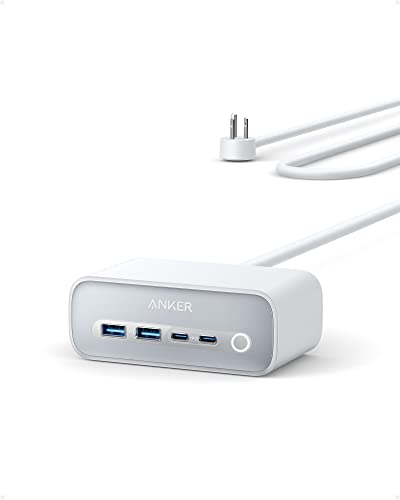
If you are looking for a way to keep all your devices charged at your desk or around your home, theAnker 525 Charging Station, 7-in-1 USB C Power Strip, is on sale for $39.99 right now. This charging station comes in Aurora White and is designed to help you organize your charging needs in one place. You get a 5-foot extension cord, three standard outlets, two USB-A ports, and two USB-C ports. It can charge up to seven devices at the same time and provides a maximum total output of 65 watts. This means you can charge something like your MacBook Pro while also plugging in your phone, tablet, and other accessories.

If you have newer devices like the iPhone 13 or iPhone 14, or a MacBook Pro, the Anker 525 Charging Station is a good choice for your desk or nightstand. The USB-C ports are strong enough to provide fast charging for your laptop or phone, and you still have space for older devices with the USB-A ports. The three standard power outlets are helpful for items such as lamps, fans, or other electronics you use every day. The long extension cord makes it easier to place the charging station wherever you need it, even if the wall outlet is far away.

Keeping your charging needs in one place makes it easier to keep your area tidy and less messy. Instead of having cords and chargers everywhere, you can plug everything into one spot. This is handy at home or in an office, especially if you have several devices that need power during the day. Anker is a well-known brand for charging products, so you can trust that this station will be safe to use with your devices. It also looks simple and neat, so it does not stand out or look out of place on your desk.

For $39.99, the Anker 525 Charging Station gives you a lot of charging options in one package. Whether you are working from home, studying, or just want to keep your devices ready to go, this power strip can help you avoid running out of battery. If you have been frustrated with not having enough outlets or fighting over chargers, this is a simple way to fix that problem.

GET DEAL AT .

The postPower Everything: 7-in-1 Anker Charging Station Under $40appeared first onAllTheThings.

How fast is the charging speed of the Google Pixel 10 Pro Fold?

How fast is the charging speed of the Google Pixel 10 Pro Fold?

Best answer:The Google Pixel 10 Pro Fold supports up to 39W wired charging and up to 15W Qi2 wireless charging. It can charge up to 50% in 30 minutes when using a 30W or higher PPS charger.

Everything to know about the Google Pixel 10 Pro Fold's battery and charging specs

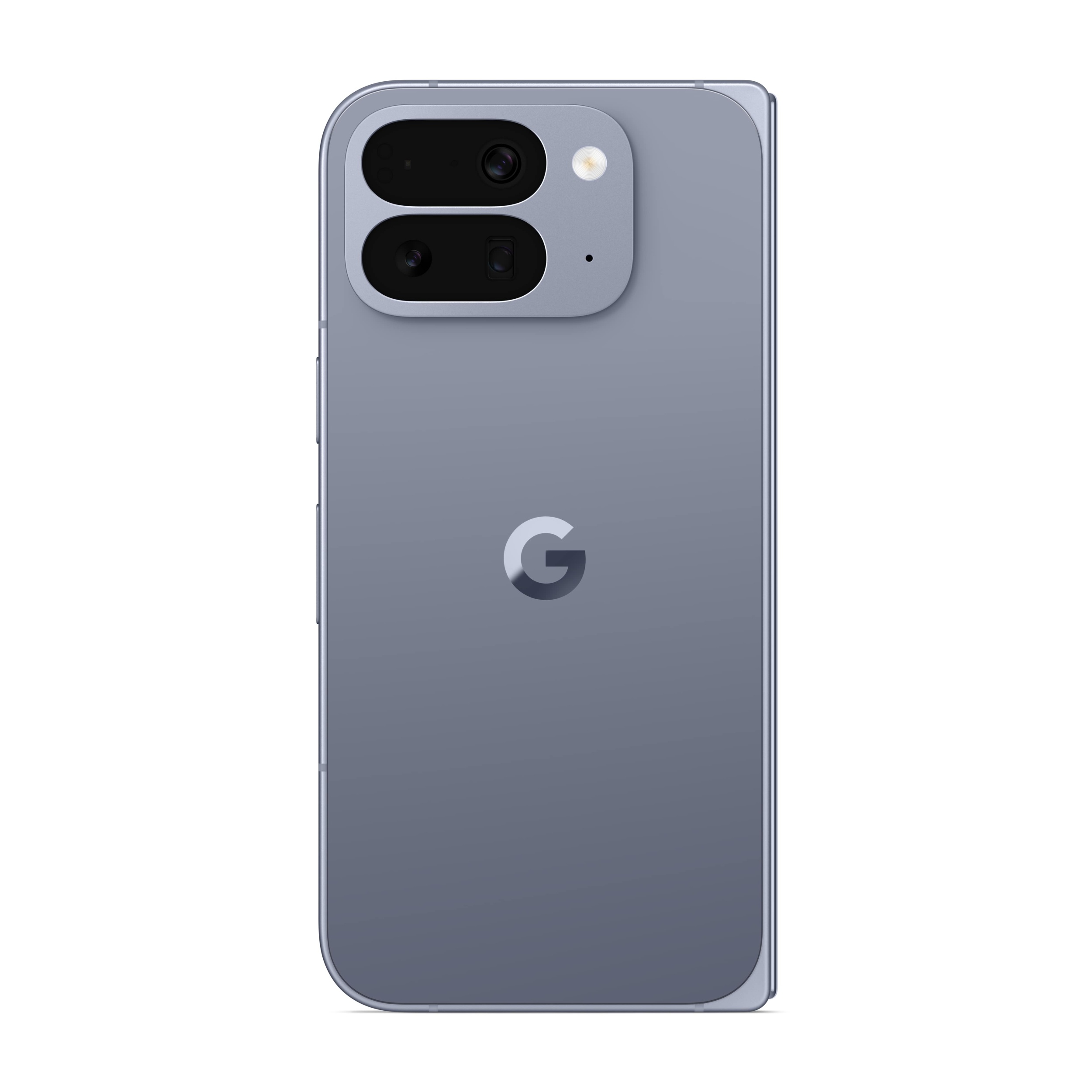
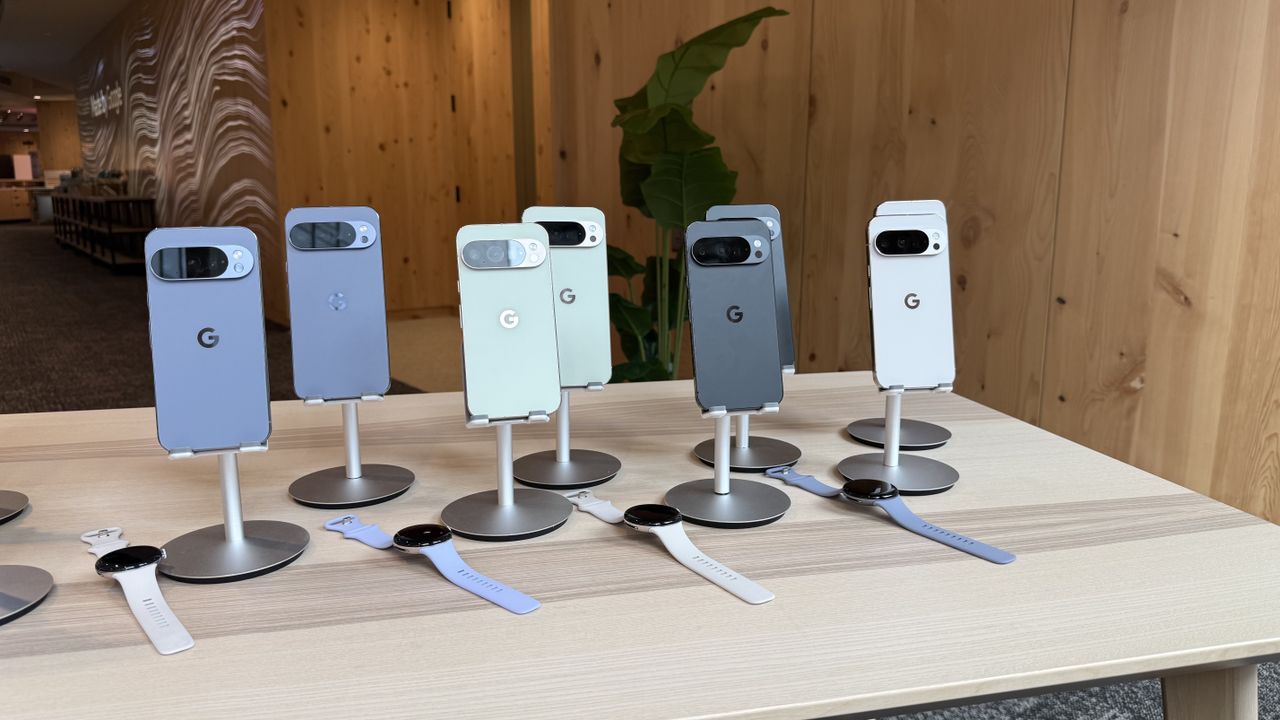
The Google Pixel 10 Pro Fold finally made its debut at theMade by Google eventOn August 20, 2025. The Pixel 10 Pro Fold not only packs a brand-new TSMC-made Tensor G5 chipset, but the company has also improved the charging speeds and battery capacity of its latest book-style foldable.

The Pixel 10 Pro Fold comes with a 5,015 mAh battery, which is an increase of 365 mAh compared to its predecessor, thePixel 9 Pro Fold. Regarding charging speed, the Pixel 10 Pro Fold supports up to 39W fast wired charging with a USB-C cable. This is a significant increase compared to the 21W charging speed seen in Google's previous-generation foldable phone.

According to Google, thePixel 10 Pro FoldIt can charge up to 50% in about 30 minutes when using a 30W USB-C charger. The charging time will be further reduced if you use a 45W USB-C charger recommended by Google.

This is a significant jump not only because Google has almost doubled charging speeds in one generation, but also because the Pixel 10 Pro Fold offers more than 50% faster charging than its direct competitor, theSamsung Galaxy Z Fold 7. The foldable from Samsung still only offers 25W wired charging.

And that's not all, Google has also packed major upgrades into the wireless charging technology. Similar to all Pixel 10 models, the Pixel 10 Pro Foldsupports Qi2 magnetic wireless charging, meaning you no longer need a third-party case or sticker to charge your Pixel using a magnetic charger. Instead, you can stick your Pixel 10 Pro Fold, similar to an iPhone, on a MagSafe charger.

Moreover, thanks to Qi2 support, the Pixel 10 Pro Fold also delivers up to 15W wireless charging, double the 7.5W of the Pixel 9 Pro Fold. This means wireless charging times should be significantly shorter. Google will also be offering a number of official Qi2 charging accessories as part of its newPixelsnap lineup.

Like this article? For more stories like this, follow us on MSN by clicking the +Follow button at the top of this page.

Friday, August 22, 2025

Save $60 on a portable car jump starter that also works as a flashlight and power bank

As a driver, it is imperative that you always go on the road prepared for any accidents or engine problems. One of the most important things you should have in your trunk is aJump starterthat can start your engine when the battery dies on the side of the road.

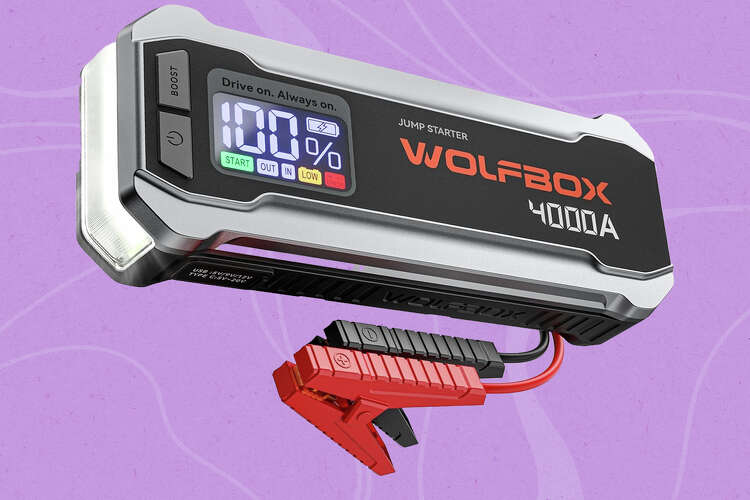
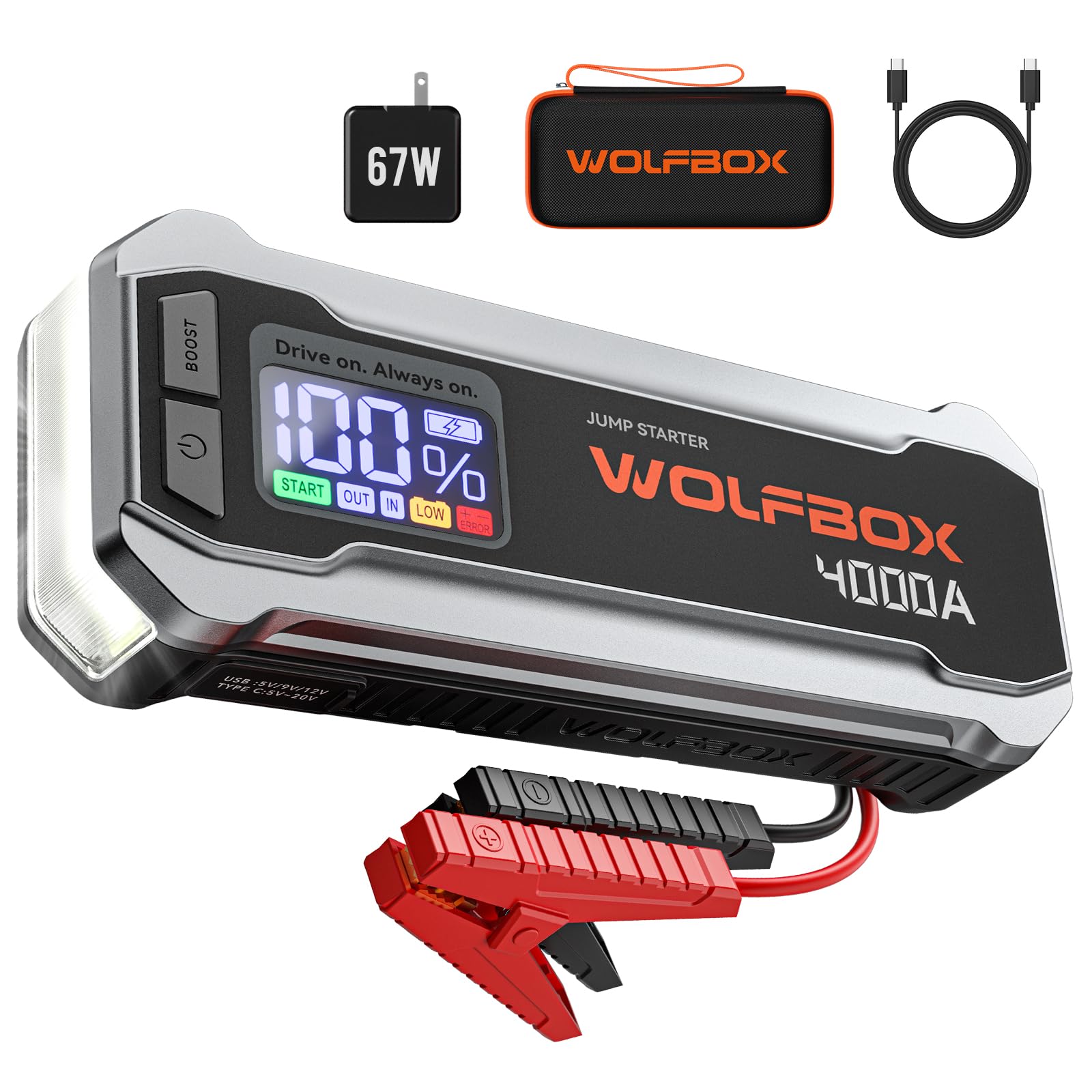
Today's jump starters are more high-tech than the ones your parents probably had. Many of them double as battery packs and flashlights like theWolfbox 4000A Jump Starter, which is currently on sale for $109.99. At this price, it's a great deal that will keep you safe when your car needs a little boost.

WOLFBOX 4000A Jump Starter- Now $110 (was $170)

WOLFBOX 4000A Jump Starter -amazon.com

109.99Shop Now

The jump starter is equipped with a massive 24,000mAh battery that can start 12V vehicles with gasoline and diesel engines with a capacity of under 10 liters. That means you can use it on most cars, SUVs, trucks, boats, and even some larger vehicles. It comes with everything you need to get started, including a case to store it in, wall charger, a USB-C-to-USB-C charging cable, the battery clamp and jumper cable, as well as a user manual.

When it's time to jump-start your car, you can see how much battery life the jump starter has as well as other status indicators on the LCD screen. The indicators will let you know when it's safe to jump-start the vehicle, if there is a bad connection, or when you need to use Boost mode due to low voltage. The jump starter also works as an LED flashlight so you can see what you're doing when you're stranded on the side of the road in the dark. The flashlight offers SOS, strobe, and high-beam modes so you can signal for help if needed.

When you're not using it, the jump starter can remain charged in standby mode for up to two years. Just be sure to check the battery levels occasionally to determine when you need to recharge it, especially if you occasionally use it as aflashlightor as aPortable battery packTo charge your devices. Thanks to the fast-charging 65W USB-C in/out port, you can charge your phone up to 90% in just 30 minutes. It works with tablets, headphones, and other devices as well.

The jump starter fully charges in just 1.3 hours via the quick-charge 3.0 USB-A port and the included wall outlet adapter when it's time to top it off.

The battery is designed to handle extreme temperatures ranging from -4 to 140 degrees Fahrenheit. It also has an IP64 protection rating, so a few raindrops should not harm it. Wolfbox states that the device has passed safety tests, including UL, FCC, CE, and CA65, so you can rest assured it's safe to use. The company offers a 24-month warranty with regular software updates and 24/7 customer service in case of any issues.

If you don't have a jump starter yet,consider this a signTo get one before you end up on the side of the road waiting for AAA.

Related: Check out ourGOOLOO jump starter review here.

Here's how we choose products to recommend to you.Prices are accurate at the time of publication and subject to change.

Related

  • The best outdoor dog beds for your next big adventure
  • Get this if you're worried about breaking your expensive phone
  • The best reading lights of 2025 for bedside page turners
  • Something hidden in these sunglasses can help you live in the moment again
Get Shiro Copr's top stories sent to your inbox by signing up for the First Draft newsletter here.

Read the original article onThe Shiro Copr