The Best Switch 2 Case I've Tried
Since the release of the Switch 2, I’ve tested a wide range of cases. From the smart but bulky charging case from Belkin to the nearly great felt Sleeper Case from Genki, an incredibly slim and simple one from TomToc, and even the official Nintendo case, each has had its own unique strengths. However, as I settle into long-term use with the console, it's time to choose which case I'll rely on daily.
The winner surprised me at first, but after several weeks of testing, especially with a small design flaw now fixed, it became clear that Dbrand’s Killswitch system is the standout choice.
What Makes the Killswitch Unique
The Killswitch isn’t just a typical case; it's a protective shell that can be applied to different parts of the Switch 2. At its core is a pair of Joy-Con protectors that your controllers clip into, along with a sleeve for the middle portion of the console. This setup makes the Switch 2 slightly bulkier, but significantly more ergonomic in handheld mode.
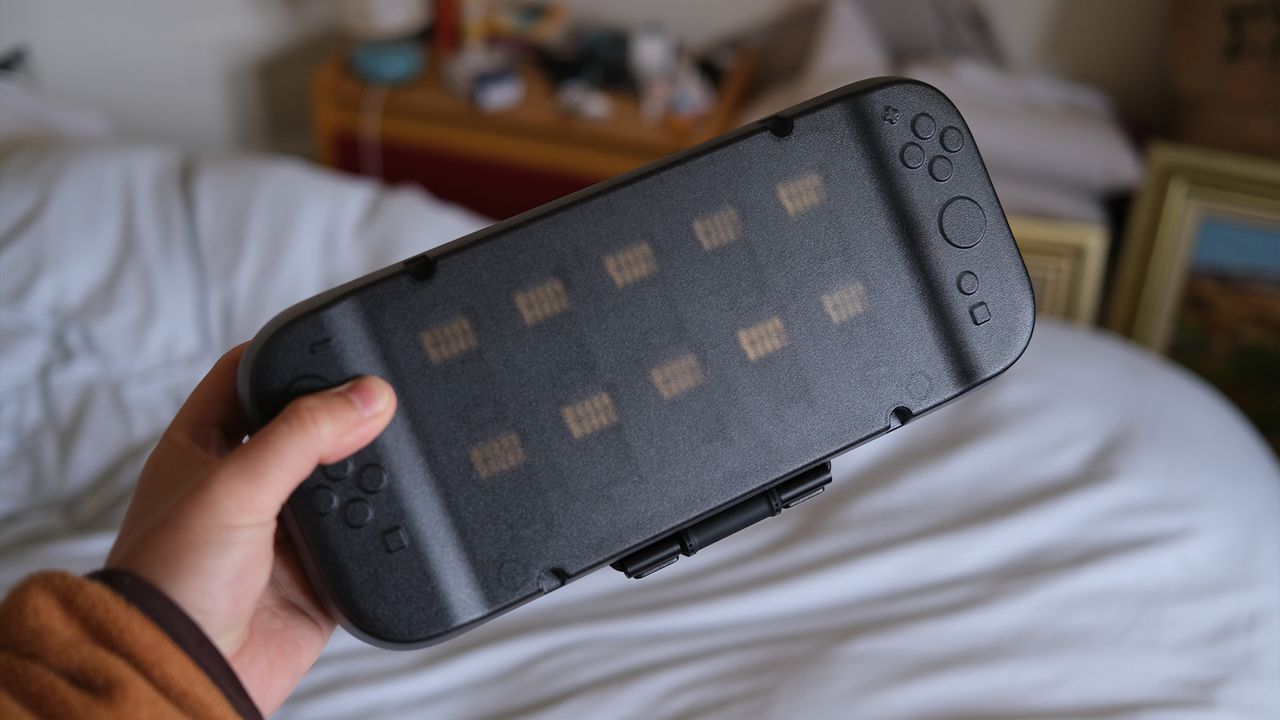
When you're ready to store or travel with your console, you can simply attach a frosted plastic cover that securely wraps around the Switch 2 using an elastic strap. This cover also includes a magnetically attached cart holder that can hold up to ten spare games.
If you plan to dock your Switch 2, the sleeve may make it too thick to fit into the standard dock. To address this, Dbrand provides a docking attachment that slots into the dock and allows you to attach the console externally. While not the most elegant solution, it works effectively.
Addressing Initial Issues
When the Killswitch first launched, some users reported two main issues. First, when holding the console with one hand in portable mode, the Switch 2’s controller could detach more easily than without the case, posing a risk of dropping. Second, the initial docking attachment wasn't smooth to use and required more effort to dock or undock the console with one hand.
Dbrand has since addressed these problems. They sent a supplementary kit to all existing customers, including friction pads to improve the grip of the docking attachment and redesigned Joy-Con grips that offer a better magnetic connection to the main body of the console. These updates have largely resolved the issues.
My Personal Experience
I haven’t used the docking attachment much because I almost always play the Switch 2 in handheld mode. For me, removing the sleeve when I want to dock the console is easier and saves space next to my TV. I didn’t have any issues with the original Joy-Con grips, but the revised versions are a welcome improvement for long-term use.
Despite the initial hiccups, I appreciate how Dbrand has worked to fix the problems. However, what truly convinced me was the comfort the Killswitch provides. While I never found the Switch 2 uncomfortable, many people criticize its lack of ergonomics. The added grip and comfort from the Killswitch make a noticeable difference, and I’ve grown so used to it that playing without it feels odd.
Additional Features
I also enjoy the small control stick-caps included with the case, which make the control sticks more grippy. When I use the Switch 2 without the Killswitch, it feels less comfortable, and when I compare it to other cases, the added bulk isn’t a major issue when packing it away.
Overall, I’m very satisfied with the Killswitch system. It offers excellent protection and comfort, making it my top recommendation for Switch 2 owners. One thing to note is that shipping can be pricey if you’re not based in the US.

0 comments:
Ikutan Komentar