Showing posts with label laptop recommendations. Show all posts

Monday, April 20, 2026

Acer Predator Helios Neo 16S AI Review: A Stunning OLED Deal

Featured Image

Overview

The Acer Predator Helios Neo 16S AI is a gaming laptop that offers a range of features and performance capabilities. It is designed to deliver a powerful experience for gamers and users who require high-performance hardware. However, it also comes with some limitations that are worth considering before making a purchase decision.

Pros

  • Beautiful high-refresh rate OLED display: The 16-inch OLED screen delivers vibrant colors and deep blacks, providing an immersive visual experience.
  • Good price for that OLED: The laptop offers an impressive OLED display at a reasonable price point.
  • Solid performance per dollar: The hardware configuration provides good value for the cost.
  • Lots of ports: The laptop includes a variety of ports, making it versatile for different connectivity needs.

Cons

  • Doesn’t pull far ahead of RTX 5070-powered laptops: Despite having a slightly more powerful GPU, the performance gains are minimal.
  • NPU is too slow for Copilot+ PC AI features: The neural processing unit does not meet the requirements for advanced AI features.
  • 12 GB VRAM is low for GPU-heavy AI models: This limits the laptop’s ability to handle more demanding AI tasks.
  • Bad speakers: The audio quality is not up to par, especially for gaming or multimedia use.

Verdict

The Acer Predator Helios Neo 16S AI feels like it was meant to be a gaming laptop, with marketing efforts trying to add “AI” features. While it is a solid midrange gaming laptop with a stunning OLED display, it may not meet the expectations of those looking for true AI laptop capabilities. If you’re in the market for a gaming laptop with a great display, this could be a strong contender. However, if AI features are your main concern, there are better options available.

Price

At the time of review, the laptop was priced at $1,899. This is a competitive price for the features offered, especially given the high-quality OLED display.

Specifications

  • Model number: PHN16S-71-98RF
  • CPU: Intel Core Ultra 9 275HX
  • Memory: 32 GB DDR5 6400 MHz RAM
  • Graphics/GPU: Nvidia GeForce RTX 5070 Ti 12GB
  • NPU: Intel AI Boost (up to 13 TOPS)
  • Display: 16-inch 2560×1600 OLED display with 240Hz refresh rate
  • Storage: 1 TB PCIe Gen4 SSD
  • Webcam: 1080p webcam
  • Connectivity: 2x USB Type-C (1x Thunderbolt 4, 1x USB 3.2 Gen 2 10Gbps), 3x USB Type-A (2x USB 3.2 Gen 2, 1x USB 3.2 Gen 1), 1x HDMI 2.1 out, 1x Ethernet, 1x microSD card reader, 1x combo audio jack, 1x DC power in
  • Networking: Wi-Fi 6E, Bluetooth 5.4
  • Biometrics: IR camera for facial recognition
  • Battery capacity: 76 Watt-hours
  • Dimensions: 14.06 x 10.9 x 1.01 inches
  • Weight: 4.8 pounds
  • MSRP: $1,899 as tested

If you want a 16-inch OLED with 240Hz refresh rate for under $2,000, you should seriously consider this machine.

Design and Build Quality

The Acer Predator Helios Neo 16S AI has a sleek design that balances aesthetics with functionality. It is made of a combination of aluminum and black plastic, giving it a sturdy feel. The keyboard lights up with multicolored LEDs, allowing for customizable backlighting. The trackpad is smooth and responsive, though it doesn't stand out compared to other models on the market.

Keyboard and Trackpad

The keyboard features a full-size layout with a number pad and four zones of RGB LED backlighting. The key travel is standard for a gaming laptop, offering a comfortable typing experience. The trackpad is adequate for general use but lacks the premium feel found in higher-end models.

Display and Speakers

The OLED display is one of the standout features of the laptop, offering excellent color accuracy and contrast. However, the speaker quality is lacking, with harsh upper midranges that can become fatiguing during extended use. For the best audio experience, it's recommended to use external headphones.

Webcam, Microphone, and Biometrics

The 1080p webcam is decent for a gaming laptop, though it doesn't match the quality of business-oriented models. The microphone setup is average, and while it includes AI features for noise reduction, an external microphone is recommended for optimal voice quality. The IR camera for facial recognition works well with Windows Hello.

Connectivity

The laptop offers a wide range of ports, including Ethernet, USB Type-A, and USB Type-C. However, the placement of some ports can be confusing, particularly with the Thunderbolt 4 and USB 3.2 ports on the back. The Wi-Fi 6E support is a positive feature, though the absence of Wi-Fi 7 support is a minor drawback.

Performance

The laptop performed well in various benchmarks, showcasing its capabilities as a gaming machine. However, the cooling system and TDP limitations affected the sustained performance of the CPU and GPU. While the RTX 5070 Ti GPU is a step up from the RTX 5070, the performance gains were marginal.

Battery Life

The 76 Watt-hour battery provides a moderate amount of runtime, though it is typical for a gaming laptop. The OLED display helps extend battery life, but real-world usage will likely result in shorter battery life than the benchmark results suggest.

Conclusion

The Acer Predator Helios Neo 16S AI is a solid choice for those looking for a gaming laptop with a high-quality OLED display. While it may not excel in AI features or offer the most powerful hardware, it provides a balanced mix of performance and value. If you're in the market for a 16-inch OLED with a 240Hz refresh rate at a reasonable price, this laptop is definitely worth considering.

Saturday, October 4, 2025

Lenovo IdeaPad Slim 3 drops to $139 with big discount

Featured Image

A Great Value Chromebook for Everyday Use

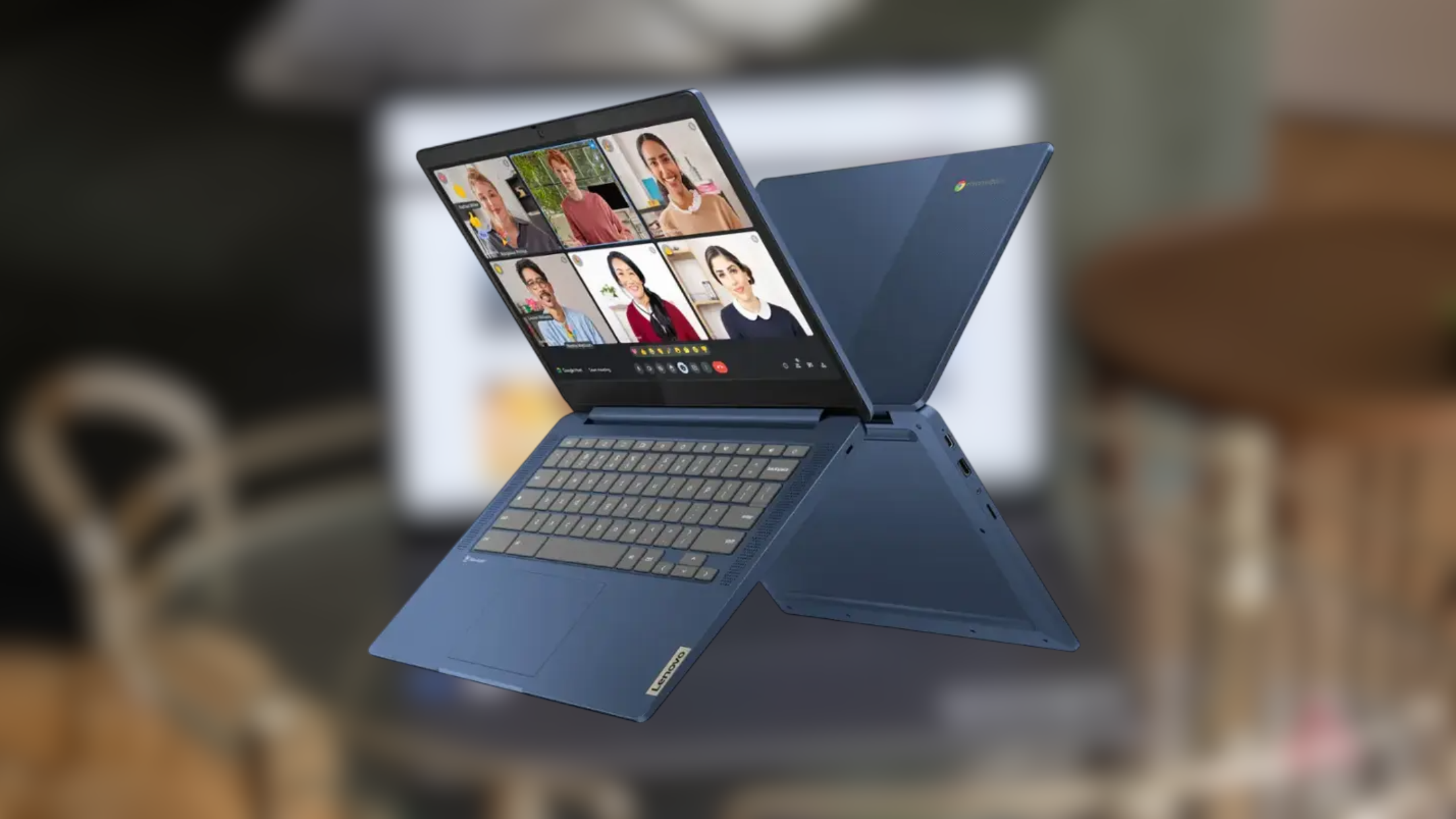
Chromebooks have significantly improved over the years, making them a strong alternative to traditional Windows or macOS laptops. If you're looking for a budget-friendly option that can handle everyday tasks, a Chromebook might be just what you need. One standout model currently available is the Lenovo IdeaPad Slim 3, which offers an impressive set of features at an attractive price point.

Affordable Performance with Solid Hardware

For around $139, the Lenovo IdeaPad Slim 3 delivers a solid combination of hardware that can meet the needs of most users. It comes equipped with a MediaTek Kompanio 520 processor, 4GB of RAM, and 64GB of storage. While these specs may not be cutting-edge, they are more than sufficient for basic computing tasks such as browsing the web, streaming videos, and working on documents.

The laptop runs ChromeOS, a streamlined operating system that is optimized for web-based activities. If your primary use case involves online work, social media, or video consumption, you’ll find that this Chromebook handles those tasks smoothly without any lag.

A Bright and Useful Display

One of the most notable features of the Lenovo IdeaPad Slim 3 is its 14-inch 1080p display. The screen provides a clear and vibrant viewing experience, making it ideal for both productivity and entertainment. Whether you're working on a project or binge-watching your favorite shows, the large screen helps make the experience more enjoyable.

The keyboard and trackpad are also well-designed, offering a comfortable typing experience and precise cursor control. These elements contribute to a more user-friendly overall experience, especially for those who spend a lot of time on their laptops.

Connectivity and Battery Life

In terms of connectivity, the Lenovo IdeaPad Slim 3 offers a decent range of ports. It includes one USB-C port, one USB-A port, a microSD card slot, and a 3.5mm audio jack. This setup allows you to connect external devices, transfer files, and even use headphones or speakers without any issues.

Wireless connectivity is also covered with Wi-Fi 6 and Bluetooth 5.3, ensuring fast and stable internet access as well as seamless pairing with wireless accessories. Additionally, the laptop boasts a battery life of up to 10 hours, which is impressive for a device in this price range. This makes it a great choice for students, remote workers, or anyone who needs a reliable laptop on the go.

Additional Features for Everyday Use

The Lenovo IdeaPad Slim 3 also includes a 720p webcam, which is useful for video calls and virtual meetings. While it may not offer the highest resolution, it’s still adequate for most online interactions. The laptop’s design is compact and lightweight, making it easy to carry around.

Conclusion

Overall, the Lenovo IdeaPad Slim 3 is a compelling choice for anyone looking for a budget-friendly Chromebook that can handle daily tasks efficiently. With its affordable price, decent performance, and useful features, it’s a great option for students, casual users, or those who want a secondary device for light computing. If you’re in the market for a new laptop and are open to ChromeOS, this model is definitely worth considering.

Lenovo IdeaPad Slim 3 drops to $139 with big discount

Featured Image

A Great Value Chromebook for Everyday Use

Chromebooks have significantly improved over the years, making them a strong alternative to traditional Windows or macOS laptops. If you're looking for a budget-friendly option that can handle everyday tasks, a Chromebook might be just what you need. One standout model currently available is the Lenovo IdeaPad Slim 3, which offers an impressive set of features at an attractive price point.

Affordable Performance with Solid Hardware

For around $139, the Lenovo IdeaPad Slim 3 delivers a solid combination of hardware that can meet the needs of most users. It comes equipped with a MediaTek Kompanio 520 processor, 4GB of RAM, and 64GB of storage. While these specs may not be cutting-edge, they are more than sufficient for basic computing tasks such as browsing the web, streaming videos, and working on documents.

The laptop runs ChromeOS, a streamlined operating system that is optimized for web-based activities. If your primary use case involves online work, social media, or video consumption, you’ll find that this Chromebook handles those tasks smoothly without any lag.

A Bright and Useful Display

One of the most notable features of the Lenovo IdeaPad Slim 3 is its 14-inch 1080p display. The screen provides a clear and vibrant viewing experience, making it ideal for both productivity and entertainment. Whether you're working on a project or binge-watching your favorite shows, the large screen helps make the experience more enjoyable.

The keyboard and trackpad are also well-designed, offering a comfortable typing experience and precise cursor control. These elements contribute to a more user-friendly overall experience, especially for those who spend a lot of time on their laptops.

Connectivity and Battery Life

In terms of connectivity, the Lenovo IdeaPad Slim 3 offers a decent range of ports. It includes one USB-C port, one USB-A port, a microSD card slot, and a 3.5mm audio jack. This setup allows you to connect external devices, transfer files, and even use headphones or speakers without any issues.

Wireless connectivity is also covered with Wi-Fi 6 and Bluetooth 5.3, ensuring fast and stable internet access as well as seamless pairing with wireless accessories. Additionally, the laptop boasts a battery life of up to 10 hours, which is impressive for a device in this price range. This makes it a great choice for students, remote workers, or anyone who needs a reliable laptop on the go.

Additional Features for Everyday Use

The Lenovo IdeaPad Slim 3 also includes a 720p webcam, which is useful for video calls and virtual meetings. While it may not offer the highest resolution, it’s still adequate for most online interactions. The laptop’s design is compact and lightweight, making it easy to carry around.

Conclusion

Overall, the Lenovo IdeaPad Slim 3 is a compelling choice for anyone looking for a budget-friendly Chromebook that can handle daily tasks efficiently. With its affordable price, decent performance, and useful features, it’s a great option for students, casual users, or those who want a secondary device for light computing. If you’re in the market for a new laptop and are open to ChromeOS, this model is definitely worth considering.

Saturday, August 23, 2025

On Sale: Under $600 for 14" Dell Inspiron Laptop with Intel Core 7 and 16GB RAM

This content may contain affiliate links. If you would like to support us and use these links to buy something, we may earn a commission. Prices are effective at the time of publication only and prices can change at any time. So hurry while they are still available.

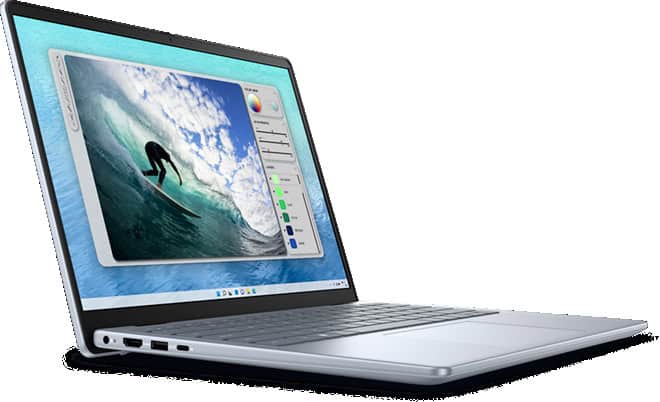
TheDell Inspiron 14 Laptop with Intel Core 7 and 16GB RAMis now available for $599.99, which is $300.00 less than the usual price. If you are looking for a new laptop that can handle both work and fun, this deal is something you might want to think about. With this much savings, the price is pretty good for a laptop with these parts.

You get an Intel Core 7 processor, which means the laptop can keep up with your daily tasks without slowing down. Whether you have many tabs open, need to join video calls, or work with spreadsheets, the 16GB of RAM helps everything run smoothly. This amount of memory is more than enough for most people, including students, people who work from home, or anyone who likes to stream videos while doing other things. The 14-inch size is great if you want something that is easy to carry but still has a screen that is large enough to see everything clearly.

If you need a laptop for school, work, or just for streaming and browsing, this Dell Inspiron 14 covers the basics. You do not have to worry about the laptop slowing down when you open a few programs at once. The Intel Core 7 chip and the 16GB RAM work together to keep things running. The price drop makes it a smart choice if you do not want to spend a lot of money but still want a laptop that can last for years.

At $599.99, you are getting a laptop that can meet most needs without paying for things you might not use. The $300.00 discount makes this deal stand out, especially if you have been waiting for a better price on a computer that can handle work and play. If you want a solid laptop for daily use, this Dell Inspiron 14 is a good pick while the sale lasts.

GET DEAL AT DELL.com

The postOn Sale: Under $600 for 14" Dell Inspiron Laptop with Intel Core 7 and 16GB RAMappeared first onAllTheThings.

Hurry, Under $380 for 15" HP Laptop (Great for School)

This content may contain affiliate links. If you would like to support us and use these links to buy something, we may earn a commission. Prices are effective at the time of publication only and prices can change at any time. So hurry while they are still available.

If you're looking for a deal on a new laptop that can handle daily work, streaming, and most modern apps, theHP Laptop 15.6" with Core i5, 8GB RAMis worth your attention. Right now, it's on sale for $379.99, which is a big drop from its usual price - you're saving $440.00, or 53% off. It comes with Windows 11 Home, so you're set up from the start with a modern operating system that's pretty easy to use, and you won't have to worry about updates for a while.

The heart of this laptop is an Intel Core i5-1334U processor, which can reach up to 4.6 GHz and has 10 cores and 12 threads. That's more than enough power for most tasks, from web browsing and schoolwork to running several programs at once. You also get 8GB of DDR4 RAM, which helps keep things running smoothly, even if you have a bunch of tabs or apps open. While you can find laptops with more memory, 8GB is enough for most people who aren't doing heavy video editing or gaming.

For storage, you get a fast 256GB PCIe NVMe M.2 solid state drive. This means your laptop will start up quickly and programs will open without much waiting. It's a good size for documents, some photos, and a few large apps, though if you download a lot of games or movies you might need extra space down the road. You can always add an external hard drive or upgrade the storage later if you need to.

The 15.6-inch screen is a comfortable size for watching videos, working, or just browsing. The laptop uses Intel integrated graphics, which is sufficient for regular tasks and some light gaming, but it is not designed for high-end gaming or 3D work. If you just need a solid, reliable laptop for home, school, or office use, this HP model offers a lot for the price. At under $400, with a significant discount, it's a deal that's hard to ignore if you need a new computer without spending too much.

GET DEAL AT HP.com

The postHurry, Under $380 for 15" HP Laptop (Great for School)appeared first onAllTheThings.

15 Best Laptops for Remote Workers in 2025

When I first started traveling full-time, choosing the right laptop felt overwhelming. It's your office, your entertainment, and in many ways your lifeline on the road.

You need something reliable, powerful enough for your work, and light enough to carry through airports and across cities.

That's why I put together this updated 2025 guide. I've done the research, looked at the latest reviews, and rounded up the very best laptops for digital nomads and remote workers right now.

It's not a one-size-fits-all decision. The best laptop for you depends on what you do, how you travel, and your budget.

In this guide, I'll break down the top options so you can make the choice that fits your lifestyle.

My Top 3 Picks

  • Best All-Around Laptop:MacBook Air M4 (2025)
  • Best Laptop for Creative Professionals & Video Editing:MacBook Pro 14(2024)
  • Best Budget Laptop: Acer Swift 3 (2025))

15 Best Laptops for Digital Nomads

1.Apple MacBook Air M4(2025)

Apple's newestMacBook Air with the M4 chipis the laptop to beat in 2025. It's powerful, lightweight, and now more affordable, starting around $999.

Under 3 pounds with all-day battery life, it's ideal for nomads who want one machine that does everything.

Screen Size:13.6"

Weight:2.7 lbs

Storage:256 GB to 2 TB SSD

RAM:8 GB to 24 GB

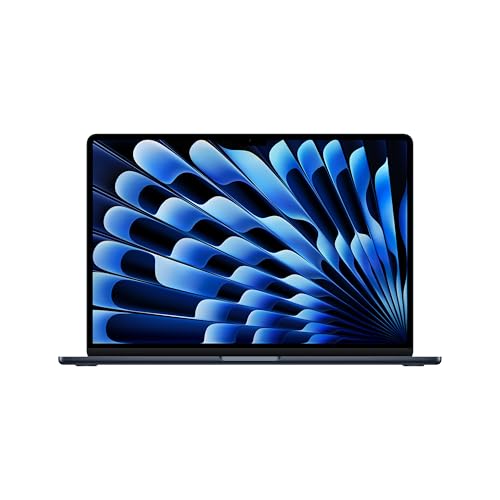
Apple 2025 MacBook Air 15-inch Laptop with M4 chip: Built for Apple Intelligence, 15.3-inch Liquid Retina Display, 16GB Unified Memory, 256GB SSD Storage, 12MP Center Stage Camera, Touch ID; Midnight

Pros:

  • The M4 chip offers excellent performance
  • Quiet, fanless design
  • Up to 18 hours of battery life
  • Bright Liquid Retina display
  • Very portable

Cons:

  • Limited ports (USB-C only)
  • Price increases quickly with upgrades

Bottom line:The best balance of portability, performance, and value for digital nomads in 2025.

See Apple MacBook Air M4 on Amazon

2.Asus Zenbook 14 OLED

One of the best Windows options available. Slim, affordable, and with a gorgeous OLED display, theAsus Zenbook 14offers excellent performance and long battery life without the premium price tag.

Screen Size:14" OLED

Weight:3.0 lbs

Storage:512 GB to 1 TB SSD

RAM:8 GB to 16 GB

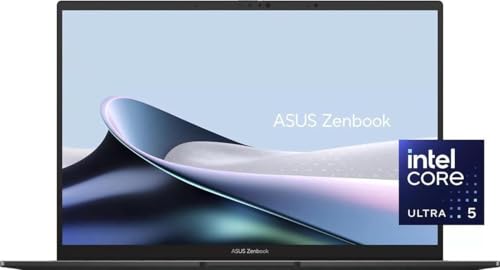
Asus ZenBook 14 Pro oled Q415 Business Laptop (14" Fhd+ Touchscreen, Intel 14-Core Ultra 5 125H, 8Gb ddr5, 512Gb ssd), Ai pc, Fhd Webcam, Win 11 Pro

Pros:

  • Stunning OLED screen
  • Battery lasts 15–16 hours
  • Slim and travel-friendly
  • Strong value

Cons:

  • Speakers could be better
  • Not as powerful as MacBook Pro for editing-heavy work

Bottom line:A great choice if you want a Windows laptop that balances quality and affordability.

See Asus Zenbook 14 on Amazon

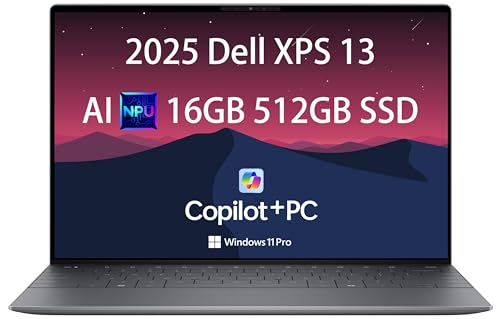
3.Dell XPS 13

TheDell XPS 13has long been a favorite of nomads and remote workers, and the latest model continues that tradition. It's stylish, compact, and lasts nearly 20 hours on a single charge.

Screen Size:13.4"

Weight:2.6 lbs

Storage:256 GB to 2 TB SSD

RAM:8 GB to 32 GB

Intel i7-1355U), 16GB 8448MT/s RAM, 512GB SSD), Thin & Light, 27 Hours Battery Life, IR Webcam, Wi-Fi 7, Win 11 Pro" target="_blank" rel="noopener">Intel i7-1355U), 16GB 8448MT/s RAM, 512GB SSD), Thin & Light, 27 Hours Battery Life, IR Webcam, Wi-Fi 7, Win 11 Pro">
2025 Dell XPS 13 9345 Laptop, Copilot+ AI PC (13.4" FHD+ 120Hz, Snapdragon X Plus (> Intel i7-1355U), 16GB 8448MT/s RAM, 512GB SSD), Thin & Light, 27 Hours Battery Life, IR Webcam, Wi-Fi 7, Win 11 Pro

Pros:

  • Excellent battery life (up to 19 hours)
  • Sleek, premium build
  • Thin bezels make it compact
  • Lightweight and easy to carry

Cons:

  • Limited port options
  • High price for top configurations

Bottom line:Still one of the most reliable ultrabooks for nomads who want Windows.

See Dell XPS 13 on Amazon

4.Apple MacBook Pro 14 (2024)

For digital nomads who do video editing, coding, or other performance-heavy tasks, theMacBook Pro 14is the ultimate option. It's powerful enough for pro-level work while still being portable.

Screen Size:14.2"

Weight:3.5 pounds

Storage:512 GB to 8 TB SSD

RAM:16 GB to 64 GB

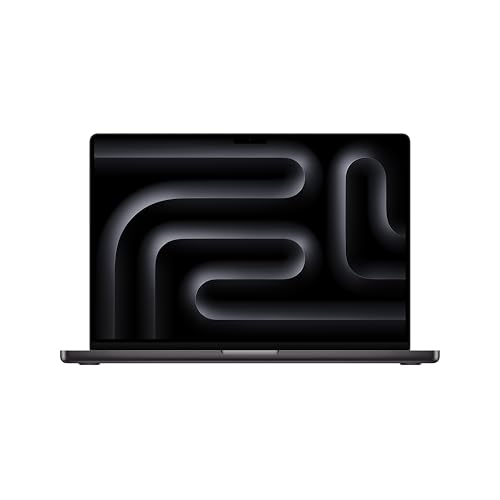
Apple 2024 MacBook Pro Laptop with M4 Pro, 14-core CPU, 20-core GPU: Built for Apple Intelligence, 16.2-inch Liquid Retina XDR Display, 24GB Unified Memory, 512GB SSD Storage; Space Black

Pros:

  • Mini-LED display with incredible brightness
  • Handles demanding apps with ease
  • Long battery life (15–18 hours)
  • Multiple ports, including HDMI and SD

Cons:

  • Expensive
  • Heavier than ultraportables

Bottom line:A powerhouse for creatives and professionals who need top performance.

See Apple MacBook Pro 14 on Amazon

5.Samsung Galaxy Book5 Pro

Samsung's flagship laptop,Galaxy Book5 Pro, is slim, stylish, and built for all-day use. The AMOLED touchscreen is gorgeous, and the 17+ hour battery life makes it great for travelers.

Screen Size:14" or 16" AMOLED

Weight:2.5–3.4 lbs

Storage:512 GB to 1 TB SSD

RAM:16 GB to 32 GB

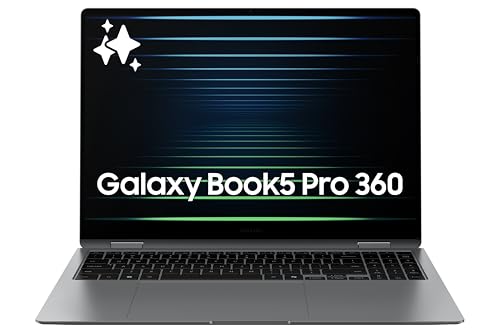
Samsung 16" Galaxy Book5 Pro 360 Copilot+ PC, AI Computer, Intel Core 7 Ultra Processor, 3K AMOLED (2880×1800) Touchscreen, S Pen, 120Hz, Dolby Atmos, Student Laptop, Lightweight, All-Day Battery Life

Pros:

  • Vibrant AMOLED touchscreen
  • Long battery life (up to 17 hours)
  • Lightweight and portable
  • Good port selection

Cons:

  • Not as rugged as the ThinkPad series
  • Expensive unless on sale

Bottom line:A stylish premium Windows laptop, especially good if you're already in the Samsung ecosystem.

See Samsung Galaxy Book5 Pro on Amazon

6.Microsoft Surface Laptop 7 (2024)

Microsoft Surface Laptop 7is a sleek, MacBook-like Windows laptop with excellent performance and design. Battery life is strong, and it's a top choice if you want premium Windows hardware.

Screen Size:13.8" or 15"

Weight:2.9–3.5 lbs

Storage:256 GB to 1 TB SSD

RAM:8 GB to 32 GB

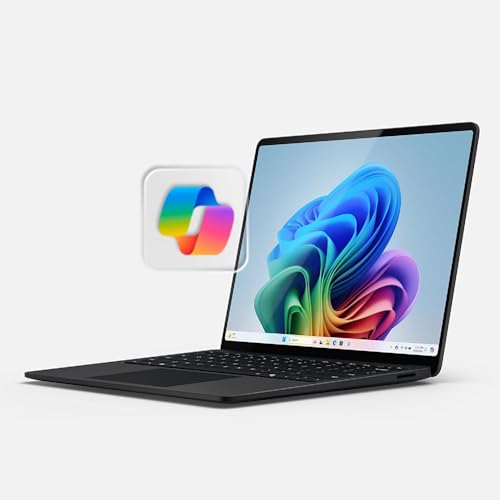
Microsoft Surface Laptop (2024), Windows 11 Copilot+ PC, 13.8" Touchscreen Display, Snapdragon X Plus (10 core), 16GB RAM, 512GB SSD Storage, Black

Pros:

  • Excellent build and design
  • Long battery life (15+ hours)
  • Comfortable keyboard and touchpad

Cons:

  • Limited ports
  • Higher cost with upgrades

Bottom line:A polished, reliable MacBook alternative for Windows users.

See Microsoft Surface Laptop 7 on Amazon

7.Lenovo Yoga 9i (9th Gen)

Lenovo Yoga 9iis a versatile 2-in-1 laptop with a brilliant OLED touchscreen and stylus included. Perfect for creatives who need flexibility.

Screen Size:14-inch OLED

Weight:3.0 pounds

Storage:512 GB to 1 TB SSD

RAM:16 GB to 32 GB

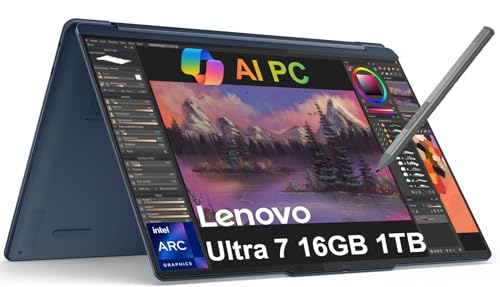
2025 Lenovo Yoga 9i 2-in-1 Business AI PC Laptop (14" 2.8K 120Hz Touchscreen, Intel 16-core Ultra 7 155H, 16GB RAM, 1TB SSD, Arc Graphics, Stylus) Backlit, FP Reader, IR Webcam, B&W Audio, Win 11 Home

Pros:

  • Gorgeous display
  • Battery up to 19 hours
  • Stylus included
  • Works as both laptop and tablet

Cons:

  • Slightly heavier than some ultrabooks
  • Higher-end models get expensive

Bottom line:A creative-friendly hybrid that works anywhere.

See Lenovo Yoga 9i on Amazon

8.HP Pavilion Aero 13

HP Pavilion Aero 13is an affordable, ultralight laptop that still performs well. Perfect for budget-conscious nomads who don't want to sacrifice portability.

Screen Size:13.3"

Weight:2.2 lbs

Storage:512 GB SSD

RAM:16 GB

HP 2025 Laptop | Pavilion Aero 13 | 13.3" 1920×1200 IPS | AMD-8 Core Ryzen 7 8840U | 16GB LPDDR5 | 512GB SSD | Windows 11 Pro | Wi-Fi 6E - BT 5.3 - Backlit KB - 5MP IR Camera - Natural Silver

Pros:

  • Extremely lightweight
  • Great value under $1,000
  • Solid performance

Cons:

  • Build feels less premium
  • Battery life is good, not great

Bottom line:The best lightweight budget option in 2025.

See HP Pavilion Aero 13 on Amazon

9.Acer Swift 3 (2025)

Acer Swift 3It is one of the most reliable budget laptops on the market. It's portable, affordable, and offers good performance for everyday tasks.

Screen Size:14"

Weight:2.7 lbs

Storage:512 GB SSD

RAM:16 GB

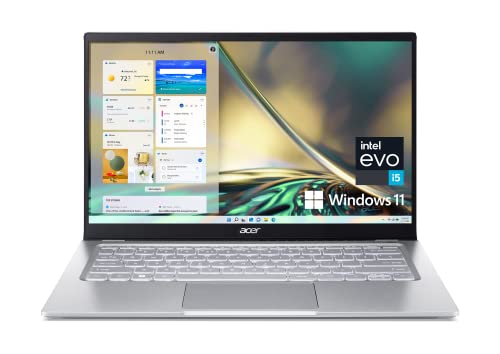
Acer Swift 3 Intel Evo Thin & Light Laptop | 14" FHD 100% sRGB | Intel Core i5-1240P | Intel Iris Xe Graphics | 8GB LPDDR4X | 512GB SSD | Killer Wi-Fi 6E AX1675 | Windows 11 Home | SF314-512-53L0

Pros:

  • Affordable (often under $800)
  • Portable and lightweight
  • Solid battery (~11 hours)

Cons:

Display is average

Not built for demanding tasks

Bottom line:A reliable budget laptop for daily nomadic work.

See Acer Swift 3 on Amazon

10.LG Gram 17

LG Gram 17It is a rare laptop that gives you a huge 17-inch screen without the bulk. It's big but still under 3 pounds and has excellent battery life.

Screen Size:17"

Weight:2.98 lbs

Storage:512 GB to 2 TB SSD

RAM:16 GB to 32 GB

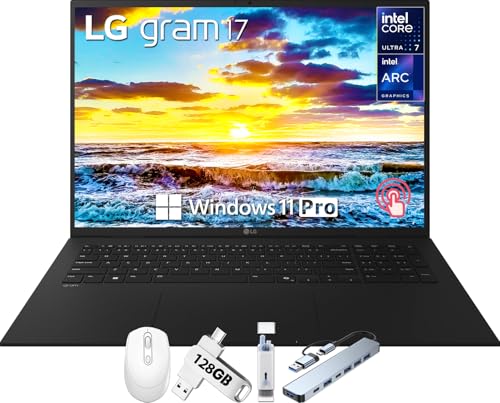
LG Gram 17 Touchscreen Laptop Copilot+ PC, 17" WQXGA Display, Intel Ultra 7 Series 2 258V, 32 GB RAM, 1 TB SSD, Intel Arc Graphics, Backlit, Wi-Fi 7, Windows 11 Pro

Pros:

  • Large screen in a lightweight body
  • Long battery life (up to 20 hours)
  • Strong performance

Cons:

  • Expensive compared to smaller laptops
  • Speakers are just okay

Bottom line:A dream for nomads who want screen space but still need portability.

See LG Gram 17 on Amazon

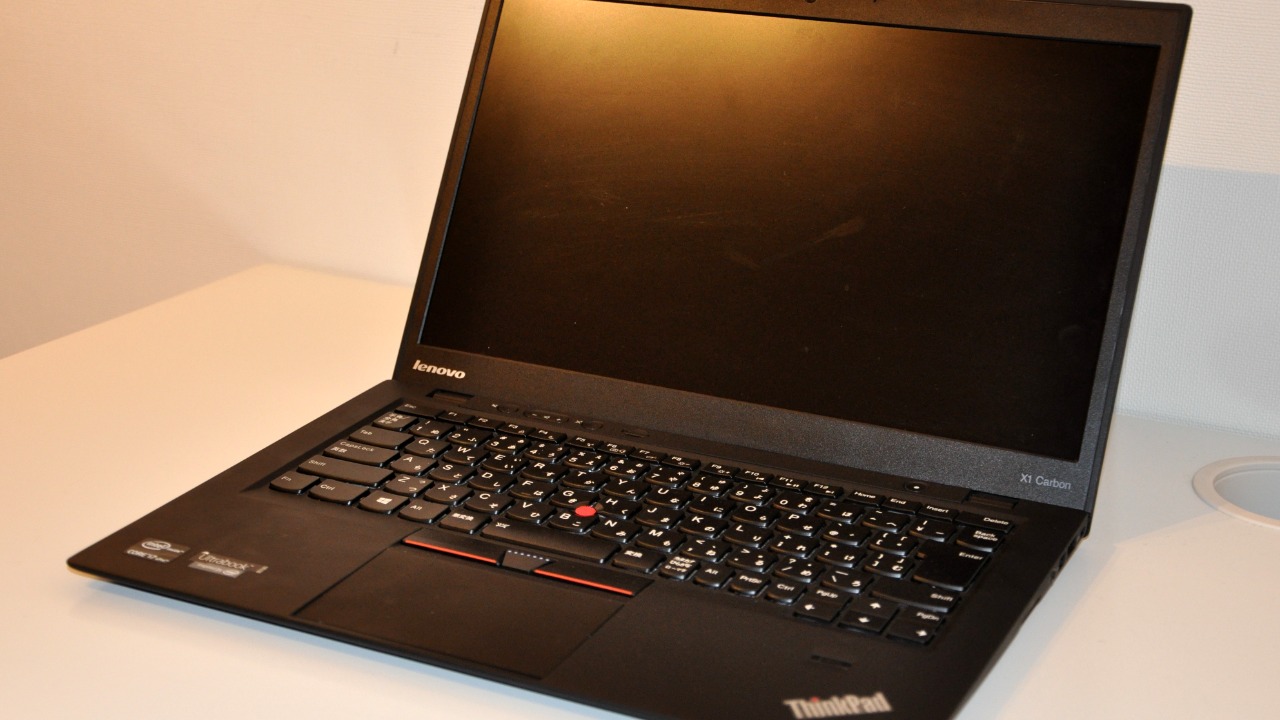
11.Lenovo ThinkPad X1 Carbon (11th Generation)

TheLenovo ThinkPad X1 CarbonIt is built for durability and comfort. With a legendary keyboard and strong performance, it's a top choice for nomads who need something tough.

Screen Size:14"

Weight:2.5 lbs

Storage:512 GB to 2 TB SSD

RAM:16 GB to 64 GB

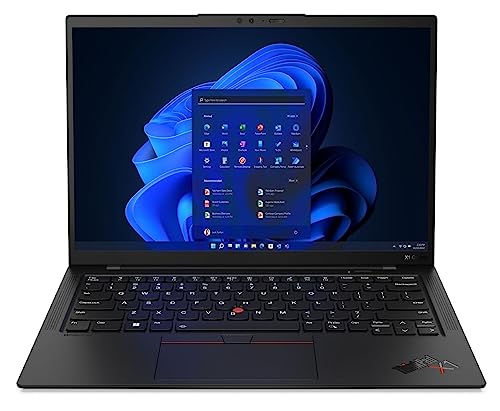
Lenovo Gen 11 ThinkPad X1 Carbon Laptop with Intel Core i7-1365U vPro Processor, 14" WUXGA 100% sRGB Anti-Glare Touchscreen, 32GB LPDDR5 RAM, 1TB Gen4 Performance SSD, Thunderbolt, and Windows 11 Pro

Pros:

  • Military-grade durability
  • Excellent keyboard
  • Long battery life
  • Lightweight for its size

Cons:

  • Expensive
  • More functional than stylish

Bottom line:A workhorse for nomads who need a rugged, reliable machine.

See Lenovo ThinkPad X1 on Amazon

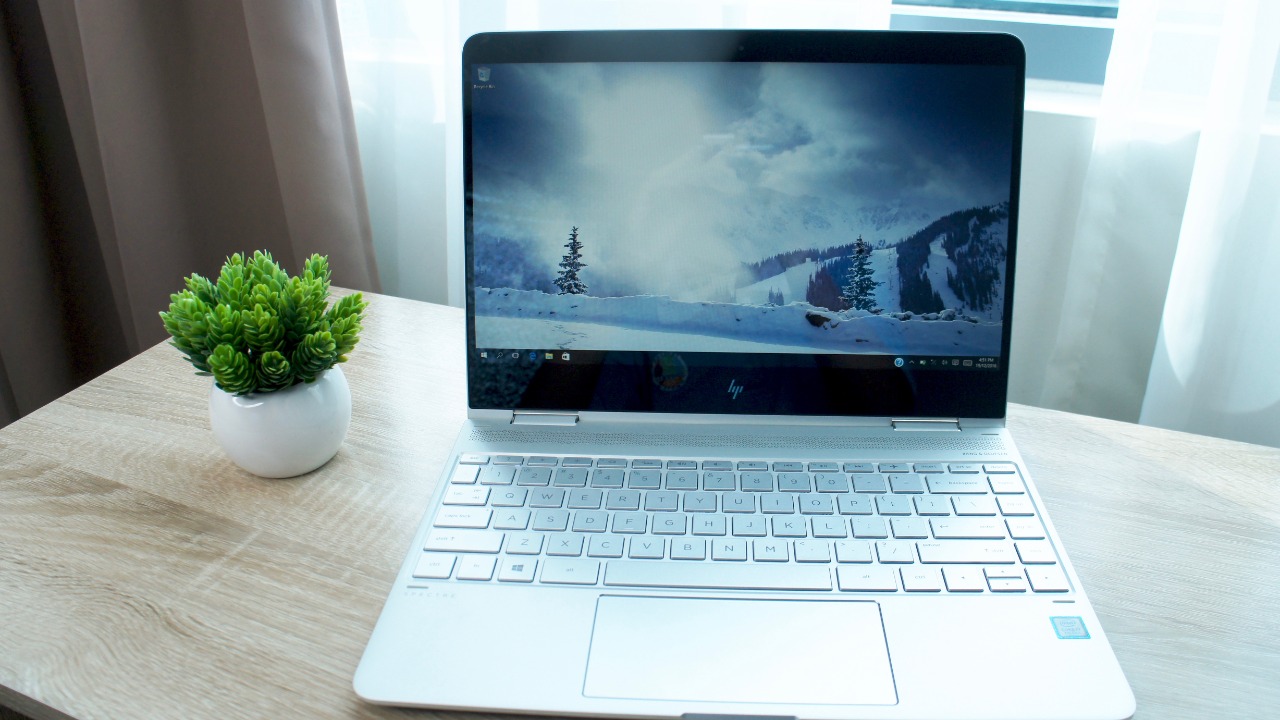
12.HP Spectre x360 16t

The HP Spectre x360has a large-screen 2-in-1 laptop with premium design and excellent specifications. Great for those who need performance and a touchscreen.

Screen Size:16" OLED touchscreen

Weight:4.5 lbs

Storage:512 GB to 2 TB SSD

RAM:16 GB to 32 GB

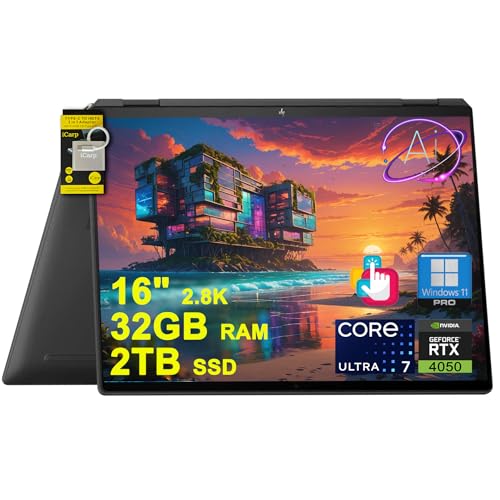
HP Spectre x360 2-in-1 Laptop for Creator, Designer, Business, Professional 16" 2.8K OLED Touch Intel 16-core Ultra 7 155H (Up to 11 TOPs) 32GB RAM 2TB SSD GeForce RTX 4050 Win11Pro ICP Hub Copilot AI PC

Pros:

  • Stunning OLED screen
  • Powerful performance
  • Premium construction

Cons:

  • Heavy for travel
  • Expensive

Bottom line:A premium convertible laptop with pro-level performance.

See HP Spectre x360 on Amazon

13.Dell Inspiron 15

Dell Inspiron 15Is an affordable everyday laptop. Great for basic tasks like writing, browsing, and streaming.

Screen Size:15.6"

Weight:3.8 pounds

Storage:256 GB SSD

RAM:8 GB

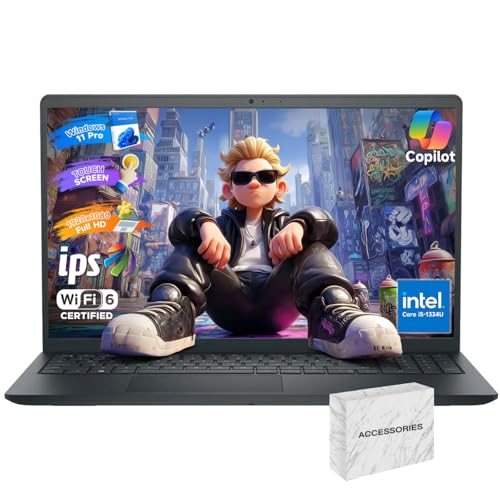
Dell Inspiron 15 Touchscreen Laptop - 15.6" FHD Display, Intel 10-Core i5-1334U (Beat i7-1250U), 32GB RAM, 1TB PCIe SSD, Windows 11 Pro, Numeric Keypad, Copilot, WiFi 6

Pros:

  • Budget-friendly
  • Decent size screen
  • Good for daily tasks

Cons:

  • Average battery
  • Not for demanding work

Bottom line:A good entry-level laptop for nomads who only need the basics.

See Dell Inspiron 15 on Amazon

14.Asus Chromebook Flip CM3

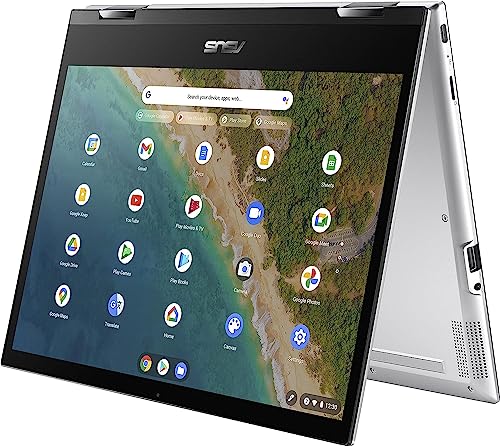
TheAsus Chromebook Flip CM3is a lightweight Chromebook for nomads who only need web-based tools. Affordable, portable, and flexible as a 2-in-1.

Screen Size:14" touchscreen

Weight:3.3 pounds

Storage:64–128 GB

RAM:8 GB

ASUS Chromebook Flip CM3, 12" Touchscreen NanoEdge Display, MediaTek Kompanio 820 T8192, Arm NATT MC5 GPU, 64GB eMMC, 4GB RAM, Wi-Fi 5, Chrome OS, Silver CM3200FM1A-DH01T (Renewed)

Pros:

  • Budget-friendly
  • Flexible 2-in-1 design
  • Portable and easy to carry

Cons:

  • Limited storage
  • ChromeOS cannot run heavy software
  • Average battery

Bottom line:Great for lightweight, web-based work, but not for demanding projects.

See Asus Chromebook Flip on Amazon

15.HP Elite Dragonfly

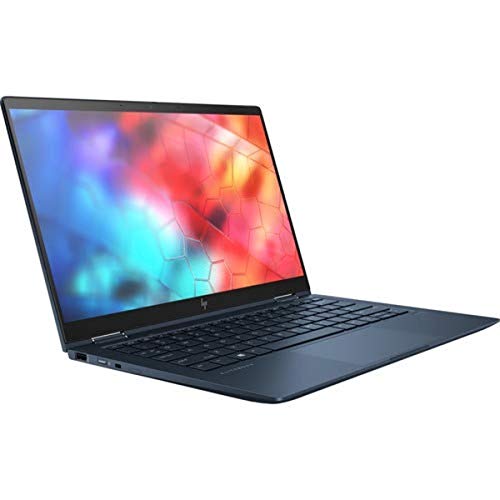
HP Elite DragonflyIs a stylish premium ultrabook designed for business travelers. Lightweight, secure, and built for professionals.

Screen Size:13.3"

Weight:2.2 lbs

Storage:512 GB to 1 TB SSD

RAM:16 GB

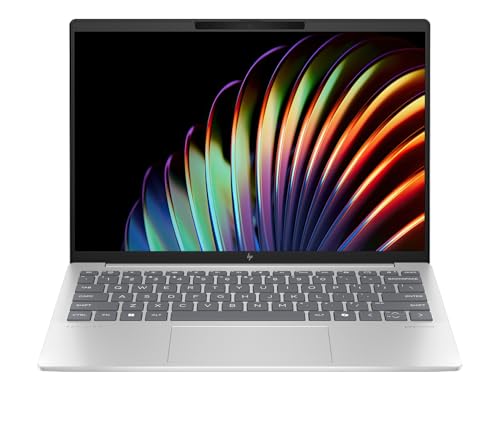
HP Elite Dragonfly Notebook PC

Pros:

  • Ultra-light and portable
  • Excellent battery life
  • Premium design and features

Cons:

  • Expensive (starts around $2,000)
  • Performance is not always worth the price

Bottom line:A high-end ultrabook that combines portability and style.

See HP Elite Dragonfly on Amazon

What to Consider When Buying a Laptop For Remote Work

Choosing the right laptop as a digital nomad isn't about chasing the newest release or the fanciest extras. It's about finding the balance between performance, portability, and price that works for your lifestyle.

Here are the key things to think about:

  • Price:Decide on your budget first. Mid-range laptops often deliver more than enough power.
  • Size & Portability:13–14 inches is the sweet spot for most nomads.
  • Performance:Match your laptop to your work. Writers need less power than video editors or developers.
  • Processor:Aim for Intel i5/Ryzen 5 or better. Heavy users should go for i7/Ryzen 7 or Apple's M3/M4.
  • RAM:8 GB is a minimum; 16 GB is ideal for multitasking.
  • Storage:Always go SSD. Start at 256 GB, aim for 512 GB or more if handling large files.
  • Battery Life:At least 10 hours is ideal. Many new models now push past 18 hours.
  • Durability:Metal cases withstand travel best.
  • Display:At least 300 nits brightness; OLED or anti-glare helps for long hours.
  • Ports & Connectivity:A mix of USB-C, USB-A, and HDMI is ideal. Check for Wi-Fi 6/6E.

Laptop vs. Tablet for Travel

Laptopsare still the workhorses for nomads who need full software, lots of storage, and long typing sessions.

Tabletswin for portability and light use. They're great for browsing, streaming, or drawing with a stylus.

2-in-1 laptopslike theLenovo Yoga 9iorHP Spectre x360Combine both worlds. They are versatile but tend to cost more and weigh a bit more.

Laptop Accessories for Digital Nomads

Your laptop is the heart of your digital nomad setup, but a few key accessories can make life on the road much easier.

The right gear keeps your laptop safe, your body comfortable during long work sessions, and your workflow smooth no matter where you set up shop.

Here are the essentials I recommend traveling with:

Laptop Sleeve

A snug, padded sleeve protects your laptop from scratches, bumps, and dust. Look for one with a water-resistant finish if you're often out in unpredictable weather.

It should fit tightly around your laptop so it slides easily into a backpack without extra bulk.

Laptop Backpack

A dedicated laptop backpackWith padded compartments keeps your tech secure and organized. Anti-theft features like hidden zippers or built-in locks add peace of mind in crowded areas. Water resistance is another must for travelers. Some also have USB charging ports built in so you can charge on the go.

Portable Keyboard

If you're using a tablet or just want a more ergonomic setup, a portable keyboard can be a game-changer. They're lightweight and often foldable, making them easy to pack.This one comes very highly rated and is very compact.

Wireless Mouse

Touchpads just aren't efficient. Having a separate mouse makes my life much easier.I like this one because it's rechargeable. I hate having to carry spare batteries. Plus, you can still use it while it's charging.

Laptop Stand

A portable laptop stand can raise your screen to eye level, reducing neck strain. It's a simple way to make your mobile workspace more ergonomic.

This is a great option. It's super compact and comes at a nice price.

Ergonomic Mousepad and Wrist Support

Speaking of ergonomics, a mousepad with wrist support can help prevent strain during those long work sessions.This is a great one.It's basic but gets the job done. Your wrists will thank you.

Cloud Storage

With a good cloud storage service, you can access your files from anywhere. It's a safer option than relying solely on your laptop's hard drive.

I use pCloud and I love it. It backs up my laptop, tablet, and phone. All my documents are automatically backed up in real time.

Also, as soon as I take a photo on my phone, it gets compressed into the cloud. I'm never at risk of losing anything.

VPN

For secure browsing, especially on public Wi-Fi, a VPN is essential.NordVPNis a reliable choice, offering strong encryption and a range of servers worldwide.

Even outside the country, I could still access Netflix, Prime Video, and more with NordVPN.

Personal Wi-Fi

Reliable Wi-Fi can be hit or miss when traveling. A hotspot likeGlocalMegives you a private, secure connection almost anywhere.

Most are pay-as-you-go, which works well for nomads who don't want a monthly contract. Pair it with an eSIM service for maximum coverage.

Speaker

A portable Bluetooth speaker can be great for those times when you're alone and want to listen to music or podcasts without headphones. Many laptops don't have great external speakers so a small add-on is a must.

I can't live without my JBL Go 3. It's tiny but has great sound. I also usethis little casefor it.

Headset

For video calls or virtual meetings, a good-quality headset can make all the difference.

I tried about a zillion before I found one with good sound and a good microphone. For me, theAftershokz OpenComIt is best for online meetings or just listening to music.

Noise-Canceling Headphones

Last but not least, a pair of noise-canceling headphones can be a lifesaver in noisy environments. They will help you focus better and could even improve your mood.

Soundcore Anker Life Q20is a great pair for working or relaxing.

Wrap-Up: Best Laptops for Digital Nomads

Choosing the right laptop is one of the most important decisions you'll make as a digital nomad.

Your laptop is your office, your creative tool, and your entertainment all in one.

If you want the best all-around choice, theMacBook Air M4is the clear winner in 2025.

For creative professionals, theMacBook Pro 14is unbeatable.

If you're budget-conscious, theAcer Swift 3andHP Pavilion Aero 13offer fantastic value.

Don't assume that more expensive automatically means better. The best laptop is the one that matches your needs, your budget, and your lifestyle.

Ladies, join my free, private Facebook group,Women Over 50 Digital Nomads. It's a safe place to connect, learn, and thrive as a digital nomad. You don't need to be over 50 but you do need to be a woman.

Related Posts

  • Digital Nomad Equipment & Gear
  • Pros and Cons of Being a Digital Nomad
  • Countries With Good and Affordable Healthcare
  • The Best Cities for Digital Nomads
  • Digital Nomad Health Insurance - How to Find Affordable Insurance
  • Best Digital Nomad Books
  • Older Digital Nomads
  • Working for a US Company While Living Abroad
  • Navigating the World of Digital Nomad Housing
  • Digital Nomad Travel Insurance Plans
  • How to Find Remote Work

The post15 Best Laptops for Remote Workers in 2025appeared first onDigital Nomad and a Dog.

Laptops are better for coding than Macs

As a programmer, finding the right laptop can significantly impact productivity and comfort. While Macs are often the go-to choice for many developers, some alternatives offer powerful performance and flexibility. Here are five laptops that stand out as excellent choices for coding, providing features and specifications that might be better suited for your programming needs.

Dell XPS 15

The Dell XPS 15 is a powerhouse for developers who need a robust machine. Its 15.6-inch InfinityEdge display provides an immersive experience, while the 10th or 11th Gen Intel Core i7 processors ensure smooth multitasking. The XPS 15 also boasts an NVIDIA GeForce GTX 1650 Ti GPU, which is perfect for those working with graphics-intensive applications or simulations.

With up to 64GB of RAM and 2TB of SSD storage, this laptop can handle extensive coding projects without breaking a sweat. Its sleek, lightweight design makes it portable, while the long battery life ensures you can code on the go without constantly searching for a power outlet. Learn why many developers prefer this machine by checking outthis review.

Lenovo ThinkPad X1 Carbon

Known for its durability and exceptional keyboard, the Lenovo ThinkPad X1 Carbon is a top choice for programmers. Its 8th or 9th Gen Intel Core processors provide reliable performance, while the lightweight carbon-fiber chassis offers portability without sacrificing durability. The ThinkPad X1 Carbon’s keyboard is considered one of the best in the industry, which can be a significant advantage during long coding sessions.

This laptop also features a comprehensive set of ports, including USB-C and Thunderbolt 3, providing flexibility for connecting peripherals. With up to 19.5 hours of battery life, it's ideal for those who need a machine that can keep up with their demanding schedules. More details on its features can be found on thisinformative page.

ASUS ROG Zephyrus G14

The ASUS ROG Zephyrus G14 is not just for gamers; it's also a fantastic choice for developers, thanks to its powerful AMD Ryzen 9 processor and NVIDIA GeForce RTX 2060 GPU. This combination ensures that the laptop can handle heavy-duty programming environments and software development kits with ease.

Its compact 14-inch display and sturdy build make it a portable option for those on the move. The Zephyrus G14's battery life can last up to 11 hours, significantly reducing the need for frequent charging. For an in-depth review of this versatile laptop, see thisResearch article.

HP Spectre x360

The HP Spectre x360 is a versatile 2-in-1 laptop that combines performance with style. It features the latest Intel Core processors, up to 16GB of RAM, and a choice of SSD storage options, making it suitable for running multiple virtual machines and development environments.

This laptop's 360-degree hinge allows it to convert into a tablet, offering flexibility in how you work. The Spectre x360 also includes a stylus, which is perfect for developers who need to sketch out ideas or take notes. Check out more about its capabilities in thisDetailed review.

Microsoft Surface Laptop 4

The Microsoft Surface Laptop 4 offers a smooth and stylish computing experience with its 11th Gen Intel Core or AMD Ryzen processors. Its PixelSense touchscreen display provides vibrant visuals, which can be beneficial for developers working on UI/UX design or visualizations.

With up to 32GB of RAM and 1TB of SSD, it handles large projects and multitasking with ease. The Surface Laptop 4 also boasts impressive battery life, lasting up to 19 hours, which allows for uninterrupted work sessions. Its sleek design and lightweight build make it an attractive option for developers who value aesthetics and functionality.

Save 30% on 14" OMEN Transcend Laptop with Core Ultra 7 and 32GB RAM

This content may contain affiliate links. If you would like to support us and use these links to buy something, we may earn a commission. Prices are effective at the time of publication only and prices can change at any time. So hurry while they are still available.

TheOMEN Transcend Laptop 14" with Core Ultra 7, 16GB RAM, RTX 5060is now on sale for $1,399.99, which means you save $600.00 or 30% off its regular price. If you have been looking for a new laptop that can handle gaming, creative work, or just about anything you throw at it, this deal might catch your eye. With a Core Ultra 7 processor, you get a fast and responsive experience whether you're multitasking, streaming, or running heavy programs.

This laptop comes with 16GB of RAM, which is more than enough for most users. It makes switching between apps smooth and helps keep things running without delay. The RTX 5060 graphics card is a strong choice for gaming or video work, allowing you to play newer titles or edit videos without worrying about your machine slowing down. The 14-inch screen is a good size for those who want something portable but still big enough to enjoy movies, games, or detailed work.

At $1,399.99, you are getting a solid machine with high-end features. Saving $600.00 is not something you see every day, especially on a laptop with this much power inside. This could be the right time to upgrade if your current device is getting old or just can't keep up with your needs. The OMEN Transcend is made to handle more than basic tasks, so it should last you for years without needing to upgrade again soon.

If you want a laptop that can be your main device for work, play, or both, the OMEN Transcend Laptop 14" gives you strong specs at a lower price. You don't need to worry about running out of memory or dealing with slow graphics. With the discount, you get more for your money and a machine that can handle just about anything you need.

GET DEAL AT HP.com

The postSave 30% on 14" OMEN Transcend Laptop with Core Ultra 7 and 32GB RAMappeared first onAllTheThings.

Friday, August 22, 2025

Save $600 on 14" OMEN Transcend Laptop with Core Ultra 7 and 16GB RAM

This content may contain affiliate links. If you would like to support us and use these links to buy something, we may earn a commission. Prices are effective at the time of publication only and prices can change at any time. So hurry while they are still available.

TheOMEN Transcend Laptop 14" with Core Ultra 7, 16GB RAM, RTX 5060is now on sale for $1,399.99, which means you save $600, or about 30% off the regular price. If you are looking for a new laptop that can handle gaming and work, this one could be a good choice. It has a 14-inch screen, so it is not too big to carry around, but still gives you enough space to get things done. The Core Ultra 7 processor and 16GB of RAM mean you can run a lot of programs at once, load games quickly, and deal with big files or many browser tabs without slowing down.

You also get the RTX 5060 graphics card, which makes this laptop strong enough for newer games and creative work such as video editing or 3D design. If you have been using an older laptop, you will likely notice how much smoother things run, especially when you play games or use programs that require a lot of power. The graphics card is not only for gaming; it also helps if you want to connect to an external monitor for work, watch high-quality videos, or try out creative software.

At this sale price, you are getting a pretty strong laptop for less than normal. Saving $600 gives you more room in your budget for other things you might want, like a gaming mouse, a headset, or extra storage. It is hard to find a laptop in this price range with these parts, especially from a brand like OMEN that is known for making computers built for gaming and performance.

If you want a laptop that you can use for both work and play, and you do not want to pay full price, this deal is worth looking at. You get a lot of power for the money, and you will be set for gaming, streaming, or just everyday tasks for the next few years. If you have been waiting for a good time to upgrade, this sale could be a good reason to do it.

GET DEAL AT HP.com

The postSave $600 on 14" OMEN Transcend Laptop with Core Ultra 7 and 16GB RAMappeared first onAllTheThings.

Now Under $600: 14" Dell Inspiron Laptop with Intel Core 7 and 16GB RAM

This content may contain affiliate links. If you would like to support us and use these links to buy something, we may earn a commission. Prices are effective at the time of publication only and prices can change at any time. So hurry while they are still available.

TheDell Inspiron 14 Laptop with Intel Core 7 and 16GB RAMis now available for $599.99, which means you save $300.00. If you're looking for a laptop that can handle your daily tasks without slowing down, this deal might be right for you. This model comes with a 14-inch screen, so it's small enough to take with you but still gives you plenty of space to work or watch videos. The Intel Core 7 processor and 16GB of RAM mean you can keep many tabs and programs open at once, making it a good choice for both work and personal use.

You might want to get this laptop if you need something reliable for school, work, or home. The Dell Inspiron line is known for being easy to use and durable, which helps if you plan to use it every day. With 16GB of memory, you don't have to worry about your computer getting slow when you're running more than one app or streaming videos. The Intel Core 7 chip is fast, so you can open files, load websites, and switch between things you're doing without waiting around. This can be helpful if you often work with large files or need to run several apps at the same time.

If you travel or move around a lot, the 14-inch size makes this laptop easy to carry. It's not too heavy, which means you can put it in your backpack or bag and take it to class, work, or a coffee shop. The battery life on these models is usually good for most of the day, so you don't have to keep looking for a place to plug in. Dell laptops like this often come with the ports you need for connecting to printers, monitors, and other devices, which is handy if you have to do presentations or just want to use a bigger screen at home.

Saving $300.00 on a laptop with these features is not something you see every day. If you've been waiting for a good deal to upgrade your old computer or need something new for school or work, this sale is worth a look. You get fast performance, enough memory for multitasking, and a size that works well whether you're on the go or at your desk. If you want a laptop that won't hold you back, the Dell Inspiron 14 at this price could be a smart pick for you.

GET DEAL AT DELL.com

The postNow Under $600: 14" Dell Inspiron Laptop with Intel Core 7 and 16GB RAMappeared first onAllTheThings.

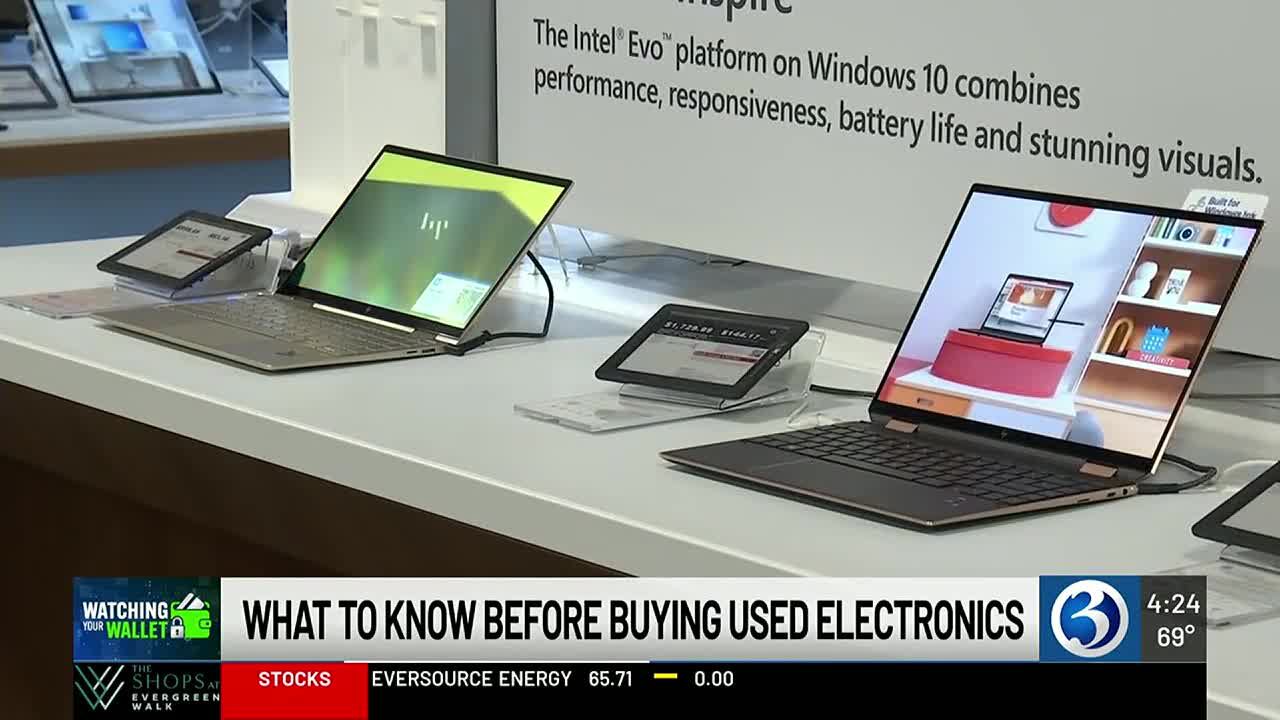
Watching Your Wallet: What to Check Before Buying Refurbished Tech

(WFSB) - If you need a new laptop, one way to save is to buy one that is used. However, there are some things experts say you should check before buying anything refurbished.

Dashia Milden is a consumer insights editor at CNET. She says the most important thing to do is to check the device's battery.

"In order to check the battery, usually you can ask the seller exactly to maybe show you a screenshot of the battery status, which can be found usually in the system settings of your computer, or if you're fortunate enough to actually have that device in person, you can actually scroll right on over to the system settings and check that for yourself by simply just typing in or checking battery. Sometimes this is called battery health, the battery settings, things of that sort," said Milden.

Once you've checked the battery, Milden says the next thing to do is make sure the computer has enough RAM storage for your needs. Milden recommends at least 16 GB.

"The memory that's on your computer, oftentimes you can't upgrade that, or you can't make that addition later on, so it's going to be really important when you buy your computer to get that right the first time," said Milden.

Milden says to look for signs of damage as well and inspect all parts of the laptop closely.

Looking at that keypad to see if everything is in good shape here?" said Milden. "Is there anything coming undone? Look at the camera. Take a look at the screen. Are there any cracks there? Are there any scratches that you need to know about? Even taking a look at just the side or even the touchpad. Has the touch pad been touched down far too many times, so where maybe it's not working as well anymore?

Milden says to also know the details of any return policies or warranties before making a purchase.