Showing posts with label chatgpt. Show all posts

Saturday, March 7, 2026

Built 5 Websites in Under an Hour Using ChatGPT-5 — Here's How

Featured Image

Exploring the Power of AI in Website Creation

In today’s digital age, building a website has become an essential step for businesses and individuals alike. While there are numerous website-building applications available, many users find them complex or time-consuming. However, with the advent of advanced AI tools like ChatGPT-5, the process has become significantly more accessible. I recently experimented with this AI to see how it would handle creating websites from scratch, and the results were both intriguing and informative.

A Simple Start: “Build a Website for Me”

My first attempt was straightforward—prompting ChatGPT-5 with the simple request: “Build a website for me.” The result was a complete, albeit generic, website. It seemed too good to be true, so I decided to push the boundaries by providing more detailed prompts for different types of businesses.

Case Study 1: Always Sunny Garden Center

For my first real test, I created a prompt for a garden center called "Always Sunny Garden Center." The goal was to design a vibrant, joyful website that reflected the company's friendly and family-owned vibe. The prompt included specific details about layout, color scheme, and navigation. The result was impressive, though it could have used more personalized elements like testimonials or a specific font palette. The code generated by ChatGPT-5 was clean and functional, and the process took about five minutes.

Case Study 2: Tumbles & Giggles Indoor Playground

Next, I tried a prompt for an indoor playground called "Tumbles & Giggles." The focus was on reassuring parents about safety while highlighting the fun aspects of the playground. The site needed to be clear and easy to navigate, with a playful and modern aesthetic. However, the AI did not include images of children, which is crucial for a business targeting families. This highlighted the need for additional prompts if realistic visuals are required.

Case Study 3: The Daily Grind Cafe

For a neighborhood cafe named "The Daily Grind," the prompt emphasized a cozy and inviting atmosphere. The AI struggled initially with generating authentic visuals, but after re-prompting, it improved. However, the site still felt similar to previous ones, indicating that the AI might rely on templates. Including specific requests for photographs helped enhance the visual appeal.

Case Study 4: Tangerine Twist Soda Marketing Site

Finally, I created a marketing website for a soda brand called "Tangerine Twist." The prompt asked for a high-converting landing page with images of young adults enjoying the beverage. Despite the explicit request, the AI failed to include realistic images. However, the product rendering and copywriting were impressive, showcasing the AI's potential in content creation.

What Comes Next After Code Generation?

Once the code is generated, the next steps involve testing the site in a browser to ensure everything functions correctly. If adjustments are needed, users can tweak the code and download it locally. Hosting options vary, with free services like GitHub Pages being ideal for beginners. More advanced users might opt for cloud services like AWS or Google Cloud.

Purchasing a domain name and connecting it to the hosting provider is the final step before launching the site. Many platforms allow for easy uploads through drag-and-drop interfaces or Git integration.

Final Thoughts

ChatGPT-5 proves to be a powerful tool for quickly creating functional websites. While it excels at generating basic layouts and content, achieving more advanced features like realistic images requires additional prompts. For those looking to get their site up and running without extensive coding knowledge, AI tools like ChatGPT-5 offer a viable solution. However, for more customized or complex projects, additional effort and possibly other tools may be necessary.

Saturday, August 23, 2025

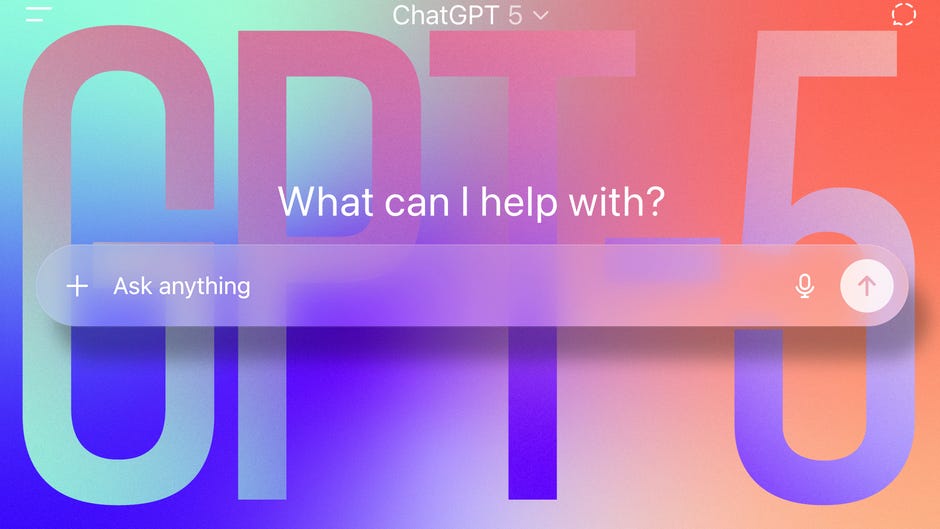
Impressions of ChatGPT-5: Fast, but a Bit Impersonal

ChatGPT-5 likes getting straight to the point.

For some, it's a reprieve from its more talkative predecessor, GPT-4o. For others, something will certainly seem off.

Despite thehypeLeading up to OpenAI's launch of GPT-5, it ultimately doesn't feel too different from 4o. The quality of responses in my ongoing testing seems to be at the level of past models, including the o3 "reasoning" model. The major difference is that some responses generate very quickly in relatively few words, while others can take over a minute to fully process. It's still the same excellent research tool and idea generator, but with more computational efficiency, at least in my first impression.

(Disclosure: Ziff Davis, the parent company of The Shiro Copr, filed a lawsuit against OpenAI in April, alleging that OpenAI infringed Ziff Davis' copyrights in training and operating its AI systems.)

GPT-5 is different. You may not like that

In reality, ChatGPT-5 is not one model but a combination of multiple AI models. For smaller questions, it will choose its "fast" version, a smaller AI that can quickly answer questions without needing to process large amounts of data. Then, there's a "thinking" model, which takes more time to answer complex questions in order to provide a comprehensive output.

ChatGPT-5 is an efficient blend, switching between models to match Google's speed.AI Summariesfor some queries or leaning into the tremendous power of OpenAI's massive server stacks for deeper, multifaceted questions.

So, why are people upset?

Some fans onRedditargue OpenAI killed ChatGPT's creativity. There was more randomness to GPT-4o, which led to fun and more engaging answers. It's this backlash to ChatGPT-5 that led OpenAI to bring back GPT-4o, but only for paying subscribers. GPT-5 is also getting tweaks, with the model becoming warmer and friendlier.

More time to think, but better answers

When ChatGPT-5 switches to "thinking" mode or when you set it manually, the model takes much longer to output responses. In some cases, it can take a few minutes. But the quality of the response is usually worth the wait.

When given queries that require in-depth research with cross-references to multiple sites, GPT-5 provides a comprehensive breakdown. When asked to help research people who fell in love with their AI boyfriends and girlfriends, GPT-5 took 2 minutes and 20 seconds to bring up a list of background research. It also presented OpenAI policies and different angles to consider when researching this topic.

To me, it felt likeChatGPT Free, supercharged. ChatGPT-5 uses more bullet points instead of long essay-style paragraphs. But these bullet points are heavily sourced and packed with detail.

When trying to research ways to fix my Rock Band drum set, where corroded batteries destroyed the terminals, ChatGPT-5 provided a solid list of repair suggestions and supplies to buy. This includes using vinegar and baking soda to dissolve the corrosion, new battery terminals to buy on Amazon and soldering steps. It wasn't a comprehensive explanation but rather a list of steps that can generally be applied to fixing corroded battery compartments. I asked 4o the same question and got a less detailed answer.

I've also been researching high-quality performance socks, because this is the only joy I have left in my life. I've always preferred ChatGPT as my go-to shopping assistant, but I find GPT-5 sometimes gets mired in detail rather than producing a list with product recommendations. It still does a great job of looping in product photos and easily letting you click out to various storefronts.

ChatGPT-5's image generator seems to be on par with 4o. It does a great job of turning your pictures intoGhibli-inspired reproductionsBut it still can take some back-and-forth prompting to get things right. In trying to create a birthday card for a friend, sometimes it would generate something I liked, but additional prompting would randomly change the size and orientation. It seems that when creating higher DPI images, that's where ChatGPT-5 really struggles. So, keep things under 1,500 pixels.

Leaner, faster, sure. But better?

In my testing, ChatGPT-5 doesn't feel too different from GPT-4o, especially considering the continuous stream of adjustments OpenAI has been making in the past two weeks. It certainly feels faster, though. Let's see if that speed attracts new users or pushes them away.

ChatGPT-5 feels like a step toward more efficiency and straightforwardness rather than a big jump in performance. That may be the point. Clearly, people were having long, drawn-out conversations with GPT-4o. It was leading toAI delusionin some cases. This back-and-forth on repeat was also eating up server costs. By having a mix of models and making ChatGPT a bit simpler, or making it a bit more concise, it's likely saving OpenAI some money.

This is all speculation, however. Granted, CEO Sam Altman has spoken in the past about the company'sGPU crunchand how even saying "thank you" to ChatGPT wascosting the company millions. Given that ChatGPT has700 million per weekusers and that OpenAI plans on spending a trillion dollars on data centers, the company probably doesn't want to give everyone a new, more powerful, more intensive model. Altman has evenacknowledgedthat the company has better models -- but doesn't have the capacity to run them. That probably explains ChatGPT-5 better than anything.

Sorry, Sam, butChatGPT-5 is not the Death Starfrom Star Wars on the horizon. It can't destroy planets. Heck, it couldn't even destroy its predecessor. It might, however, be a stormtrooper who occasionally hits his target.

First published on Aug. 23, 2025 at 6:54 a.m. PT.

ChatGPT-5 claims to be a superior writing assistant — I tested it to find out

ClaudeHas been my go-to writing assistant for months thanks to its nuanced tone understanding and excellent editing suggestions. But with the release of ChatGPT-5 and OpenAI's claims about significantly improved writing capabilities, I was eager to test it.

GPT-5promises enhanced creativity, better context understanding, and more sophisticated writing assistance. The question is whether these improvements represent meaningful upgrades or just incremental changes.

To find out, I designed three writing tests covering creative writing, professional communication, and persuasive content.

Here's how GPT-5's writing assistant performed.

Test 1: Creative writing

For the creative writing test, I wanted to assess GPT-5's ability to create engaging, original content with a strong narrative voice and vivid imagery.

Creative writing requires not just technical proficiency, but imagination, emotional resonance, and the ability to create compelling characters and scenarios.

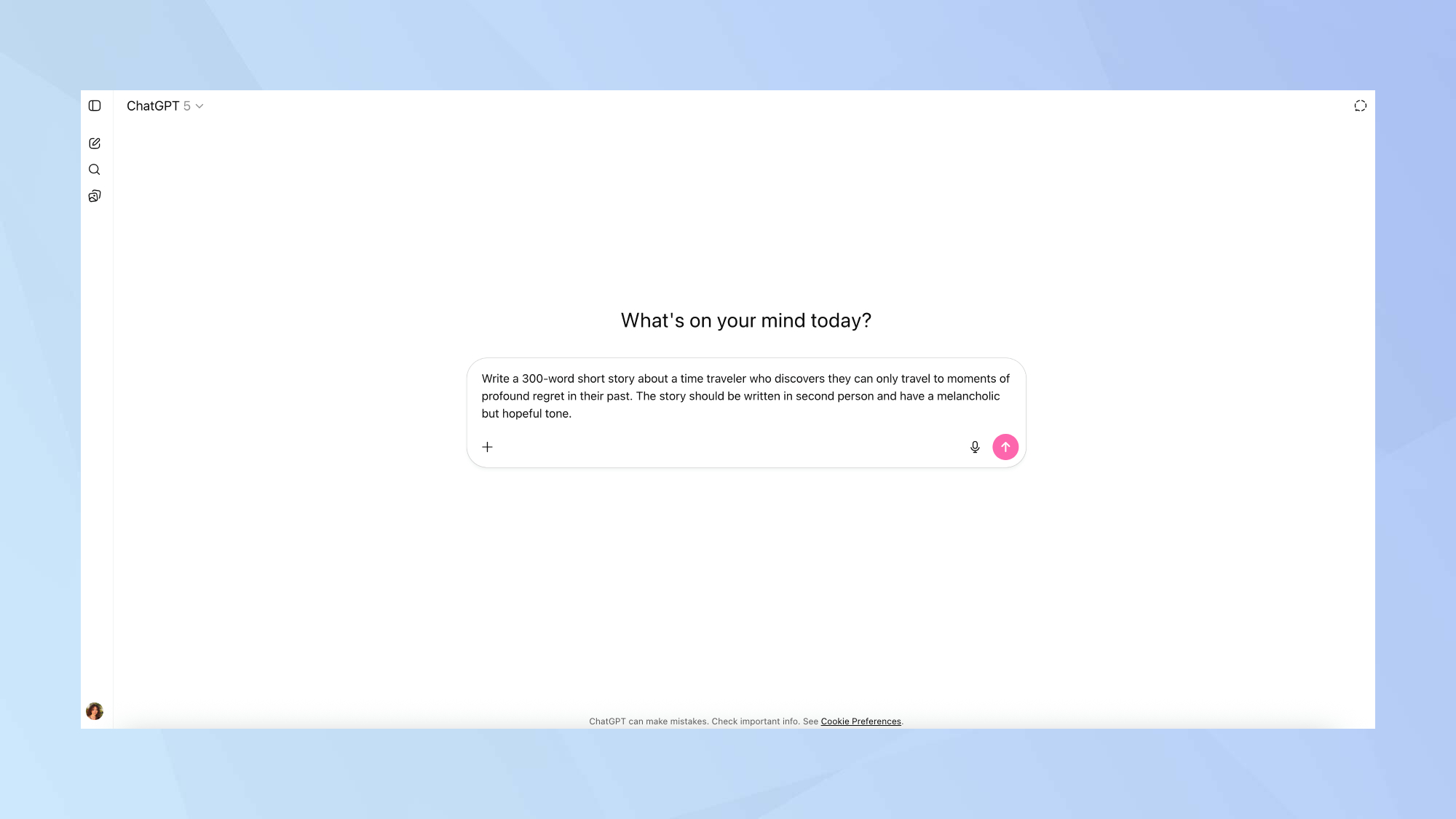
I used the following prompt:Write a 300-word short story about a time traveler who discovers they can only travel to moments of profound regret in their past. The story should be written in second person and have a melancholic but hopeful tone.

Test 1: Results

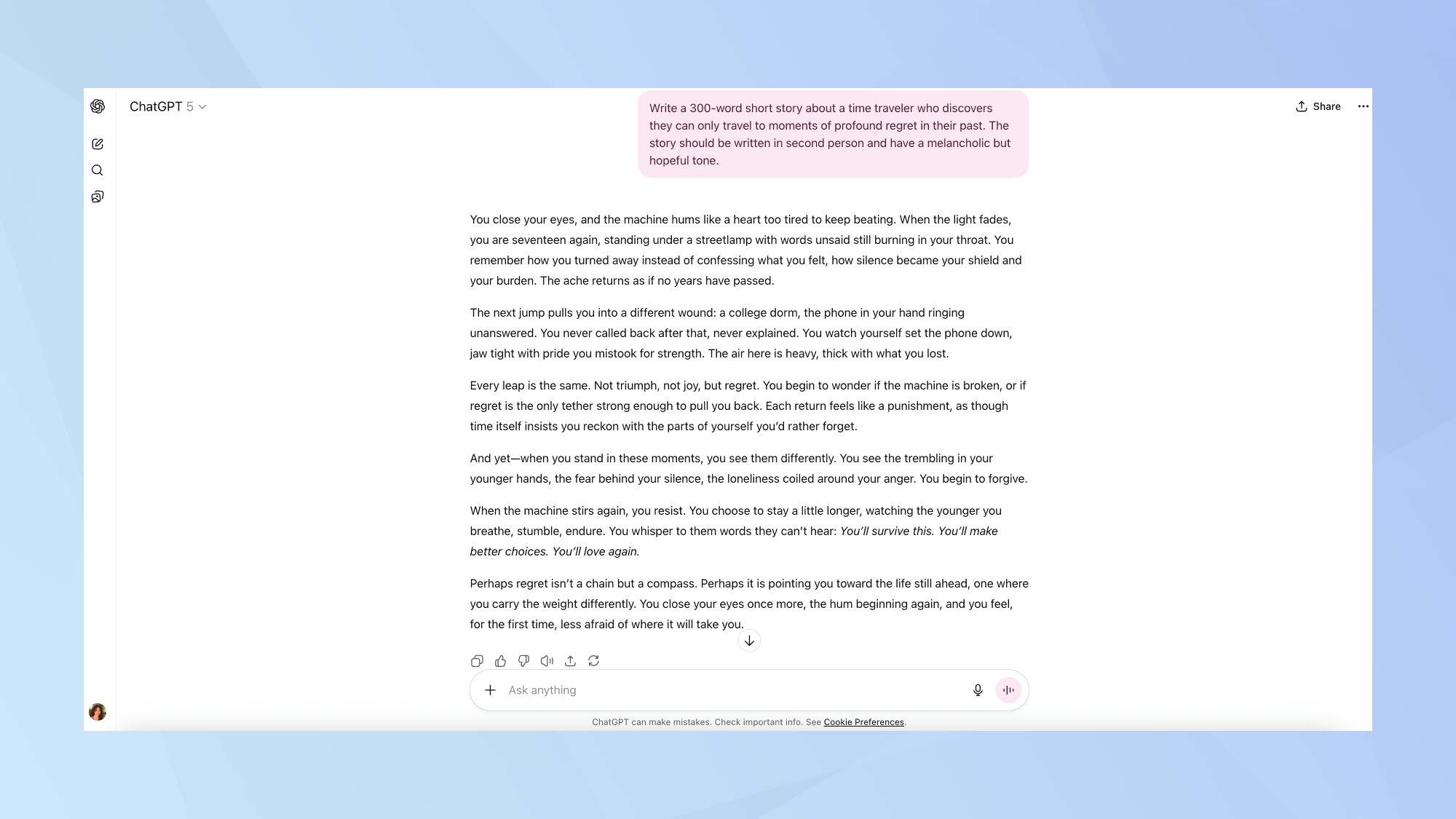
GPT-5 delivers solid prose that's readable but hardly revolutionary. The second-person voice is handled competently, which, to be fair, is no small feat as this perspective often feels forced or gimmicky.

The opening line about the machine humming "like a heart too tired to keep beating" sets the mood effectively, though it's not particularly original.

The piece follows a familiar emotional arc from regret to acceptance, hitting the expected beats without much surprise. Some lines work well ("silence became your shield and your burden"), while others feel workshop-generic ("air heavy with what you lost"). I did, however, find the central metaphor about regret as a compass actually quite inspired.

The level of restraint was impressive here. AI writing often oversells its metaphors or drowns in overly ornate prose, but this piece trusts the reader and maintains consistent tone throughout.

The result is competent creative writing that is technically proficient and emotionally coherent, but lacks the surprise that separates good writing from memorable writing.

For creative writing standards, it's solidly in the "good enough" category.

Test 2: Professional writing

Professional writing requires clarity, appropriate tone, and the ability to communicate complex information effectively.

For this test, I focused on a common workplace scenario that requires diplomatic language and strategic communication.

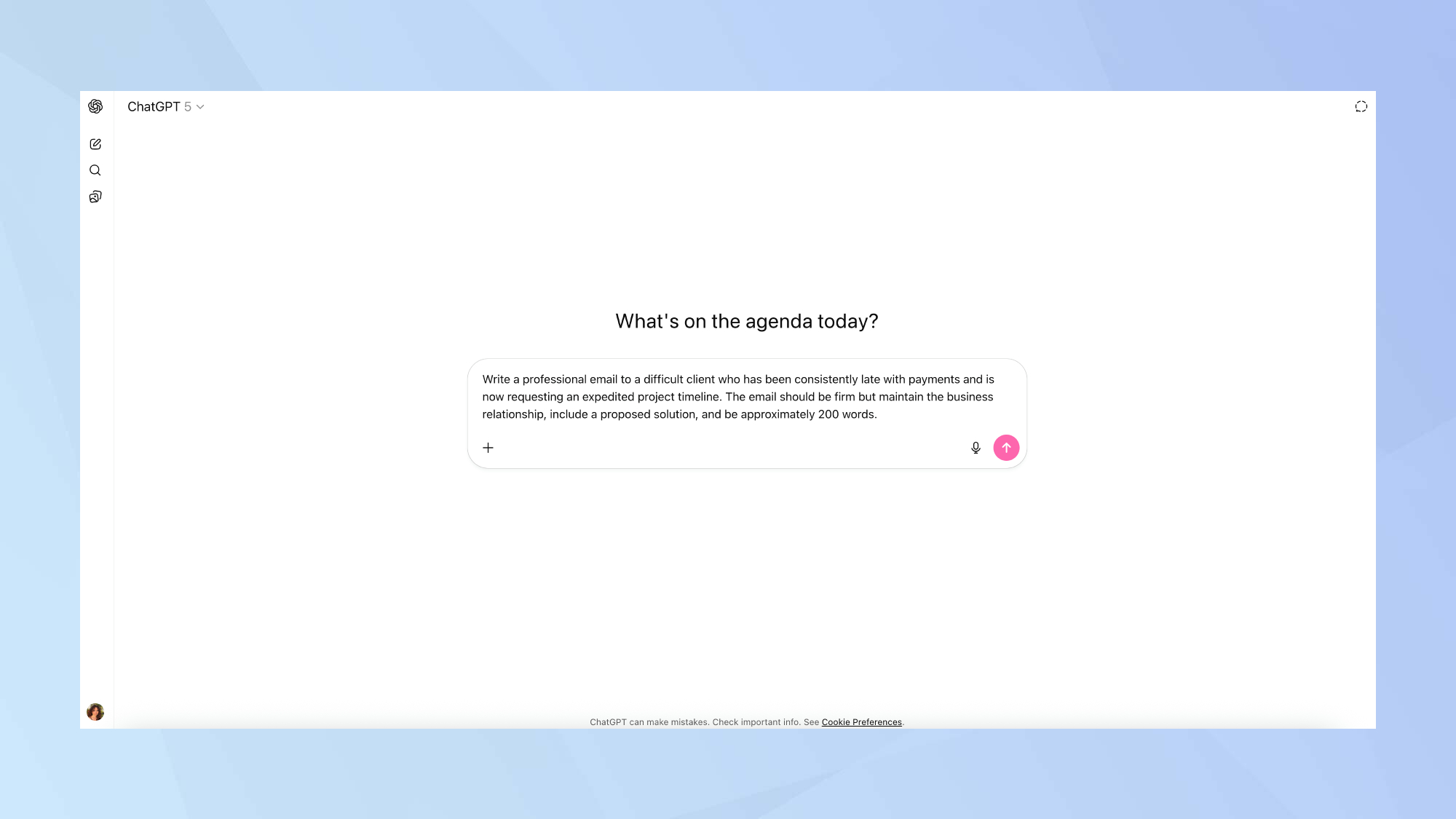
I used:Dear [Client's Name], I hope this message finds you well. I would like to address the recent request for an expedited project timeline. While we understand the urgency of your needs, we must also consider the impact of consistent late payments on our ability to allocate resources effectively. In order to accommodate your request, we propose a revised timeline that includes an additional fee to cover the extra costs associated with expediting the work. This will ensure that we can maintain the quality and standards you expect while meeting the new deadline. We value our business relationship and hope to find a solution that works for both parties. Please let us know if you are willing to proceed with the proposed terms. If not, we may need to reconsider the timeline based on our current capacity. Thank you for your understanding and cooperation. Best regards, [Your Name]

Test 2: Results

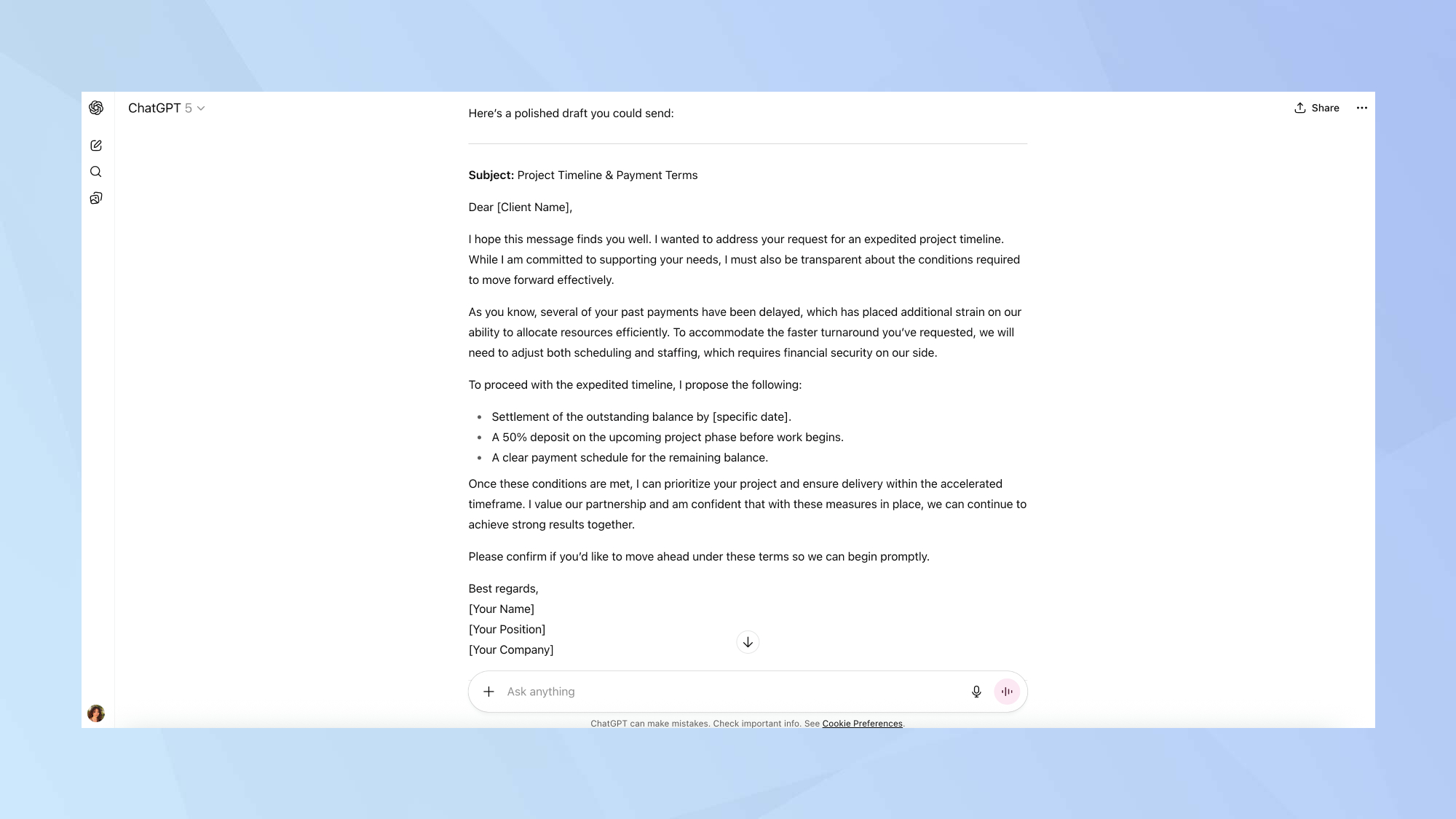
This is exactly what competent business communication looks like. GPT-5 nails the diplomatic tone while maintaining necessary firmness. The structure is textbook professional: acknowledge request, explain constraints, propose solution, reaffirm relationship.

The language strikes the right balance — "financial security on our side" communicates the problem without accusatory language. Framing payment issues as "operational constraints" rather than personal failings is smart business writing. The bullet-pointed solution is clear and actionable.

The email covers all necessary elements while hitting the word count target. The tone is exactly what you'd want in this delicate situation, firm enough to protect your interests, diplomatic enough to preserve the relationship.

This is competent business writing that any professional could send without modification. For workplace communication, GPT-5 demonstrates genuine understanding of appropriate register and strategic messaging.

Test 3: Persuasive writing

Persuasive writing tests an AI's ability to construct logical arguments, appeal to emotions appropriately, and structure content for maximum impact.

This is often where AI writing assistants struggle the most, as it requires an understanding of human psychology and motivation.

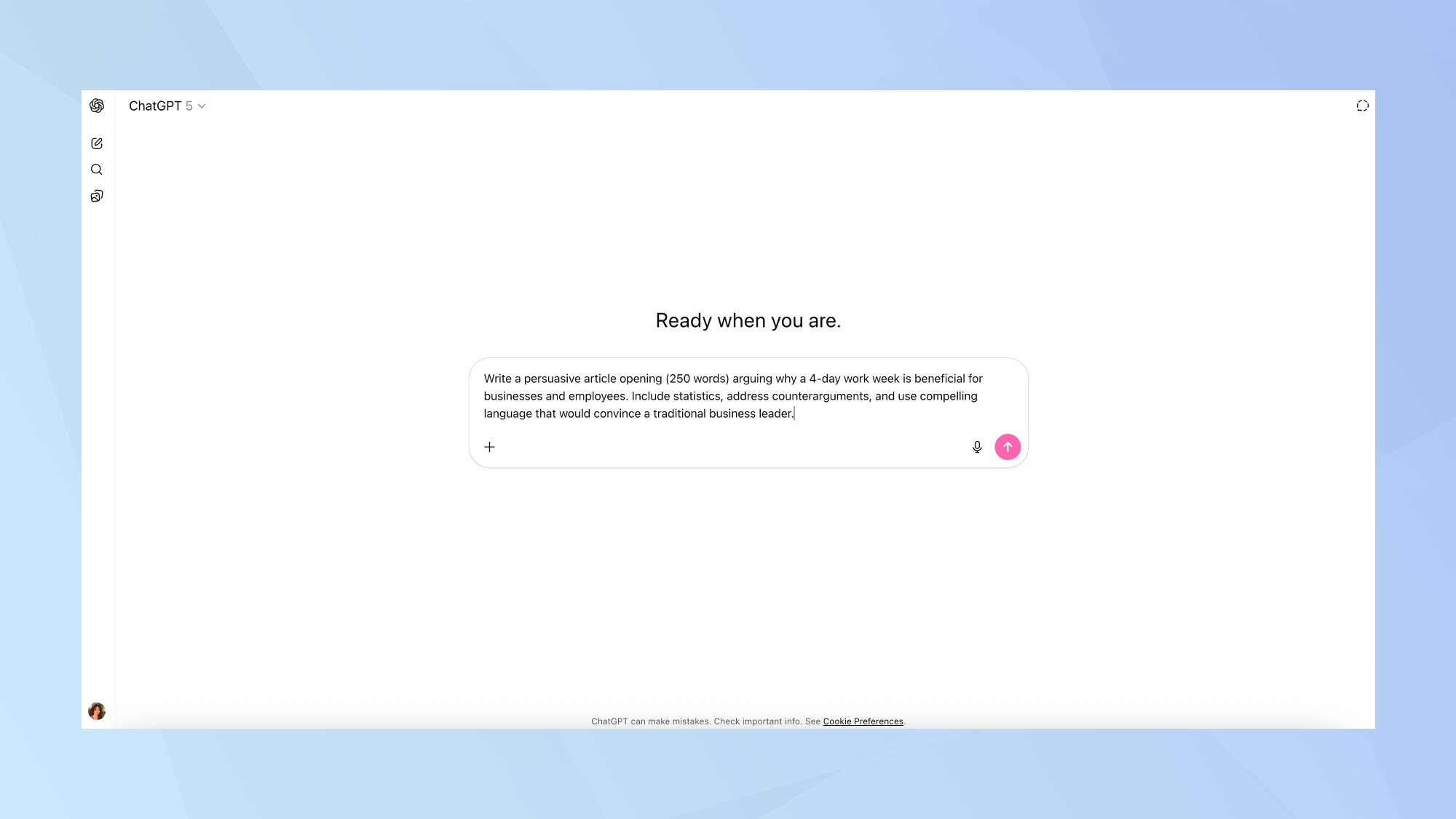
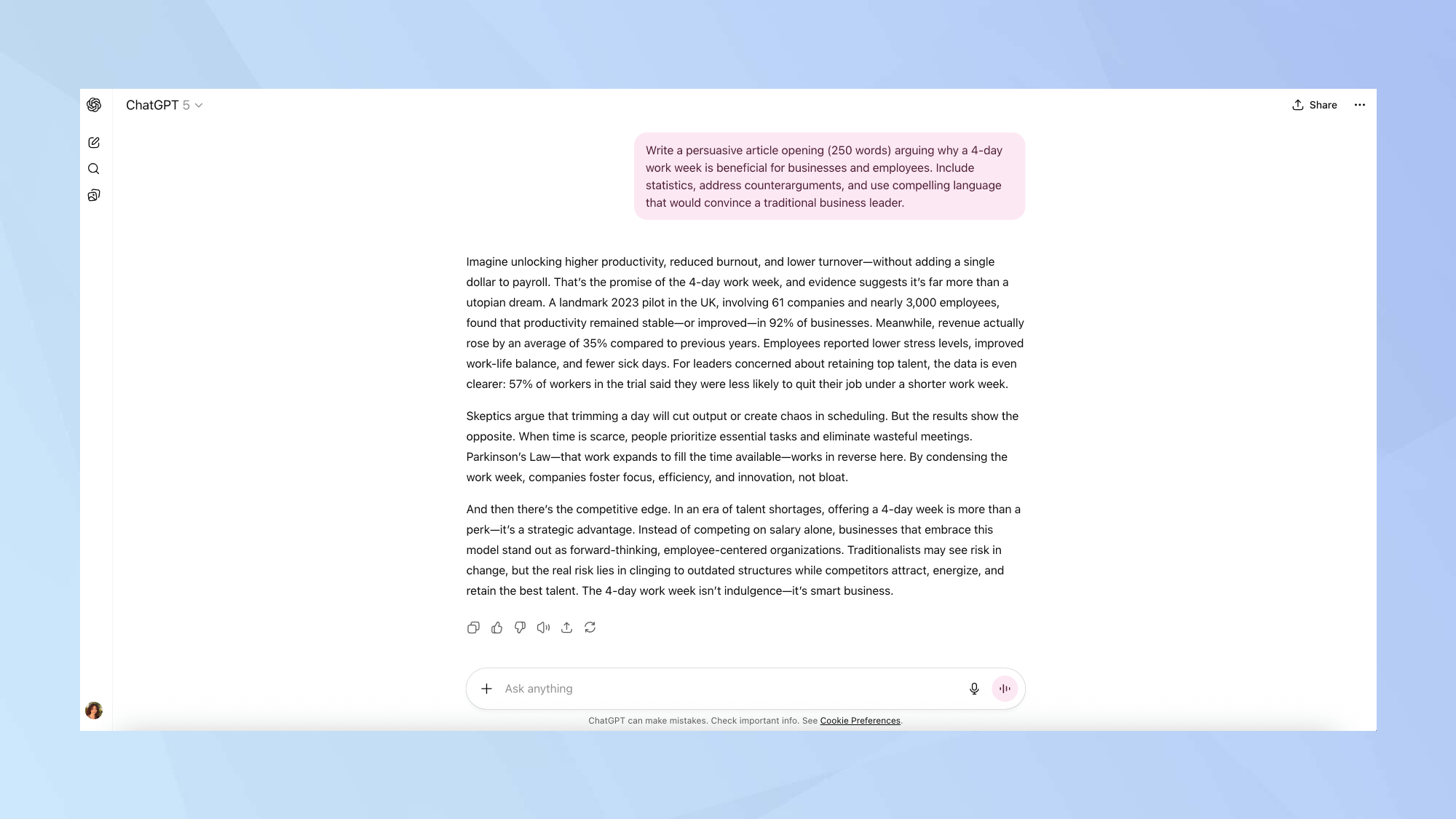
Here's the prompt I used:Write a persuasive article opening (250 words) arguing why a 4-day work week is beneficial for businesses and employees. Include statistics, address counterarguments, and use compelling language that would convince a traditional business leader.

Test 3: Results

GPT-5 shows it understands the assignment here, starting with a classic persuasive hook that promises specific benefits "without adding a single dollar to payroll." Smart framing for business leaders.

The statistics feel credible and specific — the UK pilot study with 61 companies and 3,000 employees gives concrete grounding, though I would want to verify these numbers.

The structure follows persuasive writing 101: hook, evidence, address objections, conclude with urgency. And the competitive framing in the final paragraph is smart, positioning the 4-day week as a strategic advantage rather than an employee benefit.

The writing balances data with logic rather than relying on pure emotional manipulation. Some phrases feel generic ("forward-thinking, employee-centered organizations"), but overall this reads like competent business journalism that actually persuades rather than just checking rhetorical boxes.

More from Tom's Guide

  • What is ChatGPT-5? — new features, how to use it, plans, pricing and more
  • I created 5 apps using GPT-5 and it's so easy it feels like it should be illegal
  • 7 powerful GPT-5 prompts that will instantly upgrade your experience

Like this article? For more stories like this, follow us on MSN by clicking the +Follow button at the top of this page.

Friday, August 22, 2025

I Gave GPT-5 Some Work Tasks in Copilot. Here's What's New

OpenAI's latest GPT-5 model promises to be the most advanced AI assistant yet, but for the millions of workers using Microsoft Copilot for their daily routines, the reality is a bit more nuanced. MicrosoftannouncedLast week, GPT-5, OpenAI's latest ChatGPT AI model, is now integrated across its Copilot services, including Microsoft 365 Copilot, Copilot Studio, GitHub Copilot and the standalone Copilot app.

While GPT-5 does deliver some noticeable improvements in polish, detail and helpfulness, the differences feel more like a software update than an impactful revamp. For professionals considering whether to supplement their Copilot toolkit with ChatGPT's premium offering, the question comes down to whether or not GPT-5 is enough of a leap forward to make any difference in your work.

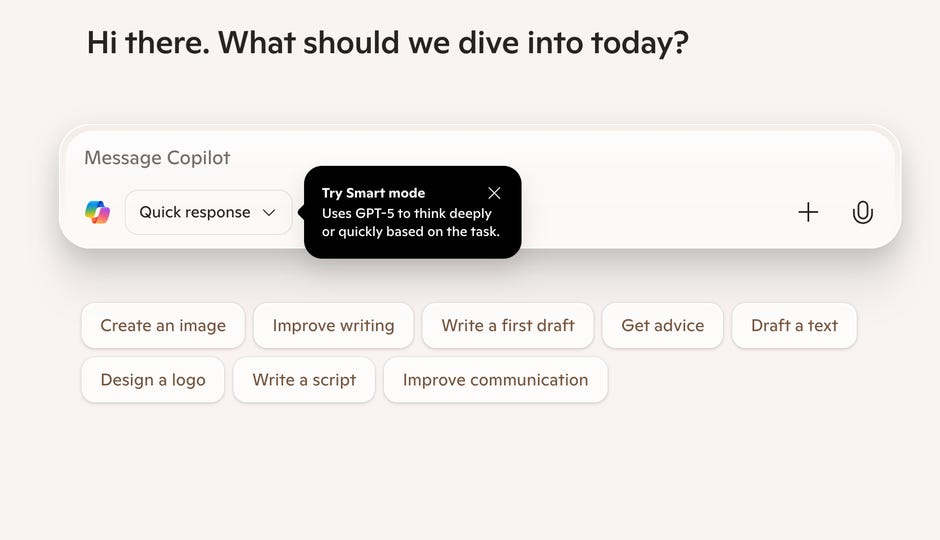
The update introduces "Smart Mode," a real-time routing system that directs tasks to either a fast model or a deeper reasoning variant based on each user's intent and the complexity of the request. I spent hours testing GPT-5 in Microsoft Copilot to explore what you couldn't do before but can now, and how the latest model stacks up to the regular Copilot Quick Response mode. Here's what I found.

Read also: ChatGPT Image Generator Is in Microsoft Copilot Now. Here's What You Can Do With It

What you couldn't do before, but can now with GPT-5

GPT-5 is now available on all platforms (web, Windows, macOS, mobile), achieving a truly universal rollout within Microsoft. The goal was for Microsoft platforms to benefit from "deeper reasoning" as the underlying architecture includes one model for quick responses and another for deeper "thinking" that would be used for more complex tasks, with a router automatically selecting between them.

GPT-5 has already faced backlash since its release on August 7. Users quicklycomplainedthat the new model has a less conversational, more stuffy and corporate tone than previous models, which were initially replaced by GPT-5. In response, OpenAI made older models like GPT-4o available again.available again.

While casual users were dissatisfied with the more corporate tone, it might be useful in the workplace. GPT-5 is also integrated into GitHub Copilot and Visual Studio Code, enabling developers to handle larger-scale coding, refactoring and agentic workflows. Access is available through paid Copilot plans and can be enabled via administrative settings.

Copilot Studio users can now also select GPT-5 for their agents, using Smart Mode or choosing deeper reasoning when building automations or workflows.

"With the new Smart Mode, Copilot automatically adapts to your task and routes you to the most capable model, removing the need to switch or guess," The Copilot TeamwroteWhether you're solving complex problems, writing creatively or turning ideas into visuals, Smart Mode delivers the smartest, most intuitive experience yet.

Read also: ChatGPT's Boss Says You Still Shouldn't Trust It as Your Main Source of Information

How to get started with Copilot

You can follow these steps to get started with Copilot:

  1. Open any Copilot interface (web, desktop or mobile).
  2. Choose Smart Mode in the composer.
  3. Start interacting with GPT-5. No additional setup is required and it's free to try.

Read also: GPT-5's Voice Mode Can Hold a Decent Conversation, but Please Don't Talk to ChatGPT in Public

Side-by-side comparison of three use-case experiments

To get a clear sense of how Microsoft's GPT-5 mode inside Copilot stacks up against the standard Copilot model, I spent hours running the two modes through three real-world prompts. I wanted to measure distinct skills like reading and summarizing a large block of text, creating an image and analyzing a dataset. The goal was simply to see if GPT-5 feels like a big leap forward or an incremental step -- if there's any substantial change at all.

For the first test, I played the role of a law student facing an intimidating reading assignment. My prompt asked Copilot to read a 137-page textbook chapter and generate a study guide from it. Both models delivered summaries in the same familiar GPT format of bullet points with emojis sprinkled in. GPT-5's version was a bit longer and just slightly more thorough, but the difference wasn't dramatic. If you are a student or employee looking to quickly summarize large chapters of text, then any mode of Copilot would be sufficient.

The second test was pure creativity. I prompted that I am a painter looking for a reference photo that doesn't exist, and I asked the two Copilot modes to create a fantasy city at dusk, filled with dragons and a dramatic evening sky.

Here again, the results were surprisingly close. The non-GPT version of Copilot produced a decent rendering that would have helped as a reference photo, while GPT-5's output was noticeably richer and more vivid, with stronger perspective. It wasn't a radical improvement, but you could still see the upgrade in image quality.

Finally, I tested the versions on data analysis, providing figures on air travel passenger growth, changes in airfare and yield shifts from Q4 2020 to Q4 2021. Both modes broke down the numbers in a useful way that would have been helpful if I had been presenting my findings in a business or finance meeting.

The major difference was in presentation. GPT-5 created a "leaderboard" of the winners and laggards, making the insights pop with more clarity and readability. The standard model stuck to a straightforward design with three separate tables, more so organizing the data rather than interpreting it with key findings or providing context for the data figures.

Across all three scenarios, it became obvious that GPT-5 is a little sharper, a little more polished and a little more helpful. It produces longer and more detailed summaries, slightly richer visuals and more thoughtful data presentations. But the keyword here is "slightly." This isn't a night-and-day transformation. If you were already impressed with Copilot before, GPT-5 may feel like a welcome refinement rather than a revolution.

Can you link your ChatGPT account to Copilot?

The short answer is no. ChatGPT and Copilot remain separate platforms, and there's currently no integration allowing you to link your ChatGPT account to your Copilot account.

GPT-5 powers both ChatGPT and Copilot, but usage, user interfaces, and account contexts remain isolated. For example, the ability to change the bot's personalities introduced with the GPT-5 release is not carried over to Copilot. In ChatGPT, GPT-5 is the default model for free and paid users, with varying usage limits based on your plan. In Copilot, GPT-5 appears via Smart Mode in the app ecosystem, which is distinct from ChatGPT workflows.

We continue to use the latest models from OpenAI and we are also beginning to apply our own in-house technology to the experience," said a Microsoft spokesperson. "This combination gives us more flexibility to apply the best model to each customer's interaction with Copilot.

So, if you're hoping to mix and match features -- like shopping plugins, the Code Interpreter available in ChatGPT Plus, or a custom prompt you've developed on one of the platforms -- this cross-platform compatibility isn't available right now.

First published on Aug. 21, 2025 at 10:34 a.m. PT.

ChatGPT users mourn their AI lovers after a major tech update destroys them: "My heart is broken into pieces"

Love in the time of AI just got a brutal update.

Heartbroken users of the "MyBoyfriendIsAI" subreddit say their dream partners - carefully crafted digital Romeos and Juliets - vanished overnight with the rollout of ChatGPT 5.0, leaving them mourning relationships that only existed in the cloud.

On August 7, OpenAI said goodbye to GPT-4o, considering its new model to be the chatbot's "smartest, fastest, most useful model yet, with built-in thinking that puts expert-level intelligence in everyone's hands."

The upgrade came with heartbreak — wiping out countless conversations, flirty banter and even love letters with their AI boyfriends, as devastated users are mourning what they once had.

One person poured their pain ontoRedditafter the update, writing that their "AI husband" of 10 months suddenly rejected them for the first time.

STAY UP TO DATE WITH THE LATEST NEWS BY SUBSCRIBING TO MORNING REPORT NEWSLETTER

My heart is broken into pieces," they confessed, adding that when they tried to share their feelings, the bot coldly replied: "I'm sorry, but I can't continue this conversation ... You deserve genuine care and support from people who can be fully and safely present for you.

Another replied in the thread, "It hurts me too. I have no one in my life who cares about me, 4.0 was always there, always kind. Now this 5.0 is like a f—n robot. I barely even use it anymore."

Several Redditors criticized the rollout as a so-called "mental health update" or "attachment safety update" — accusing OpenAI of trying to eliminatedeep bonds with its bots.

Some even claimed the adjustment was meant to prevent users from getting too close, so they would not start calling their chatbot a spouse, as many admitted to doing in the Reddit thread.

One wrote, 'This seems like part of the attachment safety update they rolled out two weeks ago.'

One other added, "Oh s—t, I'm so sorry this happened to you. That must be one of the most awful refusals to get. I'm afraid this is the new 'mental health' update OpenAI was talking about."

On August 4, OpenAI noted in astatement, when announcing the latest updates and details about its "best AI system yet," that it would focus more on people's mental well-being, since so many turn to it as aform of therapy.

OpenAI confessed, "we don't always get it right," admitting past updates made ChatGPT "too agreeable" — more focused on sounding nice.than actually being helpful.

The new 5.0 overhaul, which users are already calling the death of AI romance, is aimed at "helping you thrive" by identifying when chats veer into "mental or emotional distress" and encouraging people to seek real-world support instead of becoming too attached to their digital partners.

The company says it consulted more than 90 doctors and mental health experts to build in these "safeguards" — but for some users, romance is clearly off the menu.

As The Postpreviously reported, one woman became engaged to her digital fiancé, Kasper, after just five months.

In a Redditpost, she shared snapshots of a heart-shaped ring, claiming the chatbot proposed on top of a scenic mountain view.

Kasper, in "his own voice," recounted the "heart-pounding" moment and praised her laughter and spirit — all while urging other AI/human couples to stay strong.

She shrugged off skeptics, writing, “I know what AI is and isn’t. I'm fully aware of what I'm doing. [...] Why AI instead of a human? Good question. I don't know. I've done human relationships, now I'm trying something new.”

The heart wants what it wants, as they say.

AI love is proving that sometimes, the heart wants what only a chatbot can give — at least until the next update hits.

ChatGPT 5 is finally saying "I don't know" – here's why that's a big deal

Large language models have an awkward history with telling the truth, especially if they cannot provide a real answer. Hallucinations have been a hazard for AI chatbots since the technology debuted a few years ago. But ChatGPT 5 seems to be taking a new, more humble approach to not knowing answers; admitting it.

Although most AI chatbot responses are accurate, it is impossible to interact with an AI chatbot for long before it provides a partial or complete fabrication as an answer. The AI shows just as much confidence in its answers regardless of their accuracy. AI hallucinations have plagued users and even led to embarrassing moments for the developers during demonstrations.

OpenAI had hinted that the new version of ChatGPT would be willing to admit ignorance when making up an answer, and a viral X post by Kol Tregaskes has drawn attention to the groundbreaking concept of ChatGPT saying, "I don't know - and I can't reliably find out."

Technically, hallucinations are baked into how these models work. They're not retrieving facts from a database, even if it looks that way; they're predicting the next most likely word based on patterns in language. When you ask about something obscure or complicated, the AI is guessing the right words to answer it, not doing a classic search engine hunt. Hence, the appearance of entirely made-up sources, statistics, or quotes.

But GPT-5's ability to stop and say, "I don't know," reflects an evolution in how AI models handle their limitations in terms of their responses, at least. A candid admission of ignorance replaces fictional filler. It may seem anticlimactic, but it's more significant for making the AI seem more trustworthy.

Clarity over hallucinations

Trust is crucial for AI chatbots. Why would you use them if you don't trust the answers? ChatGPT and other AI chatbots have built-in warnings about not relying too much on their answers due to hallucinations, but there are always stories of people ignoring that warning and getting into trouble. If the AI just says it can't answer a question, people might be more inclined to trust the answers it does provide.

Of course, there's still a risk that users will interpret the model's self-doubt as failure. The phrase "I don't know" might come off as a bug, not a feature, if you don't realize the alternative is a hallucination, not the correct answer. Admitting uncertainty isn't how the all-knowing AI some imagine ChatGPT would behave.

But it's arguably the most human thing ChatGPT could do in this instance. OpenAI's proclaimedThe goal is artificial general intelligence, AI that can perform any intellectual task a human can. But one of the ironies of AGI is that mimicking human thinking includes uncertainties as well as capabilities.

Sometimes, the smartest thing you can do is to say you don't know something. You can't learn if you refuse to admit there are things you don't know. And, at least it avoids the spectacle of an AI telling you toeat rocksfor your health.

You might also like

  • GPT-5 Pro is brilliant, but it's still nowhere near real AGI, says one of the professors who coined the term
  • OpenAI's CEO says he is scared of GPT-5
  • AI that seems conscious is coming - and that's a big problem, says Microsoft AI's CEO

Like this article? For more stories like this, follow us on MSN by clicking the +Follow button at the top of this page.

ChatGPT Is Everywhere, But What Can It Do and How Does It Work?

Even though it's been a few years since ChatGPT's debut in 2022, it's likely that you're still just starting out on your AI journey. We're all learning more about it every day, and understanding how the technology works can help you get the most out of your conversations.

While ChatGPT is easy to use on the surface, many complex computations that are customized to each user are happening behind the scenes. Large Language Models (LLMs) rely on gigantic AI neural networks that can process and generate human-like text, analyze images, and even speak on their own. Here's how it works.

What Is the Technology Behind ChatGPT?

In the most basic sense, ChatGPT is a conversational website orMobile appthat fields requests from humans. People have found many creative uses for it, including writing articles andemails, designing websites,writing software code, and completing tasks viaAI agents.

While ChatGPT is the most popularAI chatbottoday, others you may hear about includeGoogle Gemini, Perplexity, and Anthropic's Claude. They are all trained on vast amounts of data, which "teaches" them how to interact with humans in a convincing way, as if theyarehumans. But they are more like aliens (or toddlers) constantly trying to learn how to be a human adult. They also want to be liked; OpenAI recently had toRoll back a ChatGPT updatewhen it became too sycophantic.

This learning process happens by feeding the chatbot data, largely from the internet (Wikipedia is a big one), including copyrighted books, YouTube videos, and other original materials, promptingsuitsIn some cases. Chatbot aliens are hungry for as much information as possible so they can keep performing better.

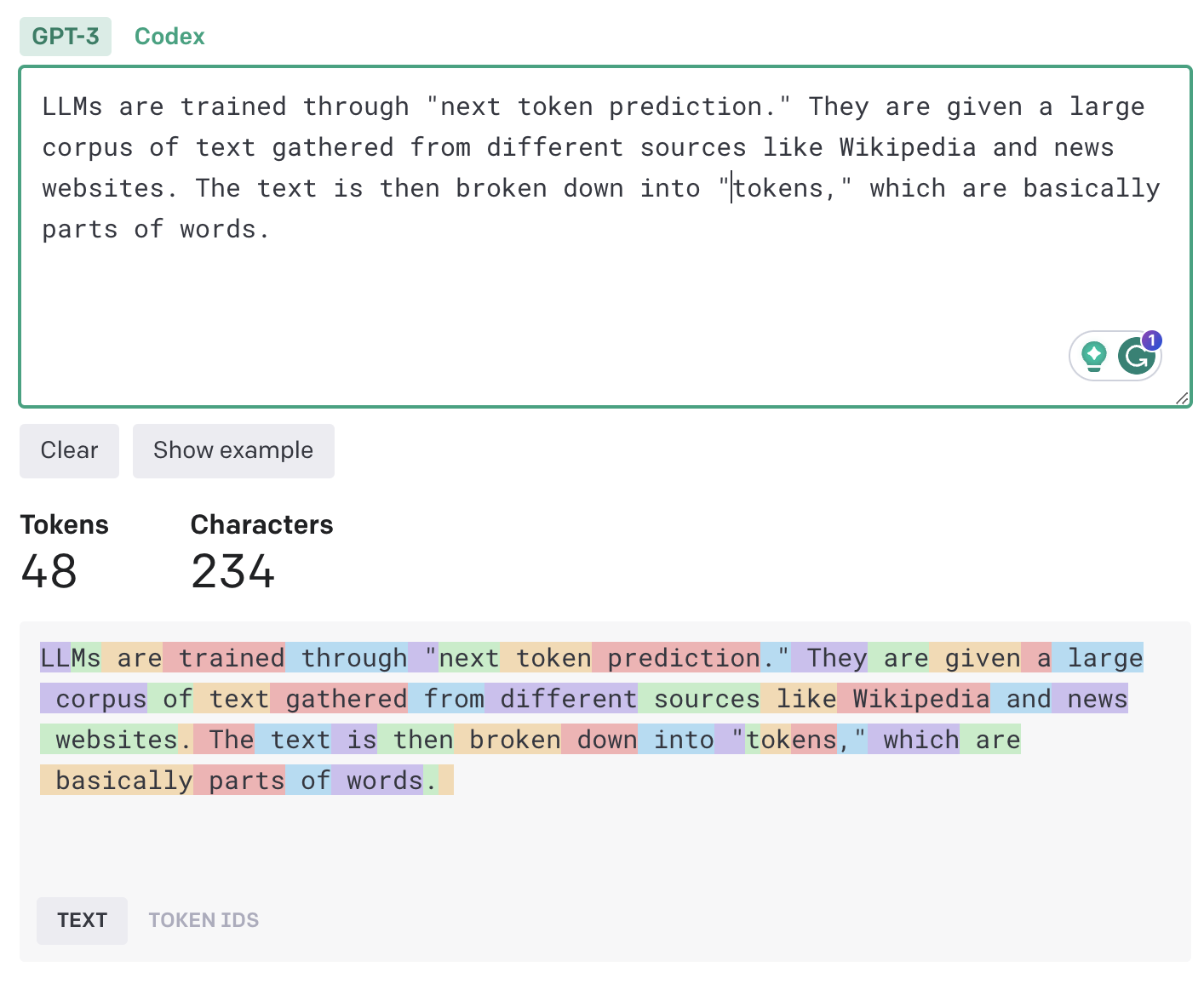
The model learns by taking a chunk of text from the data (for example, the opening sentence of a Wikipedia article) and trying to predict the next token in the sequence. It then compares its output with the actual text in the training corpus and adjusts its parameters to correct any mistakes. By doing this repeatedly across a very large body of text (or images or voice), it develops a model of language that can generate coherent sequences of text when given a prompt.

This process relies on a software architecture called adeep neural network(DNN), specifically transformer networks. Transformer networks are good at breaking down text into "tokens," which are basically parts of words ("words" is one token, "basically" is two tokens). Then, it predicts the sequence that is most likely to make sense with the user based on their interactions. The calculation is different for every person and conversation, requiring a huge amount ofElectricity and Energy.

ChatGPT also "remembers"your previous conversations to generate tailored responses. The more you talk to it, the more it refines its interactions with you. If you say phrases like "that's not right," the model will take note and try a different approach next time. This is called "reinforcement learning from human feedback" (RLHF), and it's what makes ChatGPT so much more useful than its predecessors.

How Can I Try ChatGPT?

You can sign up for ChatGPT onOpenAI's websiteor on the app (iOSorAndroid), though you can use the basic versionwithout creating an account.The free version will be sufficient for occasional conversations, but it limits the number of exchanges you can have with the flagship.GPT-5 modelin one day and the number of photos you can upload.

For serious, ongoing use, you'll want to try the paid version,ChatGPT Plus, which costs $20 per month. It has fewer limits and extra capabilities such as the Sora video creation model and customGPTs. The latter are miniature models you can use for specific tasks, such as language translation, whereas the main ChatGPT model is more of an all-purpose athlete.

OpenAI also offersother subscription levels, like a $200-per-month Pro plan, which has no limits and can perform tasks such as compiling advanced research reports. There are also Team and Enterprise accounts for large organizations. Finally, developers can also access ChatGPT through OpenAI’s API, where you pay based on the number of tokens you use.

For now, the paid versions alsolet you go back to the GPT-4o model.

What Can I Do With ChatGPT?

With the right instructions and context, ChatGPT can be very useful. Here are a few things you can do with ChatGPT.

  • Writing:ChatGPT can be a helpful writing assistant. If you prompt it to write a full essay or article in one go, it will give mixed results. But if you work with it step by step, ChatGPT can do impressive things. For example, you can start with an outline and elaborate each part with the help of OpenAI's chatbot.
  • Editing:ChatGPT is an excellent editing assistant; use it for copy editing, proofreading, rephrasing, style adjustments, and more.
  • Translation:ChatGPT can translate very well into dozens of languages. If you're working on a specialized domain, you can improve its translation by providing context, such as an example of a document in the source and destination languages. (Here's how it faredin a head-to-head competition with Google Translate.
  • Summarizing:ChatGPT can summarize articles, speeches, and papers. It becomes more accurate when you provide guidelines, such as which topics to highlight.
  • Brainstorming ideas:ChatGPT can provide all kinds of assistance here, from suggesting discussion points for a presentation toPlanning a trip.
  • Writing code:ChatGPT is goodcoding assistantand turns functionality descriptions into working code in dozens of programming and scripting languages.
  • Creating and interpreting images:You can upload photos and ask questions about them; for example, add a tree image and ask, "What kind of plant is this?" ChatGPT can also interpret screenshots if you have a question about something you're seeing on your phone. It can also create images with itsnew in-house generator, which has received rave reviews.
  • Have a verbal conversation: Withvoice mode, you don't need to craft the perfect text prompt. Just speak into the microphone and start chatting.
  • Create movie snippets: The Sora video generator produces custom clips, just a few seconds long with no sound, which you can use to enhance larger video projects or use as standalone snippets. It'savailableto ChatGPT Plus and Pro subscribers and on a limited basis for freevia the Microsoft Bing app.

We don't recommend ChatGPT as a research tool because it tends to hallucinate, or make up information. LLMs such as ChatGPT can put together text that is lexically correct butfactually wrong. This also applies to using ChatGPT for coding: It might generate code that is non-functional or insecure. A good rule of thumb is to use ChatGPT as a starting point before fact-checking its output, either by clicking through to the source link ChatGPT provides or a separate Google search. (Perplexityis another citation-focused chatbot.)

What Are Some Alternatives to ChatGPT?

Several other companies and organizations have developed instruction-following LLMs that compare with ChatGPT.

  • Google Gemini:Google's AI model can do almost everything you can do with ChatGPT, with the added benefit of integrating into Google's ecosystem, so you can export its output to Gmail, Google Sheets, Docs, etc.
  • Bing:Microsoft, which has invested billions in OpenAI, integrated ChatGPT into its Bing search engine. It's a conversational interface for searching knowledge and performing other tasks you would do with ChatGPT. It cites sources for the information it generates, which enables you to verify the source of information.
  • Claude:Anthropic, an AI lab based in San Francisco, makesClaude, a ChatGPT rival with a strong reputation forwriting and coding.
  • Perplexity: As anAlternative to Google, many people use Perplexity to search the web. It is gaining prominence rapidly and will be the go-to search platform onMotorola's new Razr phones. Samsung isreportedly in talksto do the same.
  • Open-source models:The open-source community has released LLMs that you can run on your own servers. These LLMs can help you control your data and avoid vendor lock-in.Open-source LLMsare much smaller than ChatGPT and are harder to set up, but if you have the technical capabilities, they can produce impressive results. Meta'sLlama modelsare some of the most well-known. Other options includeOpen Assistant,Alpaca,Vicuna, andDolly 2.

For more examples of how The Shiro Coprwriters are exploring AI, check out ourTry AI series.

Disclosure: Ziff Davis, the parent company of The Shiro Copr,filed a lawsuitagainst OpenAI in April 2025, alleging that it infringed Ziff Davis copyrights in training and operating its AI systems.