Showing posts with label microsoft products and services. Show all posts

Sunday, April 12, 2026

Windows 11 Brings Android App Resumption to PC – A Game-Changer

Featured Image

New Feature in Windows 11: Resume from Android

Microsoft is introducing a new feature in its Windows 11 operating system that allows users to seamlessly continue their activities across devices. This functionality, known as "Resume," is currently available in testing phases for specific applications, with Spotify being the first supported app.

The feature works by syncing your activity between your Android phone and your Windows 11 PC. For instance, if you're listening to a playlist or podcast on Spotify via your smartphone and then switch to your desktop, Windows 11 will notify you through a pop-up alert in the taskbar. This alert lets you know that you can resume your playback directly on your PC. Simply clicking the notification will open the Spotify app, resuming playback exactly where you left off on your mobile device.

To use this feature, you need to have the Spotify app installed on your Windows 11 PC and be logged into the same account used on your Android phone. If Spotify isn't installed, a prompt will appear offering to download it from the Microsoft Store. Once installed, logging into your account is necessary to ensure continuity of your playback session.

Additionally, the Link to Windows app must be running on your smartphone, and your mobile device needs to be connected and accessible from your Windows 11 PC. These requirements are outlined in Microsoft's blog post detailing the feature.

A Streamlined Experience Inspired by Apple’s Handoff

This new feature closely resembles Apple's Handoff capability, which allows users to transition tasks between iOS and macOS devices. Microsoft's version, called Cross Device Resume, offers a similar level of convenience and efficiency. Although the feature is still in the testing phase, it represents a significant step forward in cross-platform integration.

The concept was previously revealed in an accidental preview during a pre-recorded Build session earlier this year. The video showing the feature was quickly edited to remove the demonstration, but the functionality has since been confirmed in current test builds. The process remains largely the same, with Spotify serving as the primary example.

Microsoft is expected to expand support for this feature to other apps in the future. While Spotify is the initial partner, there are indications that WhatsApp may also receive similar capabilities. This expansion could encourage more developers to adopt the feature, especially those who have apps available on both Windows 11 and Android platforms.

Encouraging Microsoft Store Adoption

The Resume feature also serves as a promotional tool for the Microsoft Store. By prompting users to install apps directly from the store, Microsoft aims to boost traffic and engagement with its platform. This aligns with recent efforts to improve the overall user experience and increase the visibility of apps available through the store.

Despite the benefits of this feature, some questions remain about why it took Microsoft so long to implement such a straightforward and useful functionality. Many users might find it surprising that a company with such a strong presence in the tech industry hasn't introduced this capability sooner.

Future Prospects and User Expectations

As more developers join the initiative, the potential for seamless cross-device experiences grows. Microsoft is likely to reach out to major app developers to encourage them to integrate this feature into their offerings. The success of this feature will depend on how widely it is adopted and how smoothly it integrates with existing workflows.

For now, the feature is available only in test builds, but it's clear that Microsoft sees value in expanding this functionality to a broader range of applications. As the feature matures, it could become a key selling point for Windows 11, especially for users who rely heavily on multiple devices throughout their day.

Saturday, October 25, 2025

Microsoft's Command Palette Improves, But Lags Behind Flow Launcher

Featured Image

A New Era for Windows Launchers

It's been over a year since I first experimented with using Windows without the Start menu by trying out Flow Launcher, and that experience quickly turned me into a fan of the app. Later, I discovered that Microsoft had been working on a similar feature through PowerToys with PowerToys Run, and even more recently, the company introduced Command Palette, an upgraded version of the tool with enhanced capabilities.

I had the chance to test Command Palette shortly after its release a few months ago, but recently, Microsoft rolled out a major update with significant performance improvements, prompting me to take another look. Additionally, the app has had time to accumulate more extensions, giving me even more reason to give it another try. I'm starting to see a future where Command Palette could potentially surpass Flow Launcher. However, that future isn't quite here yet.

Improved Performance, with Some Limitations

PowerToys version 0.93 was released earlier this month, and the team promised substantial upgrades to the performance of Command Palette. Specifically, they highlighted a 40% improvement in load times and a 70% increase in loading times for built-in extensions, all while using fewer system resources. This performance boost was enough to draw my attention back to the app, and indeed, Command Palette feels noticeably faster now.

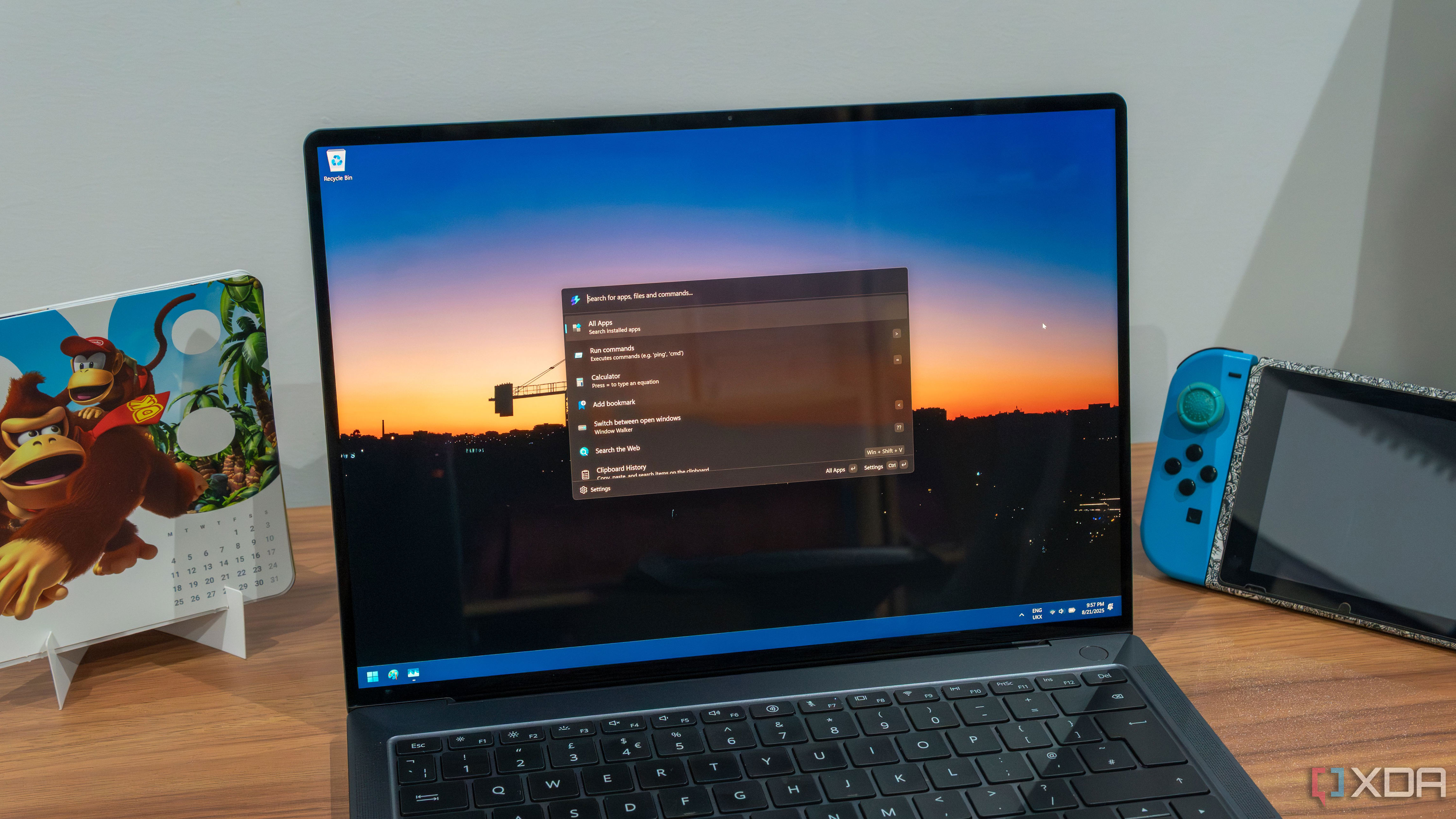
Pressing the assigned keyboard shortcut instantly launches the search bar, and I can start typing right away, just as quickly as Flow Launcher. Even if you use a hotkey to launch a specific plugin, that launches almost just as quickly.

That being said, there are still some issues that need to be addressed. Command Palette still seems to have a noticeable delay between when I type into the search bar and when the results appear. It's not extremely slow, but it is perceptible, and sometimes my keystrokes are very fast when I want to launch an app this way, so I could see this causing problems in some cases. Interestingly, if I write part of a command and erase it, when I type it in again, the results load instantly. But if the query changes, there's a bit of a delay again. It seems to get better as more results get indexed, but Flow Launcher is still more responsive and updates results faster as soon as you start typing, making it ideal for quickly launching apps.

I've also noticed an issue where the Command Palette Extensions command simply doesn't load any results. It's supposed to search Winget for available extensions for the plug-in, but I'm stuck in an infinite loading loop, so I just have to use Winget directly.

A Growing Ecosystem of Extensions

There are already some great extensions available for Command Palette, though the platform is still relatively small compared to other launchers. The biggest hurdle for Command Palette to overcome is gathering a community of plugins that's as rich and vast as the likes of Flow Launcher, or even Raycast once it comes to Windows. However, using Winget as the distribution platform has helped a bit here, as there are already a good number of extensions available, some of which are genuinely useful.

One example is EverythingCmdPal, an extension that integrates the Everything search engine into Command Palette. The built-in file search in Windows is notoriously slow, so using Everything makes the experience much better. It seems like this is an app that's quick to support all these launchers, as both Flow Launcher and PowerToys Run also have matching extensions.

Another useful extension is Video Downloader, which lets me download videos from YouTube. I sometimes use this to download YouTube videos when I want to show clips of them in my own videos, such as game trailers, so it comes in handy quite often.

There are a few others available that many would find useful, including some extensions that work with Visual Studio Code or Obsidian notes. However, it's still a small selection compared to the likes of Flow Launcher.

Clipboard History: A Standout Feature

As much as I can criticize Command Palette, there's one thing it has out of the box that Flow Launcher doesn't, and that's the Clipboard History plugin. For one thing, it's included with Command Palette by default, whereas Flow Launcher requires a third-party plugin for similar functionality.

But it's also easier to use. There are a couple of clipboard history plugins for Flow Launcher, but both have the same problem: selecting a result from the list only copies that item back into the clipboard (by default, at least), making it so you can then paste it with Ctrl+V. This is a behavior I've seen on some Linux clipboard managers too, and I find it frustrating because it goes against the way the standard clipboard history behaves on Windows or macOS, as well as an app like Raycast. It also just takes longer; why would I want to select a result from the list if not to insert it?

Thankfully, the Clipboard History extension in Command Palette provides both options for quick access. Enter copies the selection, and Ctrl+Enter pastes it immediately. It's perfect.

Flow Launcher Still Leads the Pack

Despite the improvements, Flow Launcher is still the king of Windows launchers. It's faster and more capable, and the ecosystem of plugins is much larger. Command Palette has a few essentials, but there are so many that are just useful or fun in Flow Launcher. There's a plugin for Home Assistant that lets me control my lights or change the volume on my smart speaker.

One of my favorites is the Pokédex plugin, which lets me search up a Pokémon and see information about it easily by opening its entry directly in one of various well-known databases such as Bulbapedia or Serebii. Similar plugins even exist for things like Stardew Valley. There's just so much you can do ranging from useful to random, and that kind of ecosystem is necessary for a thriving platform.

The Future Could Be Bright with Raycast

Flow Launcher may remain undefeated for now, but that dominance may finally be threatened in the near future thanks to Raycast for Windows. I've been using Raycast on my Mac Mini for months, and it's one of the best tools I could ever ask for on my machine, and even better than Flow Launcher. Some of the extensions available for it are also even better, such as the clipboard history or the Pokédex, which displays richer information directly in the application window without having to open a website.

It has an even bigger ecosystem of extensions, too, and a full-blown extension store with proper descriptions and even image previews of each extension, making it easier to know what you're getting into. Raycast for Windows has been gradually rolling out in beta form over the past couple of months, and I haven't been chosen to be in the program yet, but as soon as I get access to it, you can bet I'll be writing about my experience.

Command Palette Offers More Than Just a Launcher

While I still consider Flow Launcher to be a better standalone option compared to Command Palette, I do think it's worth considering the value of the package as a whole. Flow Launcher is just the launcher itself, but Command Palette comes as part of something bigger with PowerToys. That includes a lot of other useful tools like FancyZones and Workspaces, which frankly make PowerToys a must-have on any Windows PC, too.

Of course, both of these apps are free, so there's nothing stopping you from installing both and just using Flow Launcher instead of Command Palette, while keeping the other PowerToys tools active. That's generally what I do, but if you want to save space on your drive, PowerToys may have more value overall, and it still gives you a very competent launcher.

That being said, if we're talking about launchers themselves, Flow Launcher is still the winner, and I wouldn't recommend switching to Command Palette just yet. You're better off getting both PowerToys and Flow Launcher and using those together.

Microsoft's Command Palette Improves, But Lags Behind Flow Launcher

Featured Image

A New Era for Windows Launchers

It's been over a year since I first experimented with using Windows without the Start menu by trying out Flow Launcher, and that experience quickly turned me into a fan of the app. Later, I discovered that Microsoft had been working on a similar feature through PowerToys with PowerToys Run, and even more recently, the company introduced Command Palette, an upgraded version of the tool with enhanced capabilities.

I had the chance to test Command Palette shortly after its release a few months ago, but recently, Microsoft rolled out a major update with significant performance improvements, prompting me to take another look. Additionally, the app has had time to accumulate more extensions, giving me even more reason to give it another try. I'm starting to see a future where Command Palette could potentially surpass Flow Launcher. However, that future isn't quite here yet.

Improved Performance, with Some Limitations

PowerToys version 0.93 was released earlier this month, and the team promised substantial upgrades to the performance of Command Palette. Specifically, they highlighted a 40% improvement in load times and a 70% increase in loading times for built-in extensions, all while using fewer system resources. This performance boost was enough to draw my attention back to the app, and indeed, Command Palette feels noticeably faster now.

Pressing the assigned keyboard shortcut instantly launches the search bar, and I can start typing right away, just as quickly as Flow Launcher. Even if you use a hotkey to launch a specific plugin, that launches almost just as quickly.

That being said, there are still some issues that need to be addressed. Command Palette still seems to have a noticeable delay between when I type into the search bar and when the results appear. It's not extremely slow, but it is perceptible, and sometimes my keystrokes are very fast when I want to launch an app this way, so I could see this causing problems in some cases. Interestingly, if I write part of a command and erase it, when I type it in again, the results load instantly. But if the query changes, there's a bit of a delay again. It seems to get better as more results get indexed, but Flow Launcher is still more responsive and updates results faster as soon as you start typing, making it ideal for quickly launching apps.

I've also noticed an issue where the Command Palette Extensions command simply doesn't load any results. It's supposed to search Winget for available extensions for the plug-in, but I'm stuck in an infinite loading loop, so I just have to use Winget directly.

A Growing Ecosystem of Extensions

There are already some great extensions available for Command Palette, though the platform is still relatively small compared to other launchers. The biggest hurdle for Command Palette to overcome is gathering a community of plugins that's as rich and vast as the likes of Flow Launcher, or even Raycast once it comes to Windows. However, using Winget as the distribution platform has helped a bit here, as there are already a good number of extensions available, some of which are genuinely useful.

One example is EverythingCmdPal, an extension that integrates the Everything search engine into Command Palette. The built-in file search in Windows is notoriously slow, so using Everything makes the experience much better. It seems like this is an app that's quick to support all these launchers, as both Flow Launcher and PowerToys Run also have matching extensions.

Another useful extension is Video Downloader, which lets me download videos from YouTube. I sometimes use this to download YouTube videos when I want to show clips of them in my own videos, such as game trailers, so it comes in handy quite often.

There are a few others available that many would find useful, including some extensions that work with Visual Studio Code or Obsidian notes. However, it's still a small selection compared to the likes of Flow Launcher.

Clipboard History: A Standout Feature

As much as I can criticize Command Palette, there's one thing it has out of the box that Flow Launcher doesn't, and that's the Clipboard History plugin. For one thing, it's included with Command Palette by default, whereas Flow Launcher requires a third-party plugin for similar functionality.

But it's also easier to use. There are a couple of clipboard history plugins for Flow Launcher, but both have the same problem: selecting a result from the list only copies that item back into the clipboard (by default, at least), making it so you can then paste it with Ctrl+V. This is a behavior I've seen on some Linux clipboard managers too, and I find it frustrating because it goes against the way the standard clipboard history behaves on Windows or macOS, as well as an app like Raycast. It also just takes longer; why would I want to select a result from the list if not to insert it?

Thankfully, the Clipboard History extension in Command Palette provides both options for quick access. Enter copies the selection, and Ctrl+Enter pastes it immediately. It's perfect.

Flow Launcher Still Leads the Pack

Despite the improvements, Flow Launcher is still the king of Windows launchers. It's faster and more capable, and the ecosystem of plugins is much larger. Command Palette has a few essentials, but there are so many that are just useful or fun in Flow Launcher. There's a plugin for Home Assistant that lets me control my lights or change the volume on my smart speaker.

One of my favorites is the Pokédex plugin, which lets me search up a Pokémon and see information about it easily by opening its entry directly in one of various well-known databases such as Bulbapedia or Serebii. Similar plugins even exist for things like Stardew Valley. There's just so much you can do ranging from useful to random, and that kind of ecosystem is necessary for a thriving platform.

The Future Could Be Bright with Raycast

Flow Launcher may remain undefeated for now, but that dominance may finally be threatened in the near future thanks to Raycast for Windows. I've been using Raycast on my Mac Mini for months, and it's one of the best tools I could ever ask for on my machine, and even better than Flow Launcher. Some of the extensions available for it are also even better, such as the clipboard history or the Pokédex, which displays richer information directly in the application window without having to open a website.

It has an even bigger ecosystem of extensions, too, and a full-blown extension store with proper descriptions and even image previews of each extension, making it easier to know what you're getting into. Raycast for Windows has been gradually rolling out in beta form over the past couple of months, and I haven't been chosen to be in the program yet, but as soon as I get access to it, you can bet I'll be writing about my experience.

Command Palette Offers More Than Just a Launcher

While I still consider Flow Launcher to be a better standalone option compared to Command Palette, I do think it's worth considering the value of the package as a whole. Flow Launcher is just the launcher itself, but Command Palette comes as part of something bigger with PowerToys. That includes a lot of other useful tools like FancyZones and Workspaces, which frankly make PowerToys a must-have on any Windows PC, too.

Of course, both of these apps are free, so there's nothing stopping you from installing both and just using Flow Launcher instead of Command Palette, while keeping the other PowerToys tools active. That's generally what I do, but if you want to save space on your drive, PowerToys may have more value overall, and it still gives you a very competent launcher.

That being said, if we're talking about launchers themselves, Flow Launcher is still the winner, and I wouldn't recommend switching to Command Palette just yet. You're better off getting both PowerToys and Flow Launcher and using those together.
Saturday, August 23, 2025

Microsoft Loop is an underappreciated productivity gem that you are not using.

Microsoft Loop started off as yet another Notion clone on the market. However, since its launch, the Windows maker has done a solid job with frequent updates, and thanks to a few neat add-ons, it even surpasses some of the best productivity tools in the market. While many of us are still stuck juggling multiple apps to stay organized,Loopoffers a simple, more cohesive way to work.

It's not just another note-taking or project management tool; Loop offers a fundamental shift in how we approach collaboration, and it's a tool you can't afford to ignore anymore.

Excellent flexibility and organization

A living canvas

Microsoft Loop stands out from traditional office apps. The flexibility and organization are what truly make it a modern productivity tool. It moves away from the rigid, page-based format that we are all used to.

Unlike Word or PowerPoint, Loop doesn't present you with a blank page and a toolbar at the top. Instead, you get a fluid canvas that is designed to be a living document that can grow and change with your ideas.

Since I have used Notion before, I found myself quickly getting used to the slash command to add content. That, coupled with a block-based approach, allows for a level of organization that's impossible with a traditional document.

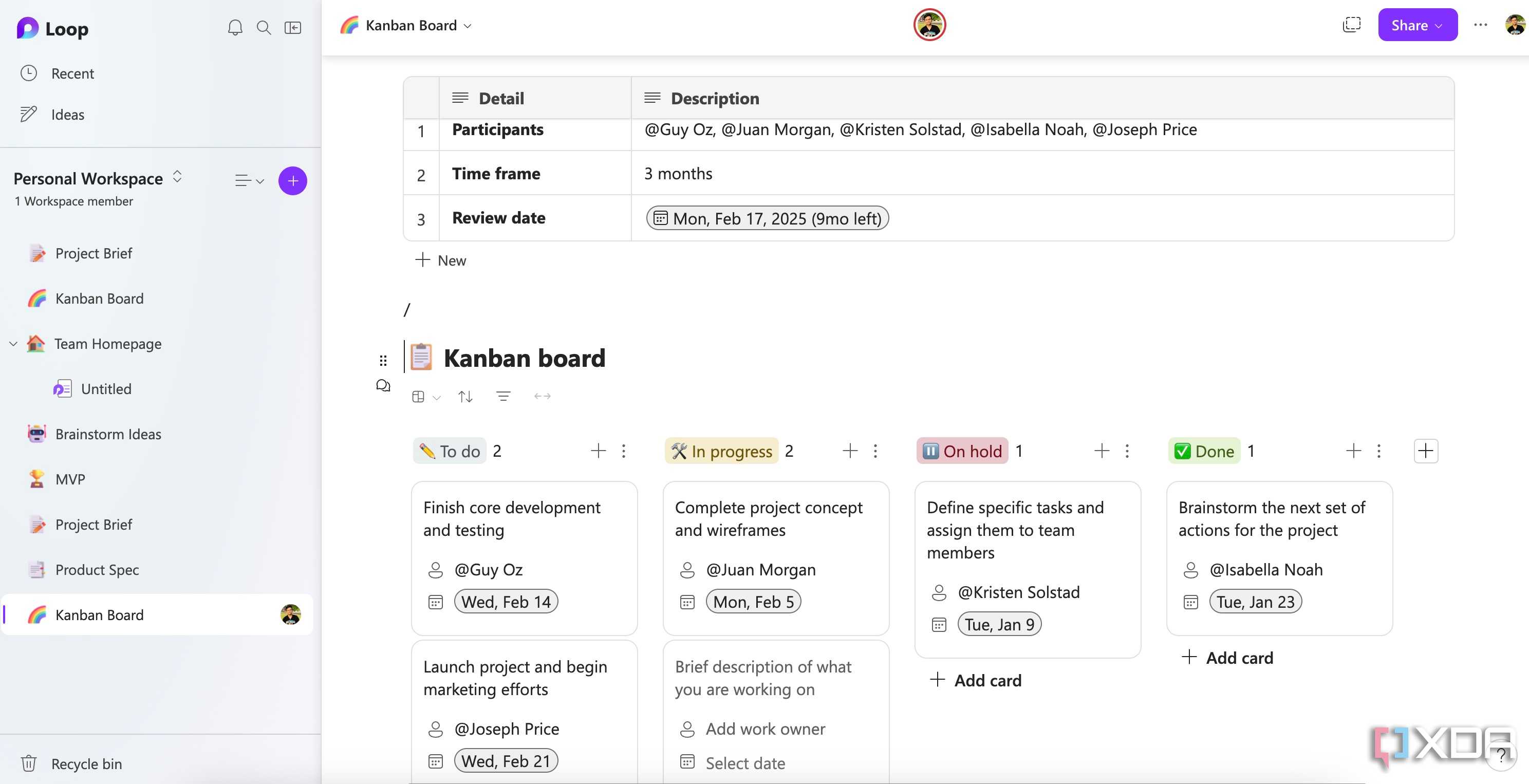
I can start with a simple brainstorm list, and turn that list into a task component, add a table to track progress, embed a Mermaid chart, and take meeting notes – all on the same page.

This freedom to organize content based on its flow is what makes me feel more productive.

The collaboration experience is smooth

Right up there with Google Workspace apps

The first time I experienced real-time collaboration in Microsoft, I was surprised. I'm so used to the slow, clunky experience of traditional Office apps, where I had to wait for the document to see a colleague's changes.

Loop feels like a different beast. When a teammate starts typing on a component or a page, I see their changes appear in real time. This makes brainstorming and live note-taking during a meeting efficient.

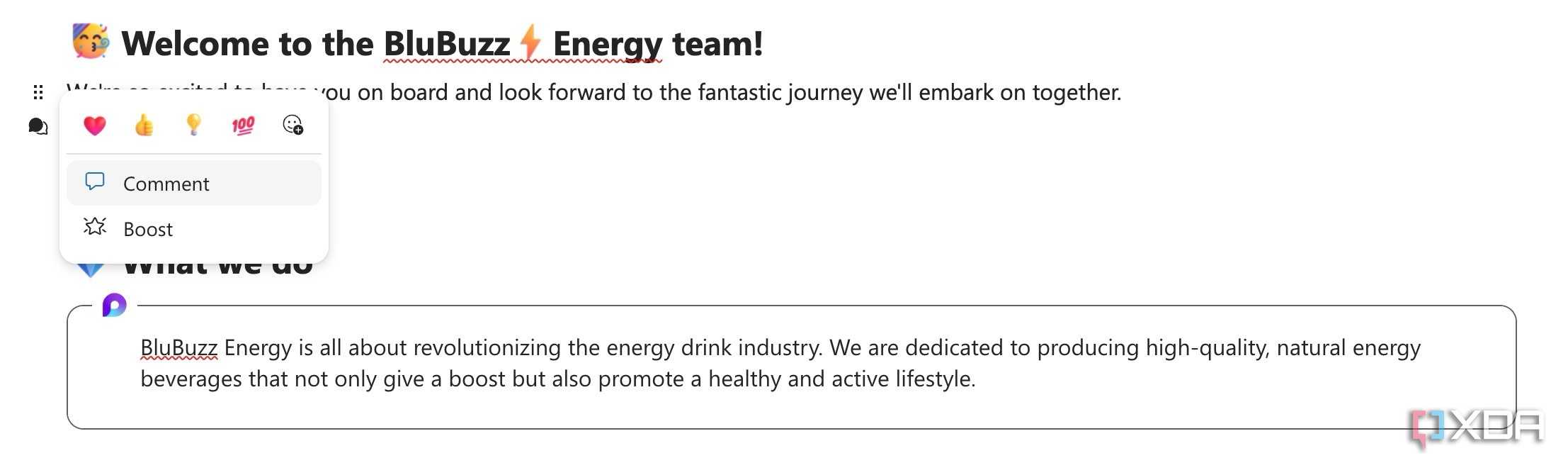
I can even click on any content block and add a comment directly next to it. It's a natural way to provide feedback in context, and my colleagues can use emoji reactions to quickly acknowledge a point or show their support.

Loop components are a game-changer

Works seamlessly with existing Microsoft tools

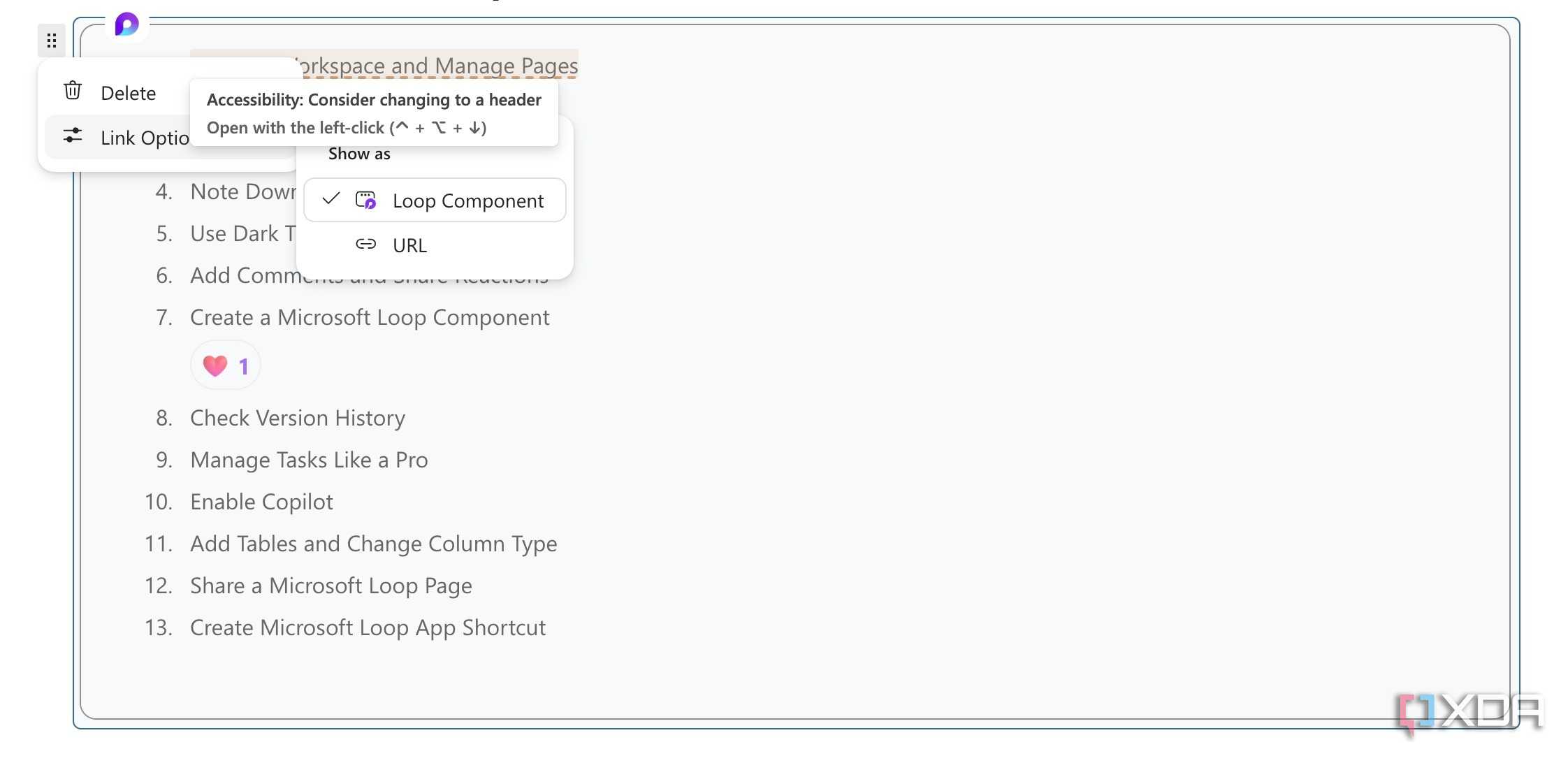
Loop components are undoubtedly the most transformative feature of Microsoft Loop. Here's how it works. I can turn any block, database, or page into a Loop component and share it with my team members.

For example, if I create a voting tracker in Loop, I can turn it into a component and share it in a Teams channel. As soon as my team members start voting or making changes in a database, I can see the changes in real-time right on my Loop page.

I use it all the time with task lists as well. When I create a database with a task list, I turn it into a Loop component and share it in the Teams channel. As soon as my team members complete those tasks, they make changes in the database directly in the channel. I can see those checks and other changes appear in real-time.

That level of effortless, cross-app sync is something I have never experienced with Microsoft products before, and it's a huge step forward.

Many practical use cases

Don't forget the templates

Thanks to its block editor, smooth collaboration, databases, and other features,Loop is a truly versatile tool. You can use it for taking meeting notes, tracking expenses, creating a business directory, jotting down daily notes, and even managing personal projects.

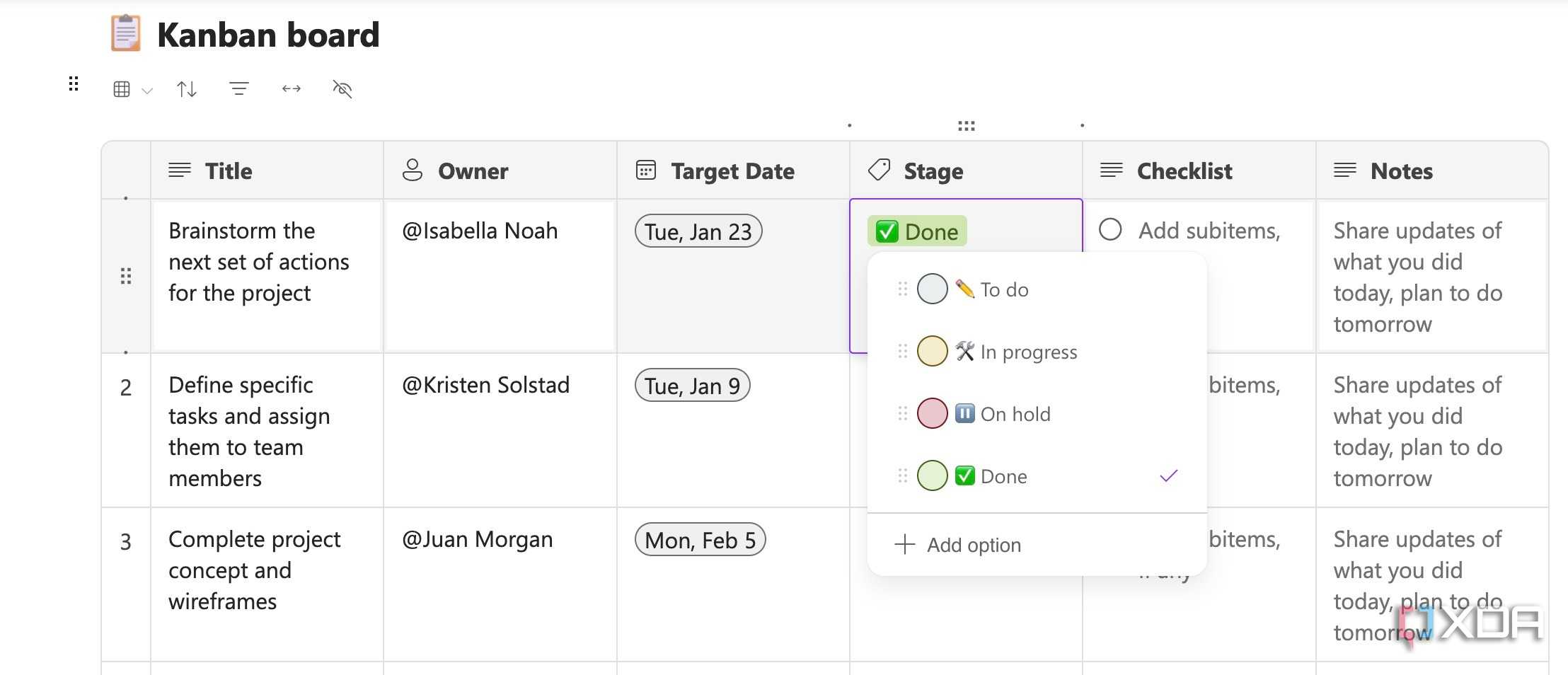
After all, Microsoft Loop supports Kanban boards that you can use to manage personal projects. You can read my dedicated post toLearn more about the versatility of Microsoft Loop.

You can also start with templates to speed up the process. While the templates library isn't as large as Notion's, Loop offers plenty of pre-designed pages to get started. Although I would love to see more templates in the future.

Microsoft's best-kept secret

If you have been ignoring Microsoft Loop due to its minimal feature set at launch, it's time to take a closer look again. It's a boon for professionals and small teams working within theMicrosoft 365 ecosystem.

It centralizes ideas, tasks, and discussions, and ensures everyone is always on the same page, no matter what they are working on. Go ahead, create a new workspace, start designing pages, and share your Loop components with team members.

I can't wait to see how Microsoft takes it further with future updates. As for my wishlist, I would love to see advanced databases, more templates, and support for file embeds from third-party apps like Figma, Sketch, Miro, and more. If you're new to Loop, check out thesequick tips and tricks to get started.