TheCopilotapp forWindows 11is a new "home experience," according toan August 20thblog postfrom Microsoft. Indeed, I have the update on one of my PCs, but it's a slow rollout as my others, includingthe best AI laptops, have yet to receive it.
Version 1.25082.132.0 (and higher) should have a new, punchier layout that not only looks better, but also has some useful features that make it feel more integrated with the OS.
Upon launching, the austere purple/blue background is gone, and in its place is a bokeh-rich photo with some daisies, clouds, and a blue sky, offering a welcoming calming effect without being distracting.
But it's the new "modules" that add value to the update. I count five of them, including recent files, Copilot Pages, a recent apps launcher, and current Copilot conversations. Below is the usual start new conversation window, along with suggested functions above it if you're at a loss for giving Copilot some chores.
Let's break some of these down, and I'll also share some other new upcoming features, and a tip on how to get Copilot's memory working.
New Copilot features explained
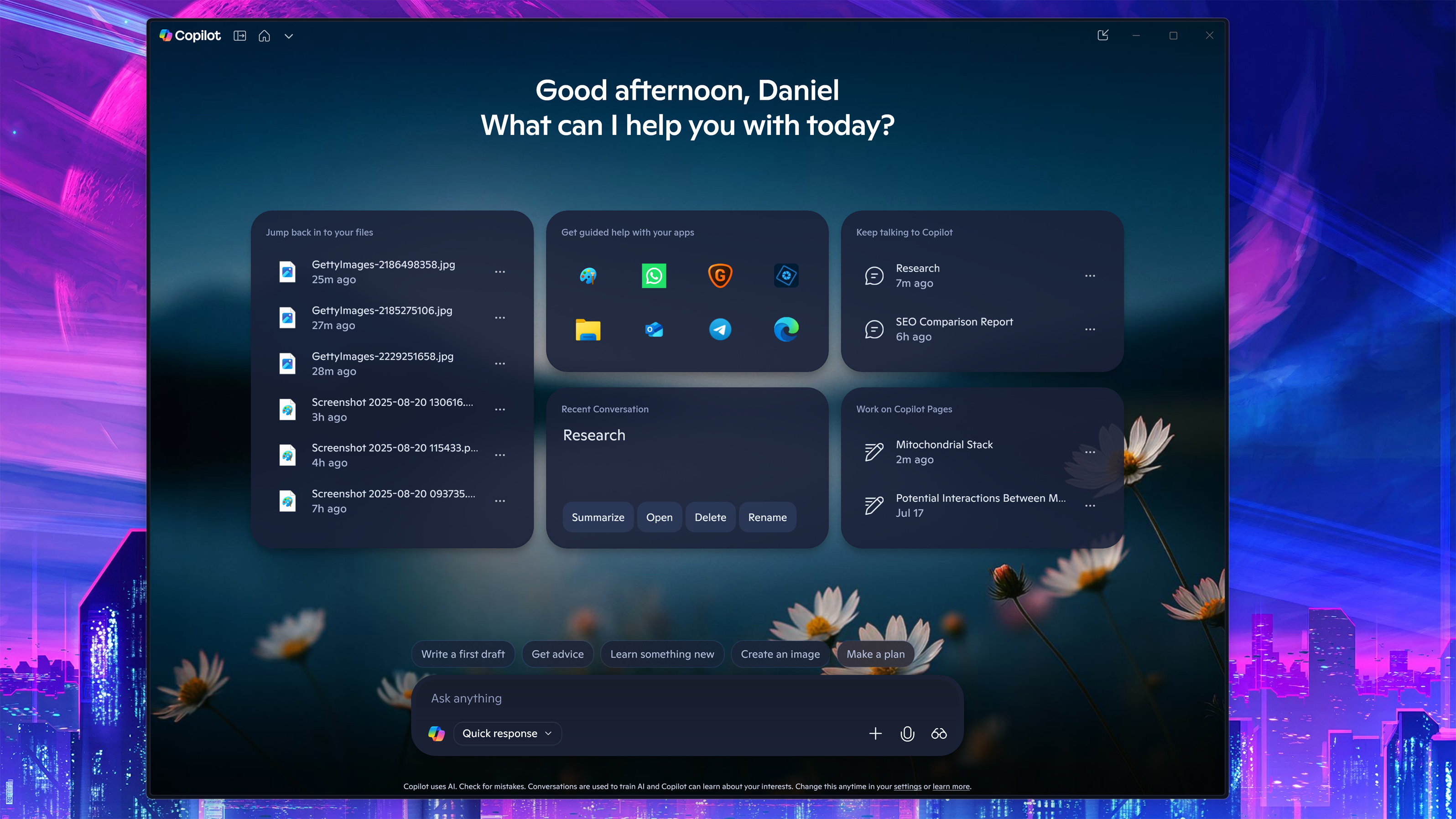
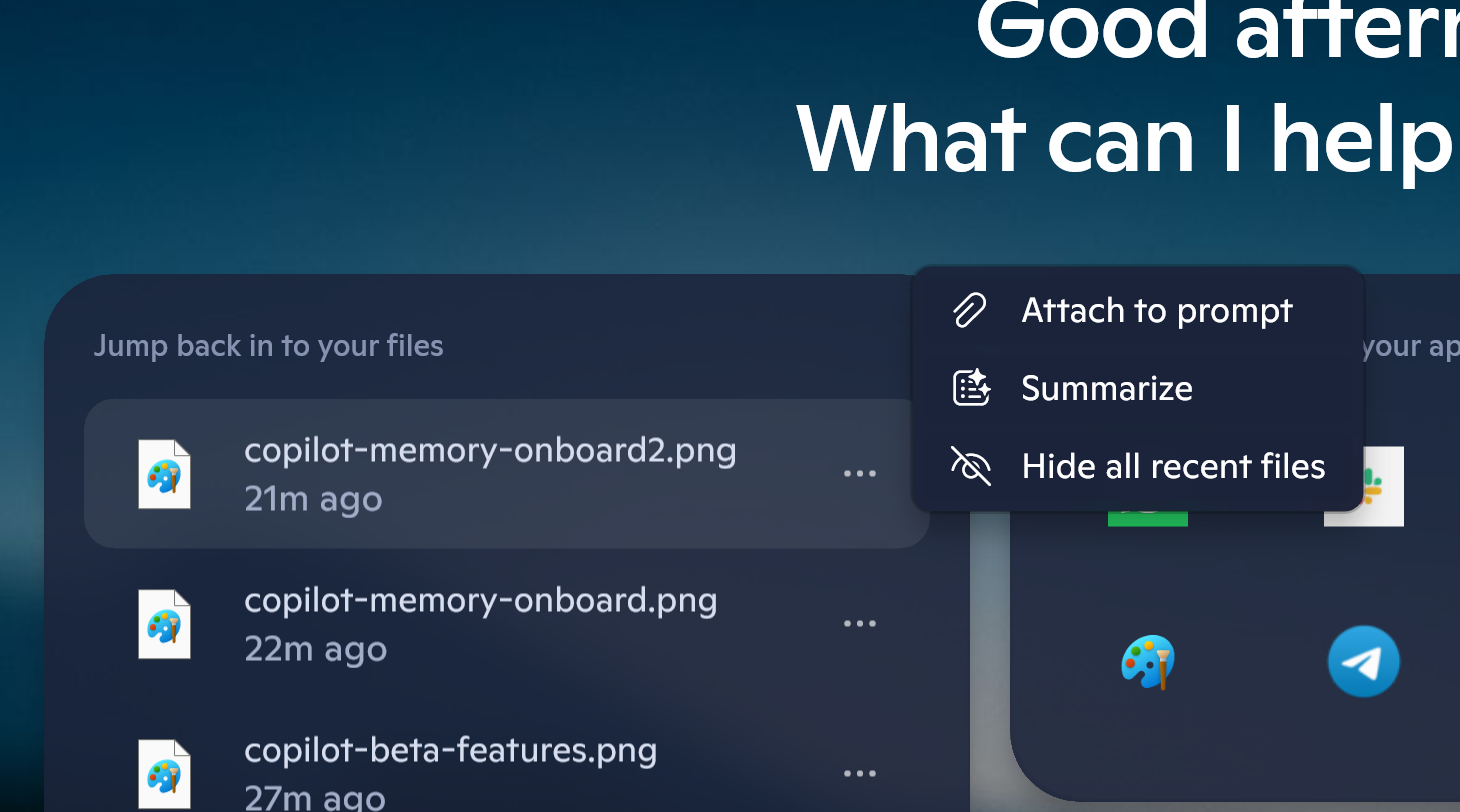
TheRecent FilesThe module matches the same recent files list found in the Start Menu. Access to this feature is available in Copilot's settings under 'Permission settings,' which also allows you to turn the feature off in case you are concerned about sensitive files appearing in that list (to be replaced by a module explaining the feature).
How it works is simple: Whatever recent files you've accessed on your PC appear there and can now be clicked and acted on by the AI (attach to prompt or summarize) — whether that is manipulating (or searching) an image, Word documents, and more.
Files not compatible with Copilot arenotdisplayed.
Work on Copilot PagesList is a twofer if you didn't know aboutPages.
Any query into Copilot can be turned into a more permanent Page that you can also edit (via the 'edit in page' icon at the bottom of the Copilot request). Think of these as ongoing research projects in Copilot that you'll return to and continue to expand. So, this module simply shows the most recent ones for quicker access.
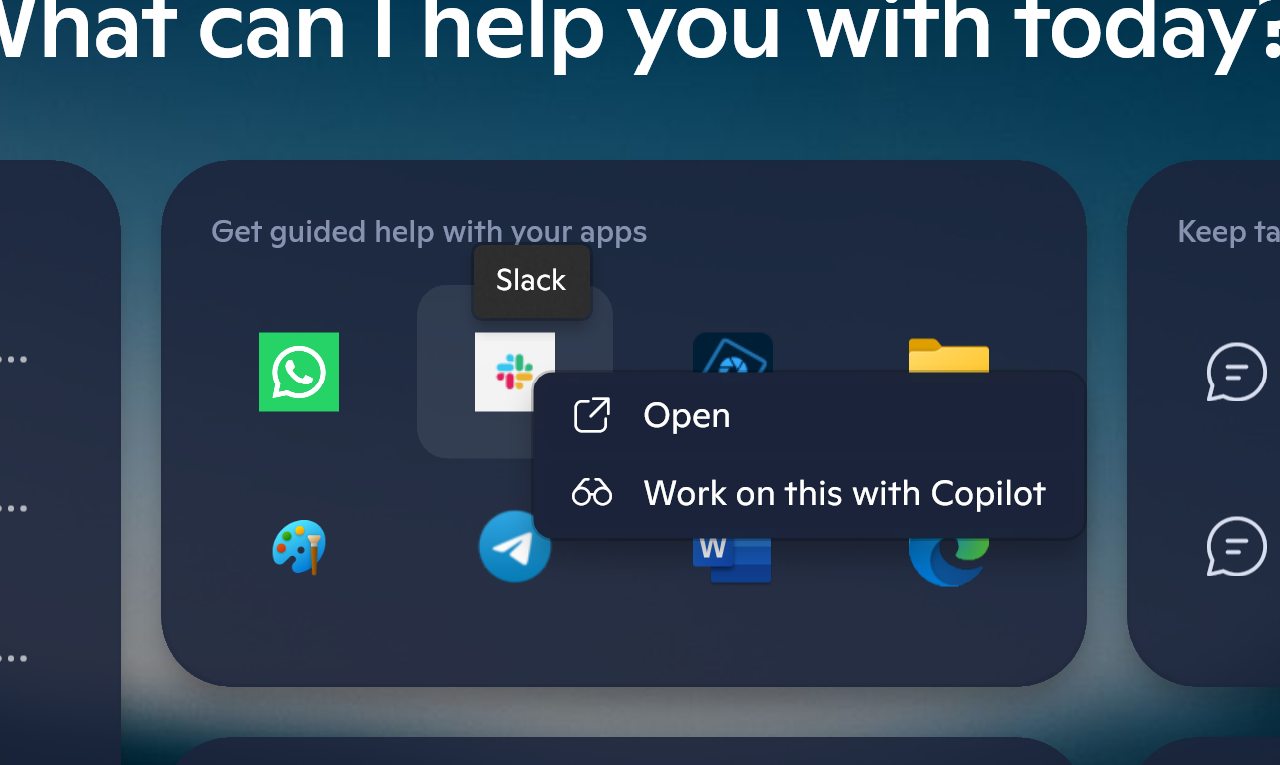
TheApps launcheris the most interesting as it's basically an app-specific quick launcher usingCopilot Vision(the feature that lets Copilot "see" your computer screen). If you click any of your apps, it will launch, but there is also a Copilot window hovering over and focused on the app (and only the app).
From there, you can ask Copilot questions about the app, how to use something, or search for more information on it. I think this is a fascinating way to encourage people to use Copilot Vision, which relies on voice interaction instead of typing.
Finally, there is just theRecent Copilot conversationswindow to jump back into previous AI inquiries.
Copilot - More features (return of Share)?
I've seen some recent A/B testing (I assume) of newer features likely coming to Copilot, including the return of 'share.'
Sharing was one of the first features in the original Copilot app, but was removed duringthe major rewrite this past March. The new version had a share button at the end of the query, which, when clicked, opened a Share Message window with the query and the ability to copy the link for sharing.
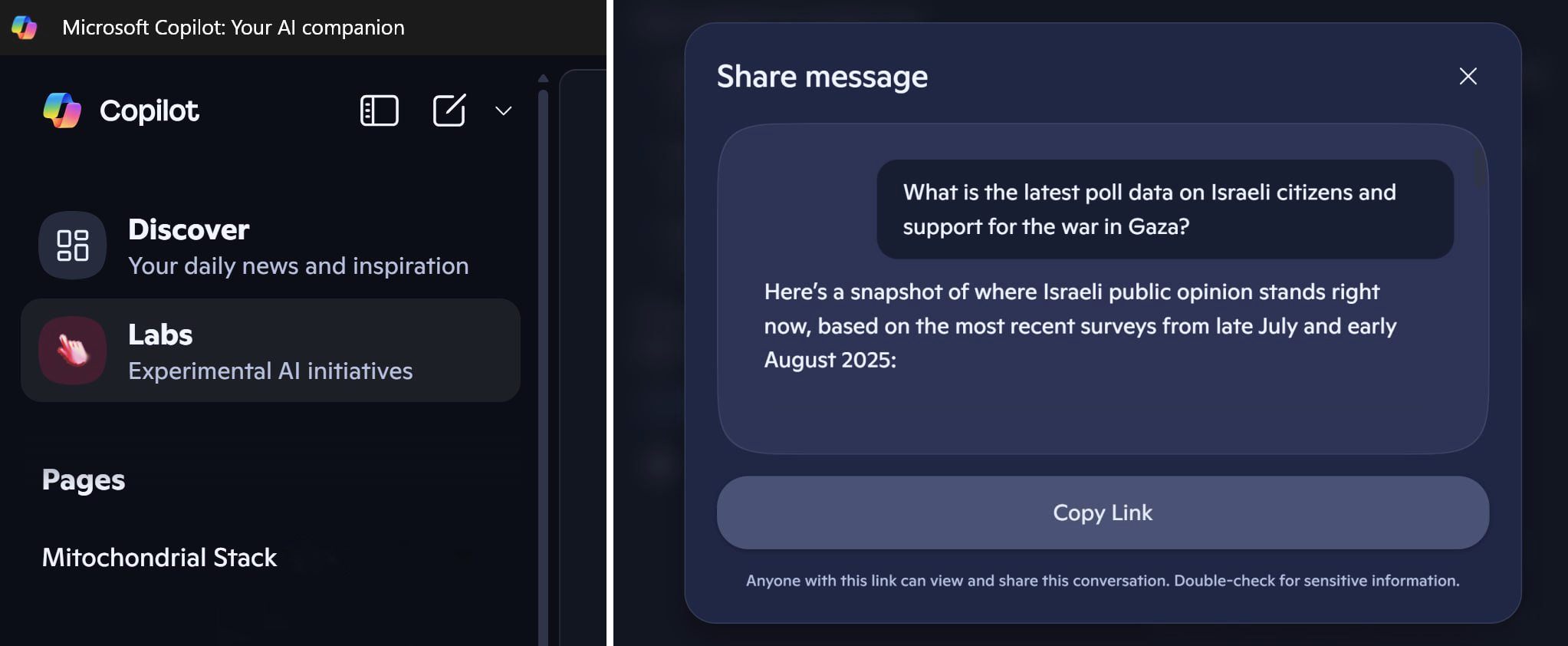
Sharing is a highly desired feature for Copilot, so hopefully, Microsoft brings it back as it has been long overdue by now.
I've also seen Copilot Labs appear in the app, where users can try out new features being developed and found on the Copilot Labs web page.
For me, both features were only around for a day or so and are now gone on my active PCs.
Tip: Get Copilot to know you better
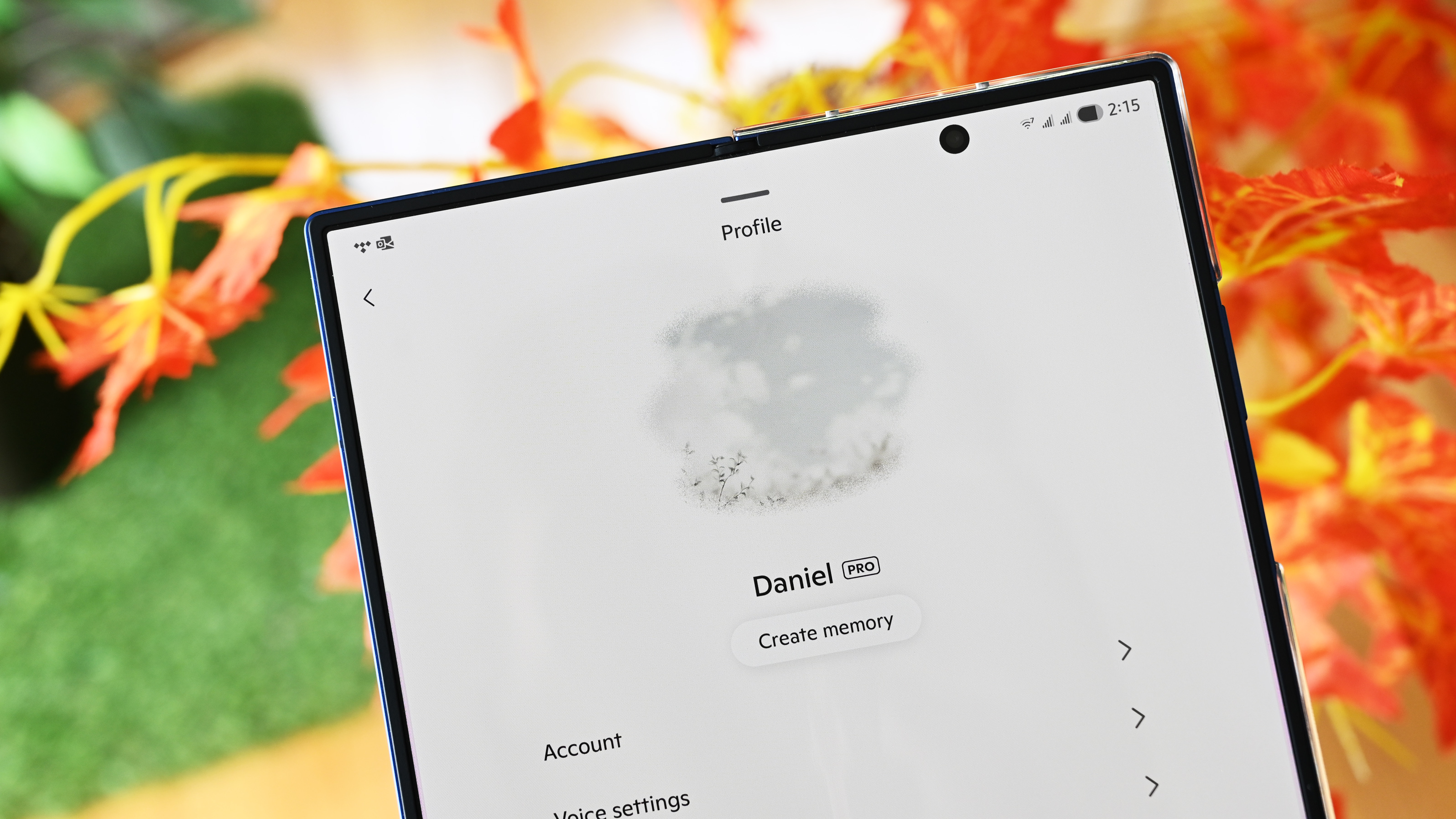
One feature, or rather trigger, I've seen in the Android app for Copilot is the learning/memory feature (announced in April), where Copilot tries to learn more about you and how you use the service.
Under Settings in the app, there is a button that says, "Create memory," and clicking it opens a prompt where Copilot will ask a series of questions based on previous search results for more clarification.
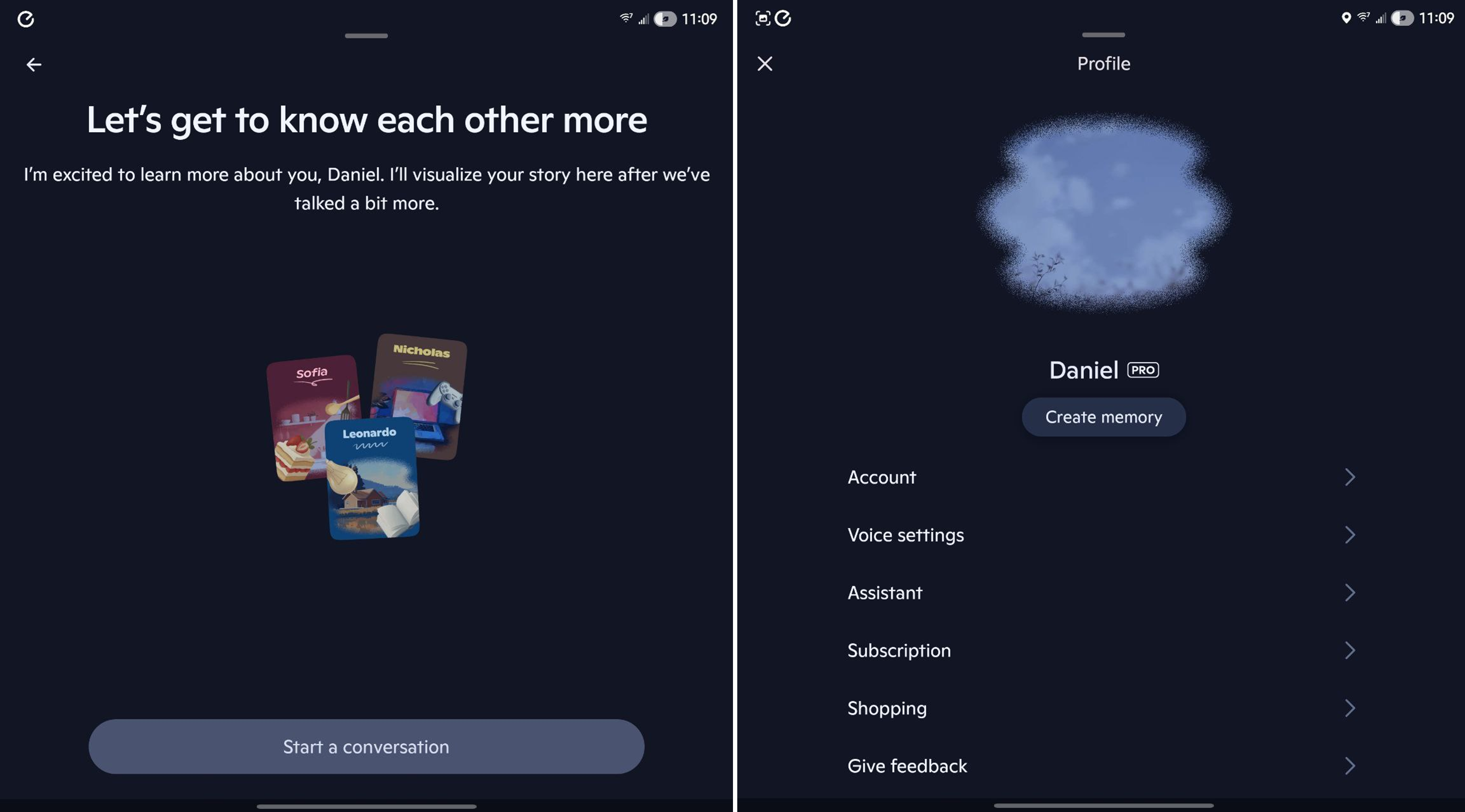
Interestingly, you could just trigger this yourself if you don’t have this feature in any of your apps. Simply type in this prompt, and it should work (unless it's a Copilot Pro feature only):
I heard you have memory, which helps you understand me better. Ask me questions to get to know me better.
Give it a shot!
Copilot is coming along (and I like it)
I have access to Gemini Pro from my work account, and it works well, don't get me wrong, and the Android app also has some additional features and advantages. But my go-to AI app now is Copilot, partially because it feels (and looks) less mechanical and prompt-focused than other LLMs, and I have also been happy with the results.
Next to Click-to-Do and Recall, I think Copilot has one of the best UI designs for Microsoft.
And because I use Copilot in Windows 11, having it on Android and in other Microsoft apps is also a win. That said, I think Microsoft has an uphill battle as Google has the mobile advantage and ChatGPT has the cultural influence going for it. Either way, I'm excited to see how these features continue to evolve.
What about you?Let me know in comments on why you do (and don't) use Microsoft's Copilot, and which is your preferred LLM (and why).
Like this article? For more stories like this, follow us on MSN by clicking the +Follow button at the top of this page.

0 comments:
Ikutan Komentar