If you listen to Spotify playlists while working out or commuting, you need to try this out.
This summer in particular, Spotify seems to be upgrading its app with new features every other week. From a30-day Snooze featureto a new way ofManaging downloads, arevamped Podcasts sectionto an easier way ofbuying audiobooks— there has been a lot.
And now it's at it again.
Please don't stop the music
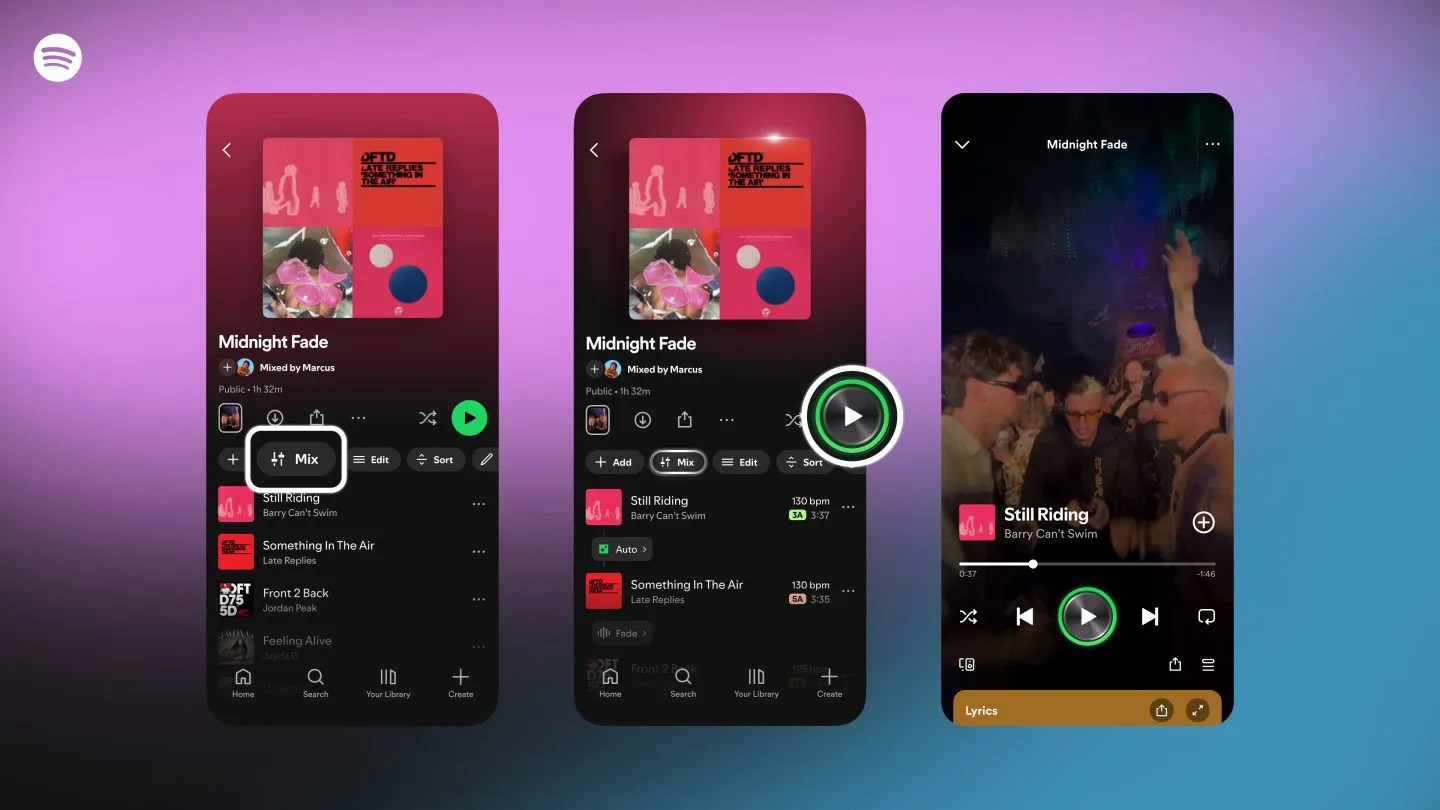
This week,Spotify announcedthat it's bringing new mixing capabilities to new or current playlists. Specifically, it's giving you the ability to add and customize transitions between tracks.
This might sound a little nerdy — because yeah, it kind of is — and if you're not into mixing or DJing, you might not think it's for you. But I'd argue that anybody who listens to Spotify playlists while they work out should take advantage of it.
Why? Because you can make it so that your music never stops. Those awkward silences between songs? This allows you to basically eliminate them. Also, it's super simple.
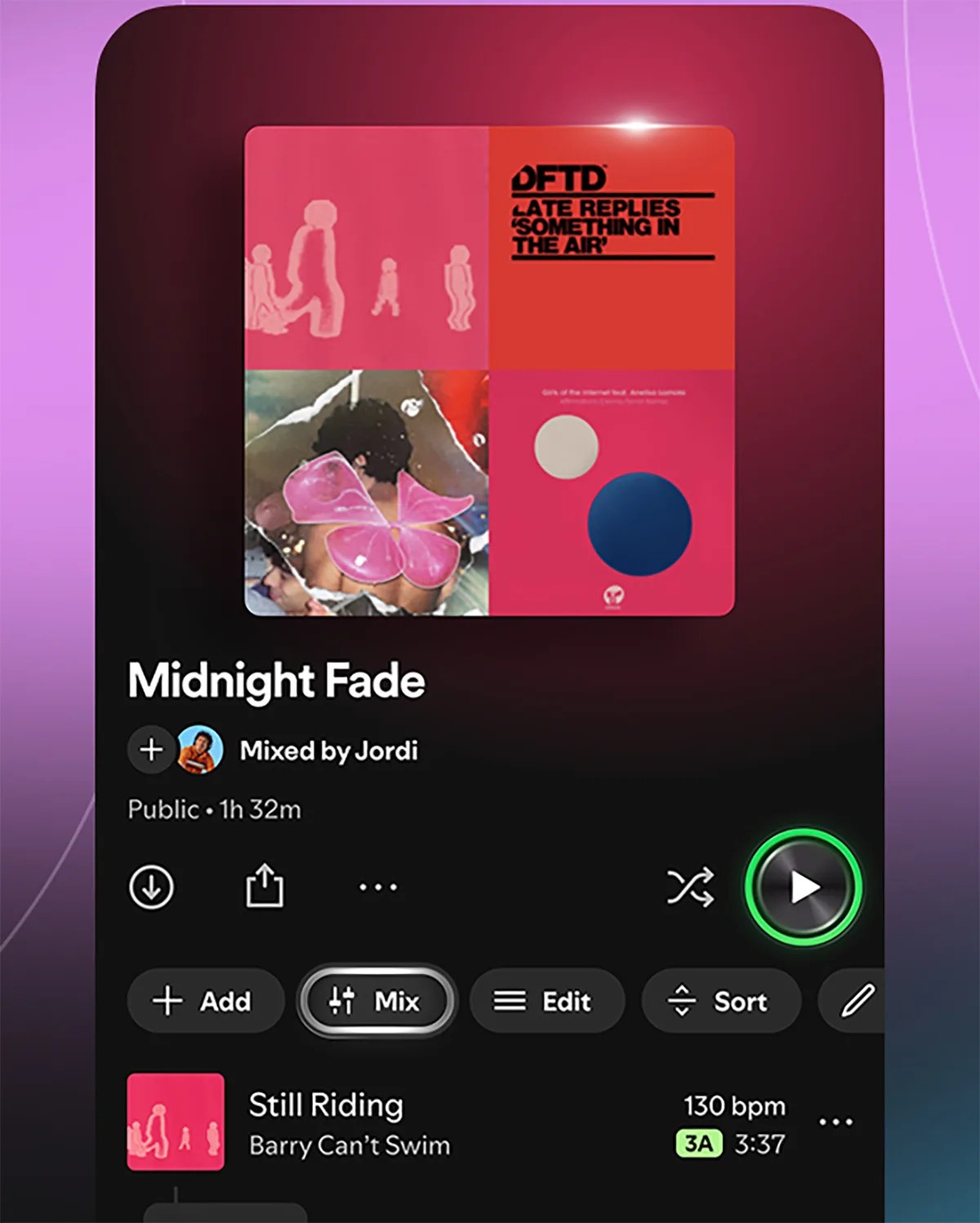
For Spotify Premium subscribers, you should notice a new "Mix" option when you open an existing playlist or create a new one. When selected, there's the "Auto" option that instantly blends the tracks together.
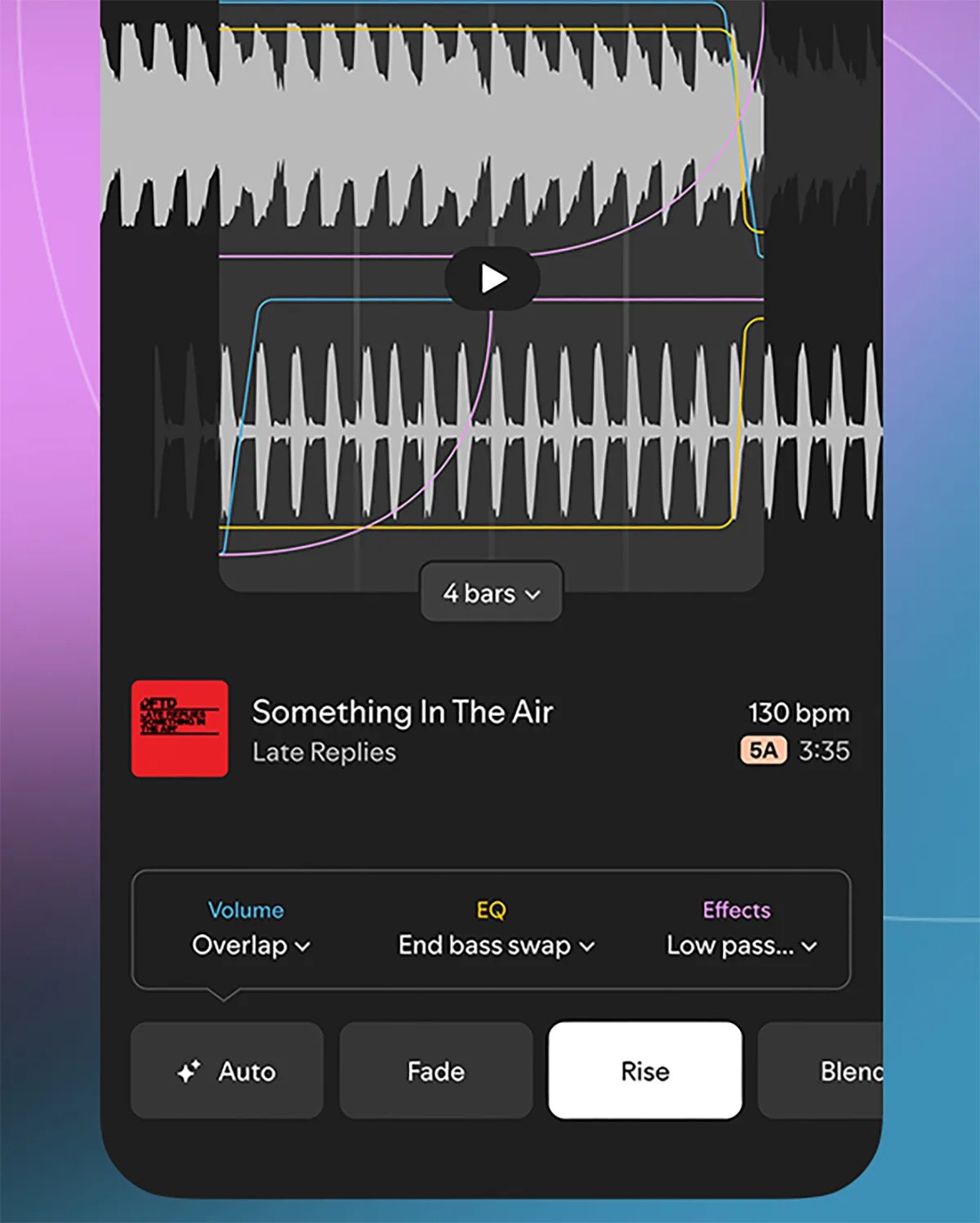
If you want more control over this new mixing tool, you can have more control over these transitions. You can choose presets like "Fade" or "Rise," or go deeper and select specific volume, EQ and effect settings.
Once you're done using the Mix tool (even if it's just to select "Auto"), simply hit the Save option and it's ready to rock. The neat thing is that you can then toggle the Mix option on or off, so you can switch the playlist back to its previous state whenever you like.
Or just use Crossfade
If this new mixing tool feels like overkill to you, fair enough. Spotify already has a built-in feature that can also eliminate awkward transitions between songs. It's called Crossfade.
If you open Spotify, go to "Settings and privacy" and select "Playback," you'll see a Crossfade slider. Simply toggle this between 1 and 12 seconds - the higher the number, the more the songs will blend into each other.
Note:Spotify's new Mix tool is currently available in beta to Spotify Premium subscribers. At the time of writing, it doesn't appear to be accessible to those on Premium family plans.
To learn more, check outSpotify's blog post.

0 comments:
Ikutan Komentar