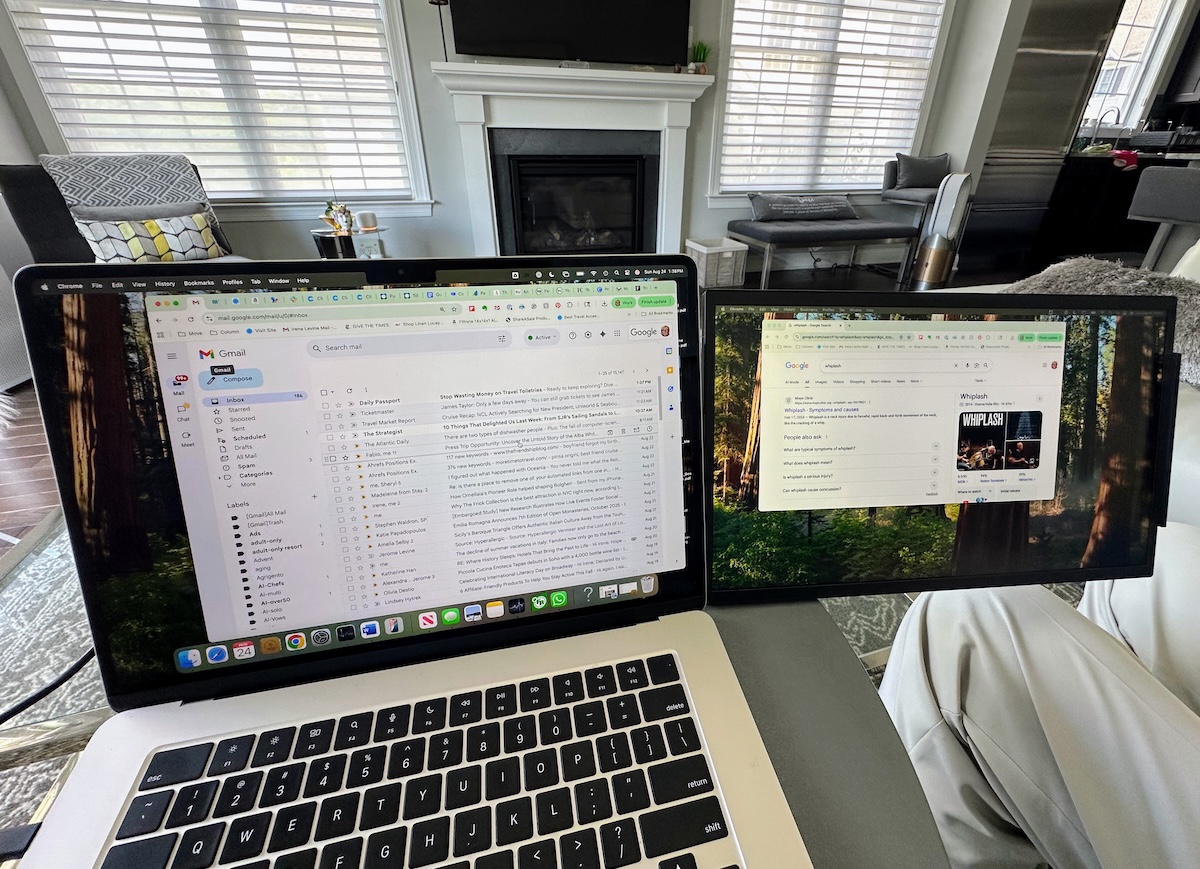
What is the SideTrak Swivel?
The SideTrak Swivel is a portable monitor that can be easily attached and detached from your laptop to serve as a second screen. It comes in various sizes, including 15.6 inches, 13.3 inches, and 12.5 inches, making it suitable for different laptops and user needs. The device is lightweight, weighing only 1.5 pounds, and features a 360-degree swivel hinge for flexible viewing. It is compatible with Mac, Windows, and Chrome OS laptops.
Why Do People Need a Second Screen?
As someone who spends a lot of time researching, verifying details, and curating content, I've found that using a second screen significantly boosts productivity. Instead of constantly switching between tabs, having an additional display allows for more efficient multitasking. While this might seem like a luxury, it's actually a practical tool that can benefit anyone who works on the go, whether they're a traveler, digital nomad, or student.
How to Set Up the SideTrak Swivel
Setting up the SideTrak Swivel was incredibly straightforward. All I needed to do was peel off the backing from a small magnetic plate and snap the monitor bracket onto it. No extra software or tools were required. The monitor attaches magnetically to the laptop, and the company provides clear written instructions along with an online video guide that makes installation quick and simple. A cable connects the monitor to the laptop, and it can be attached to either the left or right side. As soon as I turned on my computer, the SideTrak Swivel automatically powered on and was ready to use.
How Does the SideTrak Swivel Work?
If you frequently multitask and use multiple browser tabs, the SideTrak Swivel will quickly become an essential tool. Its innovative swivel feature allows the second screen to sit beside your laptop, and it can also be adjusted to portrait or landscape mode without any hassle. The vertical mode is especially useful for reading long articles. The screen quality is impressive, with a 1080p resolution that matches the clarity of my Apple laptop screen. It has an anti-glare coating, ultra-thin bezel, and adjustable brightness settings. The slim design and fold-in feature make it highly portable, and I wouldn’t hesitate to take it on any trip.
Potential Drawbacks
One downside I noticed is that using the second screen drains the laptop battery faster. However, this hasn't been a problem for me because I usually keep my laptop plugged in when using the SideTrak. Another consideration is the size—while the 15.6-inch model offers ample space for work, I would have preferred a slightly smaller screen for easier portability on my lap. It doesn't fit into my usual protective case, but it does fit well in my travel bag. For frequent travelers, the 12-inch model might be more ideal, and it’s even possible to use two of these monitors at once.
Who Will Benefit from the SideTrak Swivel?
The SideTrak Swivel is particularly useful for travelers, especially those who combine work and leisure (bleisure). It’s also great for students, gamers, or hybrid workers. Whether you're looking for a gift for a birthday, graduation, or holiday, the SideTrak Swivel is a thoughtful and practical choice. It works just as well on your lap as it does on a flat surface.
About the Company
Luxor, the company behind the SideTrak Swivel, is based in the United States, with offices in Waukegan, Illinois. If you encounter any issues, you can reach out for dedicated phone support. The company also offers a 30-day hassle-free return policy. In addition to the SideTrak Swivel, Luxor also produces free-standing monitors.
Price and Availability
The SideTrak Swivel is currently available on Amazon for $319 in Dark Gray and $339 in Chrome.
Final Thoughts
Overall, the SideTrak Swivel is a versatile and convenient tool for anyone who values productivity while on the move. Whether you're working from a café, a hotel room, or a remote location, this portable monitor can enhance your workflow and make your travels more efficient.

0 comments:
Ikutan Komentar