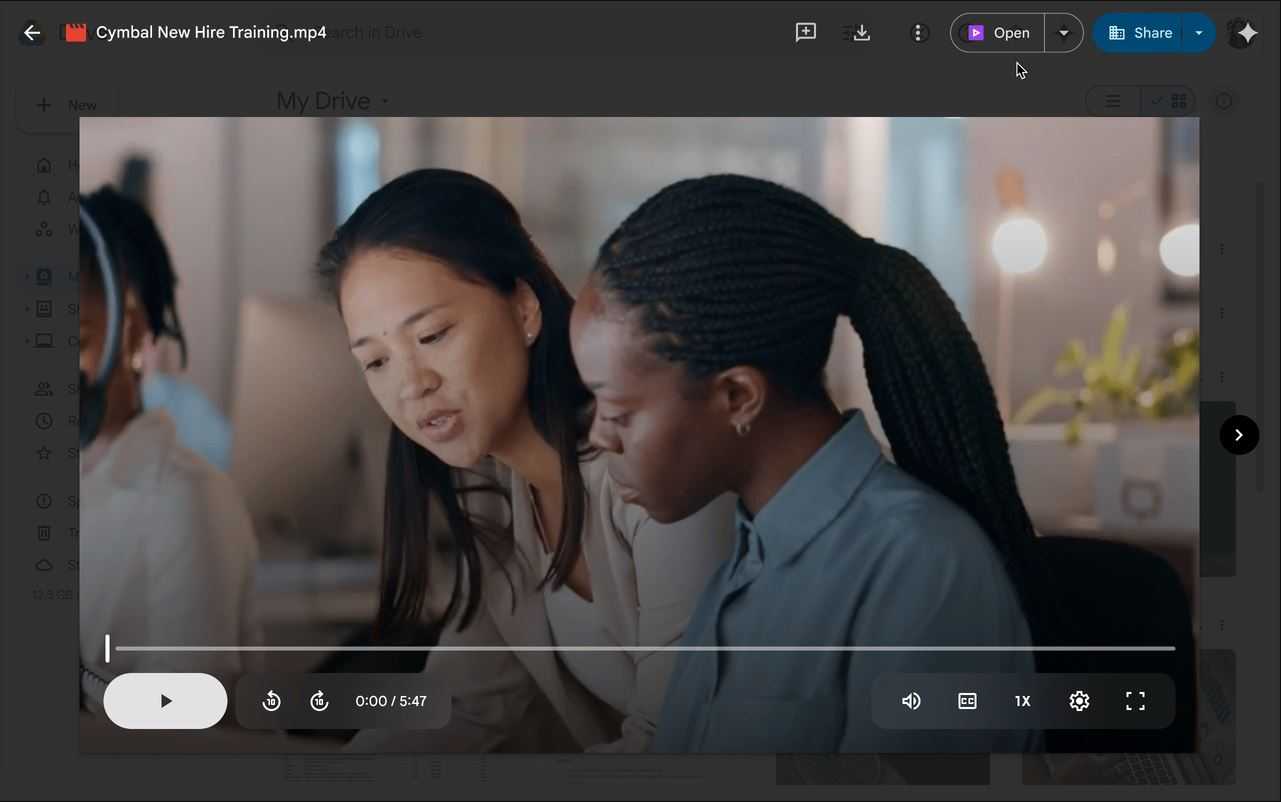
Google just made it much easier to edit videos stored in Google Drive. The company added a new "Open" button in the upper right of the video preview screen that opens the file in Google Vids. This is a major improvement because editing previously required a whole process of downloading and re-uploading.
Once you click the Open button, the video file will automatically open in Google Vids, where you can make all sorts of edits. This includes trimming clips, adding text, music, and a lot more. This makes it really easy to do simple edits without needing a more complex editing program. I pay for the 2TB storage with Google, and editing videos is a huge pain because it requires downloading the files and then reuploading them after editing.
One huge detail to know is that when Vids opens the video file, it creates a new Vids file. This means you'll still have to go through the regular steps to save or export it to a different file format. The new tool also has some limitations, as individual clips can only be up to 35 minutes long and have a maximum file size of 4 GB.
The new feature is currently being rolled out, and for some users, it might take a while to appear. According to Google, it could take longer than 15 days for the feature to be fully visible to all users on both Rapid Release and Scheduled Release domains. This shortcut will be enabled by default for Google Workspace users, but for admins, you can turn it off at the organizational level if needed. However, you should know that if Google Docs are turned off for your domain, Vids access will also be unavailable.
This new video editing shortcut is the latest in a series of improvements Google has been making to Drive's video capabilities. Just last October, Google launched a new video player, and in May, the company added a Gemini AI feature that can summarize videos stored in Drive.
As of now, this feature is available for a number of Google Workspace plans, including Business Starter, Standard, and Plus, as well as all of the Enterprise, Essentials, and Nonprofits plans. It's also available to those with the Gemini Education or Gemini Education Premium add-ons. On top of that, it's also available for those with Google AI Pro and Ultra. Unfortunately, it looks like personal Google accounts can't use the new feature at all.
I subscribe to Google One, but it hasn't been rolled out to me yet. So if you don't see it, don't worry, rollouts tend to take a while. Google has a timeframe of 15 days for this rollout, so the longest wait could be until September 6, 2025. Either way, if you're interested, it's a good idea to check every day until you see the button appear.
Target:Google

0 comments:
Ikutan Komentar